Pixro vs Aiuta: Aiuta Alternative for Shopify Sellers
Aiuta put its try-on button on ASOS. That's the sentence that sells it, and it's a real one.
So if you're a Shopify seller weighing Aiuta, you're really asking a smaller question: do I need the infrastructure that dresses ASOS, or do I need every visual my store runs on — try-ons, on-model shoots, catalogues, banners, reels — shipped from one place by lunch?
Those are two different problems. Let's split them cleanly.
Who each one is for
Aiuta is enterprise virtual try-on infrastructure — an SDK, an API, and a Shopify app — built for brands that want a shopper to try a garment on their own body, and have someone to wire it in. Pixro is an all-in-one, web-based AI creative platform: 15+ AI tools in one browser app (www.pixro.ai), from an AI-agent chat that works like a full creative crew, to try-on, on-model shoots, ghost mannequin, flat-lay, bulk catalogues, banners, AI influencers, and 6+ live video tools.
Choose Aiuta if you're a scaled fashion brand that wants shopper-facing, on-your-own-body try-on and you have a dev team. Choose Pixro if you want professional try-on plus a whole catalogue's worth of imagery and video from one web app, no code, credit-based from $10.
At a glance
| Category | Pixro | Aiuta |
|---|---|---|
| What it is | All-in-one, web-based AI creative platform (15+ tools) | Enterprise try-on infrastructure (SDK / API / Shopify app) |
| Core try-on | Cloth, accessories, eyewear, shoes, jewellery try-on on AI models | Shopper try-on from a single product image; full outfit up to 6 items, 20+ models |
| Beyond try-on | On-model shoots, ghost mannequin, flat-lay, CGI stills, bulk catalogue builder, banners, AI influencers | Aiuta Studio for model imagery; narrow try-on focus |
| Image + video | Image plus 6+ live video tools — AI reels, product video, image-to-video, UGC | Try-on focused; no reels / UGC / banner breadth |
| Access | Self-serve web app + AI-agent chat; connect Shopify / URL / catalogue | Shopify app is quick; full power is SDK/API integration |
| Workflow | AI-agent chat backed by a team of AI agents; 40+ models auto-orchestrated | Developer-facing SDK/API |
| Pricing model | Credit-based, USD — $10 Trial / $30 Growth / custom Business | USD, request-capped monthly tiers |
| Delivery | Always-on automation to your store, ad and social channels | On-site product page widget |
Core features: try-on vs a whole studio

Here's the honest starting point. Aiuta does one thing and does it with real polish: it lets a shopper see a garment on a body, generated from a single standard product image. Full outfits up to six items, 20+ diverse models, live in days. If your only goal is a try-on button on the product page, that's a clean, focused product.
Pixro is wider on purpose. Try-on is one tool among 15+ — cloth, accessories, eyewear, shoes, and jewellery, all on AI models. But the same account also does your on-model photoshoot, the ghost-mannequin hollow-man shot, flat-lays, CGI stills, background cleanup, a bulk catalogue builder for a whole range, banners, AI influencers, and video. And instead of dashboards to learn, you just tell an AI-agent chat what you want to create — a team of AI agents (creative director, art director, photographer, video editor) works it out and picks from 40+ underlying models automatically.
So the difference isn't quality of try-on. It's scope. Aiuta hands your shopper a fitting room. Pixro shoots the whole catalogue and then some.
Bottom line: choose Aiuta if a shopper-facing try-on widget is the entire job. Choose Pixro if try-on is one line on a longer list of visuals you have to ship this month.
Output and try-on quality
Both start from a single product image, which is the part that matters for a busy seller — you don't need a model booked or a studio rented. Aiuta's edge is a narrow, best-in-class focus: it exists to make the on-body render believable, and the ASOS-scale deployment is evidence it holds up at volume.
Pixro's try-on holds consistency where it's hard — the drape, the fabric texture, the bangles and shoes that a generic model set often gets wrong. Its brands include HRX, The Roadster and Reliance Jewels, and for one garment it can turn out roughly eight catalogue poses plus a reel plus try-ons in under a minute, keeping colour, texture and logo consistent across a collection. And because the same tool does ghost mannequin and on-model shoots, you match the look across a listing instead of stitching two vendors together.
Bottom line: choose Aiuta for a proven, shopper-side try-on at brand scale. Choose Pixro if your output needs to sit inside a fuller catalogue you control end to end.
Catalogue consistency
This is where breadth earns its keep. A try-on widget answers one question — will this fit me — on one product page. It doesn't give you 200 listings that look like they were shot on the same day.
Pixro's bulk catalogue builder is made for exactly that: same background, same framing, same light across a range, so your store reads as one shop and not forty phone snaps. HRX used it for 500+ catalogue images with about a 90% cut in production time. Aiuta doesn't set out to solve catalogue-wide consistency; that's not its lane. If you want the reasoning behind why catalogue-wide consistency is the real conversion lever, our Pixro vs SellerPic breakdown digs into it.
Bottom line: choose Aiuta for on-page try-on. Choose Pixro when you need a whole catalogue to look consistent, not one hero product.
Image and video
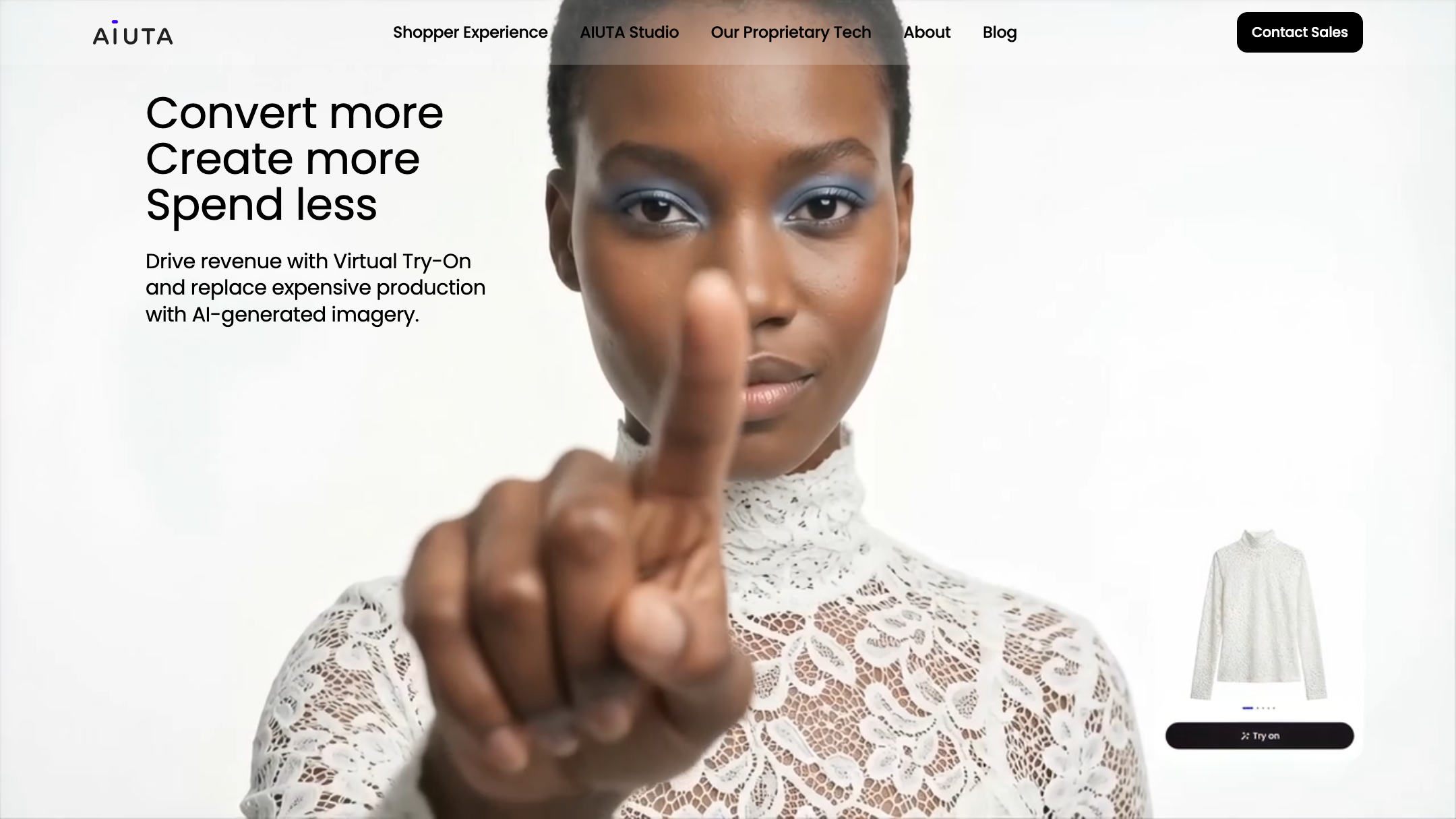
Aiuta is a try-on specialist. It doesn't touch reels, UGC, or banners — and that's a fair scoping choice, not a flaw.
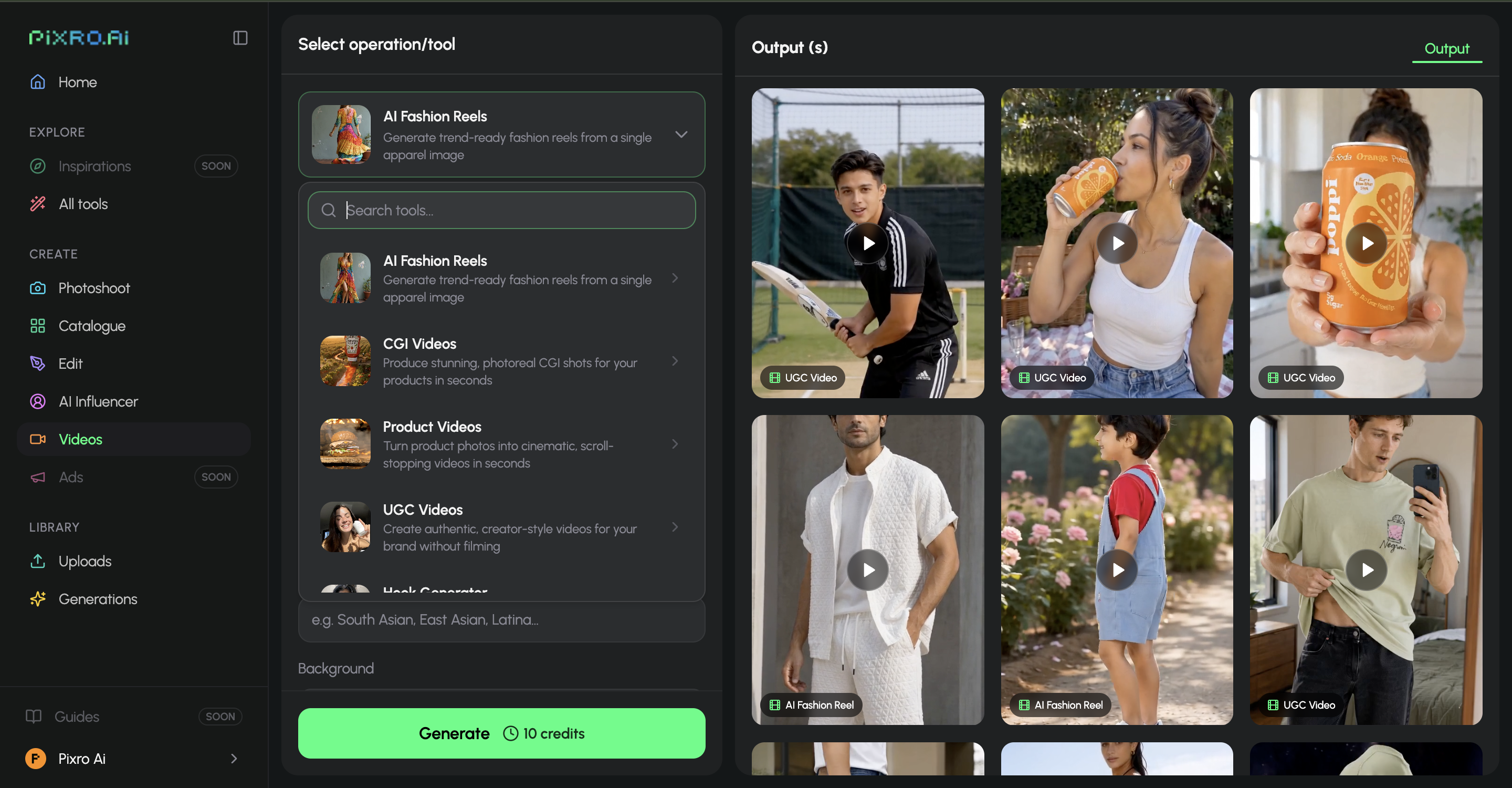
Pixro spans image and video, and the video is live — not a roadmap promise. There are 6+ video tools in production: AI reels, product videos and commercials, image-to-video, UGC videos, and a fashion reel maker. So the same account gives you the still and the moving version of a product, instead of a try-on tool plus three other subscriptions. And Pixro auto-picks from 40+ models per job, so you don't decide between engines. For the model-generation side specifically, our Botika vs FASHN AI vs Pixro comparison shows where AI models earn their place.
Bottom line: choose Aiuta if you only ever want try-on. Choose Pixro if you want stills and reels — both live — from the same place.
Pricing: credits vs request caps
Aiuta's Shopify app is priced in USD and capped by requests. As of July 2026 — check their site, since these move — the tiers read:
| Aiuta plan | Price (USD/mo) | Products | Try-on requests |
|---|---|---|---|
| Basic | $19.99 | 20 | 300 |
| Pro | $39.99 | 40 | 600 |
| Business | $59.99 | 60 | 1,200 |
Overage runs about $9.99 per 100 extra requests, and the enterprise SDK/API pricing isn't public. So for a store showing try-on on more than 60 products, or one that outgrows 1,200 shopper requests in a busy month, the bill climbs.
Pixro is credit-based and priced in USD. The Trial is $10 a month for 50 credits — roughly 30 photos or videos. Growth is $30 a month for 400 credits — around 250 photos or videos. Business is custom, for a team running a full catalogue, and there are pay-as-you-go credit packs on top. You start on a free trial of that paid Trial plan; there's no permanently free tier, and no request cap counting down on a product page.
For a small seller, the maths that matters is what a single balance buys. At $10 for 50 credits, you're not paying for one try-on button — you're paying for a whole studio: try-on, on-model shoots, ghost mannequin, catalogues, banners, AI influencers, and video, all from the same credits. To be fair on both sides: Pixro is credit-based, not flat or free-forever, and the $10 Trial is where you start. What you're buying isn't a cheaper try-on button; it's the whole platform at $10 or $30. The Pixro vs Quinn comparison runs the same value math against another rival.
Bottom line: choose Aiuta if USD, request-capped tiers fit your finance setup. Choose Pixro if predictable credit-based pricing and a fuller toolset per dollar matter more.
Ease of use and access
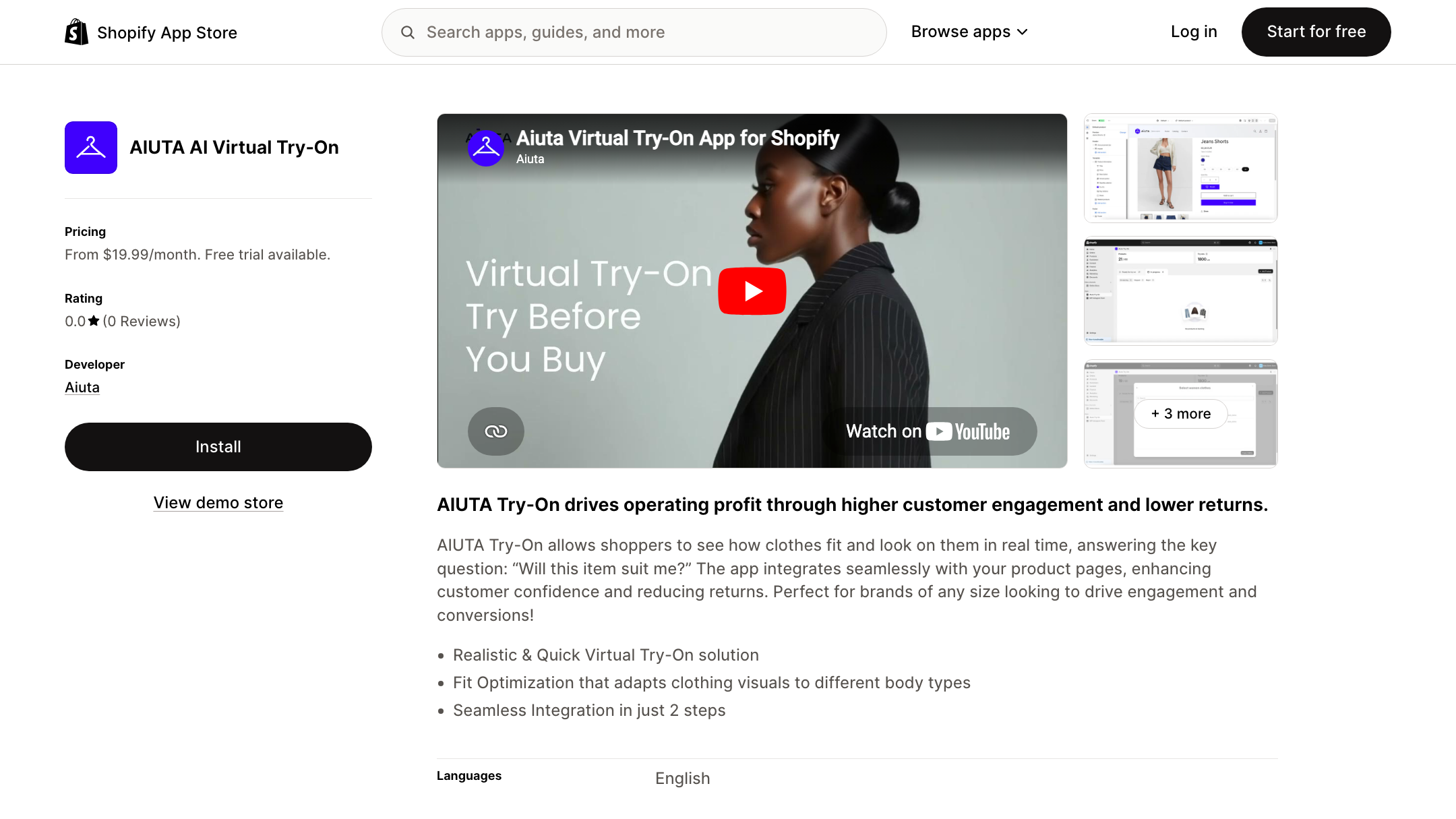
Aiuta's Shopify app installs quickly, and third-party reviewers in 2026 have called the try-on button integration genuinely one-click in the Shopify admin. But its real depth lives in the SDK and API — the open-sourced Android and iOS kits — which is a developer story. Great if you have a developer. A wall if you don't.
Pixro's front door is a web app you open in the browser at pixro.ai. You describe what you want in an AI-agent chat — "what do you want to create today" — and a crew of AI agents produces it, no dashboards to master and no integration to schedule. You can also connect your Shopify store, a website URL, a product catalogue or brand assets and let Pixro generate from those directly. For the person making the images and running the store at once, that's the difference between using the tool and meaning to.
Bottom line: choose Aiuta if a dev team and a Shopify-first stack are givens. Choose Pixro if you'd rather just ask a chat for what you need and get it back.
Support and delivery
Aiuta's model is self-serve for the Shopify app and enterprise-contract for the SDK — support scaled for brands like About You and Alice + Olivia. That's a strength if you're that size, and a mismatch if you're a two-person store.
Pixro's delivery is always-on automation. Connect your store, catalogue or ad and social channels, set it once, and Pixro can generate and push ecommerce-ready, ad-ready and social-ready creatives on a schedule — fresh assets every day without you re-briefing. Enterprise APIs are available for teams that want to wire it into their own stack.
Bottom line: choose Aiuta for enterprise-grade contracts and technical support. Choose Pixro if you'd rather set delivery once and have finished creatives arrive on their own.
Who Aiuta is best for
Genuinely: scaled fashion brands. If you're operating at the size where shopper-facing, on-your-own-body try-on measurably cuts returns, and you have engineers to wire an SDK into a native app or a custom storefront, Aiuta is a serious, focused, credible choice. The ASOS partnership isn't marketing gloss — it's proof the try-on holds up under real traffic. Buy Aiuta for depth of try-on and technical control.
Who Pixro is best for
Ecommerce and fashion sellers who need every visual, not one widget. If you have 200 SKUs, no studio, and no dev team, Pixro is built for your exact Tuesday. You get try-on, on-model shoots, ghost mannequin, catalogues, banners, AI influencers, and 6+ live video tools — asked for in an AI-agent chat, with 40+ models auto-orchestrated behind the scenes, credit-based from $10, delivered to your store and channels on a schedule.
Switching from Aiuta: what transfers
You don't migrate a photo library here — you change what you outsource. If Aiuta's request-capped pricing is starting to pinch, or you've realised a try-on widget doesn't shoot your catalogue, banners, or reels, the switch is mostly mental.
Your product photos are the input either way. So instead of a try-on button plus a photographer plus a banner freelancer plus a video editor, you point Pixro at the same photos — or connect the store outright — and get the whole set back. The Pixro vs LALA.LAND comparison covers a similar switch from a narrow model-generator to a full suite. And if you're still shortlisting tools, our guide to the best AI product-photoshoot tools lays out the field.
How Pixro and Aiuta compare: the scorecard
A fair read across the dimensions that decide it for a working seller. Filled dots mean stronger; the Edge column names who genuinely wins that row — and Aiuta wins where it earns it.
| Dimension | Pixro | Aiuta | Edge |
|---|---|---|---|
| Output / try-on quality | ●●●●○ | ●●●●● | Aiuta — proven on-body try-on at ASOS scale |
| All-in-one breadth | ●●●●● | ●●○○○ | Pixro — 15+ tools, not one widget |
| Video + reels | ●●●●● | ●○○○○ | Pixro — 6+ live video tools vs none |
| AI-agent workflow | ●●●●● | ●●○○○ | Pixro — chat + AI-agent crew vs SDK/API |
| Model range | ●●●●● | ●●○○○ | Pixro — 40+ models auto-orchestrated |
| Pricing & value | ●●●●○ | ●●●○○ | Pixro — whole platform from $10, no request caps |
| Support model | ●●●●○ | ●●●●● | Aiuta — enterprise contracts and SDK support |

Overall read: if the whole job is a shopper-facing try-on button at brand scale, Aiuta wins on focus, proof and enterprise support. For a seller who needs try-on plus the rest of the catalogue and the video, from one web app, Pixro takes the wider fight.
FAQ
Is Aiuta worth it?
For a scaled fashion brand that wants shopper-facing try-on and has a dev team, yes — it's a focused, credible tool with real enterprise deployments behind it. For a smaller seller who needs more than a try-on button, its narrow scope and USD, request-capped pricing make it a harder fit.
What's the best Aiuta alternative for Shopify sellers?
Pixro is the closest all-in-one alternative: the same try-on value without any integration work, credit-based from $10, in one web app — plus on-model shoots, catalogue, banner, AI-influencer and 6+ live video tools Aiuta doesn't cover, with 40+ models auto-picked for you. Think of it as Aiuta's try-on value for sellers who want the whole studio, not one widget.
Is Pixro web-based, and how do I access it?
Yes. Pixro is a browser app at www.pixro.ai — you sign in, tell the AI-agent chat what you want, and get finished creatives back, with nothing to install and no code to write. If you'd rather talk to a human first, you can reach the team on WhatsApp at +91 6364871993 or by email at hello@pixro.ai.
Does Pixro have a free plan?
No. Pixro is credit-based, with no permanently free tier. You start on the $10 Trial (50 credits, about 30 photos or videos), then move up to Growth at $30 (400 credits) or a custom Business plan as you need more, with pay-as-you-go credit packs available too.
The honest last word
Aiuta put its try-on button on ASOS, and that button is very good at one job.
The question was never whether it works. It's whether one very good button is the thing your store needs this quarter — or whether you need the whole studio: try-on, catalogues, banners, AI influencers and video, from one web app.
You've got a product photo on your phone right now. Open Pixro at pixro.ai, start the $10 Trial, and judge the on-model version — and the reel — before you decide which problem you were actually solving.








