Pixro vs Lalaland: A Self-Serve Lalaland AI Alternative
Type lalaland.ai into your browser today and you don't land on Lalaland.
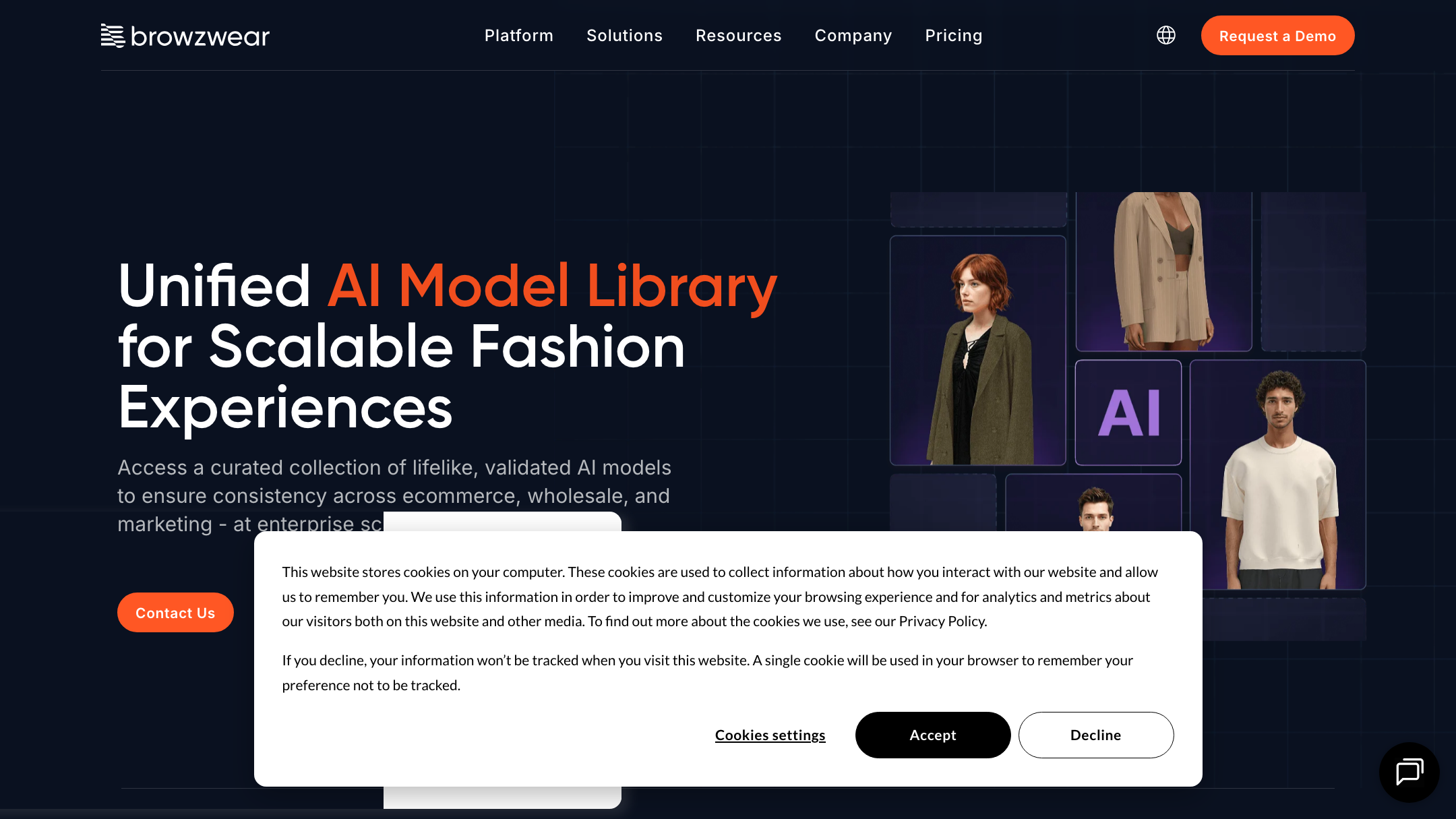
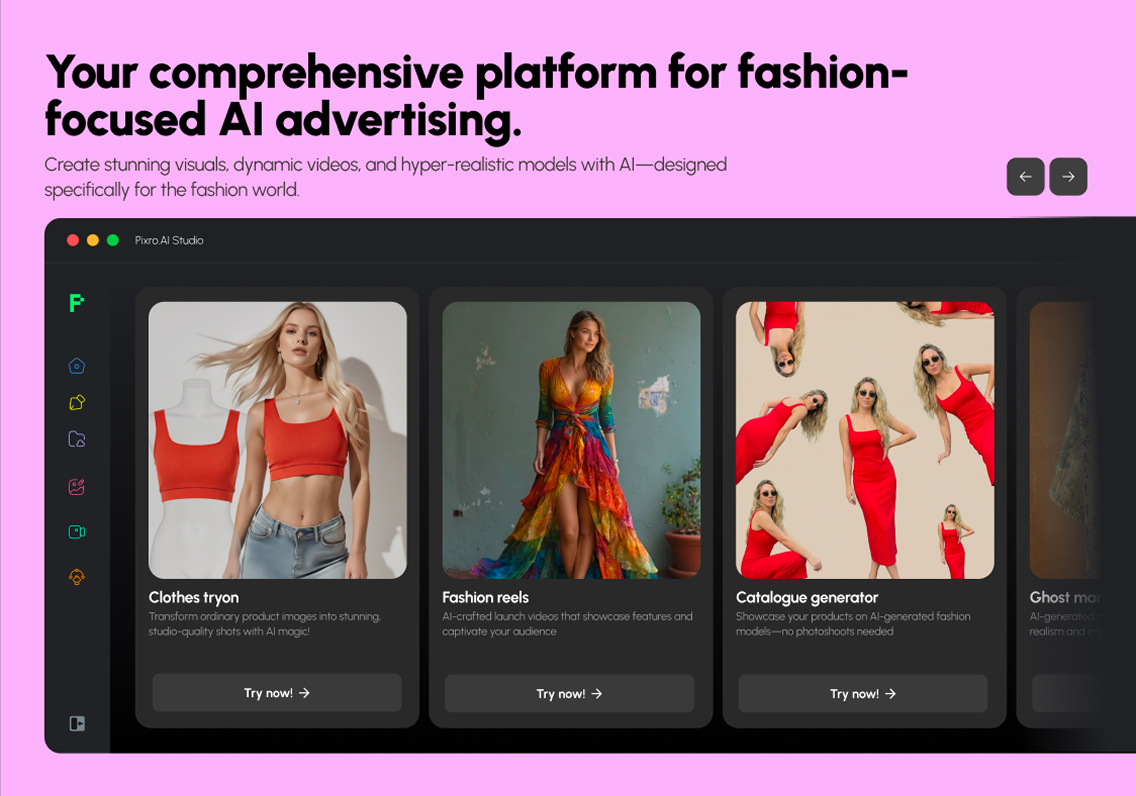
You land on Browzwear. A 301 redirect, a new headline, and a page that asks you to "Request a Demo" instead of "Start free." The pioneer that put diverse AI fashion models on the map got acquired in July 2025 and folded into an enterprise suite called Browzwear Sell.
So if you searched for a Lalaland AI alternative, here's the honest first thing to know: the tool you remember isn't really a self-serve product anymore. You can't sign up in the afternoon and have a model wearing your kurta by evening. You get a sales call and a contract instead.
That's not a knock on the technology. It's a knock on the fit — for a store owner with 200 SKUs and no procurement team, an enterprise demo funnel is the wrong door.
This post is the fair comparison anyway: what Lalaland became, what Pixro does, and who each one actually serves.
The short verdict
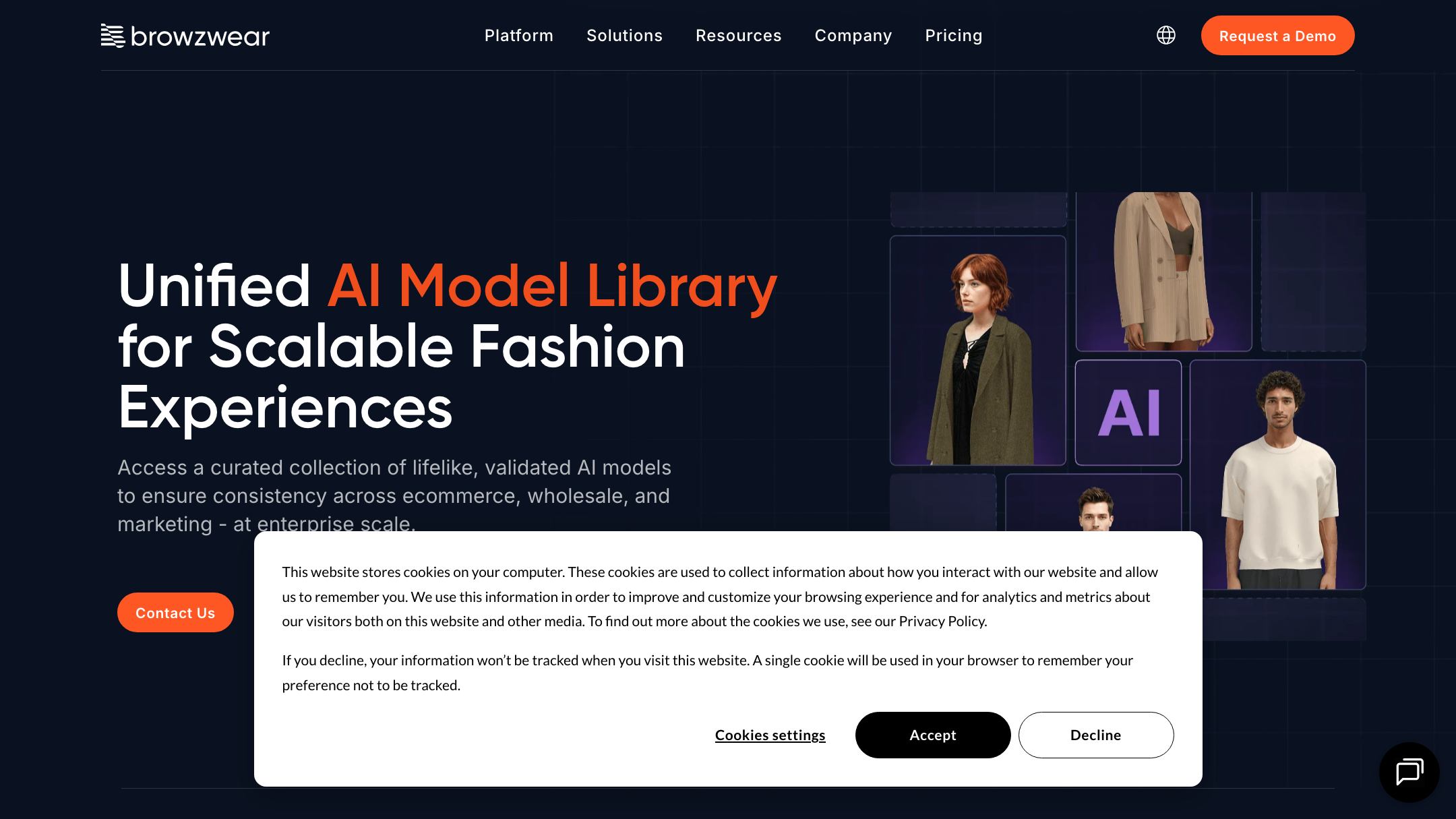
Lalaland pioneered AI fashion models and now lives inside Browzwear Sell — an enterprise, demo-gated product built for brands already running Browzwear's 3D design pipeline. If you're Nike or Puma, that continuity is genuinely useful. Pixro is the opposite shape: a self-serve, web-based AI creative platform — think of it as an always-on AI creative agency in your browser, with 15+ tools (product photoshoots, virtual try-on, AI influencers, and 6+ video tools), an AI-agent chat that works like a full creative team, and transparent credit pricing that starts at a $10 Trial. If you need to start today by yourself, Pixro wins. If you're an enterprise on Browzwear's 3D stack, Lalaland's new home makes sense.
At a glance
| Category | Pixro | Lalaland (now Browzwear Sell) |
|---|---|---|
| Access model | Self-serve web app at pixro.ai, start in minutes | Demo / contact-sales only, no self-serve |
| Built for | Ecommerce & fashion brands, non-technical founders | Enterprise brands on the Browzwear suite |
| Core visuals | 15+ tools: product photoshoot, try-on, AI influencers, banners | Curated diverse AI fashion model library |
| Try-on breadth | Cloth, eyewear, shoes, jewellery, accessories | Model-led try-on via 3D garment pipeline |
| Catalogue tooling | Bulk catalogue builder, ghost mannequin, flat-lay | 3D design-to-visual continuity (VStitcher) |
| Image + video | Image suite plus 6+ live video tools (reels, product video, UGC) | Model imagery; part of 3D showroom stack |
| Pricing | Credit-based: $10 Trial (50 credits) / $30 Growth (400 credits); Business custom | Not public; enterprise quote (as of July 2026) |
| Workflow | AI-agent chat + always-on automation to your store/social channels | English, web/enterprise onboarding |
| Model orchestration | 40+ underlying models auto-picked per job | Focused on ecommerce and wholesale assets |
Now the detail, category by category.
Core features: a model library vs a full studio

Lalaland's whole idea was elegant. Pick a diverse AI model, put your garment on them, skip the photoshoot. Inclusive representation without booking ten people for a day. That's a real problem solved, and it's why the brand earned case studies with names like Walmart and Target.
Under Browzwear, that library got deeper roots. The models now connect to VStitcher, so a 3D garment design can flow straight onto a lifelike model. Design-to-visual, one pipeline. For a brand that already lives in 3D sampling, that continuity is the point.
Pixro comes at it from the shopkeeper's side of the counter. It isn't one clever feature — it's an all-in-one platform with 15+ tools covering the boring breadth a real store needs. Product photoshoot, lifestyle scenes, CGI stills, background remove, upscale, edit. Fashion try-on across cloth, eyewear, shoes, jewellery and accessories. AI model photoshoot, AI influencers, ghost mannequin, flat-lay, banners and ads, and a bulk catalogue builder for when one good shot has to become 200 listings.
One is a specialist instrument. The other is the whole creative kit in one browser tab.
Bottom line: choose Lalaland if you want AI models wired into a 3D design pipeline. Choose Pixro if you want the full range of ecommerce visuals — and video — without stitching tools together.
Output and try-on quality
Lalaland's models are photoreal and, notably, diverse — that was the founding pitch, and it holds up. Reviewers have called the output suitable for real brands while noting, honestly, that it can still be improved in places. That's true of every AI model tool, Pixro included. Nobody has fully solved hands.
Where the two diverge is what "try-on" means. Lalaland's strength is a garment rendered onto a curated human model — apparel-first, and increasingly design-first through the 3D link. Pixro's try-on is broader and more literal for a small catalogue: put these actual sunglasses on a face, these earrings on a model, these shoes on feet. For a seller whose SKUs are eyewear one week and juttis the next, that spread matters more than a deeper apparel-only pipeline. Under the hood, Pixro orchestrates 40+ models and auto-picks the best one per job, so you're not locked to one engine's blind spots.
For a wider look at how model-generation tools hold up on faces and hands, our three-way comparison of Pixro, Botika and FASHN AI goes deeper on output quality than a single-competitor post can.
Bottom line: choose Lalaland if apparel-on-model realism from a 3D source is the whole job. Choose Pixro if you need convincing try-on across many product types.
Catalogue consistency
Consistency is the quiet thing that decides whether a catalogue looks like a brand or a bring-and-buy sale.
Lalaland's advantage here is real and specific: because a garment can start as a 3D design and end as a model shot, the look stays continuous from sample to storefront. Enterprise merchandising teams love that thread.
Pixro solves the same problem from the other end — not from a 3D master file, but from your existing photos. The bulk catalogue builder holds one background, one lighting mood, one model treatment across a run of products, so 200 listings look like they were shot on the same Tuesday. It keeps garment colour, texture and logo consistent across a collection — one brand cut roughly 500 catalogue images with about a 90% reduction in turnaround using this. You don't need a design pipeline. You need your last upload to match your next one.
We wrote about why that reliability matters more than any single hero shot in Pixro vs Quinn, which digs into catalogue-scale consistency.
Bottom line: choose Lalaland if consistency should flow from a 3D design system. Choose Pixro if it should flow from the photos you already have.
Image and video
Lalaland sits inside a stack built around 3D showrooms and static model imagery. That's its lane, and it's a good one for wholesale linesheets and virtual sampling.
Pixro spans image and video, and the video isn't a promise — it's shipped. There are 6+ live video tools: AI reels, product videos and commercials, image-to-video, UGC-style clips, and a fashion reel maker. So the same place that makes your product photo also makes the reel that sells it. For a small seller trying to feed both a marketplace listing and an Instagram feed, that's one less tool to learn — and one less subscription to pay for.
Bottom line: choose Lalaland if you live in 3D showrooms and static model shots. Choose Pixro if you want image and video from one roof.
Pricing: credits you can see vs a quote you can't
This is where the gap is widest.
Lalaland's self-serve pricing is gone. As Browzwear Sell, the product is demo-gated — the current page offers "Contact Us," "Request a Demo," and "Explore Plans," with no public number and no instant signup (as of July 2026 — check their site). Older Lalaland tiers once ran in the hundreds of euros per month with per-user add-ons, but that self-serve path effectively no longer exists.
Pixro publishes everything, in plain USD. It's credit-based, and the tiers are simple: the Trial plan is $10/mo for 50 credits (≈ 30 photos or videos), Growth is $30/mo for 400 credits (≈ 250 photos or videos), and Business is custom for high volume, with enterprise APIs available. You can start with a free trial of the paid Trial plan — there's no permanently-free tier — so you see the credit meter before you commit, and you can begin without talking to anyone. Pay-as-you-go credit packs top you up when a busy month hits.
For a store generating roughly 200 images a month, that difference is the whole decision. One path is a $10 start button you can budget tonight. The other is a sales conversation that may not even take your size of business.
Bottom line: choose Lalaland if enterprise procurement is normal for you. Choose Pixro if you want a price on the page and a $10 start button that works.
Ease of use and access
Here's the reframe. You don't have an AI-model problem. You have a "can I actually get in the door" problem.
Lalaland-as-Browzwear-Sell assumes an onboarding — a demo, a team, probably an existing Browzwear footprint. Powerful for the brands it's built for. A closed door for a solo seller.
Pixro's front door is a browser and an AI-agent chat. Open pixro.ai and, instead of a maze of menus, you get a simple prompt — "what do you want to create today?" Behind that chat is a crew of AI agents playing the roles of a real studio: creative director, art director, photographer, video editor. Describe the shot, upload your product, and the agents route the job to the right tool and model. No dashboard to master, no software to babysit. For a lot of sellers, that chat-first workflow is the whole difference between "tried it" and "never started."
Better still, you can connect your Shopify store, a website URL, a catalogue or your brand assets, and Pixro's always-on automation ships fresh, store-ready and social-ready creatives on a schedule. For access and ease of use against other rivals, Pixro vs Caimera and Pixro vs Aiuta weigh the self-serve experience in more depth.
Bottom line: choose Lalaland if a guided enterprise onboarding suits you. Choose Pixro if you want to start alone, in a browser, by just describing what you need.
Support and delivery
Enterprise buyers get a relationship — an account contact, a rollout plan. That's the Browzwear model, and for large teams it's a feature, not a bug.
Pixro's version of support is the always-on delivery baked into the product. Connect your store or catalogue and the platform keeps shipping fresh creatives to your channels on its own — and if you get stuck, the team is a message away. Same idea as an account manager, sized for a shop instead of a brand.
Bottom line: choose Lalaland if you want a formal enterprise relationship. Choose Pixro if you want a platform that quietly ships the work for you.
Who Lalaland (Browzwear Sell) is best for
Be fair about this. Lalaland's technology is strong and its new home is deliberate. It's the right pick if you're an established fashion brand or manufacturer already using Browzwear's 3D design tools, you want AI models continuous with your sampling pipeline, and an enterprise contract with a demo and onboarding is a normal way for you to buy. The Walmart-and-Target case studies aren't decoration — that's genuinely who it's for now.
Who Pixro is best for
Pixro is for the seller the enterprise funnel skips. Ecommerce and fashion brands, non-technical founders, anyone who wants product photoshoots, try-on, AI influencers, video reels and a full catalogue without hiring a studio or signing a contract. Its own brand roster — HRX, The Roadster, The Kids Label, Karma Dori, Reliance Jewels — spans exactly that range. If you'd rather describe a shot in a chat than sit through a demo, want transparent pricing from $10, and need breadth across many product types and formats, Pixro is built around your day.
Switching from Lalaland: what transfers
If you used Lalaland before the acquisition and don't want to move up-market with it, the switch is lighter than you'd think.
- Your product photos transfer directly. Pixro works from the images you already have — no 3D design files required.
- Your model-shot habit transfers. AI model photoshoot and try-on cover the same core job you hired Lalaland for.
- What's new: an AI-agent chat workflow, 6+ live video tools, transparent $10/$30 credit pricing, and a bulk catalogue builder for whole-store runs.
- What to redo: any 3D-pipeline continuity — Pixro rebuilds from photos, not from a VStitcher master file.
The honest switch-trigger is simple: Lalaland went enterprise-only, and you're not enterprise. That's the whole reason to look elsewhere.
FAQ
Is Lalaland.ai still worth it?
For enterprise fashion brands on the Browzwear 3D stack, yes — the AI models are strong and now integrate tightly with design tooling. For a self-serve small seller, it's a harder yes, because there's no self-serve path anymore. It's demo and contact-sales only as of July 2026 (check their site). The technology is worth it; the access model may not fit you.
What's the best Lalaland AI alternative?
For sellers who want to start alone, in minutes, with a price on the page, Pixro is the closest fit — it covers the AI-model and try-on job Lalaland was known for, adds AI influencers, a bulk catalogue builder and 6+ live video tools, and runs as an AI-agent chat in your browser. Compare it against other options in Pixro vs Quinn and the best AI product photoshoot tools guide.
Is Pixro web-based, and how do I access it?
Yes — Pixro is a web app you use in any browser at pixro.ai. There's no download and no demo gate: sign in, open the AI-agent chat, describe what you want to create, upload your product, and get creatives back. You can also connect your Shopify store or catalogue for always-on, scheduled delivery. If you'd rather talk to a human first, you can reach the team on WhatsApp at +91 6364871993 or by email at hello@pixro.ai.
Does Pixro have a free plan?
No — Pixro is credit-based, with no permanently free tier. You can start with a free trial of the paid Trial plan ($10/mo for 50 credits, ≈ 30 photos or videos), move up to Growth ($30/mo for 400 credits) when you need more, and top up with pay-as-you-go packs from there. You see the credit meter before you spend.
Scorecard: how Pixro compares

Filled dots mean stronger; the Edge column names who genuinely wins each row. This is a fair read, not a rigged one — Lalaland (Browzwear Sell) earns its wins where it's built to.
| Dimension | Pixro | Lalaland (Browzwear Sell) | Edge |
|---|---|---|---|
| Output / model realism | ●●●●○ | ●●●●○ | Tie |
| All-in-one breadth (15+ tools) | ●●●●● | ●●○○○ | Pixro |
| Video + reels | ●●●●○ | ●●○○○ | Pixro |
| 3D design-pipeline integration | ●○○○○ | ●●●●● | Lalaland |
| AI-agent workflow (self-serve) | ●●●●● | ●●○○○ | Pixro |
| Pricing & value (transparency) | ●●●●● | ●●○○○ | Pixro |
| Model range (40+ orchestrated) | ●●●●● | ●●○○○ | Pixro |
| Brand credibility / enterprise track record | ●●●○○ | ●●●●● | Lalaland |
Overall read: Pixro wins on breadth, video, self-serve workflow, value and model range; Lalaland wins where it now lives — deep 3D-pipeline integration and blue-chip enterprise credibility. Pick the one whose strongest rows match how you actually buy.
The bottom line
Type lalaland.ai today and you land on Browzwear. That redirect is the honest summary of this whole comparison — the pioneer went up-market, and the door for solo sellers quietly closed.
Pixro is the door that stayed open. You've got a product photo on your phone right now. Open Pixro in your browser, describe the shot you want, and see the on-model version — plus a reel to match — before your chai goes cold. Then judge it against whatever the demo funnel would have quoted you.
Browzwear Sell's own page is the place to confirm its current, enterprise-only shape. Everything above is time-stamped July 2026 — comparison pages go stale fast, so check both sites before you decide. Questions? Reach the Pixro team on WhatsApp at +91 6364871993 or hello@pixro.ai.








