Pixro vs Quinn: AI Alternative for India Fashion Sellers
Quinn asks you to book a demo. Pixro asks you to open a browser tab and start creating.
That one difference tells you most of what you need to know. Both are India-born, both turn a flatlay into an on-model shot, and both want to sell your clothes better. But one was built for fashion enterprises with a brand team and a discovery call. The other is an all-in-one AI creative platform built for the seller with 200 SKUs, a website, and a listing due tonight.
Which one is for you
Quinn is a Bangalore-founded AI studio for fashion enterprises: strong on-model imagery and polished, Shopify-native catalogue video. Access is demo-gated, and pricing isn't public. Pixro is the Quinn AI alternative for fashion sellers who want to skip the sales call: an all-in-one, web-based AI creative platform with 15+ tools (including 6+ video tools and AI influencers), an AI-agent chat that works like a full creative team, and 40+ models orchestrated automatically behind the scenes, starting with a $10 Trial. Choose Quinn if you're an established brand that wants deep video specialisation and Shopify distribution. Choose Pixro if you want on-model shots, reels, and a whole marketing suite this afternoon, on a price you can read, without booking anything.
Pixro vs Quinn at a glance
| Category | Pixro | Quinn |
|---|---|---|
| Core positioning | All-in-one, web-based AI creative platform — your always-on AI creative agency | AI studio for fashion enterprises |
| On-model imagery | AI model photoshoot, model swap, try-on for cloth, shoes, eyewear, jewellery, accessories | On-model generation with pose, body type, and skin-tone control |
| Catalogue tools | Bulk catalogue builder, ghost mannequin, flat-lay, background remove, upscale, resize | Flatlay-to-on-model across a catalogue, brand-consistent output |
| Video | Live: 6+ video tools — AI reels, product videos and commercials, image-to-video, UGC video, fashion reel maker | Established catalogue video: model walk, 360 spins, shoppable reels |
| Beyond fashion | 15+ tools: CGI stills, lifestyle, product-in-action, banners and ads, AI influencers, edits | Narrower fashion-only scope |
| Access | Instant self-serve web app at pixro.ai; no demo needed | Book a demo; sales-gated onboarding |
| Workflow | AI-agent chat backed by a crew of AI agents; 40+ models auto-picked per job | Studio dashboard, enterprise-facing |
| Pricing | Credit-based, in USD: $10/mo Trial (50 credits), $30/mo Growth (400 credits), Business custom | Not public; demo-gated. Shopify apps free to install, paid tiers undisclosed (as of July 2026, check their site) |
| Delivery | Connect your Shopify store, site URL, or catalogue and get fresh creatives on a schedule; enterprise APIs | Shopify App Store presence for shoppable reels |
Core features: breadth vs focus

Quinn does one job and does it seriously. You drop in flatlays or ghost-mannequin shots, and it generates photoreal on-model imagery with control over model, pose, body type, skin tone, and backdrop. No tagging, no setup. For a fashion brand, that focus is a feature, not a limit.
Pixro covers the same on-model ground and then keeps going — 15+ tools in one place. Try-on across cloth, shoes, eyewear, jewellery, and accessories. Ghost mannequin. Flat-lay. Model swap. A bulk catalogue builder for when one good shot needs to become 200 listings. Then the things Quinn doesn't touch at all: CGI stills, lifestyle scenes, product-in-action, banners and ads, AI influencers for your feed, plus 6+ video tools. It's positioned as an always-on AI creative agency rather than a single studio tool.
The trade-off is real. A specialist tool can go deeper on its one thing; a broad platform asks you to learn a wider surface. If all you will ever need is on-model fashion imagery, breadth is noise. If you need the whole marketing output from one place, breadth is the point.
Bottom line: choose Quinn if you only shoot apparel and want a focused fashion studio. Choose Pixro if one platform needs to cover try-on, catalogue, CGI, ads, and video.
Output and try-on quality
Both produce clean, photoreal on-model results, and both let you steer body type and skin tone, which matters if you're selling to a real range of customers rather than one mannequin's proportions. Quinn's output leans editorial and brand-polished, which is what its enterprise buyers pay for.
Pixro's edge is the try-on spread. It's not just cloth on a body. It's eyewear on a face, a chain at a collarbone, a shoe on a foot, an earring that sits where an earring sits. If your catalogue is accessories and jewellery as much as garments, that coverage is the difference between one tool and three. Under the hood, Pixro orchestrates 40+ models — nano-banana, Flux, SeeDream and others — and auto-picks the best one per job, so you get strong output without choosing an engine.
For a wider look at how on-model fashion generators stack up on quality, we broke that down in our Botika vs FASHN vs Pixro fashion model generator comparison.
Bottom line: choose Quinn for editorial-grade apparel imagery. Choose Pixro if try-on has to span eyewear, shoes, and jewellery, not just clothes.
Catalogue consistency at scale
Consistency is where a shoot stops being art and starts being inventory. Quinn markets pixel-consistent output across a catalogue, which is exactly the promise an enterprise with a strict brand book needs.
Pixro comes at it from the other side of the market. The bulk catalogue builder is designed for the seller who took one clean shot and now has to ship the same look across 200 SKUs by the weekend — same model, same light, same frame, on repeat, with consistent garment colour, texture, and logo across a collection. It's the kind of grind Pixro was built to remove: HRX, for instance, used it for 500+ catalogue images with roughly a 90% reduction in turnaround time.
Same destination, different starting point: Quinn protects a brand's look; Pixro removes the grind of doing it 200 times. If you want to see how that plays against another India-facing catalogue tool, our Pixro vs Dresma comparison digs into bulk workflows.
Bottom line: choose Quinn if a brand-book-strict enterprise team owns the look. Choose Pixro if one person has to ship a consistent catalogue fast.
Image and video
Both platforms now cover image and video. Quinn's video is genuinely mature and Shopify-native: catalogue video, model walks, 360 product spins, and shoppable reels that plug straight into a storefront. For a brand that lives on Instagram and Shopify, that native distribution matters.
Pixro's video is live too, and broad — 6+ video tools in production, including AI reels, product videos and commercials, image-to-video, UGC-style video, and a fashion reel maker. In practice you can generate roughly eight catalogue poses plus a reel and try-ons for a single garment in under a minute, all from the same web app that made your stills. So this isn't images-only versus video: it's Pixro's all-in-one image-and-video breadth against Quinn's deeper, Shopify-native video specialisation.
Bottom line: choose Quinn if Shopify-native shoppable video is your priority. Choose Pixro if you want live reels and product video alongside a full image and marketing suite.
Pricing: a number you can see vs a quote you have to request
This is the sharpest split between the two.
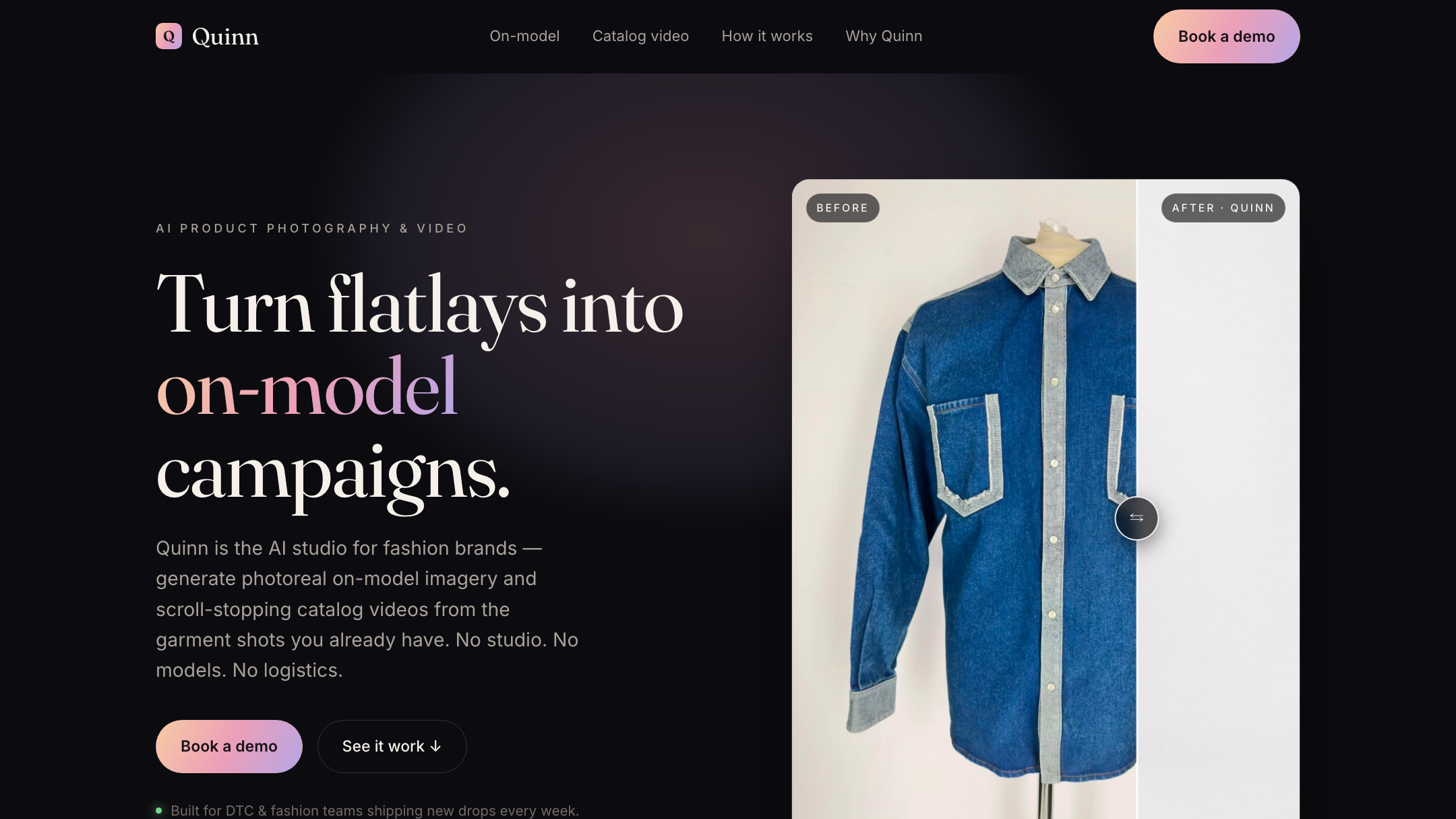
Quinn's pricing is not public. Access to the studio is demo-gated, and there are no self-serve credit tiers listed. Its Shopify apps are free to install, but the paid pricing behind them isn't disclosed (as of July 2026 — quinn.live/pricing returns a 404, so check their site directly). For an enterprise with a budget line for it, that's a phone call and a proposal. For an SMB owner deciding tonight, it's a wall.
Pixro publishes its numbers up front. It's credit-based, priced in USD: the Trial is $10/month for 50 credits (roughly 30 photos or videos), Growth is $30/month for 400 credits (roughly 250 photos or videos), and Business is custom for higher-volume sellers. You can start on the paid Trial with a free run first, so you see the tool work before the card is charged. Pay-as-you-go credit packs are available too.
Put a sample seller against it. A shop that needs a batch of on-model images this month can open Pixro, read the $10 or $30 credit number, and start on a card without a call. With Quinn, the same seller can't even see the number without booking a demo. Pixro is credit-based, so this isn't a "free forever" claim — it's a price you can read before you commit.
For another pricing breakdown against an India-market rival, see our Pixro vs Caimera comparison.
Bottom line: choose Quinn if you have an enterprise budget and don't mind a sales process. Choose Pixro if you want a visible $10/$30 price and instant access.
Ease of use and access
Quinn's flow is clean once you're in: drop in flatlays, download on-model images and video, export for PDP, paid, and social. The friction is the front door — the demo, the onboarding, the being-an-enterprise-first.
Pixro's front door is a browser tab. It's a self-serve web app at pixro.ai with an AI-agent chat that opens on "what do you want to create today?" You describe the shot, and a crew of AI agents — think creative director, art director, photographer, video editor — takes it from brief to finished asset, auto-selecting the right model for the job. No demo, no software to install, no team to train. For a non-technical seller, that's the whole unlock.
Bottom line: choose Quinn if a brand team will run a proper studio tool. Choose Pixro if the person doing the work wants to describe an image in a browser and get it back.
Delivery and automation
Quinn earns real trust here. Per its Shopify App Store listing (July 2026 — check their site), it's highly rated, its shoppable-video app is installed on well over a thousand stores, and merchants single out quick, responsive support. For a brand that wants a vendor relationship and native Shopify distribution, that track record is worth something.
Pixro's delivery model is always-on automation. Connect your Shopify store, website URL, or product catalogue, and Pixro can generate and deliver ecommerce-ready, ad-ready, and social-ready assets on a schedule — set it once, get fresh creatives every day, with enterprise APIs for higher-volume pipelines. If you value native Shopify distribution and a formal support relationship, Quinn's model may suit you; if you want a self-serve engine that keeps producing without re-briefing, Pixro's does.
Bottom line: choose Quinn for proven Shopify-native distribution and support. Choose Pixro for always-on, connect-once delivery across your store, ads, and social.
Who Quinn is best for
Quinn is a genuinely strong fit for established fashion brands. If you have a brand team, a Shopify storefront, a budget that can absorb enterprise pricing, and Shopify-native shoppable video is central to how you sell, Quinn was built for exactly you. Its focus, its polish, and its Shopify distribution are real advantages, and its enterprise track record backs them up.
Who Pixro is best for
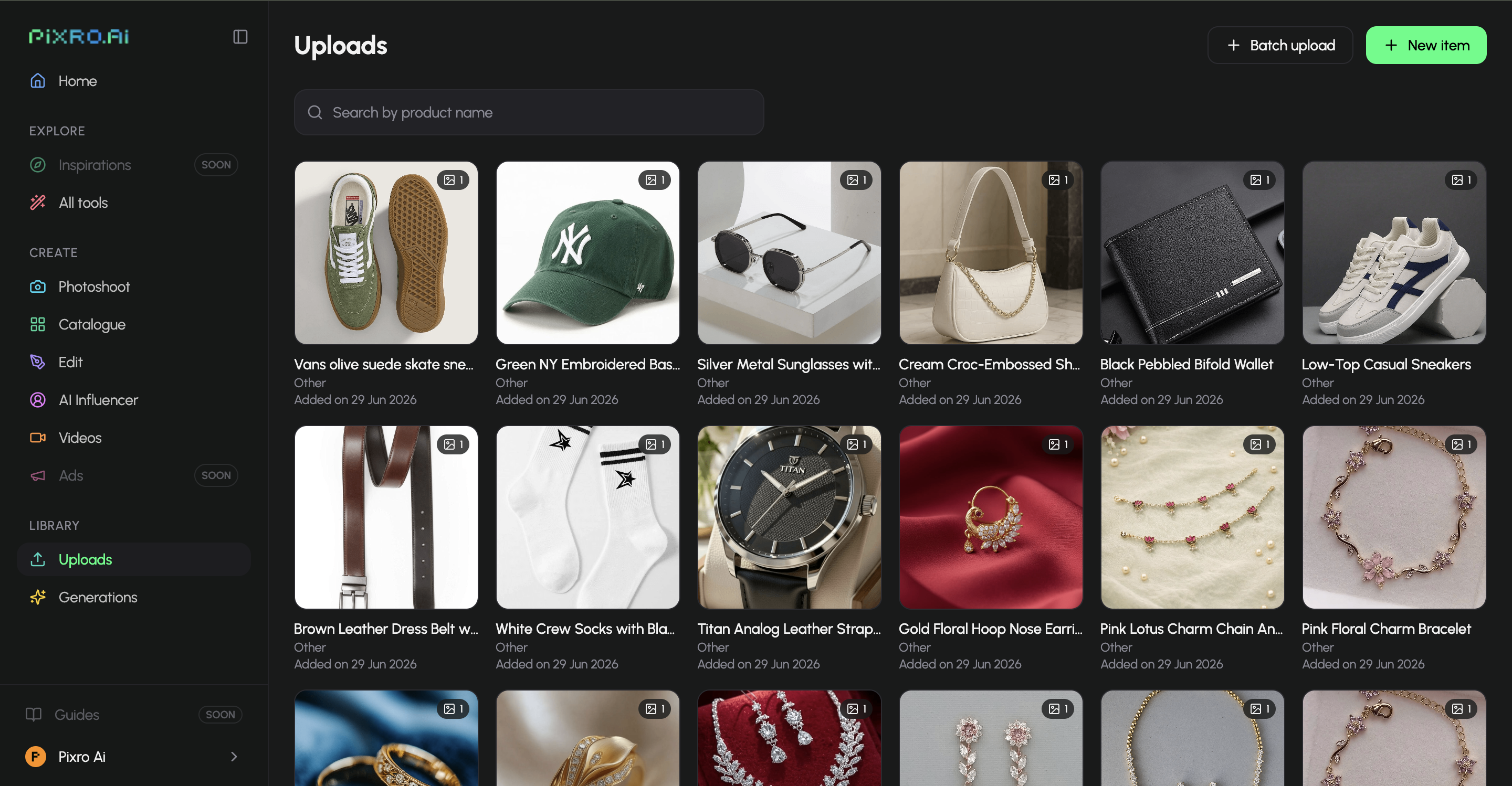
Pixro is built for the seller who wants a whole creative team without hiring one — the boutique owner, the D2C founder, the marketplace seller with a website and a deadline. If you want on-model shots, try-on, ghost mannequin, a bulk catalogue, reels, ads, and AI influencers all from one web app, on a visible $10/$30 credit price, with 40+ models chosen for you and always-on delivery to your store and social, Pixro is the fit. It's the platform for shipping the 200-listing catalogue by lunch and the reel by dinner, not for staffing a brand studio — and its roster of brands, from HRX to Reliance Jewels, runs the range from apparel to jewellery.
How Pixro and Quinn compare: a scorecard
Here's an honest read across the dimensions that actually decide this, dots filled for strength. Quinn genuinely wins where it's earned it.
| Dimension | Pixro | Quinn | Edge |
|---|---|---|---|
| Output / try-on quality | ●●●●○ | ●●●●○ | Tie |
| All-in-one breadth (15+ tools) | ●●●●● | ●●○○○ | Pixro |
| Video + reels | ●●●●○ | ●●●●○ | Tie |
| AI-agent workflow | ●●●●● | ●●○○○ | Pixro |
| Model range (40+ models) | ●●●●● | ●●○○○ | Pixro |
| Pricing & value | ●●●●○ | ●○○○○ | Pixro |
| Shopify-native distribution | ●●●○○ | ●●●●○ | Quinn |
| Support track record | ●●●○○ | ●●●●○ | Quinn |
Overall read: Quinn wins on Shopify-native shoppable video distribution and its proven support track record, and ties on core on-model quality and video. Pixro wins on all-in-one breadth, its AI-agent workflow, 40+ model range, and visible $10/$30 value — which is why it's the better pick for a seller who needs to ship a whole marketing output today rather than staff a studio.
Switching from Quinn to Pixro: what transfers

Not much to migrate, which is the point. Your source assets — flatlays, ghost-mannequin shots, existing product photos — are exactly what Pixro wants as input too, so the raw material moves over as-is. Connect your store or catalogue and it can keep producing on a schedule.
What changes is the workflow around it. You drop the demo-and-onboarding step for an instant web app and an AI-agent chat, and trade an undisclosed quote for a visible $10/$30 credit plan. You add breadth — CGI, lifestyle, banners and ads, AI influencers, 6+ video tools, and try-on beyond apparel. What you'd give up is Quinn's Shopify-native shoppable-video distribution, so if that's core, keep it in mind. For a similar switch analysis, our Pixro vs Sellerpic comparison covers the trade-offs.
FAQ
Is Quinn worth it?
For an established fashion brand, yes. Quinn delivers strong on-model imagery and mature, Shopify-native catalogue video, and it's well-regarded on the Shopify App Store. The catch is access: pricing is demo-gated and not public (as of July 2026, check their site), so it suits buyers who can commit to a sales process rather than sellers who want to start today.
What's the best Quinn alternative?
For self-serve fashion sellers, Pixro is the closest fit. It covers the same flatlay-to-on-model core, adds try-on across eyewear, shoes, and jewellery plus a bulk catalogue builder, 6+ video tools, and AI influencers, and it's instantly accessible from a web app with published pricing from a $10/month Trial — no demo required.
Is Pixro web-based, and how do I access it?
Yes. Pixro is a browser-based web app at pixro.ai — nothing to install. You sign in, tell the AI-agent chat what you want to create, and it produces stills, reels, ads, and more, auto-selecting from 40+ models. If you want to talk to the team, you can reach Pixro on WhatsApp at +91 6364871993 or by email at hello@pixro.ai.
Does Pixro have a free plan?
No. Pixro is credit-based, with a low-cost entry rather than a permanent free tier: the $10/month Trial gives you 50 credits (roughly 30 photos or videos), and Growth is $30/month for 400 credits. You can take a free run of the paid Trial first, but there's no free-forever plan.
Try it before you book anything
You have a product photo on your device right now. With Quinn, seeing the on-model version means a demo request and a wait. With Pixro, it means opening a tab. Drop one flatlay into the web app, get the on-model shot — and a reel — back, and judge it against your last studio invoice. Then decide which door suits the way you actually work. The $10 Trial is there when you want to run more than one.








