Pixro vs Sprello: The Sprello AI Alternative Compared
A design lead at a growing beauty brand opens a blank canvas, drags in a swatch and a rough sketch, and starts building next season's assortment before a single sample exists. Two towns over, a solo apparel seller has one phone photo of a kurta and a marketplace listing due tonight. Same industry. Completely different jobs. Sprello is built for the first person. Pixro is built for the second.
Pixro vs Sprello: the short version
Sprello is an AI visual workflow canvas for fashion, beauty, and lifestyle brand teams — sketches and swatches become concepts, assortments, and editorial campaign imagery, with unlimited seats so the whole merchandising and design floor can work in one place. It is a strong pick if you sit upstream of photography and you are staffing a real design or merchandising team.
Pixro is an all-in-one, web-based AI creative platform for ecommerce sellers — think of it as your always-on AI creative agency. From 15+ AI tools in one browser app, it produces product photoshoots, virtual try-on, ghost mannequin, flat-lay, bulk catalogue, AI influencers, banners, edits, and 6+ video tools — all driven by an AI-agent chat and 40+ underlying models it orchestrates for you. It starts at a $10 trial. Pixro wins when you do not have a design team and you just need finished, marketplace-ready assets fast and cheap.
The honest split: Sprello is the concept-to-campaign canvas for brands. Pixro is the phone-to-catalogue platform for sellers. Pick by which problem is actually on your desk today.
At a glance
| Category | Pixro | Sprello |
|---|---|---|
| Best for | SMB sellers, solo founders, catalogue shops | Brand design and merchandising teams |
| Core job | Phone photo to finished, listing-ready assets | Sketch and swatch to concepts and campaigns |
| Design-stage canvas | Not the focus — starts from your product photo | Deep: assortment visualization, product concepting |
| On-model and try-on | Virtual try-on, ghost mannequin, AI influencers | Editorial model imagery, AI-influencer UGC video |
| Suite breadth | 15+ AI tools incl. 6+ video tools, one web app | Design canvas + editorial imagery + UGC video |
| Image + video | Full photo suite plus 6+ video tools, live today | Editorial imagery + AI-influencer UGC video |
| How it works | Web app + AI-agent chat, 40+ models auto-picked | Browser-based visual canvas |
| Team seats | Individual and small-team friendly | Unlimited seats on paid plans |
| Entry price | $10 Trial (50 credits) · $30 Growth (400 credits) | Free 1,500 credits, then ~$47–$59/mo (as of July 2026 — check their site) |
Core features: a canvas vs a creative agency

The cleanest way to understand these two tools is where they start.
Sprello starts before the photo exists. Its home is a visual AI canvas where a team drops in sketches, swatches, and references and generates product concepts, accessory assortments, and editorial campaign imagery. That is design-stage work — the merchandising and creative planning that happens months before a product hits a listing. If your job is deciding what the range should look like, that canvas is genuinely powerful, and Sprello leans into it honestly.
Pixro starts after the photo exists. You have the product. You have a phone shot. Pixro turns that shot into a clean white-background pack, an on-model look, a ghost-mannequin hollow-man, a flat-lay, a full bulk catalogue, or a scroll-stopping reel — the finished assets a listing and a feed actually need. Instead of a canvas to master, it runs on an AI-agent chat: you say what you want to create, and a crew of AI agents — creative director, art director, photographer, video editor — take it from there, auto-picking the right model from 40+ under the hood for each job. It does not ask you to concept a season. It asks you what you want and gives you the shoot.
That is the whole difference. One tool helps you imagine the product. The other helps you sell the product you already have — across photo and video, from one place.
Bottom line: choose Sprello if you need a design-stage canvas to build concepts and assortments. Choose Pixro if the product is real and you want an all-in-one platform that just produces the assets.
Output and try-on quality
Both tools put a garment on a body, and both do it well — but they aim at different outputs.
Sprello's model imagery is editorial by design: campaign-grade concepts meant to sell a mood and a collection. Paired with its AI-influencer UGC video, it is built for brand storytelling across channels. That is a real strength, and it is a specialization Pixro does not try to out-do at the campaign-concept level.
Pixro's on-model output is commercial: a real garment, on a believable model, framed the way a marketplace wants it. Its virtual try-on and ghost mannequin are tuned for the boring, high-volume reality of catalogue work — the fiftieth kurta looking as clean and consistent as the first, with the garment's colour, texture, and logo held steady across a whole collection. Feed it a flat, evenly lit shot and you get a listing-ready result. Feed it a crumpled snap on your bed and you get a crumpled result with a model in it. Same rule as any studio: the input matters.
Bottom line: choose Sprello for editorial campaign concepts. Choose Pixro for consistent, listing-ready on-model shots at volume.
Catalogue consistency
This is where volume sellers live, and both tools have an answer.
Sprello's assortment visualization keeps a range coherent — seeing how twelve concepts read together as a line. That is a merchandising view, and it is a good one for planning.
Pixro's bulk catalogue keeps a listing set coherent — the same lighting, crop, and background across 200 SKUs so your storefront does not look like it was shot by twelve different people. HRX used it for 500+ catalogue images and cut roughly 90% of the time it used to take. It is less about planning the line and more about shipping it. If your pain is "which of these 200 looks goes live today," that is Pixro's home turf.
Bottom line: choose Sprello to visualize an assortment while planning it. Choose Pixro to keep a live catalogue consistent while shipping it.
Image and video
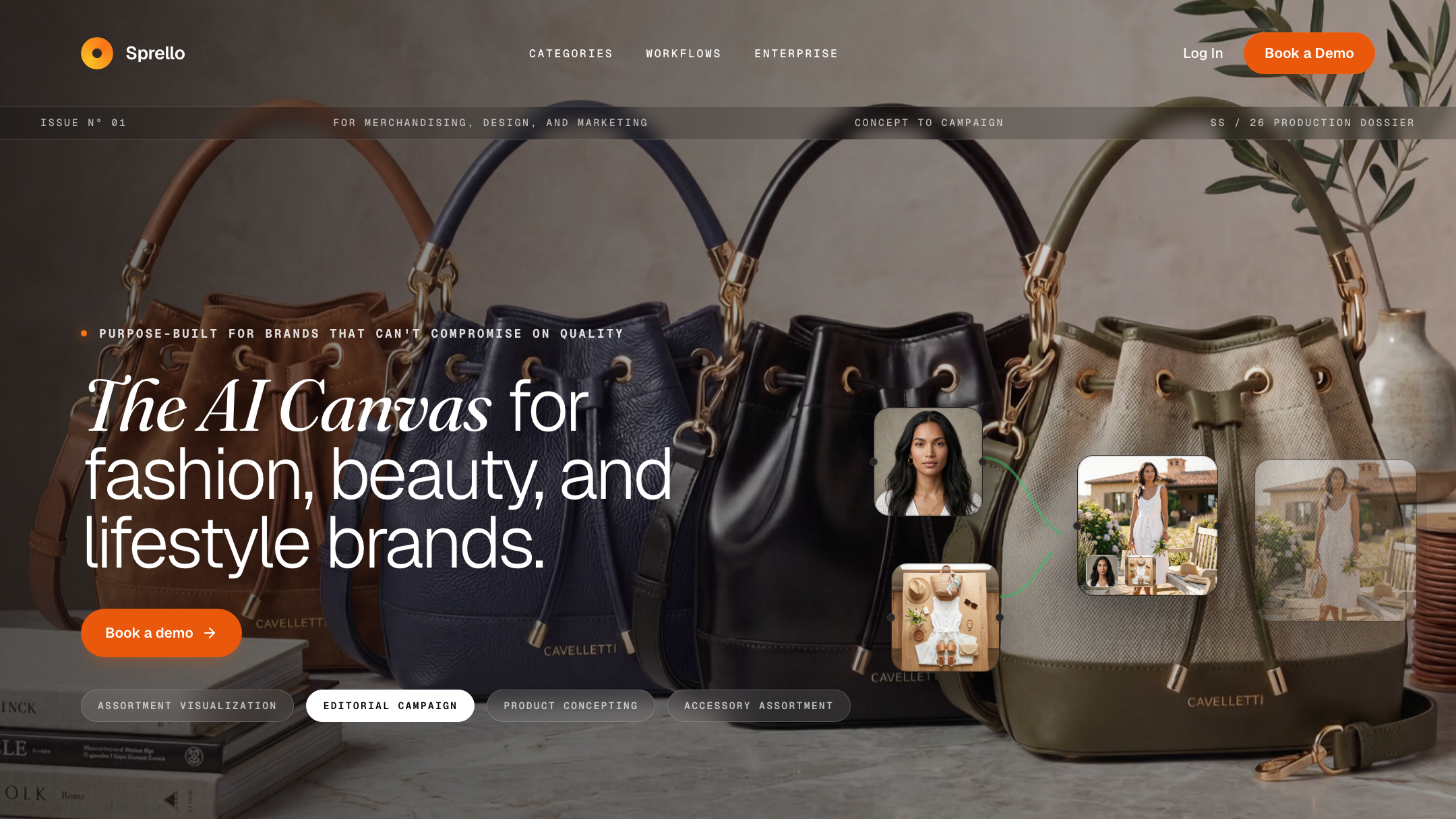
Sprello ships AI-influencer UGC video as a named specialization — talking, on-trend clips built for TikTok, Instagram, and YouTube. If short-form influencer video is central to your marketing, that focus is worth real credit.
Pixro is not image-only. Alongside the full photo suite, it runs 6+ video tools that are live in production today — AI reels, product videos and commercials, image-to-video, UGC-style clips, and a fashion reel maker — and it auto-selects the right video model (Veo 3, Kling, Runway and others) per job. So the comparison is not "photo tool vs video tool." It is a focused AI-influencer-video specialist versus an all-in-one platform that covers both photo and video from one chat.
Bottom line: choose Sprello if AI-influencer UGC video is your single core deliverable. Choose Pixro if you want photo and video across your whole catalogue in one place.
Model range
Point tools usually bolt onto one image or video model. When that model is weak at a particular job — a busy print, a reflective fabric, a specific video motion — you are stuck with it.
Pixro orchestrates 40+ underlying models automatically — nano-banana, Veo 3, Kling, Runway, Flux, SeeDream, HeyGen and more — and picks the best one for each task so you never have to. "40+ models, zero decisions" is a genuine edge over any single-model tool: you get the strongest engine for a flat-lay, a different one for a reel, another for a try-on, without learning any of their names. Sprello is a strong, opinionated canvas, but it is not competing on breadth of underlying models.
Bottom line: choose Pixro if multi-model coverage across every asset type matters. Choose Sprello if you want one cohesive design canvas over raw model range.
Pricing
Both tools are credit-based. The gap is who they are priced for.
| Plan | Pixro | Sprello (as of July 2026 — check their site) |
|---|---|---|
| Free / entry | Free trial of the paid Trial plan (no permanently-free tier) | Free 1,500 credits that never expire, unlimited seats |
| Lowest paid | $10 Trial — 50 credits (~30 photos/videos) | Starter ~$47–$59/mo, unlimited seats |
| Mid | $30 Growth — 400 credits (~250) | Pro ~$95–$119/mo (most popular), unlimited seats |
| High | Business — custom (unlimited) | Scale ~$239–$299/mo · Enterprise custom |
For a store generating roughly 200 assets a month, Pixro's $30 Growth tier is the natural fit — 400 credits, one predictable bill, no team-plan minimum, and pay-as-you-go credit packs if you spike. Sprello's entry paid plan lands around $47–$59 a month (annual billing is cheaper than month-to-month), which is roughly two to six times Pixro's self-serve tiers.
Here is the fair read, though. You are not paying more for nothing. Sprello's price buys unlimited seats and a deeper design-stage canvas — real value if you are staffing a team. A generous free tier of 1,500 non-expiring credits also lets a team try the canvas at length before paying. For a solo seller, that seat math is money spent on capacity you do not use.
Bottom line: choose Sprello if unlimited seats across a team justify the entry price. Choose Pixro if you are one person or a small shop who wants the lowest predictable bill.
Ease of access
Sprello lives in a browser-based visual canvas. It is built for people who work in design tools all day, and it rewards that fluency. There is a learning surface — a canvas, workflows, an assortment view — because there is real depth underneath.
Pixro is a browser app at pixro.ai built for someone who has never opened a design tool. No canvas to learn, no dev team required. You describe what you want in the AI-agent chat and get finished assets back. Better still, it can run on autopilot: connect your Shopify store, a website URL, your product catalogue, or your brand assets, and Pixro will generate and deliver ecommerce-ready, ad-ready, and social-ready assets on a schedule — set it once, get fresh creatives every day. Enterprise APIs are available for teams that want to wire it into their own stack.
Bottom line: choose Sprello if your team is comfortable in a design canvas. Choose Pixro if you want zero learning curve and always-on delivery to your store, ads, and social.
Support
Sprello, built for teams and enterprise, offers dedicated support and onboarding workshops at the top of its range — the kind of hand-holding a merchandising floor expects. Pixro backs its self-serve platform with responsive help — you can reach the team on WhatsApp at +91 6364871993 or email hello@pixro.ai — plus the AI-agent chat that guides you through what to create. Neither is better in the abstract; they fit different buyers.
Bottom line: choose Sprello for structured team onboarding. Choose Pixro for fast, responsive help around a self-serve platform.
Who Sprello is best for
Sprello is the right call if you are a fashion, beauty, or lifestyle brand with a design or merchandising team. If your work starts at the sketch-and-swatch stage, if you need assortment visualization and editorial campaign concepts, if AI-influencer UGC video is central to your marketing, and if unlimited seats across a team matters more than the monthly price — Sprello's canvas is genuinely built for you, and it is more capable upstream of photography than Pixro tries to be. This is an honest win for the larger, design-led buyer.
Who Pixro is best for
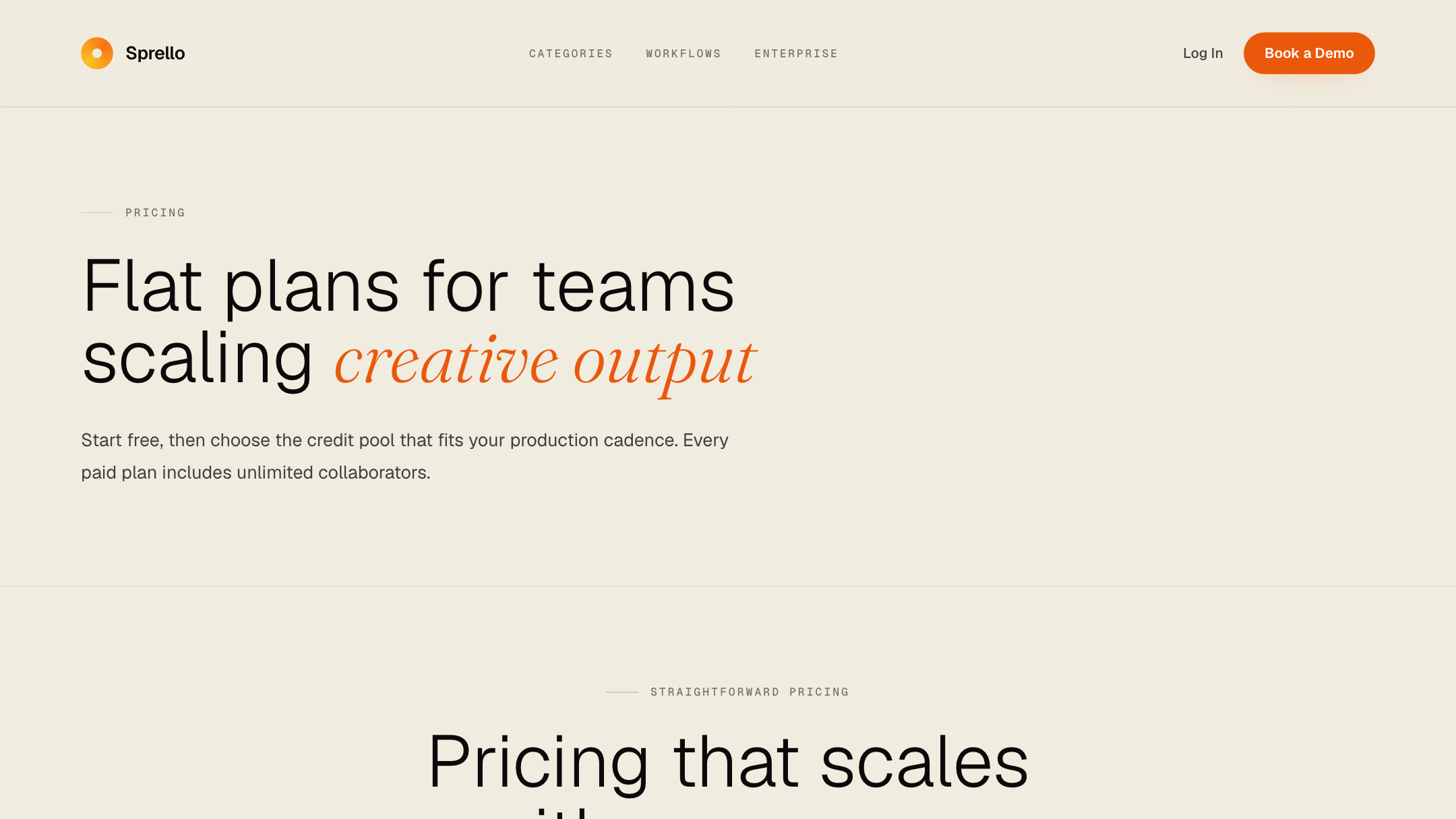
Pixro is the right call if you are an ecommerce seller, a solo founder, or a small catalogue shop who does not have a design team and does not want one. You have real products and phone photos, and you need finished, marketplace-ready assets — on-model, ghost mannequin, flat-lay, bulk catalogue, AI influencers, banners, and reels — fast, cheap, and from one all-in-one web app. Brands like HRX, The Roadster, The Kids Label, Karma Dori, and Reliance Jewels already use it, and one garment can yield roughly eight catalogue poses plus a reel and try-ons in under a minute. If the job is shipping listings and feeds, not planning seasons, Pixro is the simpler, cheaper fit.
Scorecard
| Dimension | Pixro | Sprello | Edge |
|---|---|---|---|
| All-in-one breadth | ●●●●● | ●●●○○ | Pixro |
| Design-stage canvas | ●○○○○ | ●●●●● | Sprello |
| On-model / try-on | ●●●●○ | ●●●●○ | Even |
| Catalogue consistency | ●●●●● | ●●●○○ | Pixro |
| AI-influencer video | ●●●○○ | ●●●●○ | Sprello |
| Model range (40+ auto-picked) | ●●●●● | ●●○○○ | Pixro |
| Team seats / scale | ●●○○○ | ●●●●● | Sprello |
| Price for SMB sellers | ●●●●● | ●●○○○ | Pixro |
The overall read: Sprello wins the design floor — canvas depth, AI-influencer UGC video, and unlimited seats. Pixro wins the sales floor — all-in-one breadth across photo and video, catalogue consistency, 40+ auto-orchestrated models, and price for a single seller. Different tools for different desks.
Switching: what transfers

If you are moving from Sprello to Pixro, most of what transfers is your inputs, not the workflow. Your product photos, your reference looks, and your sense of the on-brand style all carry over — you feed Pixro the same source images, or just point it at your store and let it pull them. What you leave behind is the canvas layer: the sketch-to-concept and assortment-planning work Sprello does upstream. If that planning stage is core to your job, you may want both — concept in Sprello, ship in Pixro. If it never was your job, you lose nothing by starting straight from your product photo in Pixro. There is no catalogue export to migrate; you just connect the products you already sell.
FAQ
Is Sprello worth it?
For a fashion or beauty brand with a design or merchandising team, yes — the visual canvas, assortment visualization, and unlimited seats are real value upstream of photography. For a solo seller who just needs finished listing assets, its entry price (around $47–$59/mo as of July 2026 — check their site) buys team capacity you may not use.
What is the best Sprello alternative?
It depends on the job. If you need the design-stage canvas, alternatives sit in the same enterprise-design lane. If you actually need fast, affordable, finished catalogue photography and video without a design team, Pixro is the more practical Sprello AI alternative — an all-in-one, web-based platform with 15+ tools and 40+ models from a $10 trial.
Does Pixro have a free plan?
Pixro is credit-based and offers a free trial of the paid Trial plan — there is no permanently-free tier. The Trial plan is $10/mo for 50 credits (about 30 photos or videos), Growth is $30/mo for 400 credits (about 250), and pay-as-you-go credit packs are available too.
Is Pixro web-based, and how do I access it?
Yes. Pixro is a browser app you use at pixro.ai — sign in, describe what you want in the AI-agent chat, and get finished photos and videos back. No download, no design canvas, and no dev team required. If you want to talk to a human first, you can reach the team on WhatsApp at +91 6364871993 or email hello@pixro.ai.
Can I use Pixro and Sprello together?
You can. A brand team could concept and plan an assortment in Sprello, then use Pixro to produce the high-volume, listing-ready catalogue shots and reels once the products are real. They solve adjacent stages, not the same one.
The one photo on your desk
Sprello is the blank canvas the design lead opens to imagine next season. Pixro is the finished shoot the seller needs before tonight's listing deadline. If your desk has a design team and a season to plan, Sprello's canvas earns its price. If your desk has one product photo and a marketplace clock ticking, that is the job Pixro's all-in-one platform was built for.
You have a product photo on your phone right now. Drop it into the $10 Trial and see the on-model version before your coffee is cold — then judge it yourself. And if you are still weighing the field, read Pixro vs Caimera, Pixro vs Lovart, and the three-way Botika vs FASHN AI model-generator comparison before you decide.