Pixro vs Lovart: Lovart AI Alternative for Ecommerce
A brand designer opens a chat, types "give me a spring campaign," and watches an AI agent plan a logo lockup, three poster variants, a storyboard, and a moodboard in one pass. Two towns over, a solo apparel seller opens a different chat, types "shoot this shirt on a model and cut me a reel," and gets back eight catalogue poses plus a short product video of one linen shirt. Both are talking to an agent. Both have a whole crew of AI models working behind that one conversation. They just need different jobs done. Lovart is built for the first person. Pixro is built for the second.
Pixro vs Lovart: the short version
Lovart is an "AI design agent" — a chat-driven, all-round creative studio that plans and generates branding, posters, storyboards, and full marketing sets, orchestrating many models behind one conversation. Pixro works the same way at the surface — an AI-agent chat that quietly orchestrates 40+ underlying models — but it is purpose-built for one world: ecommerce and fashion. It photographs and films your real products, keeps them identical across a whole catalogue, and ships the results straight to your store, ads, and social feeds. If you want an agency-in-a-chat for open-ended brand creative, Lovart is genuinely impressive. If you need on-model shots, ghost mannequin, try-on, AI influencers, product video, and 200 consistent listing assets, that is Pixro.
They share a shape — you talk to an agent, a team of models does the work. They do not share a job.
At a glance
| Category | Pixro | Lovart |
|---|---|---|
| Core focus | All-in-one ecommerce/fashion AI creative platform | General agentic design studio (branding, campaigns) |
| Product photography | On-model, ghost mannequin, flat-lay, bulk catalogue | Not a product-photography workflow; general image generation |
| Virtual try-on | Built in | Not a dedicated try-on tool |
| Product consistency | Keeps your exact product identical across shots | Great creative variety; not built to lock one product's identity |
| Breadth | 15+ tools: product shoots, try-on, banners/ads, AI influencers, 6+ video tools | Logos, posters, storyboards, brand kits, marketing sets |
| Model orchestration | 40+ models auto-picked per job (chat agent decides) | Multiple models orchestrated behind its design agent |
| Delivery | Self-serve web app + always-on automation to store/ads/social | Web design canvas |
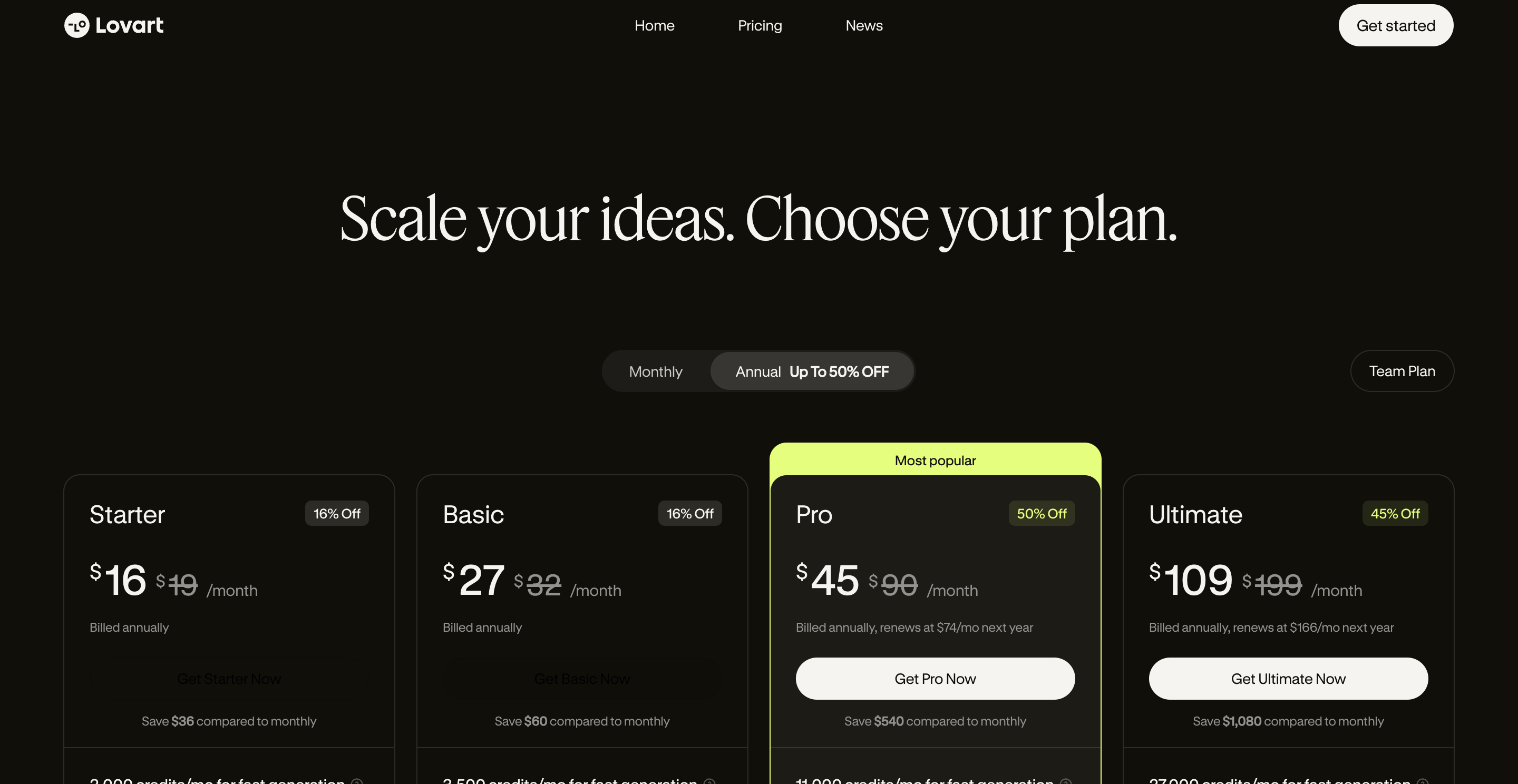
| Pricing | Trial $10/mo (50 credits) · Growth $30/mo (400 credits) · Business custom | Free (limited credits) + paid tiers roughly ~$20 to ~$40/mo, higher team plans (as of July 2026 — check their site) |
| Best for | Stores that need consistent, ready-to-ship product shots and video fast | Teams that need broad brand and campaign creative from a chat |
Now the detail, category by category.
Core features: an agent for everything vs an agent for ecommerce

Lovart's pitch is range. You describe a creative goal, its agent plans the steps, then generates across logos, posters, storyboards, 3D, and marketing sets, stitching together multiple underlying models. Reddit users like the smoothness — one wrote the "UX here is just smooth" compared with older prompt-heavy tools, and praised getting dozens of polished assets from one brief. It's an ideation engine with an agency's spread.
Pixro's agent has the same conversational surface and the same multi-model engine — you type what you want to create, and behind the scenes a crew of AI agents (think creative director, art director, photographer, video editor) picks from 40+ models to do it. The difference is focus. Pixro's 15+ tools all point at the visual jobs an online store repeats every week: product photoshoots, ghost mannequin, flat-lay, bulk catalogue, virtual try-on, AI influencers, banners and ads, and a full set of video tools — AI reels, product commercials, image-to-video, UGC clips, a fashion reel maker. The point isn't "we do more than Lovart." It's that everything Pixro does points at one outcome: your product, listed and sold.
Choose Lovart if you want one tool for open-ended brand and campaign creative. Choose Pixro if your weekly work is product photos and video, not poster concepts.
Output quality: creative range vs your actual product
For pure creative generation, Lovart is strong — it's built to produce striking, varied concepts, and it shows. But there's a known trade-off the reviews surface: it excels at ideation and struggles with precise edits. Some paying users said it was faster to pull a Lovart design into Photoshop for finishing than to nudge it in-app.
Pixro is tuned for a different bar: does the output look like your product, shot in a studio? Feed it a clean phone photo of your shirt and you get an on-model or ghost-mannequin version that keeps the collar, the buttons, the weave. The multi-model orchestration matters here — Pixro auto-picks the right engine for each step, so you don't have to know which model does try-on well versus which one does reels. The quality that matters isn't "is it beautiful" — it's "will a buyer recognise the thing they're paying for."
Choose Lovart if you want beautiful, original creative concepts. Choose Pixro if the output has to match a real SKU a customer will receive.
Catalogue consistency: where a generalist can't follow
This is the sharpest line between them. A general design agent is built to vary — every generation is a fresh creative take, which is exactly what you want for campaign concepts. It's the opposite of what you want for a catalogue.
Pixro is built to not vary. The same kurta on a white seamless, a sunlit café table, and a plain studio grey — same garment, same colour, same trim, same logo, across 40 shots. HRX used Pixro to produce 500+ catalogue images with a reported ~90% cut in production time; brands like The Roadster, Reliance Jewels, and The Kids Label lean on the same consistency. That boring, unglamorous requirement is what makes a product page look like one brand instead of forty. Lovart doesn't advertise a catalogue-consistency workflow because that isn't its job.
Choose Lovart if variety is the feature. Choose Pixro if sameness across a catalogue is the feature.
Image and video: campaign assets vs listing assets
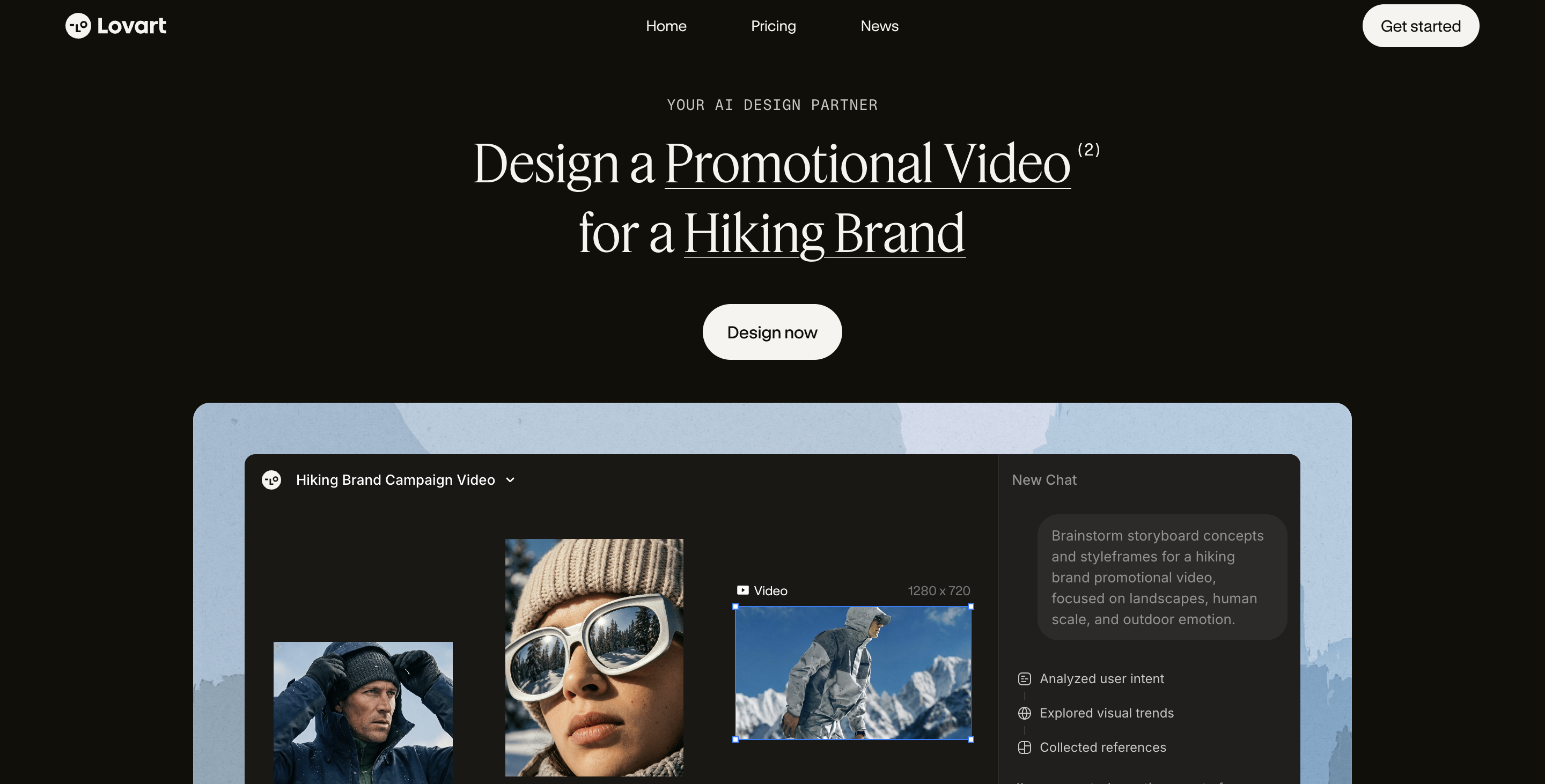
Lovart spans images and reaches into video and 3D as part of its all-round design remit — good for a marketing set that needs motion. Pixro's video is not a someday feature: it ships today, with 6+ video tools live in production — AI reels, product commercials, image-to-video, UGC-style clips, and a fashion reel maker — all aimed squarely at product and social use. For one garment you can get roughly eight catalogue poses, a reel, and a set of try-ons in under a minute, on the same agent that already knows your catalogue.
If you need a broad creative package for a brand film, Lovart's open-ended spread is wider. If your image and video both need to feature the same real product, ready for a listing or an ad, Pixro keeps it in one place.
Choose Lovart if you want the widest open-ended creative-and-motion range in one chat. Choose Pixro if your image and video both need to feature the same real product.
Pricing: credit value for a store
Both tools run on credits, so read the allowance, not just the sticker.
| Plan | Pixro | Lovart (as of July 2026 — check their site) |
|---|---|---|
| Entry | Trial $10/mo — 50 credits (~30 photos/videos); free trial of the paid plan | Free plan with a limited starter credit pool |
| Mid | Growth $30/mo — 400 credits (~250 photos/videos) | Paid tiers roughly ~$20 to ~$40/mo (credit-based) |
| Top | Business — custom (high-volume, APIs) | Higher/team plans (reported around ~$90–$99 per person) |
For a store generating ~200 product images a month, Pixro's Growth plan at $30 covers it on one predictable line, and pay-as-you-go credit packs top you up for a busy launch. Lovart's credit-based tiers can work too, but note a recurring gripe in its reviews: several paying users found credit consumption hard to predict and said some generations quietly cost far more than expected. For open-ended creative that's a manageable surprise; for a store trying to budget a catalogue shoot, predictable credit-to-output is worth a lot. Neither tool has a permanently free plan — both give you a way to try before you commit.
Choose Lovart if you want a free tier to explore broad creative. Choose Pixro if you want a predictable per-photo budget for a catalogue.
Ease of access: web canvas vs web creative platform
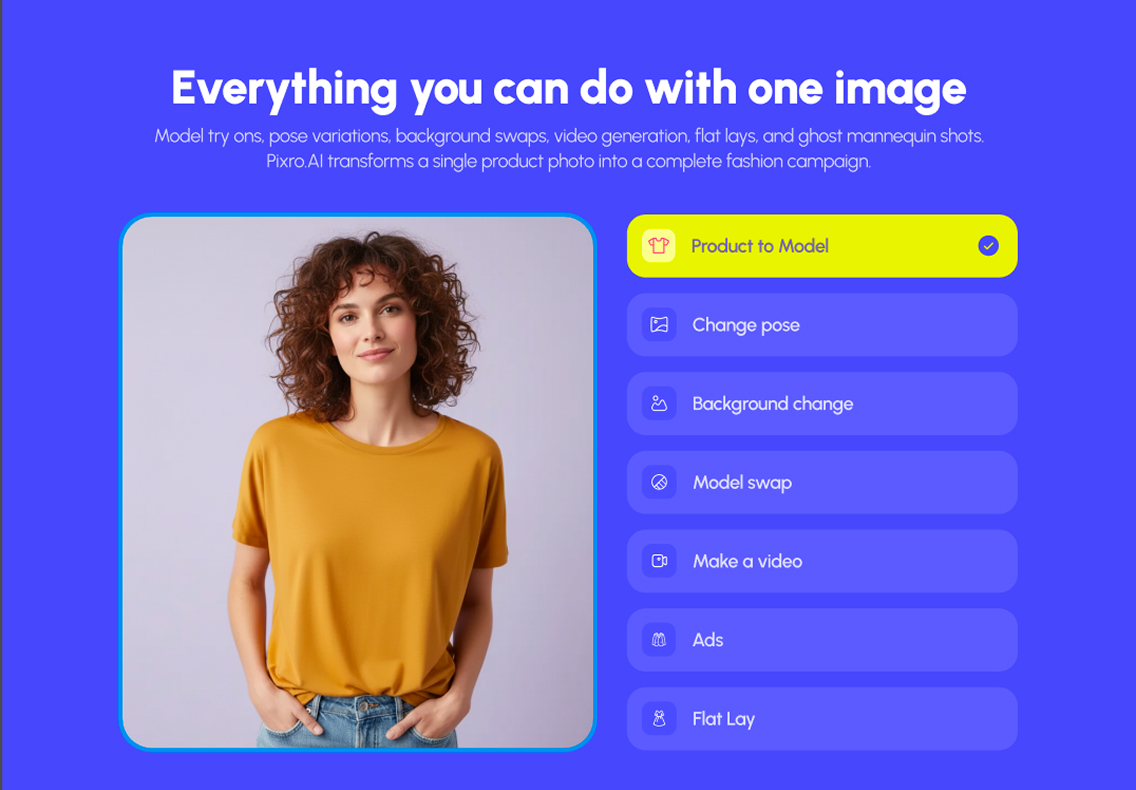
Both run in the browser — no install either way. Lovart lives in a web design canvas, natural for a designer already working on a screen with layers and edits. Pixro is a self-serve web app at pixro.ai built around an AI-agent chat: you type what you want to create, and it handles the rest. The setup wedge is the connect step — link your Shopify store, a website URL, a product catalogue, or your brand assets, and Pixro can generate ecommerce-ready, ad-ready, and social-ready assets on a schedule. Set it once and get fresh creatives every day, no re-briefing.
For a small team, that's the difference between "a design file I have to finish and export" and "a creative that's already sized for my listing and posted where it needs to go." Enterprise teams can wire the same engine in over API.
Choose Lovart if your team works on a design canvas. Choose Pixro if you want an agent that connects to your store and ships on autopilot.
Support and reliability
Lovart is a well-funded, widely covered launch with an active community and a mostly smooth core experience. The honest caveat from its own reviews is thin support when billing or credit questions come up. Pixro is bootstrapped, with 20+ paying brands and 1,000+ signups, and offers self-serve docs plus a direct line to the team. Judge both on responsiveness for your case.
Choose Lovart if a large creative community matters. Choose Pixro if you want a direct line to a team that knows ecommerce.
Who Lovart is best for
Lovart is genuinely the better pick for a lot of people, and it's worth saying plainly. If you're a brand designer, a marketer, or a small studio who wants agency-grade creative — logos, posters, storyboards, campaign sets, moodboards — from one smooth chat, Lovart's range is hard to beat. It's an ideation powerhouse. If your bottleneck is "I need ten creative directions by Friday," start there.
Who Pixro is best for
Pixro is for the store, not the studio. If you sell apparel, accessories, or physical products and your real problem is "I have 200 SKUs and every listing photo and reel has to look consistent and ship today," Pixro is built for exactly that — on-model, ghost mannequin, flat-lay, try-on, bulk catalogue, AI influencers, and product video, all from one AI-agent chat that keeps your actual product identical shot to shot and delivers straight to your store, ads, and feeds. If a customer has to recognise the thing they're buying, this is the side you want.
Scorecard
| Dimension | Pixro | Lovart | Edge |
|---|---|---|---|
| Agentic chat UX | ●●●●○ | ●●●●● | Lovart |
| Brand/campaign creative range | ●●○○○ | ●●●●● | Lovart |
| Product photography (real SKU) | ●●●●● | ●●○○○ | Pixro |
| Catalogue consistency | ●●●●● | ●○○○○ | Pixro |
| Try-on / ghost mannequin / AI influencers | ●●●●● | ●○○○○ | Pixro |
| Product video & reels | ●●●●○ | ●●●○○ | Pixro |
| All-in-one breadth (15+ tools) | ●●●●● | ●●●○○ | Pixro |
| Predictable pricing for a store | ●●●●● | ●●●○○ | Pixro |
Overall read: on open-ended design and agent UX, Lovart leads. On the specific job of photographing, filming, and shipping your real products consistently, Pixro leads. Pick by the job in front of you, not the one that sounds most impressive.
Switching: what transfers

You don't really migrate between these — you'd more often run both. Nothing stops a brand from ideating campaigns in Lovart and photographing the actual catalogue in Pixro. What transfers cleanly is your product photos: the same clean phone shots you'd feed any tool are what Pixro turns into on-model, ghost-mannequin, and video listing assets. There's no export/import dance, because Pixro starts from your product — or straight from your connected store — not from a Lovart file.
FAQ
Is Lovart worth it?
For broad, agentic brand and campaign creative — yes, it's one of the more impressive design agents out there, and users praise its UX and ideation. Just go in aware of two things reviewers flag: precise editing can be fiddly, and credit consumption can be hard to predict. For open-ended design that's fine; for a fixed catalogue budget it matters.
What's the best Lovart alternative for ecommerce?
If your job is product photography, video, and catalogue consistency rather than general design, Pixro is the closer fit — it's an all-in-one AI creative platform with an agent chat that shoots your real products (on-model, ghost mannequin, try-on, bulk catalogue), generates AI influencers and product reels, and delivers to your store, ads, and social. Lovart stays the better pick for logos, posters, and campaign sets.
Does Pixro have a free plan?
Pixro is credit-based with a free trial of the paid Trial plan ($10/mo, 50 credits) — there's no permanently free tier. You try it, then move to Trial or Growth ($30/mo, 400 credits) as your volume grows, with pay-as-you-go packs for spikes. It's a predictable credit allowance aimed at catalogue output.
Is Pixro web-based, and how do I access it?
Yes — Pixro is a browser app at pixro.ai. You sign in, open the AI-agent chat, and start creating; connect your Shopify store, a site URL, or a product catalogue and it can generate and deliver assets on a schedule. If you'd rather talk to a human, reach the team on WhatsApp at +91 6364871993 or email hello@pixro.ai.
Can I use both Lovart and Pixro?
Plenty of brands would. Use Lovart for the campaign and brand creative it's great at, and Pixro for the consistent product photography, video, and catalogue work it's built for. They overlap in UX, not in job.
The one next step
Back to those two people at the start. The designer chasing ten creative directions should open Lovart. The seller with one phone photo and a listing due tonight should drop it into Pixro and see the on-model version — and a reel — before the coffee's cold, then judge it against the last shot they paid a studio for.
You've probably got a product photo on your phone right now. Try the $10 Trial on one slow-moving SKU and see whether the consistent version earns its place. For more head-to-heads, see Pixro vs Leonardo, Pixro vs Krea, and our Botika vs Fashn fashion-model generators breakdown. And if you want to see Lovart's own case first, their site is here.