Pixro vs Krea AI: The Right Tool for Store Catalogs
You open Krea, drag a slider, and watch an image rebuild itself in real time. It feels like magic. Then you try to make that same jacket appear identical across forty catalog shots — your jacket, the one with the specific zipper pull and the logo stitched on the left chest. That is where the magic and the job quietly part ways.
Pixro vs Krea AI: the short version
Krea AI is a realtime creative playground. It puts a canvas, an upscaler, and a stack of frontier models in one place so a designer can explore, moodboard, and generate fast. Pixro is an all-in-one, web-based AI creative platform — think of it as your always-on AI creative agency — that keeps your exact product consistent across a whole storefront: product photoshoots, virtual try-on, ghost mannequin, flat-lay, bulk catalogue, banners and ads, AI influencers, and product video. It runs in your browser at pixro.ai, driven by an AI-agent chat that asks what you want to create today.
Different jobs. If you want a fast, open-ended canvas to invent images, Krea is a strong pick. If you have 200 SKUs and need every one to look like the real thing on a white seamless by lunch — plus reels and try-ons to match — Pixro is the one built for that.
At a glance
| Category | Pixro | Krea AI |
|---|---|---|
| Built for | Ecommerce & fashion brands, end to end | General creative exploration & design |
| Core workflow | 15+ AI tools: product photoshoot, try-on, ghost mannequin, flat-lay, bulk catalogue, banners/ads, AI influencers, 6+ video tools | Realtime generation canvas, enhance/upscale, video |
| How you drive it | AI-agent chat that acts like a full creative team; pick an outcome, upload, ship | Hands-on realtime canvas you steer with prompts and sliders |
| Model approach | 40+ underlying models auto-orchestrated per job — zero decisions | Aggregates many frontier models (Flux and others) you pick between in one hub |
| Product consistency | Keeps your real product identical across shots | Fresh generations; not built to lock one product identity |
| Virtual try-on / ghost mannequin | Built-in, marketplace-ready | Not a dedicated workflow |
| Image + video | Images plus 6+ live video tools (reels, product commercials, UGC, image→video) | Images plus realtime video generation |
| Realtime canvas | Not the model — upload, generate, ship | Signature strength: live, slider-fast generation |
| Delivery | Self-serve web app + always-on automation: connect Shopify / site URL / catalogue and get fresh creatives on a schedule | Web app / browser canvas |
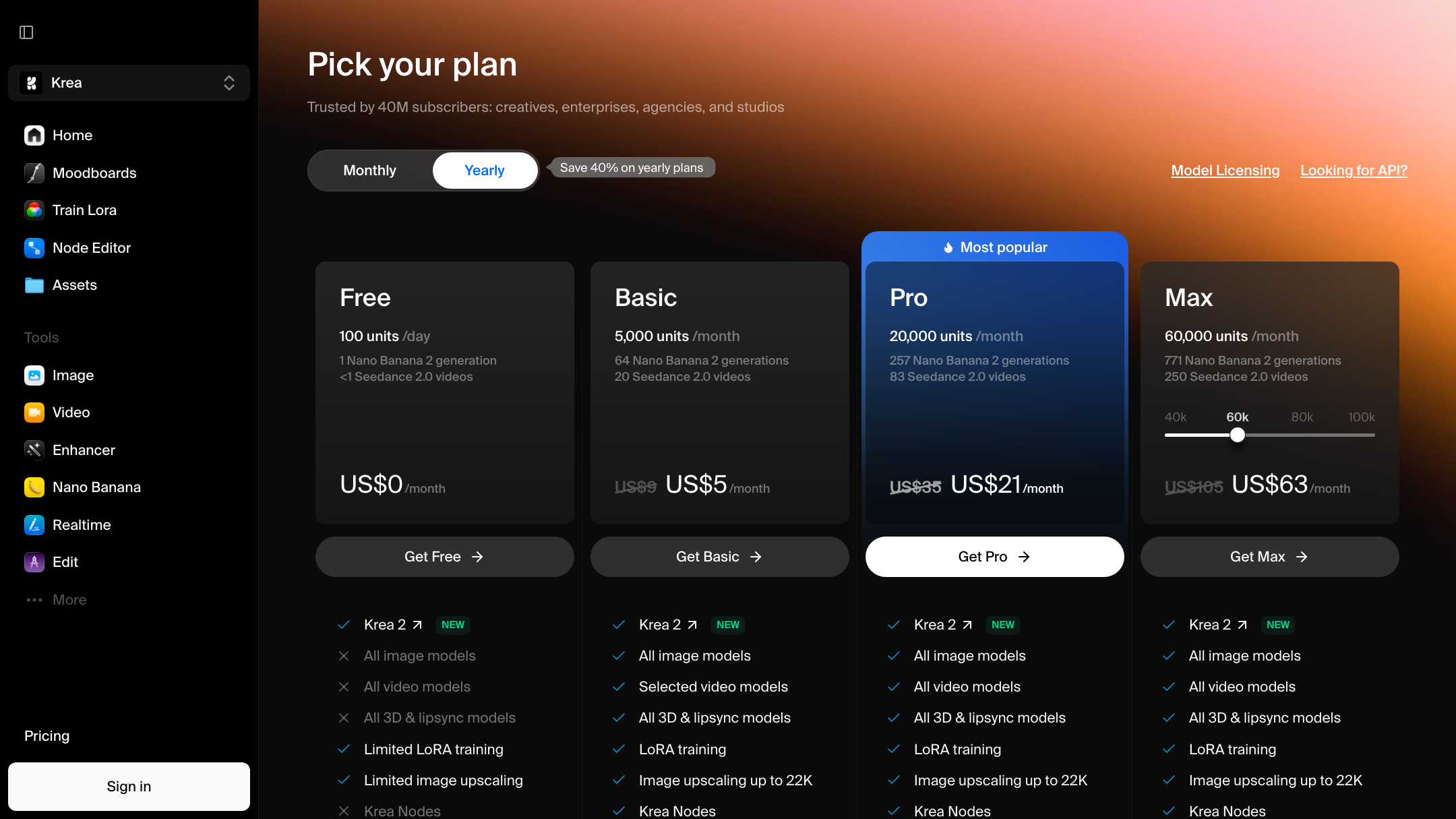
| Pricing | Trial $10/mo (50 credits ≈ 30 photos), Growth $30/mo (400 credits ≈ 250), Business custom | Free ($0, 100 units/day), Basic ~$9/mo, Pro ~$35/mo, Max ~$70/mo (as of July 2026 — check their site) |
Core features: a canvas vs an all-in-one creative platform

Krea's core is the realtime canvas. You nudge a prompt, drag a shape, and the image updates as fast as you can think. It aggregates many top models under one login, which is genuinely useful when you are exploring a look and do not yet know which engine will nail it. For a designer building moodboards or one-off hero art, that speed is the whole point.
Pixro's core is broad in a different direction. It is 15+ ecommerce jobs done end to end: turn a phone photo into an on-model product shot, put a garment on a ghost mannequin, lay it flat, run the same SKU through a dozen backgrounds, spin up banners and ads, cast an AI influencer, or cut a product reel. You steer it through an AI-agent chat — a creative director, art director, photographer and video editor working as a crew — so you describe the outcome instead of hand-tuning a canvas. The list of things Pixro does is the list a store actually ships.
Bottom line: Choose Krea if you want an open canvas to invent images. Choose Pixro if you want a full creative team of AI tools that end in listing-ready files.
Output quality: exploration vs the same product every time
Krea's output can be excellent, and its upscaler earns real praise. But it is a generative playground, so each run is a fresh interpretation. Users note that quality can be inconsistent, especially with human figures, and that results lean hard on strong prompting. That is fine when you are exploring — less fine when shot 38 has to match shot 1.
Pixro is built around a single constraint: the product in the output has to be the product you uploaded. Same fabric, same print, same hardware. Not a reinterpretation — a re-shoot. Under the hood Pixro orchestrates 40+ models automatically and picks the best one per job, so you get fidelity without choosing an engine. When your customer zooms in, the zipper is your zipper.
Bottom line: Choose Krea if variety and creative range matter more than exact fidelity. Choose Pixro if the product must be identical across the whole set.
Catalogue consistency: the part generalists skip
This is the widest gap, and it is honest to say so. Krea is not trying to keep one product identical across a catalog — that is not what a realtime creative suite is for. Ask it for forty shots of one dress and you will get forty lovely, slightly different dresses.
Pixro treats a catalog as the unit of work. One garment, many backgrounds and angles, all recognisably the same item, with marketplace-ready framing — consistent colour, texture and logo across a whole collection. Brands like HRX have run 500+ catalogue images through Pixro and cut roughly 90% of the time it used to take. That is the boring, repetitive part of ecommerce photography — and it is exactly the part Pixro exists to automate.
Bottom line: Choose Krea if you are making standalone images. Choose Pixro if you are filling a storefront where consistency is the product.
Image and video
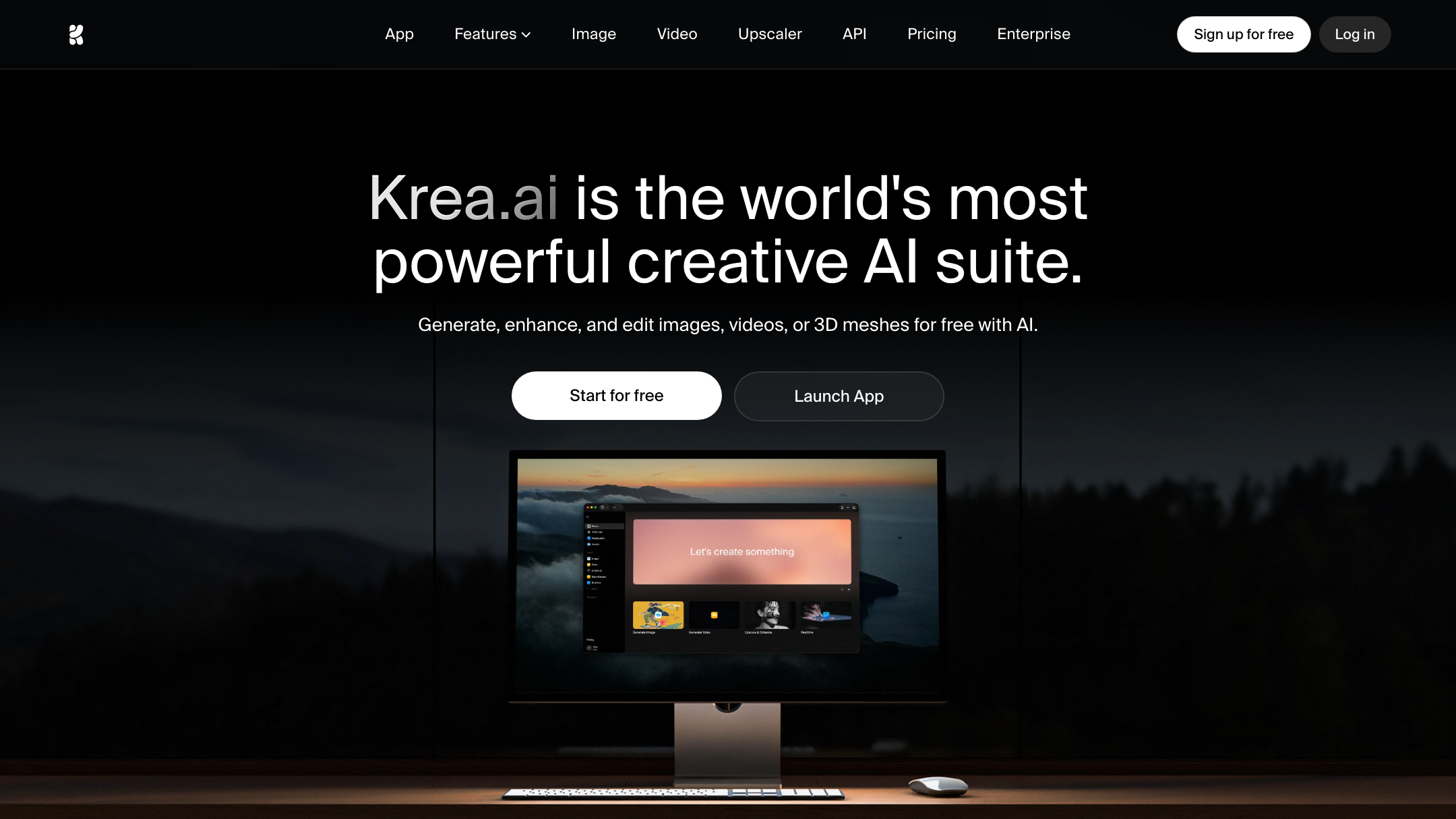
Credit where it is due: Krea does realtime image and video generation today, and that breadth is a real strength for creative work. Pixro ships video too — 6+ live video tools including AI reels, product commercials, UGC-style clips and image→video — so it is not image-only. The difference is intent: Krea's video is open-ended creative generation, while Pixro's is aimed squarely at product and fashion content you can post and sell against. For one garment, Pixro can turn out roughly eight catalogue poses, a reel and try-ons in under a minute.
Bottom line: Choose Krea if free-form realtime video generation is central to your work. Choose Pixro if you want product reels and commercials that match your catalog, made the same place as your images.
Pricing: compute units vs predictable ecommerce credits
Both tools are credit-metered, so read the units, not just the headline price.
| Plan | Pixro | Krea AI (as of July 2026 — check their site) |
|---|---|---|
| Entry | Trial $10/mo — 50 credits (≈ 30 photos/videos) | Free $0 — 100 compute units/day; Basic ~$9/mo |
| Mid | Growth $30/mo — 400 credits (≈ 250) | Pro ~$35/mo |
| Top | Business — custom (unlimited) | Max ~$70/mo; Business ~$200/mo |
For a small store generating roughly 200 product images a month, Pixro's Growth plan at $30 is sized for that exact job, with each credit spent on catalog-ready output. Krea's compute units get spread across image, video, upscaling and 3D — flexible for a creative, but you are budgeting general compute, not a set number of listing shots. Pixro offers a free trial of the paid Trial plan, plus pay-as-you-go credit packs; there is no permanently free tier.
Bottom line: Choose Krea if you want one flexible compute pool across many creative tasks. Choose Pixro if you want spend that maps directly to store-ready photos and video.
Ease of access: browser canvas vs no-code AI-agent chat
Both tools live in the browser — Krea at krea.ai, Pixro at pixro.ai — so there is nothing to install either way. The difference is how you drive them. Krea's canvas is built for hands-on creatives who like to steer; it rewards prompt skill and a willingness to iterate. Pixro is no-code and job-shaped: you open the AI-agent chat, say what you want (on-model, ghost mannequin, flat-lay, a reel), upload your product, and a crew of AI agents handles the rest. A seller with no design team can describe the outcome and get a catalog-ready result back.
Bottom line: Choose Krea if you enjoy driving a creative canvas. Choose Pixro if you want to describe an outcome and get a listing-ready result with zero setup.
Delivery and automation: one-off images vs always-on creatives
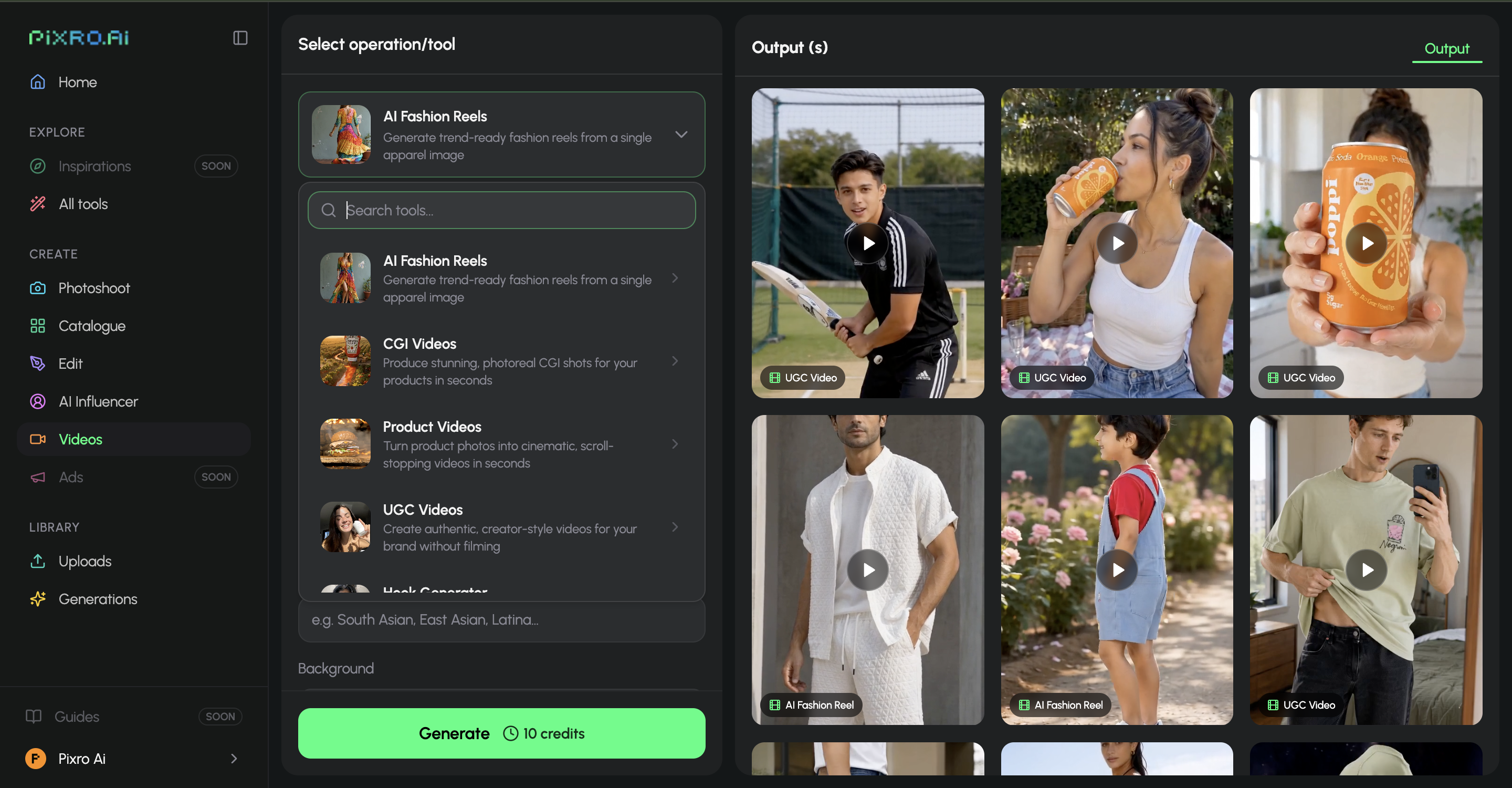
Krea is where you go to make an image when you need one. Pixro is built to keep making them. Connect your Shopify store, a website URL, a product catalogue or your brand assets, and Pixro can generate and deliver ecommerce-ready, ad-ready and social-ready creatives on a schedule — set it once, get fresh assets every day — with enterprise APIs available for teams that want it wired into their own stack.
Bottom line: Choose Krea for on-demand creative sessions. Choose Pixro if you want a pipeline that keeps your store and channels stocked with fresh visuals automatically.
Support and who stands behind it
Krea is a fast-moving creative platform with an active community and public reviews that skew positive on speed and the upscaler. Pixro is built around one audience — ecommerce and fashion brands — so support and templates are shaped for that use. It is bootstrapped, with 20+ paying brands including HRX, The Roadster, Reliance Jewels and The Kids Label, and 1,000+ signups.
Bottom line: Choose Krea for a broad creative community. Choose Pixro for ecommerce-specific help from a team focused on that job.
Who Krea AI is best for
Krea is a genuinely strong tool, and the fairest read is a warm one. Reach for Krea if you are a designer, marketer, or creative who wants a realtime canvas to explore ideas, blend styles, and upscale results — with many frontier models under one login. It is excellent for moodboarding, concept art, banners, and fast visual experiments where range beats exact repeatability.
Who Pixro is best for
Reach for Pixro if you sell physical products and need your real items to look identical across a whole catalog — plus the reels, try-ons, ads and AI-influencer content to market them. Founders and brands with 50, 200, or 500 SKUs who want on-model shots, ghost mannequin, flat-lay, bulk catalogue and product video — without a studio, a photographer, or a dev team — from a single web app that acts like an always-on creative agency. If a customer zooms in and has to trust the product is real, Pixro is the safer tool.
Scorecard
| Dimension | Pixro | Krea AI | Edge |
|---|---|---|---|
| Realtime creative canvas | ●○○○○ | ●●●●● | Krea |
| Open-ended creative range | ●●○○○ | ●●●●● | Krea |
| Free-form video generation | ●●●○○ | ●●●●○ | Krea |
| All-in-one breadth (15+ tools) | ●●●●● | ●●●○○ | Pixro |
| Product consistency | ●●●●● | ●●○○○ | Pixro |
| Catalogue-wide workflow | ●●●●● | ●○○○○ | Pixro |
| Try-on / ghost mannequin | ●●●●● | ●○○○○ | Pixro |
| AI-agent workflow & automation | ●●●●● | ●●○○○ | Pixro |
| Ecommerce price fit | ●●●●○ | ●●●○○ | Pixro |
Overall read: Krea wins the creative-playground rows — realtime canvas, open-ended range, free-form video. Pixro wins everything a storefront actually ships. Pick by the job in front of you.
Switching: what transfers, what to redo

If you have been using Krea for store images and the consistency is fraying, the move is light. Your product photos are the input either way, so nothing is locked in Krea that you cannot bring — just re-upload the source shots. What you stop doing is re-prompting to chase the same look; Pixro holds the product identity for you and auto-picks the model per job. What you may redo once: pick the output type per SKU (on-model, ghost mannequin, flat-lay) so the catalog lands consistent from the first pass. Keep Krea for the creative exploration it is great at.
FAQ
Is Krea AI worth it?
Yes, for creative work. If you want a realtime canvas, model aggregation, and a strong upscaler for exploration, moodboards, and one-off art, Krea is well regarded and fast. It is just not built to keep one product identical across a catalog.
What is the best Krea AI alternative for ecommerce?
For ecommerce specifically, Pixro is the closer fit. It is an all-in-one, web-based creative platform purpose-built for product photoshoots, virtual try-on, ghost mannequin, flat-lay, bulk catalogue, banners and product video, keeping your real product consistent across every shot — the job a generalist playground is not shaped for.
Does Pixro have a free plan?
Pixro is credit-based, with a free trial of the paid Trial plan ($10/mo, 50 credits ≈ 30 photos/videos) plus pay-as-you-go credit packs. There is no permanently free tier — you try it, then move to Trial or Growth ($30/mo, 400 credits).
Is Pixro web-based, and how do I access it?
Yes. Pixro is a browser app at pixro.ai — nothing to install. You drive it through an AI-agent chat: describe what you want to create, upload your product, and get catalog-ready results back. If you want to talk to the team first, reach Pixro on WhatsApp at +91 6364871993 or email hello@pixro.ai.
Can I use both Krea and Pixro?
Plenty of teams do. Explore and moodboard in Krea, then run the actual SKUs through Pixro so the catalog stays consistent. Different jobs, and they sit fine side by side.
The bottom line
Back to that jacket. In Krea, dragging the slider is the fun part — and it should be. But when the job is forty shots that all have to be the same real jacket, plus the reel and the try-ons to sell it, the fun part is not the job. Pixro is built for the job.
You have a product photo on your phone right now. Drop it into Pixro's $10 Trial at pixro.ai and see the on-model, catalog-ready version before your coffee is cold — then judge the consistency yourself. Questions first? Reach the team on WhatsApp at +91 6364871993 or hello@pixro.ai.
Comparing more tools? See Pixro vs Leonardo, Pixro vs Lovart, Pixro vs Caimera, and Botika vs Fashn AI fashion model generators.