Pixro vs Pebblely: Backgrounds vs the Whole Studio
You have a clean photo of a candle. You want it sitting on a marble ledge with soft morning light. Pebblely does that in about a minute, for less than a coffee a week.
Then next month you need the candle on a model's palm, a try-on for the matching robe, and a five-second reel for Instagram. That's the day Pebblely stops and you start opening tabs.
The quick verdict
Pebblely is a focused, cheap AI background generator: drop a product in, pick a scene, export marketplace-ready sizes. If backgrounds are the only thing you need, it's hard to beat on price. Pixro is a different kind of tool — an all-in-one, web-based AI creative platform with 15+ tools in one place: backgrounds, yes, but also AI models, virtual try-on, ghost mannequin, bulk catalogue, banners, AI influencers, and 6+ live video tools. You brief it through an AI-agent chat and it orchestrates 40+ underlying models for you. Choose Pebblely to decorate a product. Choose Pixro when the product needs a person, a fitting room, and a feed.
At a glance
| Category | Pixro | Pebblely |
|---|---|---|
| Core purpose | All-in-one AI creative platform (15+ tools) | Product-photo background generator |
| Backgrounds | Scene prompts + templates | 40+ templates + custom prompts |
| On-model / AI models | Built-in AI models + AI influencers | Not a core feature |
| Virtual try-on | Yes | No |
| Ghost mannequin | Yes | No |
| Bulk catalogue | Batch across a whole SKU set | Bulk generation (backgrounds) |
| Video / reels | 6+ live video tools (reels, product video, image-to-video, UGC) | No |
| Marketplace sizing | Amazon/Etsy/marketplace specs | Auto-resize for Amazon/Etsy/Shopee/Lazada/Xiaohongshu |
| How you work | AI-agent chat + always-on automation, web app | Web app only |
| Pricing | $10 Trial / $30 Growth (credit-based) | $9 Lite / $19 Basic / $39 Pro |
Both are honest tools. They just aim at different jobs. Below, category by category, so you can pick the one that fits the work in front of you.
Core features: one job vs the whole stack

Pebblely does one thing and does it cleanly. You upload a product, it cuts it out, and it composites it onto a background with matching light and shadow. Forty-plus themes, plus your own text prompts. No design skills, no learning curve. If your catalogue is candles, bottles, jars, and boxes, that's most of the work handled.
Pixro starts from the same place and keeps going — a lot further. It's a browser-based platform at pixro.ai with 15+ AI tools under one login: product photoshoot backgrounds, AI models wearing your apparel, virtual try-on, ghost-mannequin shots, flat-lays, bulk catalogue runs, banners and ads, AI influencers, and a suite of video tools. Instead of picking tools by hand, you tell an AI-agent chat what you want to create and a team of AI agents — think creative director, art director, photographer, video editor — figures out the steps. Under the hood, Pixro auto-picks the best of 40+ models for each job, so you never have to know which engine to use. It's the difference between a background tool and a creative agency you never had to hire.
The gap shows up the moment a garment needs a body. Pebblely is a product-on-a-surface tool; reviewers note that human models don't come out convincingly even when you upload one as an asset (delesign, as of July 2026). Pixro treats on-model as a first-class feature, not a side effect.
Bottom line: choose Pebblely if your products sit still on a shelf. Choose Pixro if they get worn.
Output and try-on quality
For plain product-on-background work, Pebblely's output is genuinely good — realistic lighting, believable shadows. The known catch is control. Editing is mostly erase-and-restore, and the AI occasionally hallucinates a detail onto your product — a cap on a serum, a chain on a ring — that you then have to fix or regenerate. For a simple jar, that's rare. For a detailed apparel piece on a person, it's a bigger risk.
Pixro's answer is virtual try-on and on-model generation built for clothing: the shirt keeps its shape, the fabric drapes, the model wears it rather than having it pasted on. It's a fitting room that never closes — swap the model, the pose, the setting, keep the same garment. That garment consistency — same colour, texture, and logo across a whole collection — is the hard part, and it's what Pixro is tuned for. It's the part Pebblely simply doesn't attempt. If you sell apparel, that's not a nice-to-have.
Bottom line: choose Pebblely for a crisp product on a nice surface. Choose Pixro when a person has to wear the thing.
Catalogue consistency
Both tools batch. Pebblely's bulk generation runs backgrounds across many products at once — great for a homogeneous SKU set. But consistency across a fashion catalogue is more than a shared background: it's the same model, same framing, same lighting on 200 different garments so the listing grid looks like one shoot.
Pixro is built for that catalogue-wide sameness — run a batch and get outputs that belong to each other, sized to marketplace specs. HRX used it to produce 500+ catalogue images with roughly a 90% cut in production time; for one garment you can get around eight catalogue poses, a reel, and try-ons in under a minute. When your feed is the storefront, that visual consistency is what makes it read as a real brand instead of a folder of one-off images.
For a closer look at how bulk catalogue tools stack up, see our Pixro vs Caimera and Pixro vs iFoto comparisons.
Bottom line: choose Pebblely for consistent backgrounds. Choose Pixro for a consistent catalogue.
Image and video
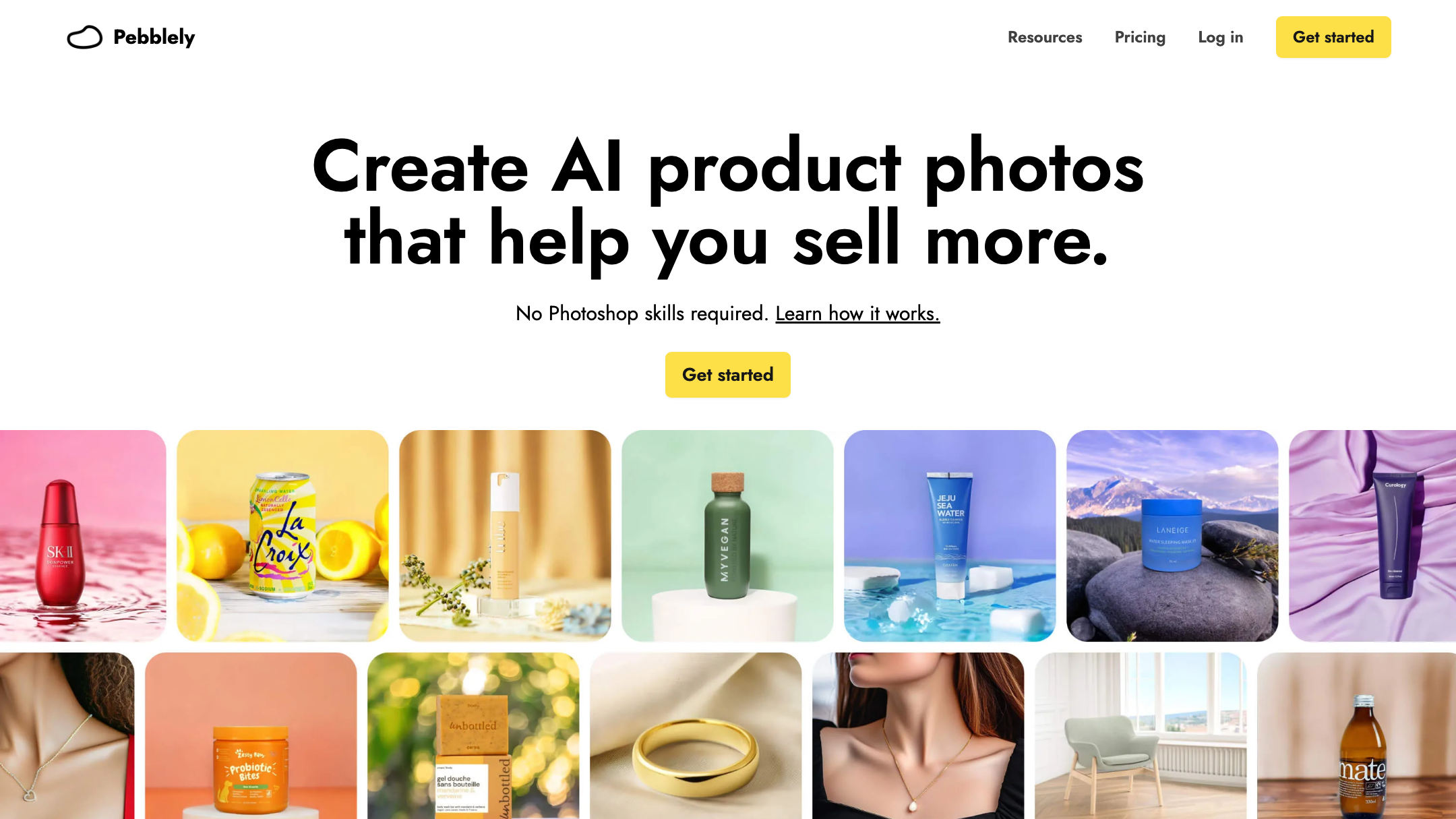
Pebblely is images, full stop. There's no video, no reels, no motion. That's fair — it never claimed to be a video tool.
Pixro is where the two roads clearly split. Alongside images, Pixro ships 6+ live video tools — AI reels, product videos and commercials, image-to-video, UGC-style clips, and a fashion reel maker. Turn a still product shot into a short reel for social without leaving the platform. If your marketing runs on Instagram and TikTok, that's a whole job Pebblely can't touch — no second subscription, no separate editor. And because Pixro orchestrates 40+ models automatically (video engines included), you get the right tool for each clip without choosing one yourself.
Bottom line: choose Pebblely if you only ever need stills. Choose Pixro if your feed wants motion.
Pricing
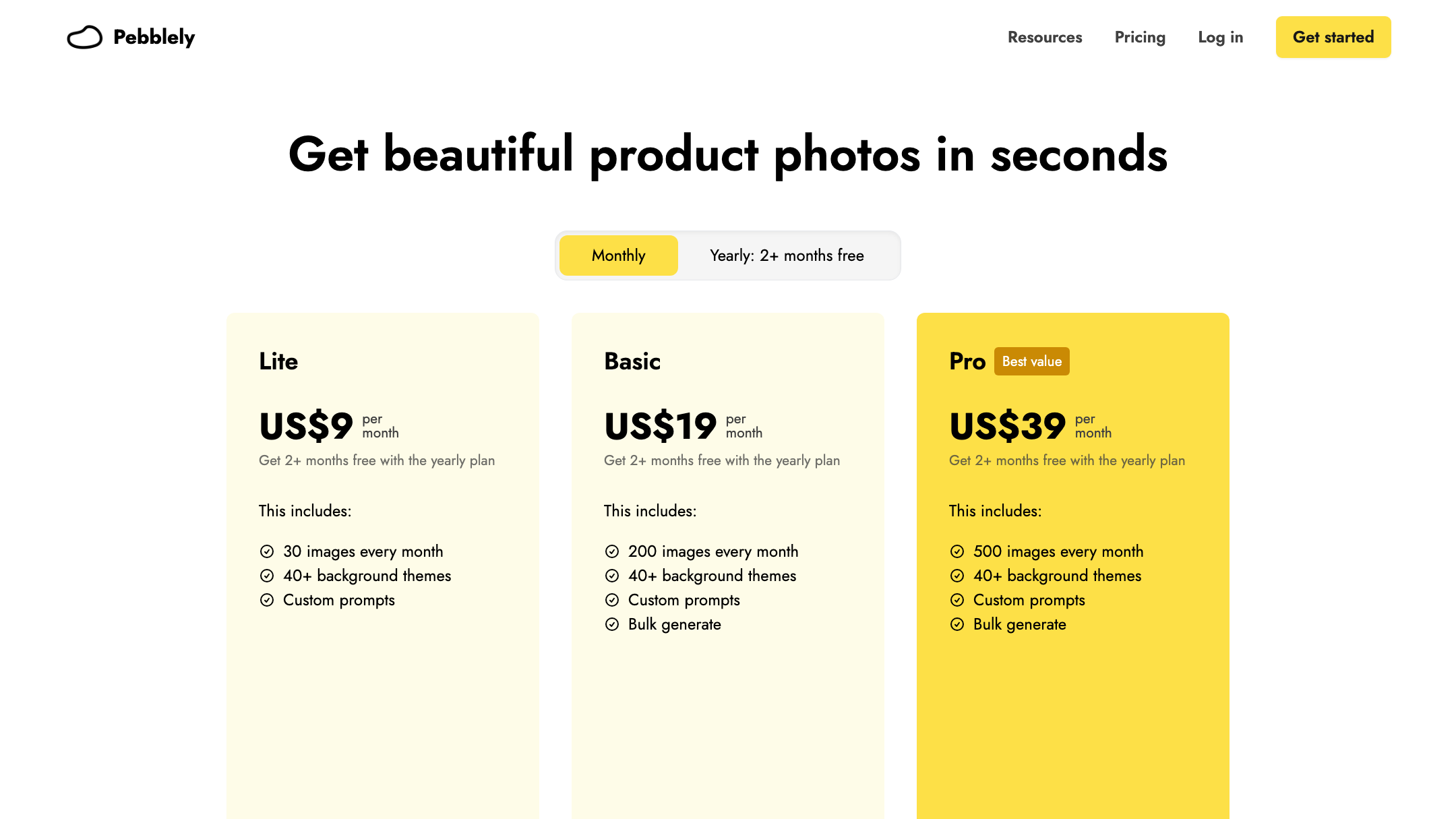
This is Pebblely's strongest card, so let's be straight about it. As of July 2026 (check their site), Pebblely runs Lite at $9/mo for 30 images, Basic at $19/mo for 200 images with bulk and custom backgrounds, and Pro at $39/mo for 500 images. USD only. That $9 entry point is the cheapest way into AI backgrounds here, and for a small shop that just needs a few clean scenes a month, it's a genuinely good deal.
Pixro is credit-based and priced in USD: the $10 Trial gives you 50 credits (roughly 30 photos or videos), and $30 Growth gives 400 credits (roughly 250), with a Business tier for custom, unlimited needs. There's a free trial of the paid Trial plan, plus pay-as-you-go credit packs — but no permanently free tier on either side.
| Plan | Pixro | Pebblely |
|---|---|---|
| Entry | $10 Trial — 50 credits (~30 photos/videos) | $9 Lite — 30 images |
| Mid | $30 Growth — 400 credits (~250) | $19 Basic — 200 images + bulk |
| Top | Business — custom / unlimited | $39 Pro — 500 images |
Here's the honest read for a store making ~200 images a month. On raw background count, Pebblely's $19 Basic is cheaper. But that price buys backgrounds only. If those 200 images need to include on-model shots, try-on, and a few reels, you'd be stacking Pebblely plus a model tool plus a video tool. Pixro's $30 Growth covers all of that from one balance. You're not comparing price to price — you're comparing one bill to three.
Bottom line: choose Pebblely if backgrounds are the entire job and every dollar counts. Choose Pixro if one plan replacing three saves you more than the sticker gap.
Ease of use
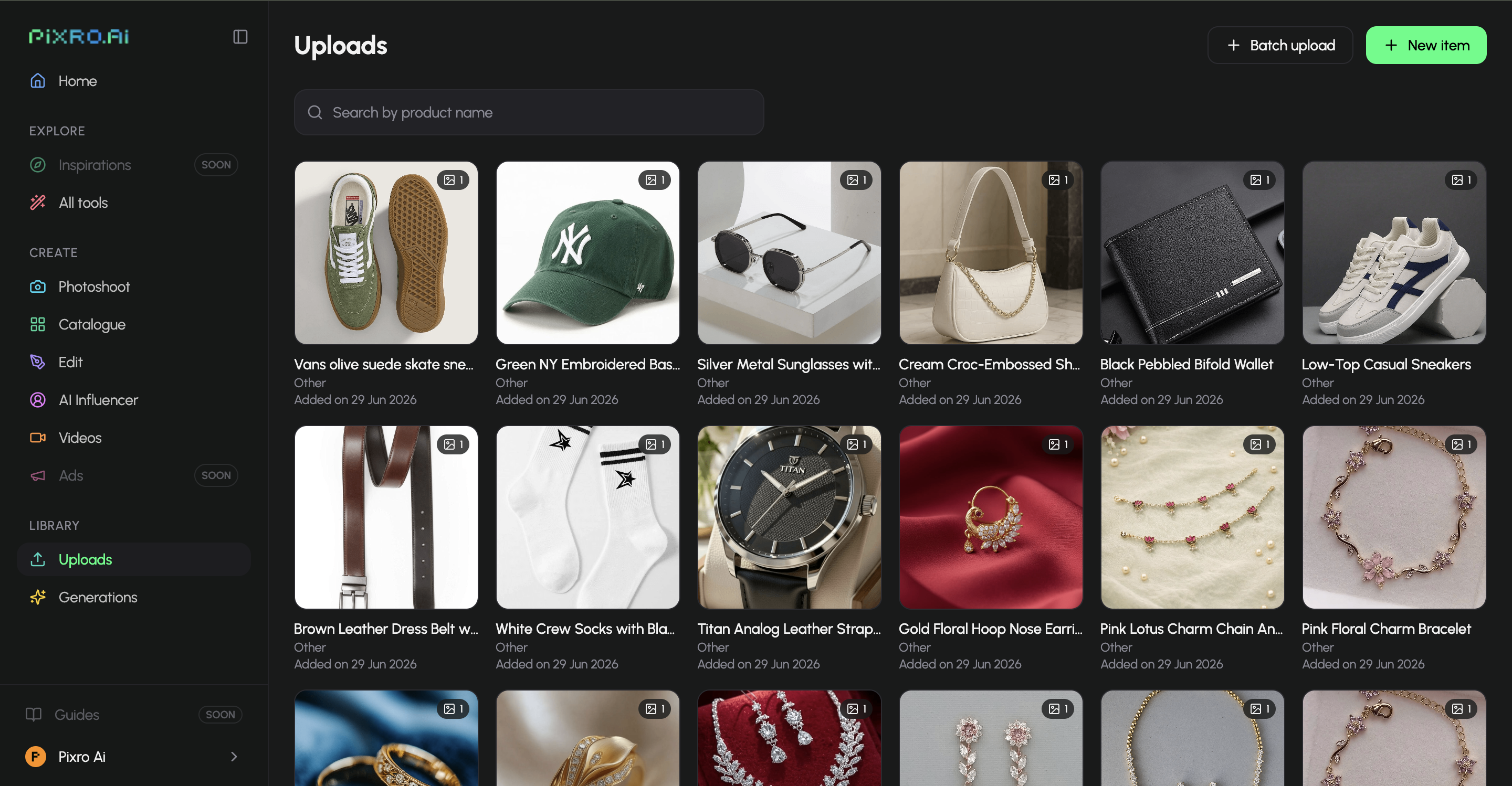
Pebblely is a clean web app — sign in, upload, generate. That simplicity is a real strength; there's almost nothing to learn.
Pixro is a browser app too, and its twist is the AI-agent chat. Instead of hunting through menus, you type what you want — "put this dress on a model on a Santorini rooftop, then make a reel" — and the agent team plans and produces it, picking the right models along the way. You can also connect your Shopify store, a website URL, or a product catalogue and let Pixro run on autopilot: set it once and get fresh, store-ready, ad-ready, and social-ready creatives on a schedule. For a busy store, that's a different kind of easy than clicking through another dashboard by hand.
Bottom line: choose Pebblely for a no-frills upload-and-generate flow. Choose Pixro if you'd rather brief an agent and let it run.
Support and delivery
Pebblely is self-serve web software — you're mostly on your own with docs and a simple interface, which is fine for a tool this focused. Pixro is self-serve too, but the AI-agent chat makes getting a result feel less like operating software and more like asking a team to do it, and its always-on automation can deliver finished assets straight to your store and social channels. Enterprise teams can also plug in via API. If you'd rather describe the outcome than assemble it, that's the difference.
Bottom line: choose Pebblely if you like doing it yourself. Choose Pixro if you'd rather brief it and get the result delivered.
Who Pebblely is best for
Pebblely is the right call if you sell products that sit still — candles, cosmetics, homeware, packaged goods — and your main need is putting them on attractive backgrounds, fast and cheap. The $9 entry, the single-purpose interface, and the auto-resize for Amazon, Etsy, Shopee, Lazada, and Xiaohongshu make it a tidy fit for a solo maker who wants clean product shots without thinking about it. If you never need a model, a try-on, or a video, paying for Pixro's breadth would be paying for doors you won't open.
Who Pixro is best for
Pixro is the better fit for fashion and apparel sellers, and for any store whose catalogue needs people, motion, or scale. If your products get worn, if you want on-model and try-on shots or AI influencers, if you're shipping a whole SKU set that has to look consistent, or if your marketing runs on reels — Pixro does all of it from one credit-based plan, briefed through an AI-agent chat and backed by 40+ auto-orchestrated models. It's used by brands like HRX, The Roadster, The Kids Label, Karma Dori, and Reliance Jewels. It's the tool you grow into instead of the one you outgrow.
Scorecard
| Dimension | Pixro | Pebblely | Edge |
|---|---|---|---|
| Backgrounds | ●●●●○ | ●●●●● | Pebblely |
| On-model / try-on | ●●●●● | ●○○○○ | Pixro |
| Catalogue consistency | ●●●●● | ●●●○○ | Pixro |
| Video + reels | ●●●●● | ○○○○○ | Pixro |
| All-in-one breadth | ●●●●● | ●●○○○ | Pixro |
| Entry price | ●●●●○ | ●●●●● | Pebblely |
| Simplicity / ease of use | ●●●●○ | ●●●●● | Pebblely |
| AI-agent workflow | ●●●●● | ●○○○○ | Pixro |
The overall read: Pebblely wins where it's focused — pure backgrounds, the cheapest entry, and dead-simple use — and those are real wins, not courtesies. Pixro wins everywhere the job gets bigger than a background. Pick by the shape of your catalogue, not the size of the invoice.
Switching from Pebblely: what transfers

Not much to migrate, which is the good news. There are no complex projects or timelines locked inside Pebblely — your source product photos are yours, and those are the only inputs Pixro needs. Point Pixro at the same clean product shots you were feeding Pebblely, or connect your store and let it pull assets automatically.
What changes is what you can now ask for. The same jar you put on marble can go on a model's hand; the shirt you only ever shot flat can go on a person or a ghost mannequin; the still can become a reel; a whole catalogue can render overnight. You're not rebuilding a workflow — you're adding the rooms of the studio Pebblely didn't have. If you're weighing a few options at once, our Pixro vs Caspa breakdown and the Botika vs FASHN AI model-generator comparison are good next reads.
FAQ
Is Pebblely worth it?
If backgrounds are your whole need, yes. For product-on-surface shots — cosmetics, homeware, packaged goods — Pebblely is cheap, fast, and simple, starting at $9/mo (as of July 2026; check their site). It stops being worth it the moment you need models, try-on, or video, which it doesn't do.
What's the best Pebblely alternative for fashion sellers?
Pixro, if you sell apparel. It keeps the AI-background workflow Pebblely does well and adds on-model shots, virtual try-on, ghost mannequin, bulk catalogue, AI influencers, and 6+ live video tools — the things a fashion catalogue actually needs — from one credit-based plan. For more options, see our Pixro vs Caimera comparison.
Is Pixro web-based, and how do I access it?
Yes — Pixro is a browser app at pixro.ai. You sign in, brief the AI-agent chat with what you want to create, and it produces it; you can also connect your Shopify store or catalogue for always-on, scheduled creatives. If you want to talk to the team first, reach Pixro on WhatsApp at +91 6364871993 or email hello@pixro.ai.
Does Pixro have a free plan?
Pixro is credit-based, and there's a free trial of the paid $10 Trial plan (50 credits, roughly 30 photos or videos) — there's no permanently free tier. Neither Pixro nor Pebblely offers unlimited free use; you're comparing a free trial against a $9 paid entry.
Try it on one product
Go back to that candle. Put it on marble in Pebblely if that's all you need — it'll look good and cost almost nothing.
But if the next thing you need is that candle in someone's hands, or the robe beside it on a model, or a five-second clip for the feed — drop one product into the $10 Trial and ask the AI agent for the on-model version before your coffee's cold. Then judge it against the tabs you were about to open.








