Pixro vs iFoto: A Fashion Alternative for Ecommerce
The quick verdict
iFoto is a broad consumer photo app. Headshots, hairstyle try-on, passport photos, background removal, image upscaling — and an AI fashion-model feature bolted on the side for sellers.
Pixro is an all-in-one, web-based AI creative platform — your always-on AI creative agency — built end to end for one job: consistent, on-brand catalogue imagery and video for ecommerce and fashion.
So here is the honest split. If you want a cheap, occasional edit — a quick headshot, one background swap — iFoto is a fine grab-bag. If you are shipping a catalogue and need every product to look like it came from the same shoot, plus reels to match, Pixro is the one purpose-built for that.
Think of it as a Swiss Army knife next to a studio. The knife does twenty things. The studio does one thing the way a seller actually needs it — across images, video, and everything in between.
Pixro vs iFoto at a glance
| Category | Pixro | iFoto |
|---|---|---|
| Core purpose | All-in-one AI creative platform for ecommerce and fashion sellers — 15+ tools in one place | General consumer photo-editing app; fashion is one feature among many |
| AI fashion models | On-model looks from a flat-lay or mannequin, tuned for catalogue use, plus AI influencers | AI fashion model generation available as a dedicated feature |
| Ghost mannequin and flat-lay | Ghost mannequin, flat-lay, and product photoshoot built in | Background removal and recolor; no dedicated ghost-mannequin catalogue flow |
| Catalogue consistency | Bulk catalogue tools aimed at a same-shoot look across SKUs | One-off edits; consistency across a large catalogue is manual |
| Image + video | Images plus 6+ live video tools — AI reels, product videos, image-to-video, UGC clips | Photo editing only |
| How you work in it | Self-serve web app with an AI-agent chat; connect your store or catalogue for always-on delivery | Web app and a Shopify app |
| Underlying models | 40+ models orchestrated automatically — Pixro auto-picks the best one per job | Single-model feature; no model choice exposed |
| Pricing | Credit-based: Trial $10/mo (50 credits), Growth $30/mo (400 credits), Business custom | No public paid pricing (as of July 2026 — check their site); markets free tools |
What each tool is actually for
Open iFoto and you land in a consumer photo app. Free background removal, an AI headshot maker, a hairstyle try-on, a passport-photo tool, image upscaling, old-photo restoration, a clothing recolor. The AI fashion-model feature sits in that menu alongside the rest.
That is not a knock. For a shopper or a solo creator, breadth is the point.
But a seller with 200 SKUs is not shopping for twenty consumer tools. They have one problem: get every product photographed, on-model, on-brand, in motion where it helps, and out the door.
Pixro is built around that single problem. Product photoshoot, virtual try-on, ghost mannequin, flat-lay, bulk catalogue, AI influencers, banners and ads, reels — 15+ tools in one suite, one workflow, pointed at selling clothes. It is the difference between a feature that can make a fashion model and a platform that assumes you are making a hundred of them, with matching video, by Friday.
Choose iFoto if you want a general photo toolkit and the fashion model is an occasional bonus. Choose Pixro if catalogue imagery and video are the job, not a side quest.
AI fashion models and on-model looks

Both tools turn a flat garment into a person wearing it. That is the headline feature, and iFoto does it — reviewers on the Shopify App Store like the one-click color variants and the time it saves versus booking a real model.
The difference shows up on the second, third, and fortieth product.
A consumer app treats each generation as its own little project. Pick a model, pick a scene, run it, move on. Do that across a full catalogue and the models drift — different faces, different lighting, different framing on every listing.
Pixro is tuned to hold a look. Same model type, same lighting, same crop across a run of products, so a category page reads like one shoot instead of forty. Under the hood, an AI-agent chat and 40+ auto-orchestrated models pick the right engine for each shot, so you get a matched set without fiddling with settings.
If you sell a handful of hero pieces, that drift barely matters. If you sell a range, it is the whole game.
Choose iFoto if you need a few strong one-off model shots. Choose Pixro if you need forty that match.
Ghost mannequin, flat-lay, and catalogue consistency
This is where a dedicated fashion platform pulls ahead.
iFoto handles background removal and clothing recolor well, and those cover a lot of listing prep. But the hollow-man ghost-mannequin look — collar standing, sleeves filled, nobody inside — is a specific fashion move, not a general edit.
Pixro treats ghost mannequin, flat-lay, and product photoshoot as first-class flows, then adds bulk catalogue tools so you can push a whole set through at once. The aim is boring in the best way: 200 products that look like they belong on the same site, with consistent colour, texture, and logo across the collection.
Consistency is not a glamorous feature. It is just the one buyers feel and most tools quietly skip. It is the same reason people compare dedicated fashion tools against each other in our Pixro vs Caspa and Pixro vs Pebblely breakdowns.
Choose iFoto if background removal and recolor cover your listing needs. Choose Pixro if you need ghost mannequin plus catalogue-wide consistency out of the box.
Image and video
iFoto is a photo app. Full stop — it edits and generates images, and that is the scope.
Pixro does images and video. Alongside its photo tools, it runs 6+ live video tools — AI reels, product videos and commercials, image-to-video, UGC-style clips, and a fashion reel maker. So the same product shot can become a short clip for a marketplace listing or a social post, without leaving the tool or hiring an editor.
If you only need stills, it is a tie on stills. But if reels are anywhere on your roadmap, one tool that does both — today, in production — beats two that do one each.
Choose iFoto if you only ever need still images. Choose Pixro if you want stills and short video coming from the same place.
The AI-agent workflow and 40+ models

Here is the part most comparisons miss. iFoto gives you a menu of single-purpose tools; you pick one, use it, and move to the next.
Pixro gives you an AI-agent chat — you say what you want to create today, and a team of AI agents (creative director, art director, photographer, video editor) does the work like a real creative crew. Behind that chat sit 40+ models — the likes of nano-banana, Veo 3, Kling, Runway, Flux, SeeDream, HeyGen — and Pixro auto-picks the best one for each job. Forty-plus models, zero decisions. That multi-model orchestration is a genuine edge over single-model point tools — you are never stuck with one engine's weak spot.
Choose iFoto if a fixed menu of single tools is all you want. Choose Pixro if you want a chat-driven creative team that picks the right model for you.
Pricing
Here is the honest part: iFoto does not publish paid pricing. As of July 2026 the site leads with free tools — free background removal, free compressor, free recolor — and there is no visible paid tier price for business use. Check their site before you plan a budget around it, because "free" tools usually meet a wall somewhere, and you want to know where.
Pixro is credit-based and shows the numbers up front.
- Trial — $10/mo: 50 credits, roughly 30 photos or videos. A free trial of this paid plan lets you test before you commit.
- Growth — $30/mo: 400 credits, roughly 250 photos or videos.
- Business — custom: for high-volume catalogues, with enterprise APIs available.
There are pay-as-you-go credit packs too. For a store generating around 200 images a month, Growth at $30 is a known, plannable number. With iFoto, the honest answer is that business cost is not public, so you are budgeting against a question mark. Free is a great way to start. It is a harder way to forecast.
Choose iFoto if free edits cover your volume and you never hit a paid wall. Choose Pixro if you want a predictable $10 or $30 line item you can plan around.
How you work in each tool
iFoto meets you on the web and in a Shopify app. If you run a Shopify store and live at your desk, that fits.
Pixro is a self-serve web app at pixro.ai with an AI-agent chat at its centre — no dashboard maze to learn, no dev team required. Better still, you can connect your Shopify store, website URL, product catalogue, or brand assets and let Pixro run on always-on automation: set it once, and get fresh ecommerce-ready, ad-ready, and social-ready creatives on a schedule. Enterprise APIs are there when you need to wire it into your own stack.
For a lot of sellers — a founder running the shop solo, a small team without a developer — that is the difference between using the tool and meaning to. It is the same no-code, chat-first idea we cover in Pixro vs Caimera.
Choose iFoto if a web app and a Shopify plugin are all you need. Choose Pixro if you want a chat-first web app plus always-on delivery to your store and channels.
Support and localization
iFoto plays its consumer-breadth card here, with localization across around a dozen languages for a global consumer base.
Pixro goes narrower and deeper: it serves ecommerce and fashion brands worldwide, with support built around the seller's real workflow — from first upload to a shipped, matched catalogue. Different bets. iFoto optimizes for broad consumer reach; Pixro optimizes for the seller who wants a catalogue-ready image or reel back, fast, and a team that answers when something is off.
Choose iFoto if broad consumer localization matters most. Choose Pixro if you want seller-first support tuned to ecommerce output.
Who Pixro is best for
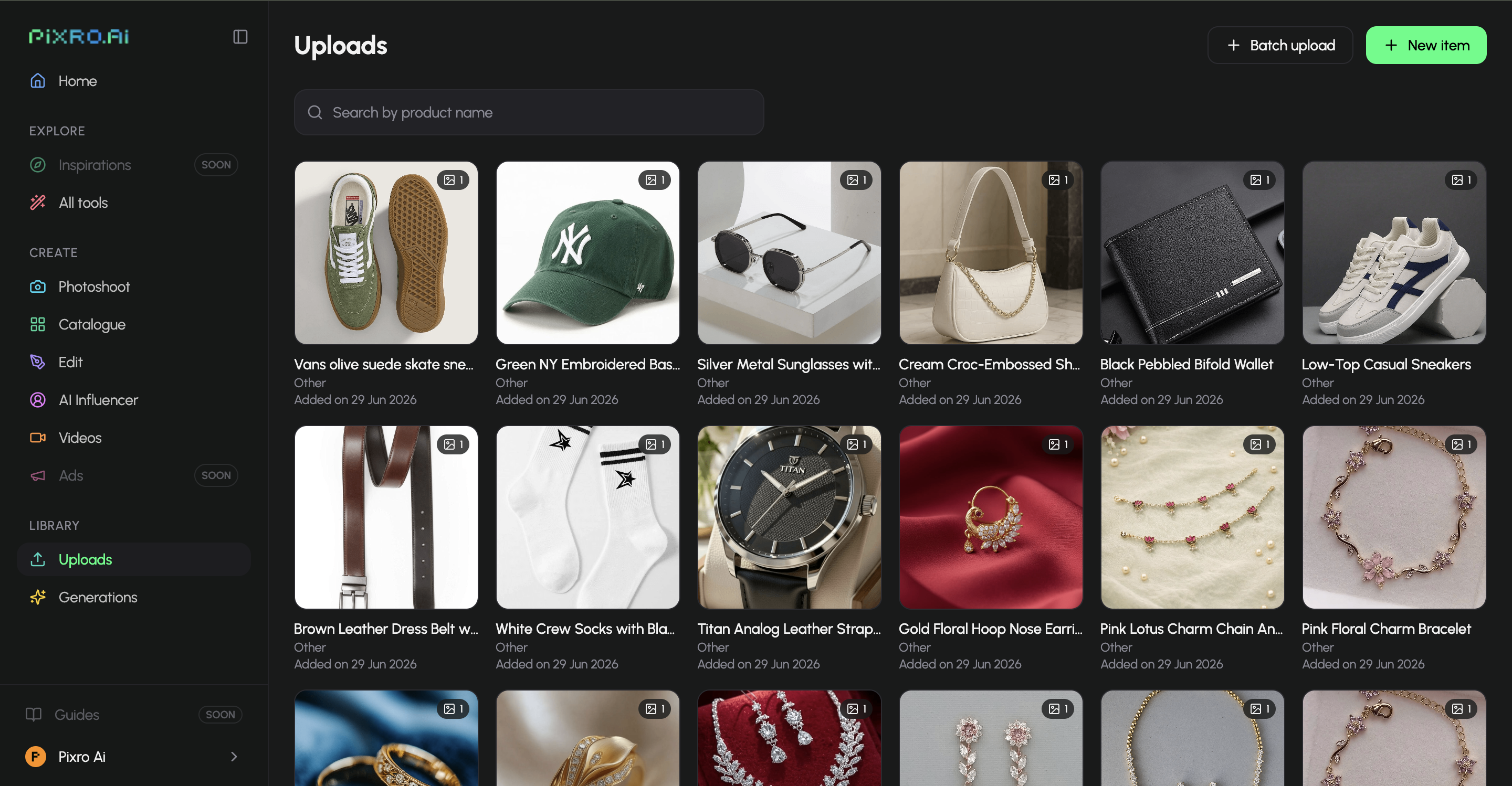
Ecommerce and fashion sellers who ship at volume and care that the catalogue looks like one shoot — with matching reels. Founders and small teams with no developer and no studio. Anyone who wants product photoshoot, try-on, ghost mannequin, catalogue tools, video, and AI influencers in one place — driven by an AI-agent chat that picks from 40+ models so they never have to.
Who iFoto is best for
Creators and shoppers who want a broad, cheap consumer photo toolkit — headshots, hairstyles, background removal — with an AI fashion model as an occasional extra. Solo sellers on Shopify who need a few one-off model shots or quick color variants and are happy on a free tier for now. If your fashion needs are light and your budget is "free," iFoto is a reasonable, well-liked starting point.
Scorecard
| Dimension | Pixro | iFoto | Edge |
|---|---|---|---|
| Ecommerce and fashion depth | ●●●●● | ●●○○○ | Pixro |
| Catalogue-wide consistency | ●●●●○ | ●●○○○ | Pixro |
| All-in-one breadth (15+ tools) | ●●●●● | ●●●○○ | Pixro |
| Video and reels | ●●●●○ | ○○○○○ | Pixro |
| AI-agent workflow and model range | ●●●●● | ●●○○○ | Pixro |
| Pricing transparency | ●●●●● | ●●○○○ | Pixro |
| Free entry for one-offs | ●●●○○ | ●●●●● | iFoto |
| Breadth of consumer photo tools | ●●○○○ | ●●●●● | iFoto |

The overall read: iFoto wins on cheap breadth of consumer edits and on being the easiest free way to try one fashion shot. Pixro wins everywhere selling clothes at scale actually lives — depth, consistency, video, and a chat-driven creative team.
Switching from iFoto to Pixro
Good news — there is not much to move. Neither tool locks up your catalogue; your product photos are still your product photos.
What transfers: your source images. The flat-lays, mannequin shots, and phone photos you were feeding iFoto are exactly what Pixro wants too. Drop the same input in and generate the on-model, ghost-mannequin, or flat-lay version — then a reel to match.
What to redo: any one-off looks you liked in iFoto, regenerated in Pixro so the whole set matches. That is the point of switching — trading a pile of individually-fine images for a catalogue that reads as one shoot.
Start with one slow-moving SKU. Run it through Pixro ten ways in an afternoon. If the matched set looks more like a real store than your last batch of one-offs, you already know what to do with the other 199. For a wider view of the field first, the best AI product photoshoot tools guide and our three-way fashion-model generator comparison put the alternatives side by side.
FAQ
Is iFoto worth it?
For a consumer photo toolkit, yes. It is broad, well-liked on the Shopify App Store, and free to start. For a fashion seller who needs consistent catalogue imagery and video at scale, its fashion feature is one tool among many rather than a purpose-built workflow — which is where an iFoto AI alternative for ecommerce like Pixro fits.
What is the best iFoto alternative for ecommerce?
If your need is fashion and catalogue imagery specifically, Pixro is built for it end to end — product photoshoot, try-on, ghost mannequin, flat-lay, bulk catalogue tools, and 6+ video tools in one all-in-one web platform. Compare a few before deciding; the honest match depends on your volume and channel.
Does Pixro have a free plan?
Pixro is credit-based, and there is no permanently-free tier. What you get is a free trial of the paid Trial plan ($10/mo, 50 credits), so you can test real output on your own products before committing.
Is Pixro web-based, and how do I access it?
Yes. Pixro is a browser-based web app at www.pixro.ai — sign in, start the AI-agent chat, and generate. You can also connect your Shopify store or product catalogue for always-on, scheduled creatives. Need a human? Reach the team on WhatsApp at +91 6364871993 or email hello@pixro.ai.
Does iFoto publish pricing?
Not for paid business use, as of July 2026 — check their site. It markets free tools prominently but shows no visible paid tier price, so budgeting a store around it means planning against an unknown.
The one clear next step
iFoto is the Swiss Army knife. Handy, cheap, and fine when the fashion shot is an occasional extra.
Pixro is the studio built for the job you actually have — a catalogue to ship, on-model and consistent, with reels to match, without a camera.
You have a product photo on your phone right now. Start the $10 Trial, drop it in, and judge the on-model version against your last shoot before your coffee is cold.








