Pixro vs Caspa AI: Best Alternative for India Sellers
You have a product photo on your phone and a marketplace listing that's due today. The only real question is which tool gets you a sellable image before the tea goes cold.
Pixro vs Caspa AI: the short version
Caspa AI is a clean, self-serve credit tool for general ecommerce product photography — good lifestyle scenes, background cleanup, and A+ content, priced from $39/mo. Pixro is an all-in-one, web-based AI creative platform — 15+ tools spanning virtual try-on, ghost mannequin, bulk catalogue, AI influencers, and 6+ video tools — driven by an AI-agent chat that works like a full creative team, starting at a $10 Trial.
If you sell across many product categories and want a single-purpose lifestyle-photo dashboard, Caspa is a strong pick. If you sell apparel and want on-model try-on, reels, AI influencers, and always-on delivery to your store from one platform, Pixro is built for exactly that.
At a glance
| Category | Pixro | Caspa AI |
|---|---|---|
| Best for | Fashion & apparel sellers, all-in-one creative teams | General ecommerce brands, mixed catalogues |
| Product photoshoot | AI photoshoot, flat-lay, lifestyle scenes | AI lifestyle photos with human/animal models |
| Virtual try-on | On-model try-on & garment fit | Not offered |
| Ghost mannequin | Built-in hollow-man look | Not offered |
| AI influencers | Generate consistent AI models/influencers | Not offered |
| Bulk catalogue | Batch a whole catalogue consistently | Per-image generation |
| Editing tools | Background swap, clean-ups | Background removal, magic eraser, 4K upscale |
| Amazon A+ / infographics | Banners & social creatives | A+ content and infographics built-in |
| Video | 6+ live video tools — reels, product video, image-to-video, UGC | Product video on Growth plan and up |
| How it works | Web app + AI-agent chat, 40+ models auto-picked | Self-serve web app |
| Entry pricing | $10 Trial (50 credits ≈ 30 photos/videos) | $39/mo Starter (500 credits, images only) |
Both tools are credit-based. The split isn't cheap-versus-expensive — it's single-purpose lifestyle dashboard versus all-in-one creative platform run from an AI chat.
Core features

Caspa's core is lifestyle product photography: drop in a product shot, add a human or animal model and a scene, and get an ad-ready image. It layers on background removal, a magic eraser, 4K upscale, and Amazon A+ content — a genuinely broad kit for a store selling mugs, gadgets, candles, and shoes from one account.
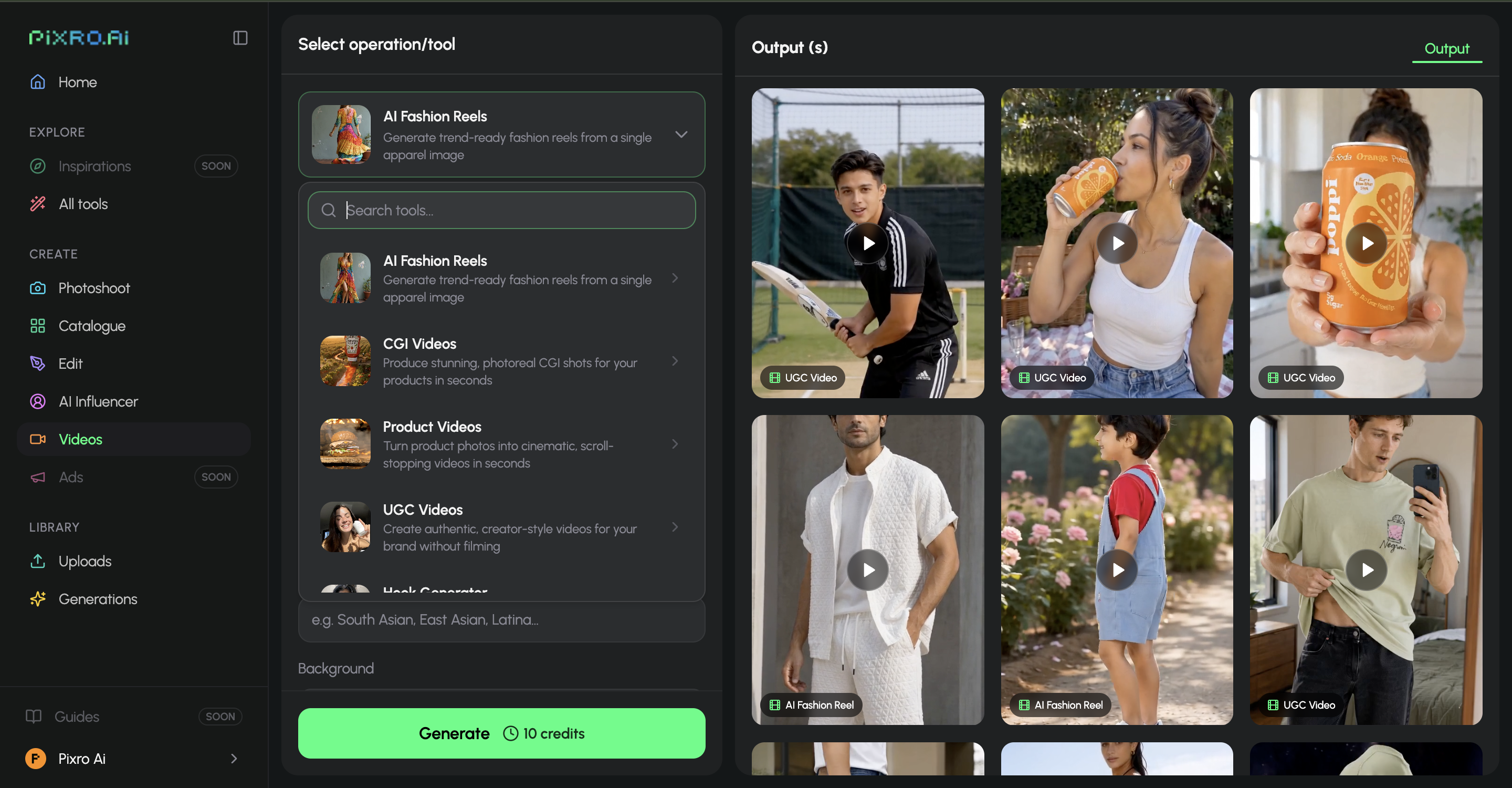
Pixro's core is breadth. It's a browser app at pixro.ai that bundles 15+ AI tools — AI photoshoot, virtual try-on, the ghost-mannequin look, flat-lay, bulk catalogue batching, AI influencers, banners and ads, plus 6+ video tools for reels, product commercials, image-to-video and UGC. Instead of hunting through menus, you tell an AI-agent chat what you want to create today, and a crew of AI agents — creative director, art director, photographer, video editor — takes it from there. Under the hood, Pixro orchestrates 40+ models (nano-banana, Veo 3, Kling, Runway, Flux, SeeDream, HeyGen and more) and auto-picks the best one per job, so you get the right engine without making the decision.
The line to notice: Caspa puts a model next to or near your product. Pixro puts your garment on a body — and can turn that same still into a reel. For fashion, that's the whole game.
Choose Caspa if your catalogue spans many non-apparel categories and you want lifestyle scenes plus A+ content in one place. Choose Pixro if you sell clothing and want try-on, ghost mannequin, AI influencers, and video from one platform.
Output and try-on quality
Reviewers consistently praise Caspa's realism, especially for scenes with a person holding or using a product — natural poses, believable lighting. That's its strength. What it doesn't do is fit a garment to a model's body, and there's no virtual try-on on its site as of July 2026.
Pixro's try-on is the fitting room that never closes. Feed it a flat garment shot and it rebuilds how the fabric would drape on a body, then shows it on-model — keeping colour, texture, and logo consistent across a collection. The input still matters — a crumpled phone snap gets you a crumpled result — but for apparel, seeing the shirt worn beats seeing it laid beside a smiling model. Pixro's work for HRX, for example, produced 500+ catalogue images with a reported ~90% cut in production time.
Choose Caspa if lifestyle realism for general products is the goal. Choose Pixro if you need to show how clothes actually look on a person.
Catalogue consistency
If you're shipping 200 SKUs, consistency is the boring part that decides whether a storefront looks like a brand or a flea market. Pixro is built to batch a whole catalogue in one style — same framing, same light, same background — so listing 40 and 400 look like the same shop. For a single garment it can produce roughly eight catalogue poses, a reel, and try-ons in under a minute.
Caspa generates strong images, but it's more per-image: you craft each scene. That's flexible for a mixed catalogue, and slower when you need 300 apparel shots to match.
Choose Caspa if each product wants its own bespoke scene. Choose Pixro if catalogue-wide sameness is the point.
Image and video
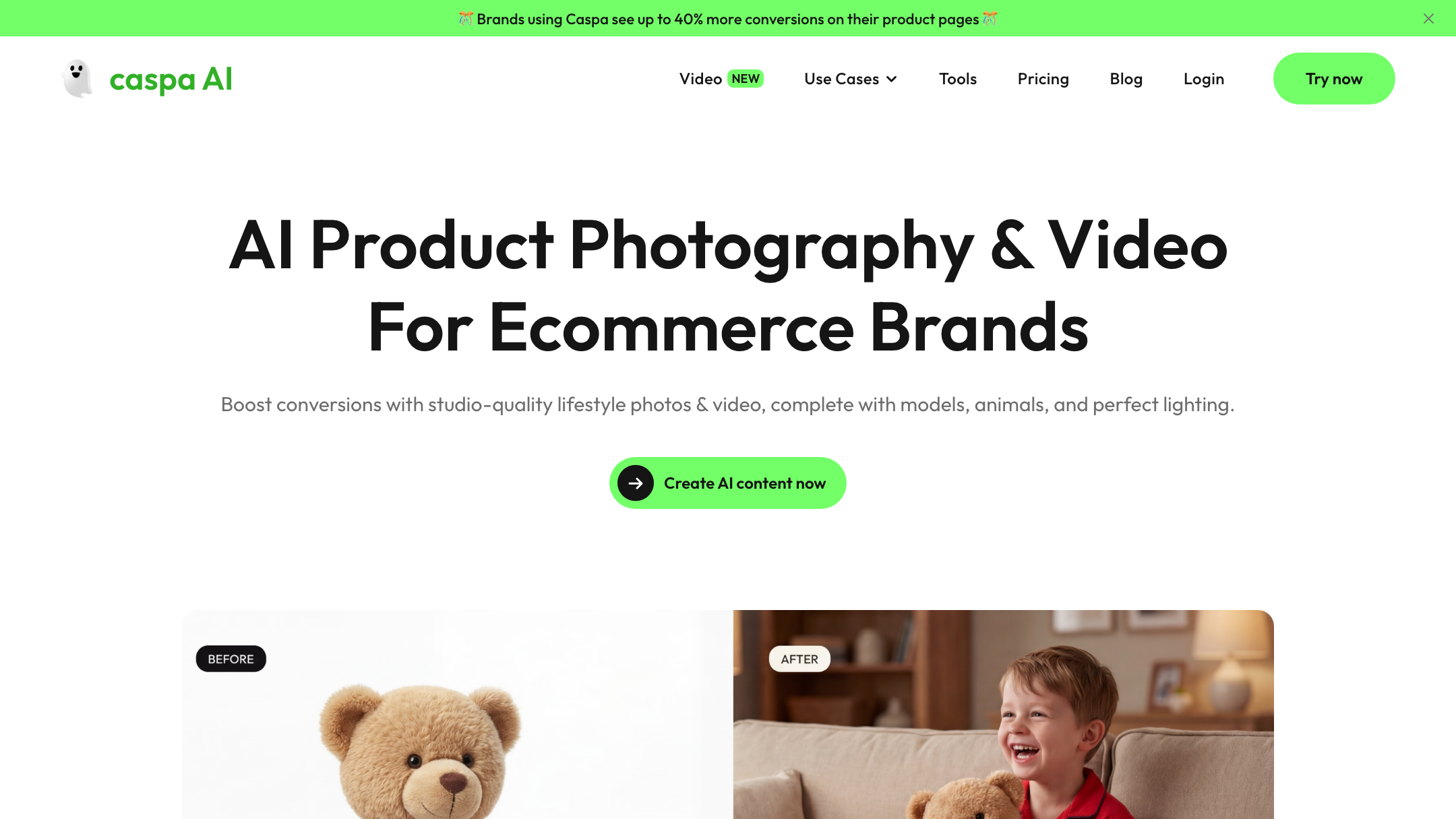
Caspa adds product video on its Growth plan ($66/mo as of July 2026 — check their site) and up. It's a clear, shipped feature on the paid tiers.
Pixro ships video too — and not as one feature but as a suite. It has 6+ live video tools in production: AI reels, product videos and commercials, image-to-video, UGC-style clips, and a fashion reel maker. The direction is the same as Caspa's — turn a still catalogue into short social motion without a videographer — but Pixro spreads it across more formats and keeps it in the same credit bucket as its photos and try-ons.
Choose Caspa if you want product video bundled into a lifestyle-photo tool. Choose Pixro if you want a wider set of video formats — reels, commercials, UGC — alongside your images.
Pricing
Both are credit-based. Here's the tier-by-tier read (Caspa figures as of July 2026 — check their site; Pixro pricing in USD).
| Tier | Pixro | Caspa AI |
|---|---|---|
| Entry | $10 Trial — 50 credits (≈30 photos/videos) | $39/mo Starter — 500 credits, images only |
| Mid | $30 Growth — 400 credits (≈250) | $66/mo Growth — 1,000 credits, +video |
| Top | Business — custom, enterprise APIs | $166/mo Scale — 2,500 credits, API, 3 users |
| Free option | Free trial of the paid Trial plan | Money-back guarantee |
For a seller generating ~200 images a month, Caspa's $39 Starter covers it on credits but stays images-only; video means stepping up to $66. Pixro's $30 Growth (400 credits) covers a similar volume and keeps try-on, catalogue, AI influencers, and reels on the same plan. The honest gap: Caspa's price floor is $39, while Pixro lets you start testing at a $10 Trial. Pixro also sells pay-as-you-go credit packs if your volume is bursty.
Caspa's edge here is real: its self-serve credit tiers are unusually clear, and the $166 Scale plan adds API access and three seats off the shelf — useful if you're a small team wiring images into a pipeline. Pixro offers enterprise APIs but doesn't publish a self-serve API price tier.
Choose Caspa if you want a published self-serve API and multi-seat billing off the shelf. Choose Pixro if you want the lowest entry point and try-on, video, and influencers in the same credit bucket.
Breadth and workflow
Caspa is a focused web dashboard. Reviewers call the interface intuitive — but the same reviews note it leans heavily on detailed prompts for its best output, and that navigation can confuse first-timers. It's approachable, with a small learning curve, and it does one job — lifestyle product photos — well.
Pixro's difference is scope and the way you drive it. Instead of a single tool, it's 15+ tools behind one AI-agent chat: you describe the asset — a listing image, a try-on, a reel, an AI-influencer post — and the agent crew routes it to the right tool and the right model automatically. You can also connect your Shopify store, a website URL, a product catalogue, or brand assets and have Pixro generate and deliver ecommerce-ready, ad-ready, and social-ready creatives on a schedule — set it once, get fresh assets every day. It's less "learn a dashboard" and more "brief an always-on creative team."
Choose Caspa if you want one focused, prompt-driven photo tool. Choose Pixro if you want an all-in-one platform that generates across formats and delivers to your store on autopilot.
Support
Caspa offers documentation for all users and prioritized support on higher tiers, with live video help cited on premium plans — a solid setup for a self-serve buyer who occasionally needs a hand.
Pixro backs its web app with direct human support alongside in-product guidance, so questions get answered by a real person rather than a ticket queue. For a small brand ramping up a whole creative pipeline, a fast line to a human helps.
Choose Caspa if you want tiered, documentation-led support. Choose Pixro if you want direct access to a team as you scale.
Who Caspa AI is best for
Caspa is a strong choice for a general ecommerce brand with a mixed catalogue — home goods, gadgets, beauty, accessories — that wants realistic lifestyle scenes, background cleanup, 4K upscale, and Amazon A+ content from one clear, self-serve tool. If you value a focused photo dashboard, off-the-shelf API access, and a broad generalist editing kit over fashion-specific features, Caspa earns its place. Its cited case study of a 40% conversion lift is Caspa's own claim, but the tool's realism reputation is well-earned.
Who Pixro is best for

Pixro is built for the apparel and fashion seller — and any brand that wants a whole creative agency in a browser tab. It gives you on-model try-on, ghost mannequin, AI influencers, a catalogue made consistent, and 6+ video tools, all driven by an AI-agent chat that picks from 40+ models for you. Brands like HRX, The Roadster, The Kids Label, Karma Dori, and Reliance Jewels have used it in production. If you'd rather brief an always-on team than juggle single-purpose apps, and you want image-and-video breadth starting at a $10 Trial, Pixro fits.
Scorecard
| Dimension | Pixro | Caspa AI | Edge |
|---|---|---|---|
| Virtual try-on / garment fit | ●●●●● | ○○○○○ | Pixro |
| All-in-one breadth (15+ tools) | ●●●●● | ●●●○○ | Pixro |
| Lifestyle realism (general products) | ●●●●○ | ●●●●● | Caspa |
| Editing kit (eraser, 4K upscale) | ●●●○○ | ●●●●● | Caspa |
| Self-serve API & multi-seat | ●●○○○ | ●●●●○ | Caspa |
| Video + reels breadth | ●●●●● | ●●●○○ | Pixro |
| AI-agent workflow & model range | ●●●●● | ●●○○○ | Pixro |
| Entry price floor | ●●●●● | ●●●○○ | Pixro |
Overall read: for general ecommerce with a focused, prompt-driven photo tool and off-the-shelf API access, Caspa is the cleaner fit and honestly wins on lifestyle realism, its editing kit, and self-serve API. For fashion sellers who want try-on, video, AI influencers, and one platform that does it all, Pixro wins the rows that matter most.
Switching: what transfers

Moving from Caspa to Pixro is mostly a lateral step, not a rebuild. Your source assets — the flat product and garment shots you already feed Caspa — are the same inputs Pixro wants, so nothing gets re-shot. Your prompt habits carry over loosely, though Pixro leans less on long prompts and more on briefing the AI agent and picking a look. What's genuinely new is try-on, ghost mannequin, AI influencers, catalogue batching, and video. What you may miss on day one: Caspa's 4K upscale and its Amazon A+ templates, so keep those flows if you rely on them. Start with one slow-moving SKU, run it both ways, and compare.
FAQ
Is Caspa AI worth it?
For general ecommerce brands wanting realistic lifestyle photography, background cleanup, and Amazon A+ content in a self-serve tool, yes — Caspa is well-reviewed for realism, starting at $39/mo (as of July 2026 — check their site). It's less suited to apparel sellers who need on-model try-on.
What's the best Caspa AI alternative for apparel sellers?
Pixro is the closest fit: it's an all-in-one web platform that adds virtual try-on, ghost mannequin, AI influencers, bulk catalogue, and 6+ video tools, all driven by an AI-agent chat that auto-picks from 40+ models. Compare it with Pixro vs Kive and Pixro vs Pebblely for other product-photo tools, or the best AI product photoshoot tools guide.
Does Pixro have a free plan?
Pixro is credit-based with a free trial of the paid Trial plan — there's no permanently-free tier. The $10 Trial gives you 50 credits (≈30 photos or videos) to test try-on, video, and catalogue looks before committing.
Is Pixro web-based, and how do I access it?
Yes. Pixro is a browser app you use at pixro.ai — no install required. Sign in, open the AI-agent chat, and start generating photos, try-ons, and videos. If you need a hand, you can reach the team on WhatsApp at +91 6364871993 or email hello@pixro.ai.
How does Pixro compare to other model generators?
For on-model and fashion-model generation specifically, see Pixro vs PicJam and the three-way Pixro vs Botika vs FASHN AI breakdown.
The bottom line
You still have that phone photo and a listing due today. Caspa will build it a lifestyle scene from a clean web dashboard. Pixro will put the garment on a model, keep the next 200 consistent, spin a reel from the same still, and let you brief it all through one AI-agent chat that picks the right model for you.
Pick one slow SKU this afternoon and run it through the $10 Trial. If the on-model version outsells your old shot, you already know what to do with the other 499. And if you want the full landscape first, read Caspa's own site alongside our comparisons — the most honest read is the one you make yourself.








