Pixro vs On-Model.com: On-Model.com Alternative Guide
You have a rack of garments shot flat on a table, a marketplace deadline, and no model booked. Two tools promise to put those clothes on a person by lunch. They just take very different roads to get there.
The short version: On-Model.com (by PiktID, based in Austria) is a precision instrument for EU fashion brands that live or die on garment fidelity and want an API to wire into a catalogue pipeline. Pixro is the all-in-one, web-based AI creative platform for founders and small teams who want product photos, try-on, ghost mannequin, banners, AI influencers, and video from one browser login — with an AI-agent chat that works like a whole creative team behind it. If pixel-perfect fabric preservation and a developer integration are the whole job, On-Model.com is built for exactly that. If you want breadth across image and video without a dev team, Pixro is the easier home.
One quick clarification before we go on, because the names collide. This is On-Model.com, the PiktID product priced in euros. It is not OnModel.ai by Trendage, which is a separate tool we cover in Pixro vs OnModel.ai. Same-sounding name, different company.
Pixro vs On-Model.com at a glance
| Category | Pixro | On-Model.com (by PiktID) |
|---|---|---|
| Core focus | All-in-one ecommerce/fashion visuals (15+ tools) | Fashion photography with garment preservation |
| Flat-lay to on-model | Yes, part of the suite | Yes, the headline feature |
| Model swap | Yes, on-model looks and AI influencers | Yes, garment-preserving swap across a catalogue |
| Ghost mannequin / packshots | Ghost mannequin and flat-lay built in | AI packshots, ghost mannequin, white cutout |
| Garment recolor | Not the core pitch | Yes, recolor while keeping fabric detail |
| Video | Yes — 6+ video tools live (reels, product video, image-to-video, UGC) | Not offered |
| Workflow | AI-agent chat + 40+ auto-orchestrated models | Task-based web app |
| Delivery | Self-serve web app + always-on automation (connect store/URL/catalogue) | Self-serve web + API |
| API | Enterprise APIs available | Yes, on Pro and up |
| Pricing | $10 Trial (50 credits) / $30 Growth (400 credits), monthly | Free 10cr; €17 Basic; €89 Pro, billed annually (as of July 2026 — check their site) |
| Best for | Founders and SMB teams wanting breadth, image + video, no dev | EU brands wanting fabric fidelity + integration |
Core features: breadth vs precision
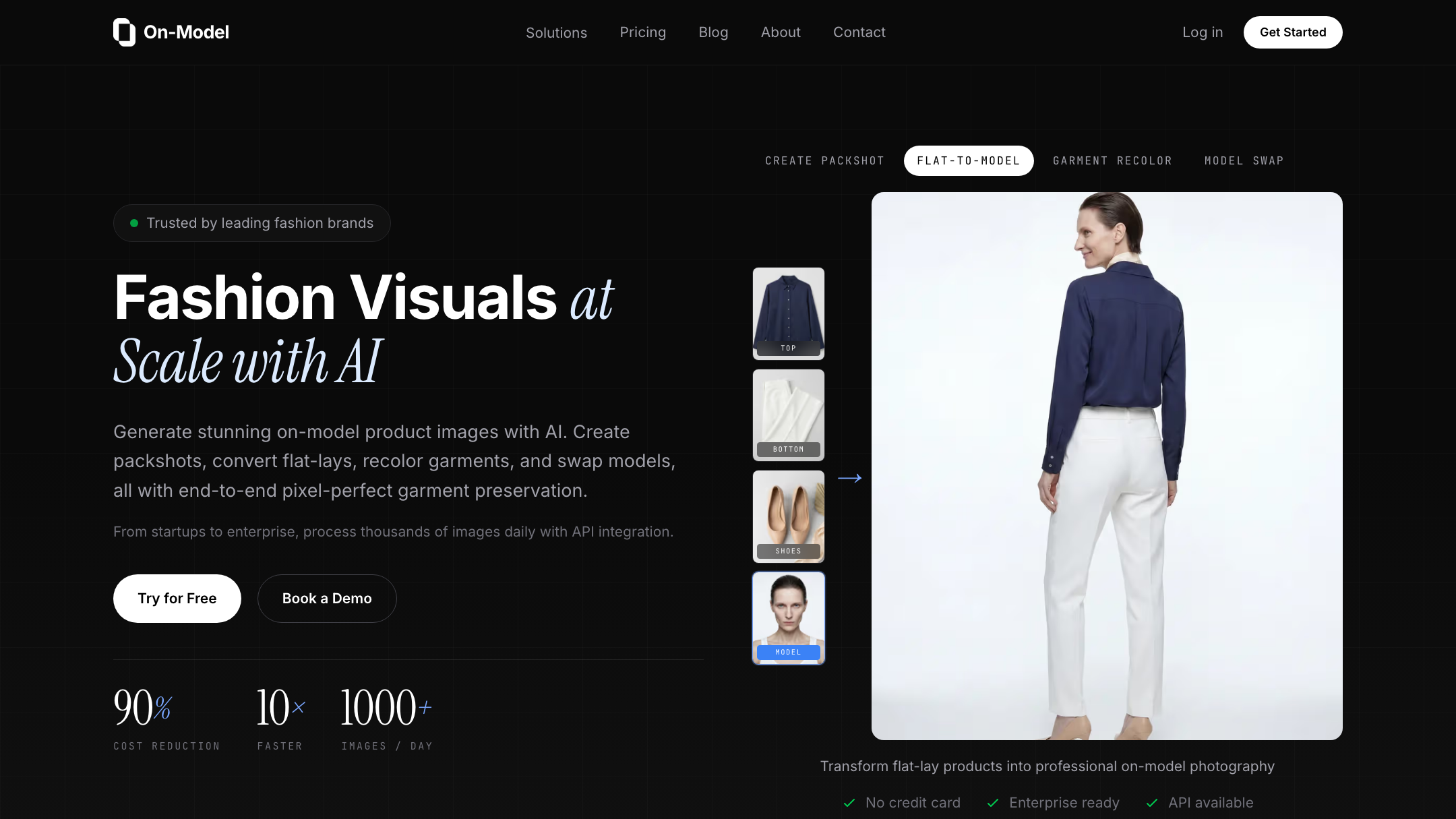
On-Model.com is narrow on purpose. It does flat-lay to on-model, garment-preserving model swap across a whole catalogue, garment recoloring, and clean packshots. That is the list, and it is a sharp one. The company leans hard on a single claim: it preserves every stitch, pattern, and texture with what it calls pixel-perfect accuracy. For a fashion brand where a customer returns the dress because the print looked different online, that focus is the point.
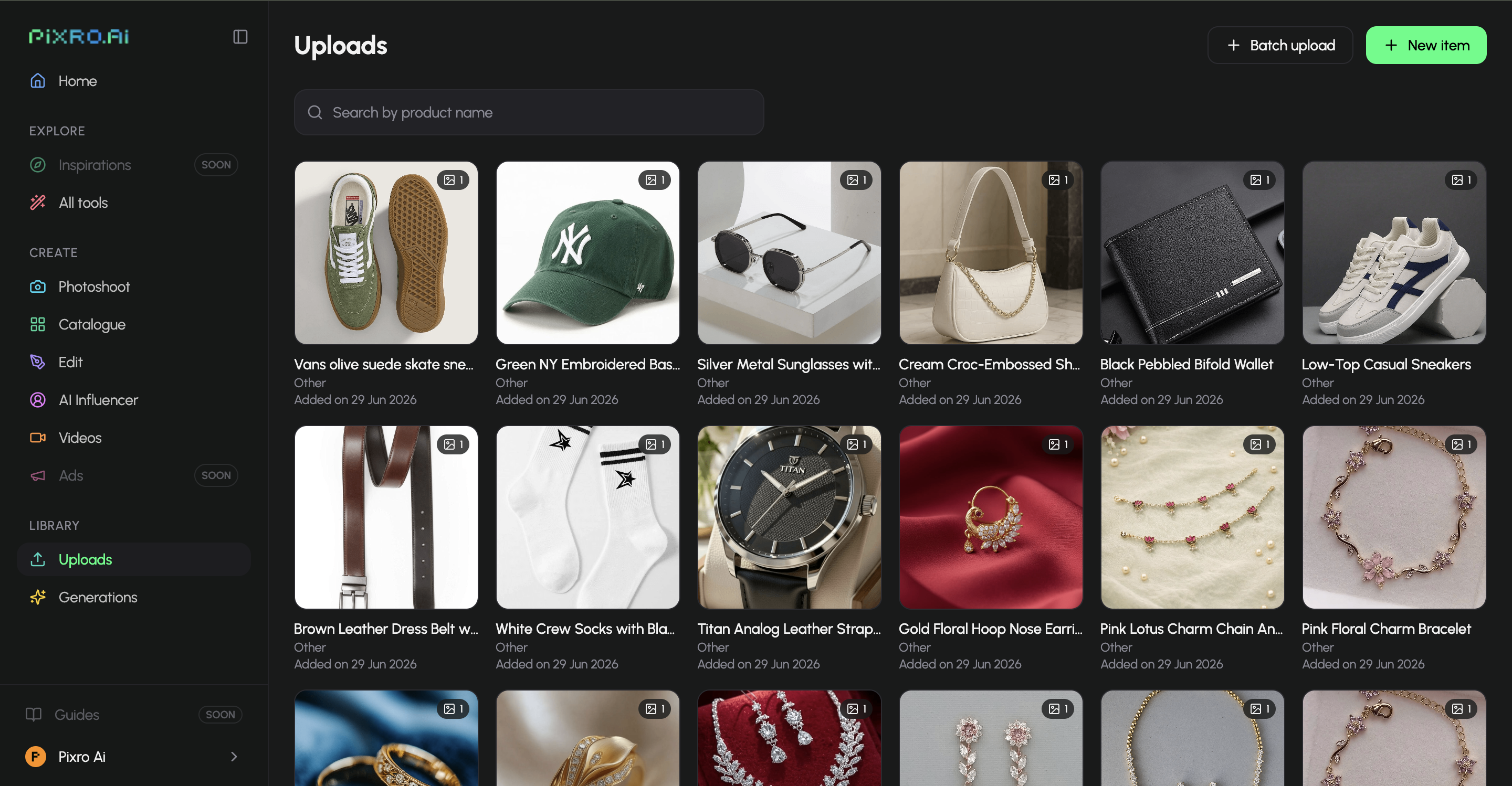
Pixro casts much wider. It is an all-in-one, web-based AI creative platform — 15+ tools in one place: product photoshoots, virtual try-on, ghost mannequin, flat-lay, bulk catalogue runs, AI influencers, banners and ads, edits, and 6+ video tools. Under the hood it orchestrates 40+ models automatically (nano-banana, Veo 3, Kling, Runway, Flux, SeeDream, HeyGen and more), auto-picking the best one per job so you never have to. It is a suite, not a single instrument. The trade is honest: On-Model.com goes deeper on one job, Pixro covers far more jobs from one login.
Bottom line: choose On-Model.com if garment recolor and preservation are the whole job. Choose Pixro if you want photos, try-on, banners, AI influencers, and video from one tool.
Output and try-on quality

Give On-Model.com credit here. Its entire pitch is fidelity, and brands like Zalando, KiK, and Didriksons are named as customers on its own materials, which is a real signal that the fabric-preservation work holds up at catalogue scale. If your buyer complaints are all about "the fabric looked wrong," that is a serious answer.
Pixro's on-model and try-on outputs are built for the same shelf, marketplace-ready and consistent across a catalogue — brands like HRX, The Roadster, and Reliance Jewels run their imagery through it. Where Pixro earns its place is the range of looks off one input: the same hoodie on a white seamless, a concrete loading dock, and a sunlit café table, plus try-on and ghost mannequin without switching tools. For one garment it can produce roughly eight catalogue poses, a reel, and try-ons in under a minute. Different strength: On-Model.com optimises for exactness, Pixro for variety and speed.
Bottom line: choose On-Model.com if fabric exactness is the hill you die on. Choose Pixro if you want many looks fast and consistent enough to ship.
Catalogue consistency
Both are built for volume, not one hero shot. On-Model.com swaps models across an entire catalogue while holding the garment fixed, which is a clean way to keep 400 SKUs looking like one shoot. Pixro runs bulk catalogue jobs with the same goal — consistent garment colour, texture, and logo across the whole collection — and adds banners and reels on top so the catalogue and the campaign come from one place. HRX, for one, ran 500+ catalogue images through Pixro and cut roughly 90% of the time.
Bottom line: choose On-Model.com for garment-locked consistency at scale. Choose Pixro if you also want the marketing assets and video, not just the listings.
Image and video
This is a clean split. On-Model.com is images only — packshots and on-model stills. Pixro is image and video: 6+ video tools are live in production, including AI reels, product videos and commercials, image-to-video, and UGC-style clips, sitting right alongside the photo suite. If your 2026 plan needs motion for social, On-Model.com sends you to a second tool. Pixro keeps it under one roof.
We cover this photo-vs-motion gap more in Pixro vs FASHN and Pixro vs VModel, both photo-first tools.
Bottom line: choose On-Model.com if you never need video. Choose Pixro if reels, product video, and UGC are part of the plan.
Pricing: read the billing terms
Here is where the two diverge most, and where you should read the fine print.
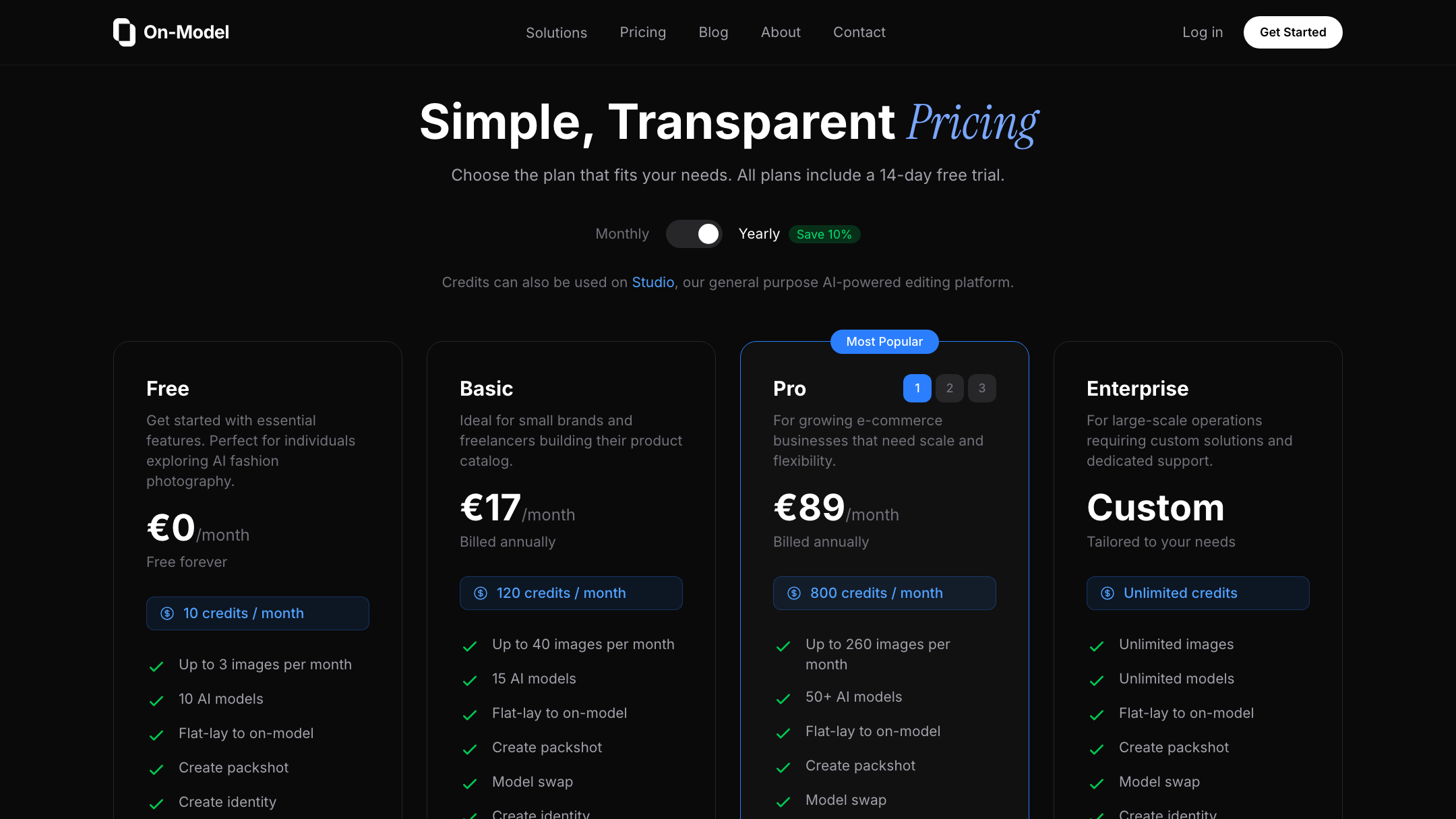
| Plan | Pixro | On-Model.com (by PiktID) |
|---|---|---|
| Free / entry | Free trial of the paid plan (no permanent free tier) | Free — €0, 10 credits, ~3 images/mo |
| Starter | $10 Trial — 50 credits (~30 photos/videos) | Basic — €17/mo, 120 credits, billed annually |
| Mid | $30 Growth — 400 credits (~250) | Pro — €89/mo, 800 credits, API, billed annually |
| Top | Business — custom (unlimited) | Enterprise — custom, unlimited |
On-Model.com figures are as of July 2026 — check their site, because pricing pages move. Both tools are credit-based; nobody here is flat-priced. The real difference is commitment. On-Model.com's paid tiers, Basic and Pro, are billed annually. You commit for the year to get the monthly rate. Pixro's $10 Trial and $30 Growth are monthly, so a slow season costs you one month, not twelve. Pixro also sells pay-as-you-go credit packs if you would rather top up than subscribe.
Do the sample-buyer math. A small store generating roughly 200 images a month lands on Pixro's $30 Growth (400 credits) or On-Model.com's €89 Pro (800 credits) — but the Pro tier means an annual commitment, and it is priced in euros, so a non-EU buyer also eats currency and card friction. On-Model.com does offer a genuinely free 10-credit tier, which Pixro does not; Pixro answers that with a free trial of the paid plan instead.
Bottom line: choose On-Model.com if you want a free tier and will commit for a year. Choose Pixro if you want a monthly plan you can leave, USD pricing, and video in the same credits.
Ease of access and workflow
On-Model.com is a web platform, and its deeper power, the API, lives on Pro and up, which means a developer to wire it in. That is fine for a brand with an engineering team. It is a wall for a founder who just wants photos.
Pixro is a browser app at pixro.ai with no dev work required, and its workflow is the differentiator. Instead of hunting through menus, you tell an AI-agent chat what you want to create today, and a team of AI agents — creative director, art director, photographer, video editor — takes it from there, auto-selecting from 40+ models. You can also connect your Shopify store, a website URL, a product catalogue, or your brand assets and let Pixro run on a schedule: set it once, get fresh ecommerce-ready, ad-ready, and social-ready creatives every day. No integration project to get started.
Bottom line: choose On-Model.com if you have devs and want an API pipeline. Choose Pixro if you want an AI-agent chat and always-on automation with no setup.
Support and ecosystem
On-Model.com is backed by PiktID, whose wider suite reports 300k+ users, and it names enterprise fashion logos as customers — real weight if you are an EU brand buying into an established vendor. Team collaboration with shared roles sits on its Pro and Enterprise tiers. Pixro is bootstrapped with 20+ paying brands and 1,000+ signups, and its all-in-one design means fewer vendors to manage — the platform, the models, the photo and video tools, all under one login. Different shapes of reassurance for different buyers.
Bottom line: choose On-Model.com for an established EU vendor and team roles. Choose Pixro for a single accessible platform that covers image and video in one place.
Who On-Model.com is best for
An EU fashion brand or retailer where garment fidelity is non-negotiable, the catalogue runs into the thousands, and there is a developer who can wire the API into an existing pipeline. If your returns come from "the fabric looked different online," and recolor-while-preserving-detail would save you a reshoot, On-Model.com is squarely built for you. The garment-preservation claim and the enterprise customer list are its honest strengths.
Who Pixro is best for
A founder, SMB owner, or small team that wants breadth without hiring, monthly pricing without a year's commitment, and one platform that does image and video. Pixro covers product photoshoots, try-on, ghost mannequin, catalogue, banners, AI influencers, and 6+ video tools from one login, driven by an AI-agent chat and 40+ auto-orchestrated models, at $10 or $30 in USD. If you never want to touch an API or a dev sprint, that is the wedge.
The scorecard
| Dimension | Pixro | On-Model.com | Edge |
|---|---|---|---|
| Garment preservation | ●●●○○ | ●●●●● | On-Model.com |
| All-in-one breadth | ●●●●● | ●●●○○ | Pixro |
| Video + reels | ●●●●○ | ●○○○○ | Pixro |
| AI-agent workflow | ●●●●● | ●●○○○ | Pixro |
| Model range | ●●●●● | ●●●○○ | Pixro |
| API / integration | ●●●○○ | ●●●●○ | On-Model.com |
| Billing flexibility | ●●●●● | ●●○○○ | Pixro |
| Enterprise EU credibility | ●●●○○ | ●●●●○ | On-Model.com |
The overall read: On-Model.com wins where fidelity, integration, and EU enterprise trust are the job. Pixro wins on breadth, video, its AI-agent workflow, and the range of models it orchestrates. The most honest line is that they are built for different buyers, not the same buyer at different budgets.
Switching: what transfers

Moving between these two is mostly painless because the input is the same: your own product photos, shot flat or on a hanger. Those carry straight over. What changes is the workflow around them. Leaving On-Model.com, you drop the API wiring and the annual commitment, and you trade garment-recolor depth for a broader kit plus video and an AI-agent chat. Coming from Pixro, you would gain the preservation focus and lose the video, the breadth, and the model orchestration. There is no catalogue lock-in to untangle; you re-run the SKUs you care about and keep the outputs you already downloaded. For a wider view of the fashion-model-generator field, the Pixro vs Botika vs FASHN comparison is a good next stop.
FAQ
Is On-Model.com worth it?
For an EU fashion brand that needs garment fidelity at catalogue scale and can use an API, yes — that is exactly what it is built for, and it names established retail customers. For a small non-EU team that wants breadth, video, and no dev work, the annual billing and euro pricing make it a heavier lift than it needs to be.
What is the best On-Model.com alternative?
Pixro, if your priority is an all-in-one, web-based suite that covers image and video with an AI-agent workflow and monthly USD pricing. It handles on-model, try-on, ghost mannequin, catalogue, banners, AI influencers, and reels without an integration project. Compare it against the wider field in Pixro vs VModel and Pixro vs OnModel.ai before you decide.
Does Pixro have a free plan?
Pixro is credit-based and does not run a permanently free tier. It offers a free trial of the paid Trial plan so you can test it before committing. The paid plans are $10 Trial (50 credits) and $30 Growth (400 credits), both monthly, plus pay-as-you-go credit packs.
Is Pixro web-based, and how do I access it?
Yes. Pixro is a browser app — sign in at pixro.ai, no download or install. You connect your store, a product URL, a catalogue, or brand assets, then create through an AI-agent chat. If you want to talk to the team first, you can reach Pixro on WhatsApp at +91 6364871993 or email hello@pixro.ai.
How is On-Model.com different from OnModel.ai?
They are separate companies with near-identical names. On-Model.com is PiktID's EU-priced, garment-preservation platform. OnModel.ai is a different tool by Trendage. We cover the other one in Pixro vs OnModel.ai.
The bottom line
Back to that rack of flat-shot garments and the deadline. If the job is protect the fabric, integrate the pipeline, and sell to an EU brand that already trusts PiktID, On-Model.com is the sharper instrument. If the job is get every kind of visual — stills, catalogue, banners, AI influencers, and video — from one browser login on a plan you can leave next month, that is Pixro.
You have a product photo on your phone right now. Drop it into Pixro on the $10 Trial and see the on-model version before your coffee's cold — then judge it against your own shelf.








