Pixro vs VModel: The No-Code AI Alternative for Sellers
You have a flat-lay of a kurta on your desk and a marketplace listing due tonight. You don't want an API key. You want the shot — and probably a reel to go with it.
That one sentence sorts most of this comparison for you.
Pixro vs VModel: the short version
VModel started as a flat-lay-to-model fashion generator and has grown into a broader pay-as-you-go platform for developers who want to call AI models over an API. Pixro is an all-in-one, web-based AI creative platform for ecommerce and fashion brands — think of it as your always-on AI creative agency, run from a browser at pixro.ai. Pick VModel if you have a developer and want to wire model generation into your own app on non-expiring credits. Pick Pixro if you're the brand, you want finished creatives — stills and video — without touching code, and you'd rather chat with an AI creative team than read docs.
| Area | Pixro | VModel |
|---|---|---|
| Core job | All-in-one, no-code AI creative platform for brands | Pay-as-you-go AI model deployment and API |
| Who runs it | You, in the browser — guided by an AI-agent chat | You or your developer, over web, Chrome extension, or API |
| Flat-lay to model | On-model, ghost mannequin, flat-lay, virtual try-on | Flat-lay and mannequin-to-model transformation |
| Breadth | 15+ tools: photoshoot, try-on, catalogue, banners/ads, AI influencers, plus 6+ video tools | Fashion model generation, broadening into general AI model deployment |
| Catalogue work | Bulk catalogue built in | Batch via API or repeated runs |
| Access | Self-serve web app; AI-agent chat picks the right tool for you | Web app, Chrome extension, REST API, SDKs |
| Models | 40+ models auto-orchestrated (nano-banana, Veo 3, Kling, Flux and more) | Its own hosted models, plus a marketplace of deployable models |
| Pricing | Credit-based: Trial $10/mo (50 credits), Growth $30/mo (400 credits), Business custom | Pay-as-you-go credit bundles $10 to $1,000, non-expiring (as of July 2026 — check their site) |
| Best fit | Brands who want finished creatives across the whole funnel, no setup | Developers and teams building generation into a product |
Now the detail, category by category. I'll credit VModel where it earns it, because the honest read is the useful one.
Core features: a platform vs an engine
Both tools do the headline trick well: take a garment shot with no person in it and put it on a believable model. VModel is squarely good at this. Upload a flat-lay or a mannequin photo, choose model type and pose, get a photorealistic on-model image in minutes. That was its original reason to exist and it shows.
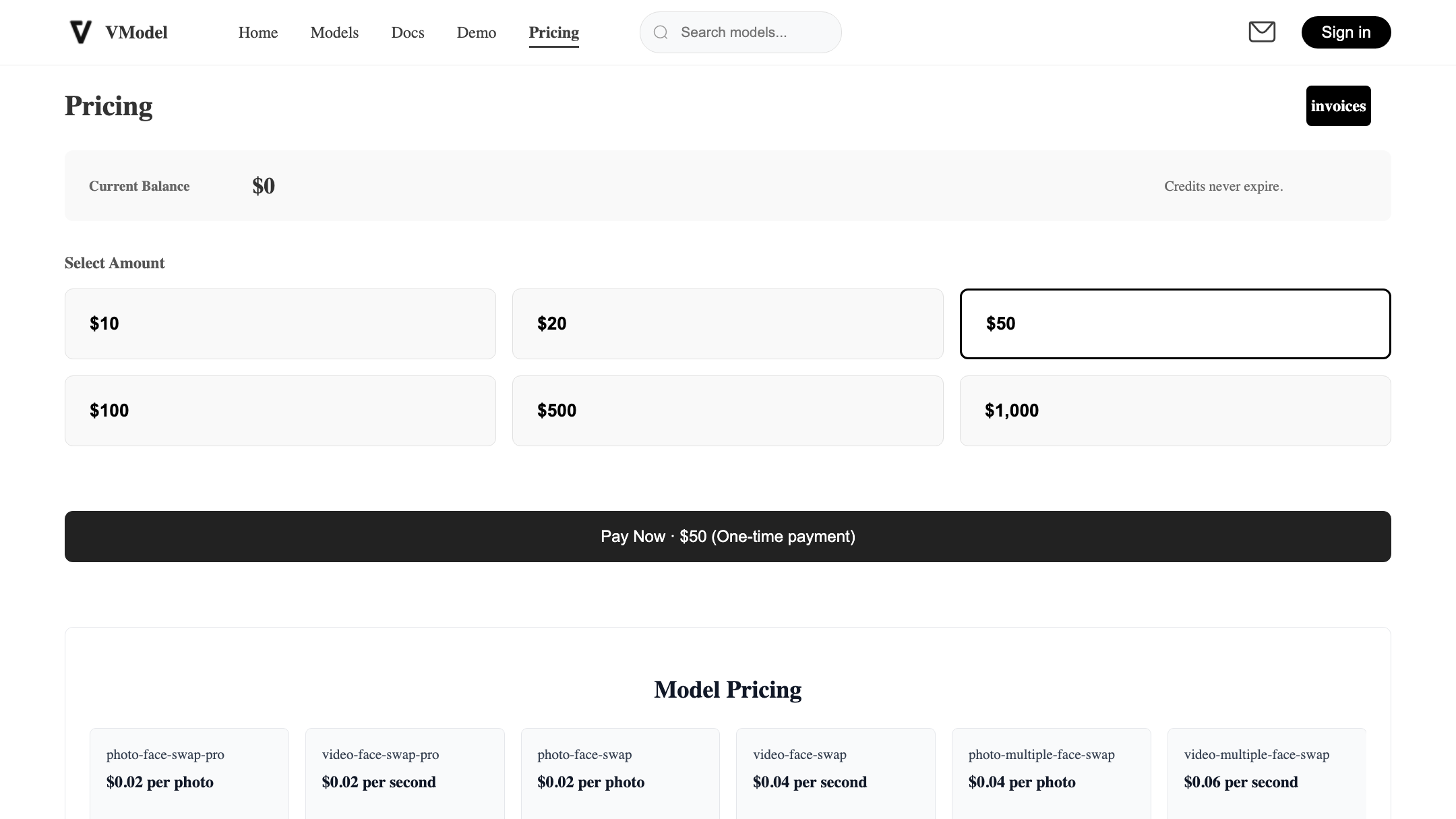
Pixro does the same on-model transformation, then keeps going — a lot further. It's an all-in-one platform with 15+ AI tools in one place: product photoshoots, ghost mannequin, virtual try-on, flat-lay cleanup, bulk catalogue, banners and ads, edits, and AI influencers you can build and reuse. On top of the photo suite sit 6+ live video tools — AI reels, product videos and commercials, image-to-video, UGC-style clips, and a fashion reel maker. So the question isn't "can it turn my kurta into an on-model shot" — both can. It's "how many of my other jobs does it also cover before I go find a second, third, and fourth tool."
The other split is direction of travel. VModel is broadening beyond fashion into general AI model deployment — useful if you're a developer, less useful if you only ever wanted apparel creatives. Pixro stays pointed at ecommerce and fashion, and goes wide within it.
Choose VModel if you want a focused flat-lay-to-model engine you can also call from code. Choose Pixro if you want the whole creative workflow — try-on, ghost mannequin, catalogue, banners, video — in one place.
The AI-agent workflow

This is where the two tools feel most different to actually use. VModel is a set of tools you operate: pick the transformation, set the parameters, run it, repeat. Powerful, and predictable.
Pixro opens with a chat that asks "what do you want to create today?" Behind that prompt is a team of AI agents that work like a creative crew — creative director, art director, photographer, video editor — so you describe the outcome and Pixro routes the job to the right tool and model without you naming either. For a brand owner who knows what they want but not which setting produces it, that removes the part of the work that isn't the work.
Choose VModel if you like operating the controls yourself. Choose Pixro if you'd rather brief an AI creative team and get the asset back.
Output and try-on quality
Both produce clean, photorealistic on-model results that beat a phone snap on a hanger. Users consistently describe VModel's output as quick and professional-looking, matching what you'd expect from a tool built for this one job.
Where the honest caveats live: some VModel users note less model variety and more limited background customization than they'd like. For a single hero shot that's fine. For a full catalogue where you want the same model, lighting, and background across 200 SKUs, control starts to matter. Pixro also keeps garment colour, texture, and logo consistent across a collection — one of the harder things to hold steady shot to shot.
Choose VModel if you need strong one-off on-model shots and default backgrounds work for you. Choose Pixro if you need control over model, scene, and background across a range.
Catalogue consistency
Here's the thing that separates a demo from a real store. One great model shot is easy. Two hundred that look like the same shoot is the hard part.
VModel handles volume through repeated runs or its API, which works, but consistency is on you to steer shot by shot. Pixro treats bulk catalogue as a first-class job: run a batch, keep the look aligned across the set, ship the listing. Brands like HRX have run 500+ catalogue images through Pixro with roughly a 90% cut in production time. If your problem is 500 SKUs that need to look like one coherent catalogue, that's the difference you'll feel.
Choose VModel if your volume is modest or your developer scripts the batching. Choose Pixro if catalogue-wide consistency across many SKUs is the actual job.
Image and video
VModel is image-first — flat-lay-to-model and related transformations. Pixro is image and video, today: alongside the photo suite, 6+ live video tools turn a single product shot into AI reels, product commercials, image-to-video clips, and UGC-style content without a separate editor. For one garment, Pixro can produce roughly eight catalogue poses plus a reel plus try-ons in under a minute. If your marketing lives on reels as much as listings, that breadth is worth weighing. If you only need stills, it's closer — but only one of these tools gives you both from the same photo.
Choose VModel if you only need images. Choose Pixro if you want stills and short video from the same product photo.
Models under the hood
VModel runs its own hosted models and, increasingly, a marketplace of models you can deploy — great if you want to pick and control a specific model. Pixro takes the opposite bet: 40+ underlying models orchestrated automatically, so you never choose one. Ask for a commercial and Pixro might reach for Veo 3 or Kling; ask for a product still and it might pick nano-banana or Flux — you just get the best-fit result. "40+ models, zero decisions" is a genuine edge over any single-model point tool when you don't want a PhD in which engine does what.
Choose VModel if you want to select and deploy specific models yourself. Choose Pixro if you'd rather Pixro auto-pick the best model per job.
Pricing
This is where the two tools are genuinely built for different buyers, and VModel's model is a real strength for the right person.
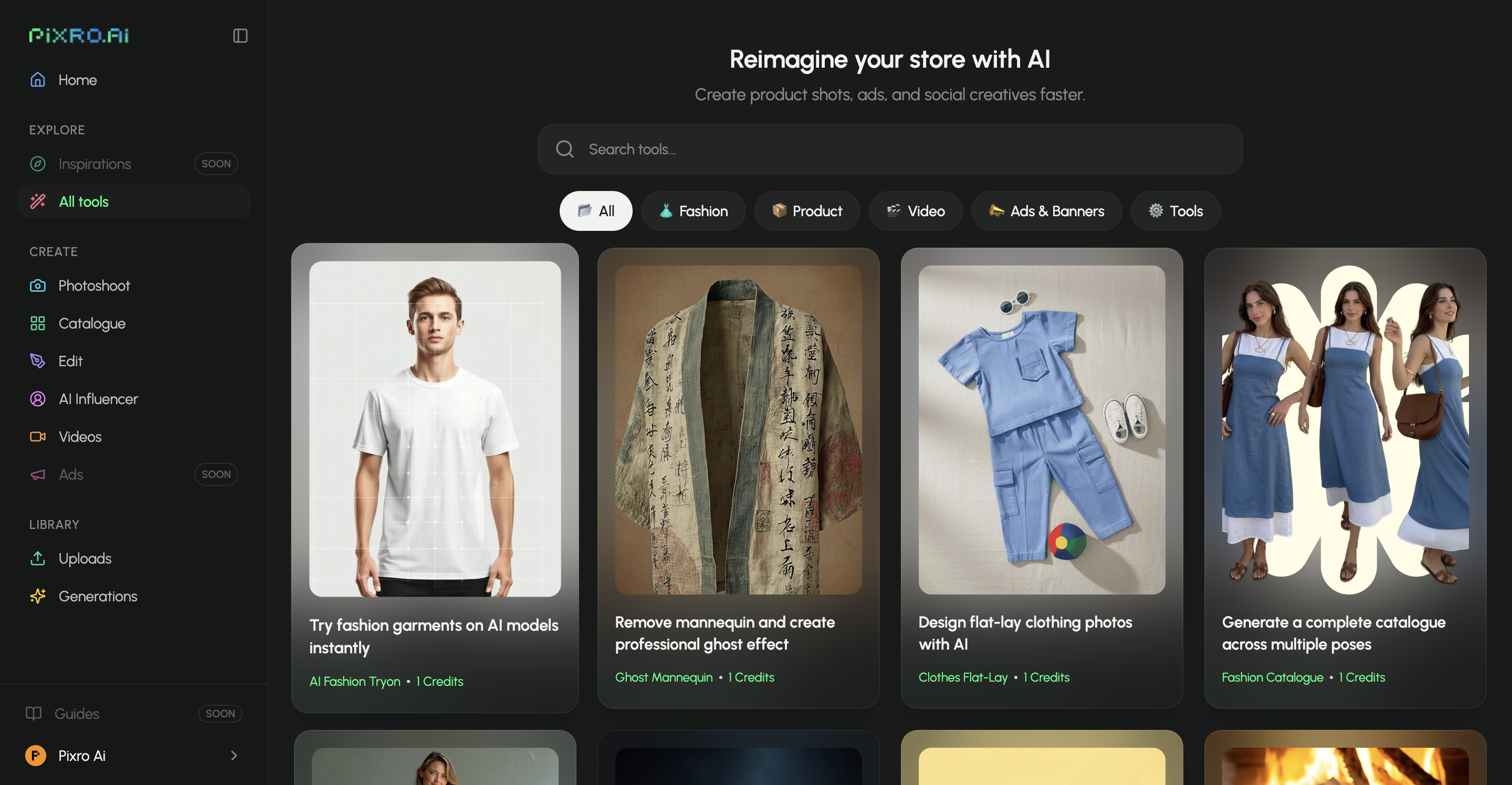
VModel is pure pay-as-you-go: credit bundles from $10 up to $1,000, credits that never expire, and $10 in free credits on signup, with no monthly subscription (as of July 2026 — check their site). If your demand is seasonal — a burst before a festival, then quiet — non-expiring credits you top up when you need them are a clean fit. You pay for what you use and nothing sits idle.
Pixro is credit-based too, but on predictable monthly plans:
| Plan | Price | Credits | Roughly |
|---|---|---|---|
| Trial | $10/mo | 50 credits | ~30 photos or videos |
| Growth | $30/mo | 400 credits | ~250 photos or videos |
| Business | Custom | Unlimited | High-volume brands |
For a store generating around 200 images a month, Pixro's Growth plan at $30 covers it inside one predictable line item — and the same credits stretch across photos and video, not just one transformation. Pixro offers a free trial of the paid Trial plan — there's no permanently-free tier — plus pay-as-you-go credit packs if you'd rather top up. The trade honestly cuts both ways: if your work is bursty and occasional, VModel's non-expiring credits waste nothing; if it's steady month to month, Pixro's fixed allowance keeps budgeting simple.
Choose VModel if your volume is seasonal and you want credits that never lapse. Choose Pixro if your output is steady and you'd rather one predictable monthly plan.
Ease of access
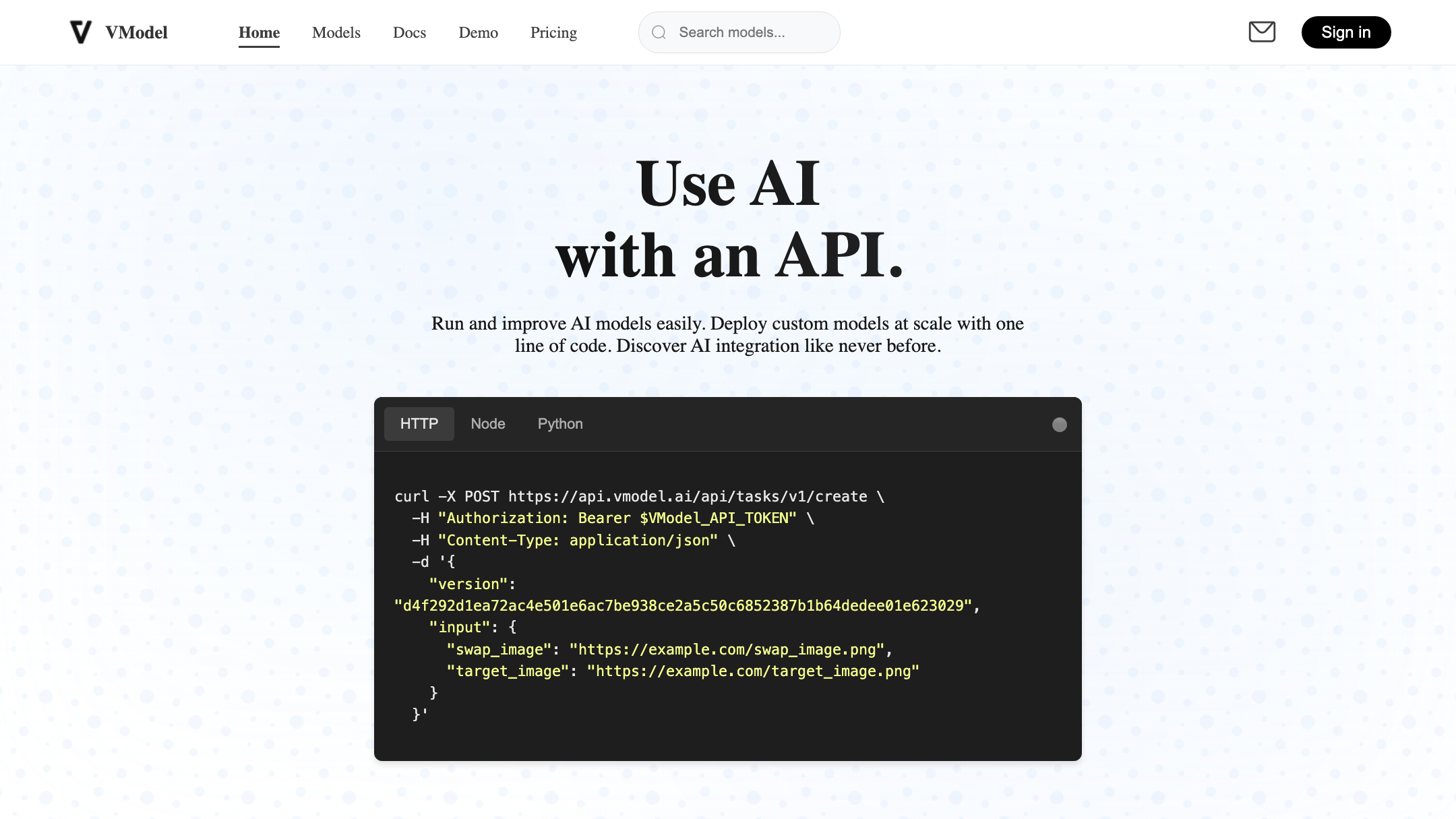
VModel is developer-friendly by design: web app, Chrome extension, REST API, and SDKs in several languages. Powerful if you have someone to operate it. If you don't code and you don't want to, the API-first framing is weight you have to carry.
Pixro is no-code end to end and runs entirely in your browser — nothing to install, no dev team. Better still, you can wire it into where your work already lives: connect your Shopify store, a website URL, a product catalogue, or your brand assets, and Pixro generates ecommerce-ready, ad-ready, and social-ready creatives — on a schedule if you want. Set it once and get fresh creatives every day, or generate on demand from the AI-agent chat. Enterprise APIs are there too if you want to build on top.
Choose VModel if you have a developer and want API and SDK access. Choose Pixro if you want zero setup and always-on delivery to your store, ads, and socials.
Support
A few VModel users have flagged customer-service concerns worth checking before you commit to large volumes — the kind of thing that matters more when a catalogue deadline is on the line. Pixro is a hands-on team you can reach directly for support and onboarding, which counts for more than it sounds when a launch is on the line. Neither is a reason to pick or drop a tool alone, but if hand-holding matters to you, weigh it.
Choose VModel if you're comfortable self-serving and troubleshooting via docs. Choose Pixro if you want a responsive team behind the tool.
Who VModel is best for
VModel is a strong pick if you're a developer or a product team that wants to build flat-lay-to-model generation into your own app, on credits that never expire, with a free bundle to start. It's also a fair fit for a technically comfortable seller whose demand is seasonal and who's happy topping up pay-as-you-go. If "give me an API and get out of my way" describes you, VModel is built for that.
Who Pixro is best for
Pixro is for the brand that wants the finished creative, not the plumbing. If you run an apparel or ecommerce store, you're short on time, you don't have a dev team, and you'd rather brief an AI creative team than manage credits and endpoints, Pixro is the fit. It's also the stronger call when your real problem is breadth — try-on plus ghost mannequin plus a consistent catalogue plus banners plus video — and you'd rather not stitch together four tools. Brands like HRX, The Roadster, Reliance Jewels, The Kids Label, and Karma Dori already run creative through it.
Scorecard
| Dimension | Pixro | VModel | Edge |
|---|---|---|---|
| All-in-one breadth | ●●●●● | ●●●○○ | Pixro |
| On-model quality | ●●●●○ | ●●●●○ | Tie |
| Catalogue consistency | ●●●●● | ●●●○○ | Pixro |
| Video + reels | ●●●●○ | ●●○○○ | Pixro |
| AI-agent workflow | ●●●●● | ●●○○○ | Pixro |
| Model range | ●●●●● | ●●●○○ | Pixro |
| Developer and API access | ●●○○○ | ●●●●● | VModel |
| Seasonal pricing flexibility | ●●●○○ | ●●●●● | VModel |
| Free way to start | ●●●●○ | ●●●●● | VModel |
Overall read: if you're a brand that wants finished creatives — stills and video — with no setup, Pixro takes it on breadth, consistency, video, workflow, and model range. If you're a developer who wants an API and non-expiring credits, VModel earns its three rows fairly and is the better tool for you.
Switching from VModel: what transfers

Not much has to move, which is the good news. Your inputs are the same: the flat-lay and mannequin photos you already feed VModel are exactly what Pixro wants. There's no export or migration — you're not moving a database, you're pointing the same product shots at a different studio.
What changes is the workflow around them. Instead of picking model and pose in a web tool or scripting the API, you describe what you want in Pixro's AI-agent chat and let it route the job. What you redo, if anything, is style choices — your VModel presets don't carry over, so you'll set your look once in Pixro. Budget-wise you're trading top-up credits for a predictable monthly plan, so map your typical monthly volume to Trial or Growth before you switch.
FAQ
Is VModel worth it?
For developers and teams building flat-lay-to-model generation into their own product, yes — the API, SDKs, and non-expiring pay-as-you-go credits are a clean fit, and users rate the on-model output well. For a non-technical brand that just wants finished creatives, the API-first framing may be more setup than the job needs.
What's the best VModel alternative with no code?
Pixro is the no-code option here: an all-in-one, web-based AI creative platform for ecommerce and fashion, with try-on, ghost mannequin, catalogue, banners, AI influencers, and 6+ video tools built in — all driven from an AI-agent chat. If you're weighing other tools too, see our Pixro vs FASHN, Pixro vs OnModel AI, and Pixro vs FitRoom comparisons, plus the roundup in Botika vs FASHN vs Pixro.
Is Pixro web-based? How do I access it?
Yes — Pixro is a browser app you use at pixro.ai, with nothing to install. You work through an AI-agent chat that routes each job to the right tool and model. Prefer to talk to a human? Reach the Pixro team on WhatsApp at +91 6364871993 or email hello@pixro.ai.
Does Pixro have a free plan?
Pixro is credit-based and there's no permanently-free tier. There is a free trial of the paid Trial plan, so you can test it before committing to a monthly plan.
Is VModel cheaper than Pixro?
It depends on your pattern. VModel's non-expiring credits (bundles from $10, as of July 2026 — check their site) waste nothing if your demand is bursty. Pixro's Trial at $10 and Growth at $30 a month are more predictable if your output is steady — roughly 30 and 250 photos or videos respectively, and the same credits cover both stills and video.
The last word
You started with a flat-lay on your desk and a listing due tonight. VModel hands you an engine and a key. Pixro hands you a creative team in a browser tab — and the reel to go with the shot.
If you code, the key is the better gift. If you don't, brief the studio. You've got a product photo on your phone right now — drop it into Pixro's $10 Trial at pixro.ai and see the on-model version before your coffee's cold, then judge it against tonight's deadline yourself.








