Pixro vs FitRoom: Which AI Try-On Tool for Sellers?
You have one good photo of a dress and a marketplace listing that goes live tonight. The question isn't which AI is smartest. It's who does the work — you, wiring an API, or a platform that just hands you the finished shot.
That's the honest split between these two.
Pixro vs FitRoom: the short version
FitRoom is a fast, narrow virtual try-on engine — a consumer app plus a developer API that swaps clothes onto a model in about 10–15 seconds, with genuinely good fabric rendering. If try-on is the only thing you need and you have someone who can call an API, it's a strong, focused pick.
Pixro is the all-in-one option: an web-based AI creative platform with 15+ tools in one place — product photoshoots, ghost mannequin, flat-lay, bulk catalogue, on-model try-on, AI influencers, banners, edits, and a full set of video tools. No code. You describe what you want in an AI-agent chat, and a crew of AI agents plus 40+ auto-orchestrated models does the job. Pixro wins when you want the whole creative pipeline delivered, not one feature you have to plumb yourself.
Choose FitRoom if you're building try-on into a product. Choose Pixro if you'd rather describe a catalogue and get it back.
At a glance
| Category | Pixro | FitRoom |
|---|---|---|
| Core focus | All-in-one web-based AI creative platform (15+ tools) | Virtual try-on, deep and fast |
| Virtual try-on | On-model try-on inside a broader suite | Upper / lower / full-body + combo garments, ~10–15s |
| Product photoshoot | Studio-style scenes from a phone photo | Not offered |
| Ghost mannequin & flat-lay | Built in | Not offered |
| Bulk catalogue | Batch a full catalogue for consistency | Single try-on generations |
| Banners & AI influencer | Included | Not offered |
| Video | 6+ live video tools — AI reels, product commercials, image-to-video, UGC | Not offered |
| How you use it | No-code web app + AI-agent chat, 40+ models auto-picked | Consumer app + REST API, plus store plugins |
| Setup | Describe the job or send a photo, no dev team | App is instant; API needs a developer |
| Pricing | $10 Trial (50 credits) / $30 Growth (400 credits) / custom Business | Free 10 credits; paid tiers ~$16 and ~$29/mo; API gated to top tier (as of July 2026 — check their site) |
Now the detail — where each tool actually earns its keep.
Core features: one job done well vs the whole job

FitRoom does one thing and does it deeply. You give it a garment and a model photo, pick upper-body, lower-body, full-body, or a combined outfit, and it returns a try-on in seconds. That narrow focus is its strength — the whole product is pointed at making clothes look real on a body.
Pixro spreads across the jobs a store actually racks up in a week. The same hoodie on a white seamless, on a concrete loading dock, on a sunlit café table — plus the ghost-mannequin hollow-man shot, the flat-lay, the marketplace banner, an AI influencer wearing it, a short reel, and an on-model try-on when you need it. One platform, many outputs, and an AI-agent chat that figures out which of its 15+ tools and 40+ models to point at each request.
The catch is honest: a suite that does fifteen things won't out-specialise a tool that does one. FitRoom's try-on is its entire reason to exist. Pixro's try-on is one strong feature among many.
Bottom line: Choose FitRoom if try-on is the whole task. Choose Pixro if try-on is one of six things you need shipped this week.
Output and try-on quality
FitRoom has earned real praise here. Users describe try-ons that "look natural, capturing the distinctive features of each fabric material and clothing pattern," and one merchant reported conversion rates doubling after adding it. Fabric drape and pattern are its home turf, and the speed is genuinely fast.
It isn't flawless. In the same reviews, users note it "struggles a bit with stretchy fabrics" and "sometimes misses small details" — still, most call it far better than flat product photos.
Pixro's on-model output holds its own, and because it also rebuilds shape for ghost-mannequin and stages full product scenes, you're judging a wider range of shots, not just the try-on frame. Under the hood, Pixro doesn't lock you to one engine — it orchestrates 40+ models (nano-banana, Veo 3, Kling, Runway, Flux, SeeDream, HeyGen and more) and auto-picks the best one per job, which is a real edge over any single-model point tool. Feed either tool a clean, evenly lit garment photo and you'll get a clean result. Feed either a crumpled phone snap and you'll get a crumpled result. Input still matters.
Bottom line: Choose FitRoom for the tightest, fastest single try-on frame. Choose Pixro when you need try-on plus the rest of the shoot to match.
Catalogue consistency
This is where breadth pays off. If you're shipping 200 SKUs, the win isn't one perfect image — it's 200 images that look like they came from the same studio on the same afternoon. Pixro is built to batch a catalogue and hold a consistent look — consistent garment colour, texture, and logo across a whole collection. For one brand it produced 500+ catalogue images with roughly a 90% cut in production time.
FitRoom generates try-ons one at a time. For a shopper toggling outfits in a consumer app, that's exactly right. For a seller who needs a whole catalogue to feel coherent, it's more assembly than delivery.
Bottom line: Choose FitRoom for one-off, on-demand try-ons. Choose Pixro when consistency across a full catalogue is the actual job.
Image and video
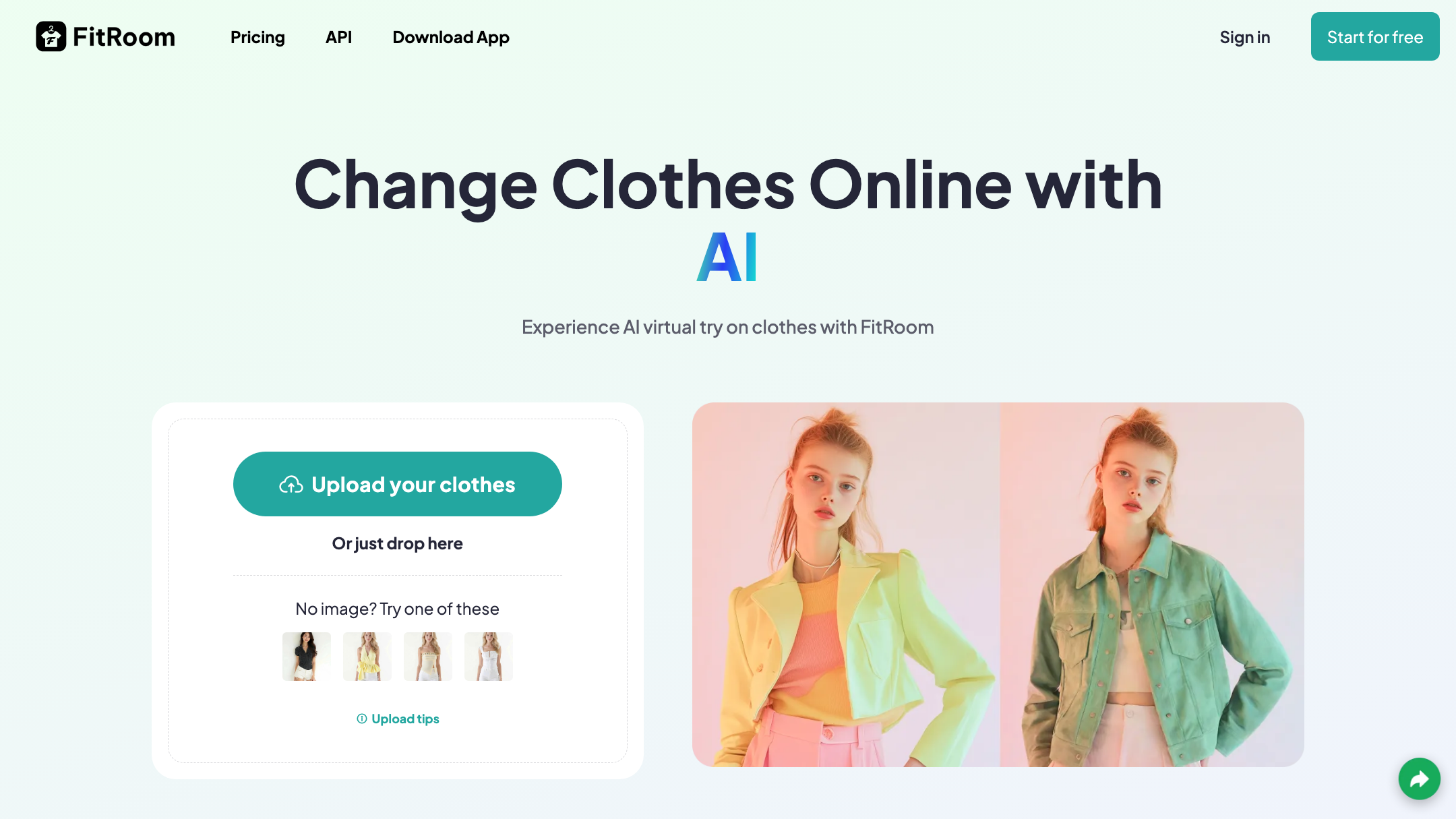
FitRoom is images only — specifically, try-on images. That's the boundary of the product.
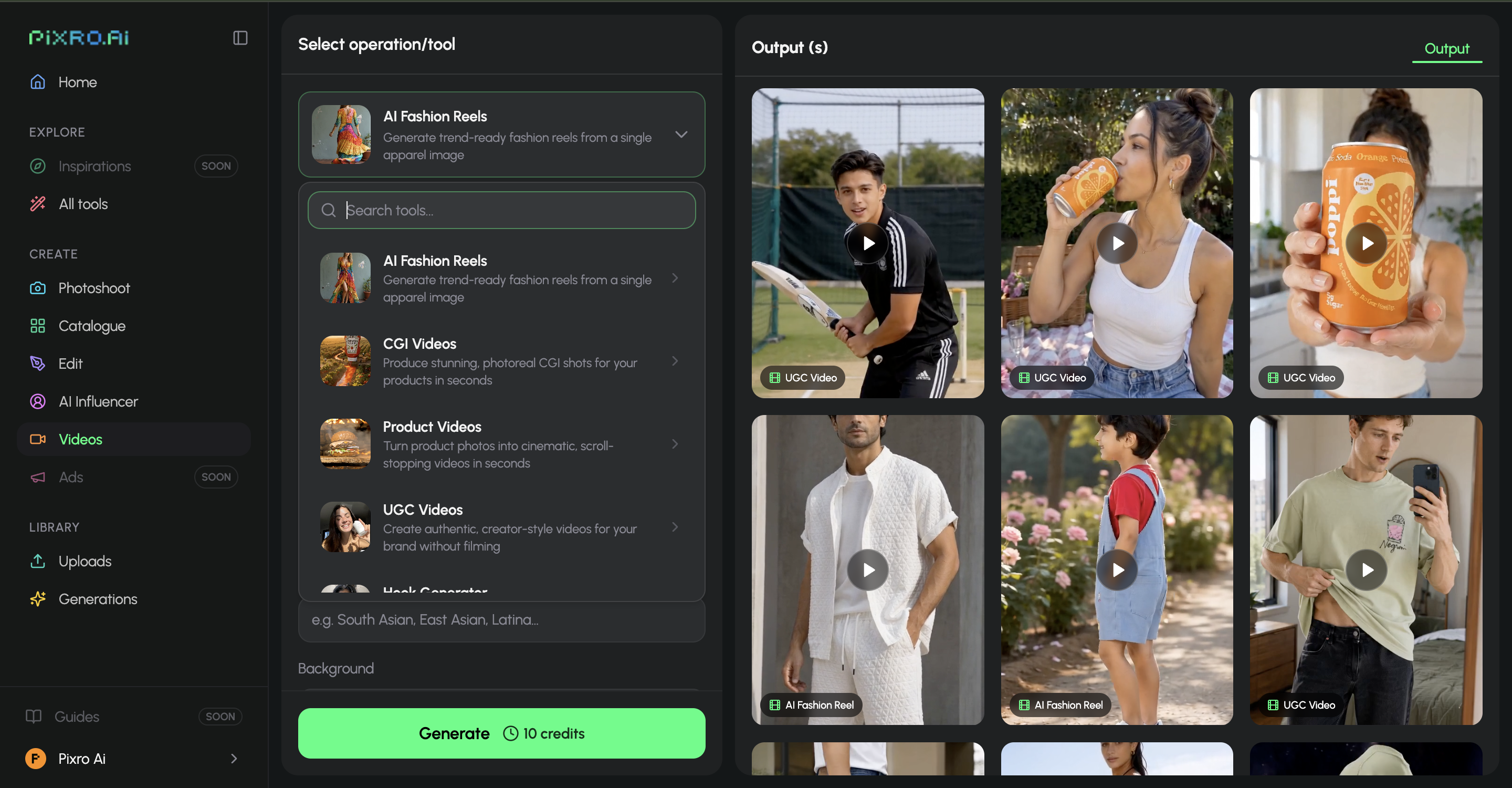
Pixro covers stills across the full suite and ships video today: 6+ live video tools, including AI reels, product videos and commercials, image-to-video, UGC-style clips, and a fashion reel maker. So the same product can move from a listing photo to a short social reel without a second tool or a second subscription — it's a current capability, not a promise.
Bottom line: Choose FitRoom if you only ever need try-on stills. Choose Pixro if a short product reel is anywhere on your list.
Pricing
Both tools run on credits, so compare what a credit buys and what a month costs. All FitRoom figures below are as of July 2026 — check their site, since their pricing renders live and moves.
| Plan | Pixro | FitRoom |
|---|---|---|
| Free / entry | Free trial of the paid Trial plan (no permanent free tier) | Free: 10 credits, watermark, standard quality |
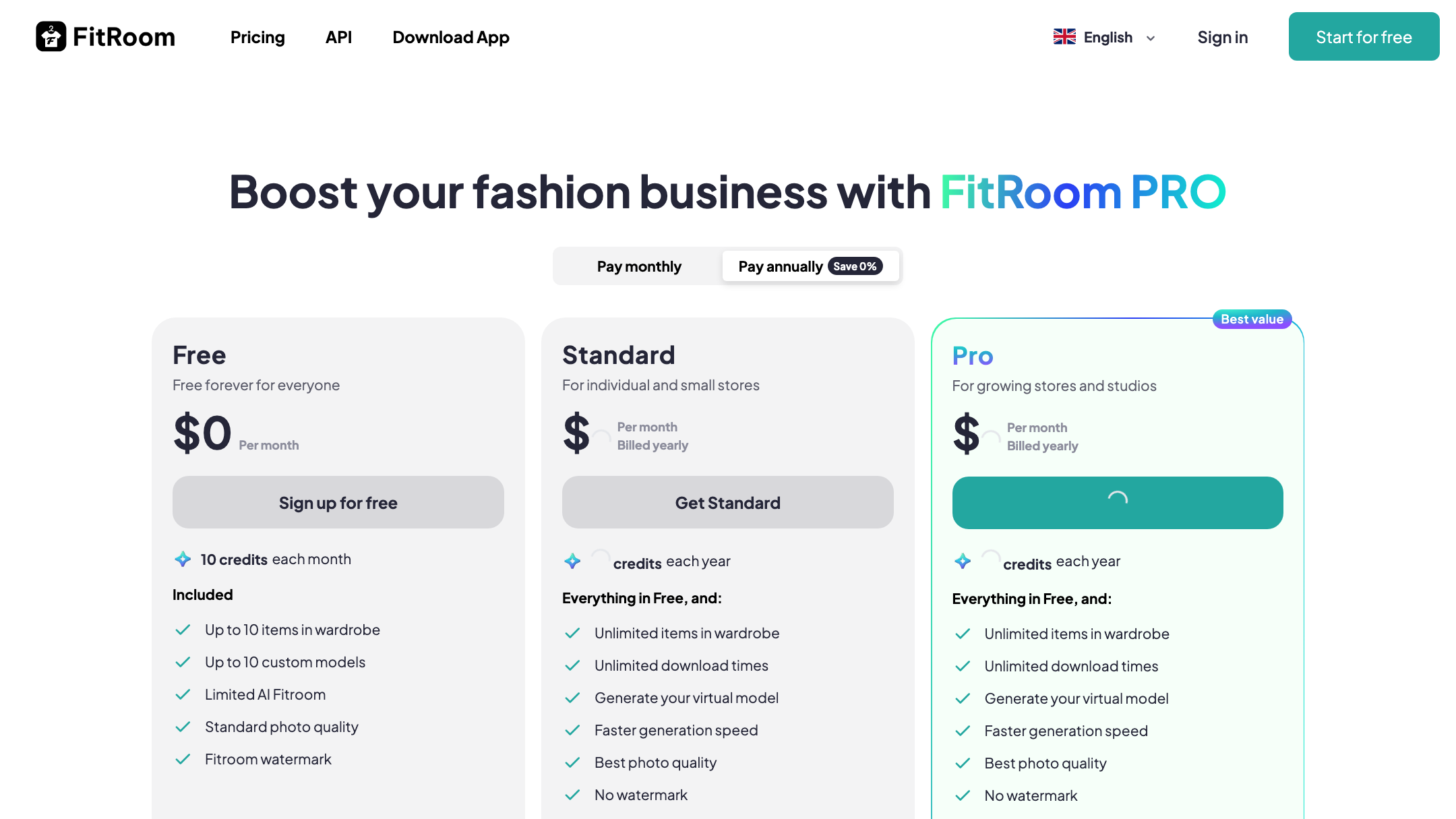
| Starter paid | $10 Trial — 50 credits (~30 photos/videos) | Standard — around $16/mo, ~200 credits, no watermark |
| Mid paid | $30 Growth — 400 credits (~250 photos/videos) | Pro — around $29/mo, ~1,000 credits, priority support |
| Top tier | Business — custom (enterprise APIs available) | Enterprise — custom, volume discounts |
| API access | Enterprise APIs on Business; core product is the no-code web app + AI-agent chat | Gated to the top consumer tier; separate API pricing partly undisclosed |
For a store generating around 200 images a month, the fair read is this: FitRoom's Pro tier gives you a large try-on credit pool with rollover, which is excellent value if try-on is all you spend it on. Pixro's $30 Growth plan spends its 400 credits across photoshoots, ghost mannequin, catalogue, banners, AI influencers, video, and try-on — one bill for the whole creative pipeline instead of one feature. There are also pay-as-you-go credit packs if your volume is spiky.
Two honest notes. FitRoom's credit rollover is a genuinely nice touch. And its API pricing is only partly disclosed and gated to the top tier, so budget with a call to their site.
Bottom line: Choose FitRoom's Pro plan for high-volume, try-on-only value. Choose Pixro's $10 or $30 plans when the same budget has to cover the whole shoot.
Ease of access
This is the widest gap, and it's the heart of the FitRoom AI alternative question for ecommerce sellers.
FitRoom is app-and-API. The consumer app is instant and delightful for a shopper. But the API — the part a store integrates for automated try-on — is developer territory: REST calls, keys, and plugins for Shopify, WooCommerce, or Magento. If you have an engineer, that's power. If you don't, it's a wall.
Pixro was built for the seller who doesn't write code. It's a browser app at pixro.ai with an AI-agent chat front and centre — you type "what do you want to create today," or drop in a product photo, and a team of AI agents (creative director, art director, photographer, video editor) turns it into finished creative. No keys, no integration, no dev sprint. You can also connect a Shopify store, a website URL, a product catalogue, or brand assets and let Pixro run always-on — set it once and get fresh, ecommerce-ready, ad-ready and social-ready creatives on a schedule.
Bottom line: Choose FitRoom if you have developers and a store platform to plug into. Choose Pixro if you want to describe a shot, or send a photo, and get finished creative back, no code.
Support and reach
FitRoom offers priority support on its Pro tier and an Enterprise beta program, and it's a proven, viral consumer app — #1 in Vietnam's app stores. That's real traction. Reviews also flag the trade-off of any fast-scaling app: some users report "the app runs super slow while loading" and occasional force-closes during generation, plus grumbles about the subscription and limited free trial.
Pixro serves ecommerce and fashion brands globally and is bootstrapped, with 20+ paying brands and 1,000+ signups — including HRX, The Roadster, Reliance Jewels, and The Kids Label. The whole platform is designed so a non-technical seller can get a finished catalogue without a studio or a dev team.
Bottom line: Choose FitRoom for proven consumer-app polish and try-on virality. Choose Pixro for an all-in-one platform with real brands behind it and no-code delivery.
Who FitRoom is best for
FitRoom is the right call if you're a developer or a brand with an engineering resource, and virtual try-on is the specific feature you want to add to an app, a storefront, or a shopping experience. Its speed, fabric fidelity, credit rollover, and proven consumer appeal make it a focused, capable choice. If try-on is the whole ask and code isn't a blocker, it's hard to fault.
Who Pixro is best for
Pixro is for the ecommerce or fashion seller who wants finished creative without a studio, a dev team, or a platform migration. If you're shipping a catalogue, need photoshoots and ghost mannequin and banners and reels and AI influencers and try-on, and you'd rather describe the job to an AI-agent chat than wire a codebase — Pixro is built for exactly that. All-in-one breadth (15+ tools including video and AI influencers), an AI-agent chat that works like a full creative team, 40+ auto-orchestrated models, and always-on delivery to your store, ad, and social channels — at credit-based $10 and $30 pricing — are the wedge.
For a wider view, see how the landscape stacks up in our AI fashion model generator comparison, and the closest single-tool matchups in Pixro vs Aiuta, Pixro vs UWear, and Pixro vs FASHN.
How the two score
| Dimension | Pixro | FitRoom | Edge |
|---|---|---|---|
| Try-on fidelity & speed | ●●●●○ | ●●●●● | FitRoom |
| All-in-one breadth | ●●●●● | ●●○○○ | Pixro |
| Catalogue consistency | ●●●●● | ●●○○○ | Pixro |
| Video + reels | ●●●●○ | ○○○○○ | Pixro |
| AI-agent workflow | ●●●●● | ●●○○○ | Pixro |
| Model range | ●●●●● | ●●●○○ | Pixro |
| Developer/API flexibility | ●●○○○ | ●●●●● | FitRoom |
| Consumer-app polish | ●●●○○ | ●●●●● | FitRoom |
The overall read: FitRoom wins where try-on depth, API flexibility, and consumer polish decide it. Pixro wins the moment the job is broader than a single frame — which, for most sellers shipping a catalogue, it is.
Switching: what transfers

Moving from FitRoom to Pixro is light, because there's little to migrate. Your source assets — the same garment photos and model references you fed FitRoom — work directly in Pixro. There are no API keys to rebuild and no store integration to unwind, since Pixro runs no-code through the web app and AI-agent chat.
What changes is scope. On FitRoom you were generating try-on frames one at a time. In Pixro you can keep doing try-ons and also batch the rest of the catalogue, add ghost-mannequin and flat-lay shots, spin up AI influencers and reels, and build banners — from the same photos, in the same place. Redo nothing; just widen what you ask for.
FAQ
Is FitRoom worth it?
Yes, for its lane. If you need fast, realistic virtual try-on and either use the consumer app or have a developer to integrate the API, FitRoom is a focused, well-regarded tool with strong fabric rendering and credit rollover. It's less suited to sellers who want a full creative suite without code.
What's the best FitRoom alternative for ecommerce sellers?
If you want more than try-on — product photoshoots, ghost mannequin, bulk catalogue, banners, AI influencers, and video — without writing code, Pixro is the natural alternative. It trades FitRoom's single-feature depth for all-in-one breadth, an AI-agent chat, and no-code web delivery.
Does Pixro have a free plan?
Pixro is credit-based and offers a free trial of the paid Trial plan rather than a permanently free tier. You can start on the $10 Trial (50 credits, roughly 30 photos or videos) and move up to $30 Growth (400 credits) as you scale, with pay-as-you-go credit packs available too.
Is Pixro web-based, and how do I access it?
Yes. Pixro is a browser app at pixro.ai — you sign in and work from an AI-agent chat, no download and no code. You can connect a Shopify store, website URL, or product catalogue for always-on delivery. If you'd like to talk to the team first, reach Pixro on WhatsApp at +91 6364871993 or email hello@pixro.ai.
Does FitRoom offer an API?
Yes. FitRoom provides a REST API with plugins for Shopify, WooCommerce, and Magento, though API access is gated to its top consumer tier and the per-credit API pricing is only partly disclosed (as of July 2026 — check their site).
The bottom line
You started with one dress photo and a listing due tonight.
If try-on is the entire task and code isn't a blocker, FitRoom will swap that garment onto a model in seconds and do it well. If the real job is the whole shoot — the photoshoot, the ghost mannequin, the catalogue, the banner, the reel, and the try-on — and you'd rather describe it than wire an API, Pixro sends it all back to you from one browser tab.
Send one product photo to Pixro on the $10 Trial and see the on-model version before your coffee's cold. Then judge it against the shot you'd have taken tonight.








