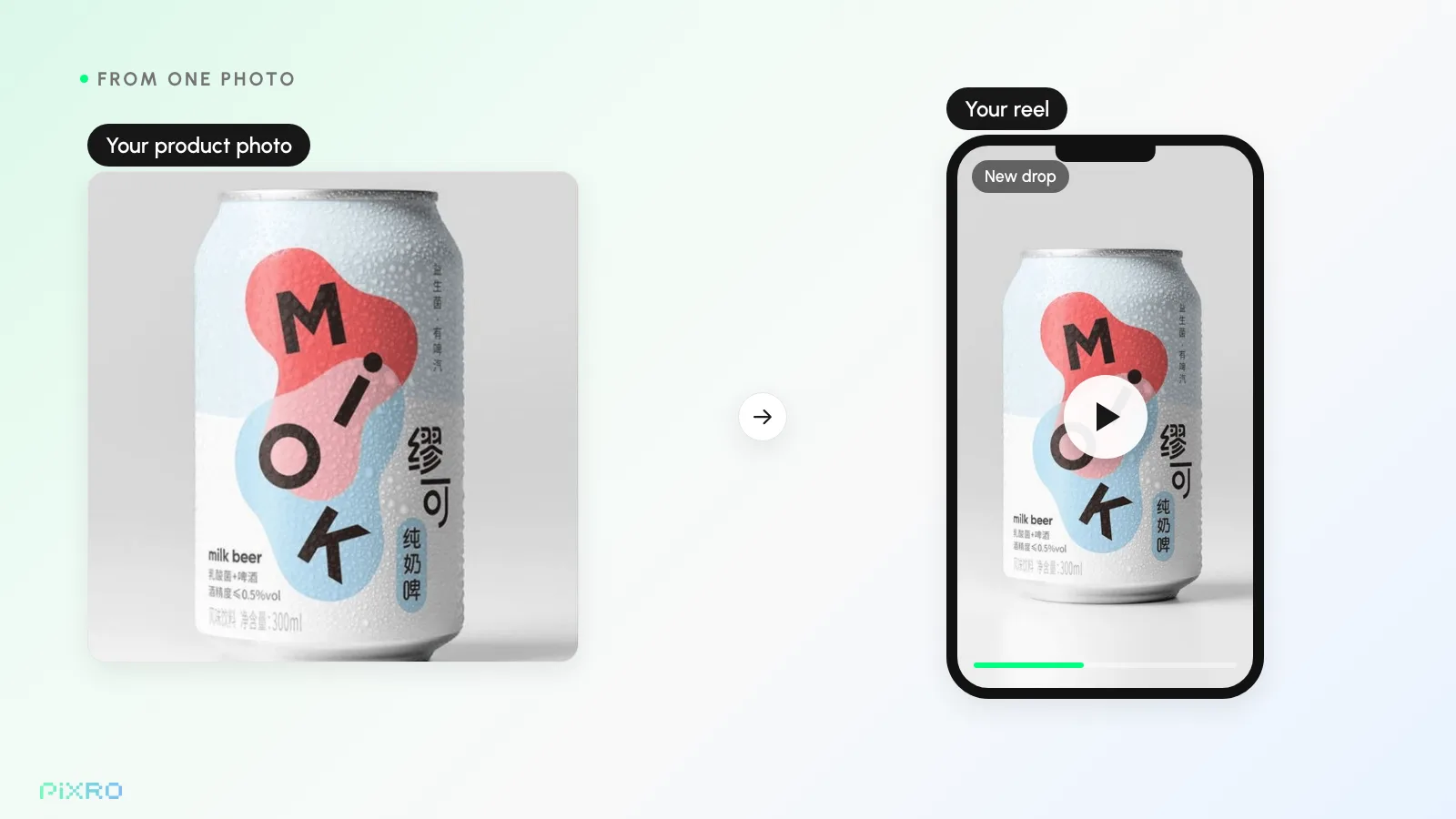
Turn Product Photos into Scroll-Stopping Reels with AI
A thumb slows down. Pauses. Watches your product move for two seconds. That two-second pause is where most of your sales now start.
I've watched a lot of small stores wrestle with this, and the worry is always the same: "We can't shoot video for every product. We don't have the crew, the studio, or three weeks per clip." I get it. For years that was the honest answer. It isn't anymore. An AI product video built from a single still is the fastest way through that scroll, and it needs no videographer, no studio day, and no editing skills. You upload one product photo, and the AI turns it into motion. This guide is the whole thing, start to finish: how to take product photos to reels with image to video, the formats that actually convert, and how to do it for 200 SKUs at once instead of one.
Last updated: June 2026.
Here's why it's worth your afternoon. By Bazaarvoice's 2025 video-commerce research, roughly 46% of shoppers reach for short-form video like Reels, TikTok, and YouTube Shorts when they're discovering and weighing up products, and about 64% say they're more likely to buy after watching a product video. Industry surveys (2025) put nine in ten marketers pouring more budget into short-form. The brands winning here aren't the ones with the biggest crews. They're the ones shipping more video, more often, across every SKU. That gap is the whole story, and the good news is you can start closing it this afternoon, with photos already sitting in your library.
Why short-form video drives discovery and conversion
Short-form video drives discovery and conversion because the feed rewards movement: a moving product earns watch time, watch time earns reach, and motion shows shoppers what a flat photo can't. A static photo still does a job, but it doesn't move.
That last link in the chain is the one founders underestimate. Reach drops your product in front of people who were never searching for it, which is the discovery engine of Instagram Reels, TikTok, and YouTube Shorts quietly working while you sleep.
The conversion side is just as plain. Industry data (Vidyard, 2024) shows videos under 90 seconds hold about half their viewers, roughly double the retention of long-form. When a shopper watches fabric drape, a watch face catch the light, or a candle flame lean and flicker, they get the product in a way a flat image can't deliver. Motion answers the silent question every online buyer asks: what is this actually like in my hands?
The catch has always been production. Filming, lighting, and cutting a video for every product is slow and expensive, so most stores shoot one hero reel and call it done. I've seen that single good reel sit alone for a year.
AI product video flips that math. Instead of one clip per shoot day, you generate dozens from the photos you already own. That's why motion is becoming the default for every listing, not a luxury saved for the bestseller.
How image to video AI turns one photo into motion
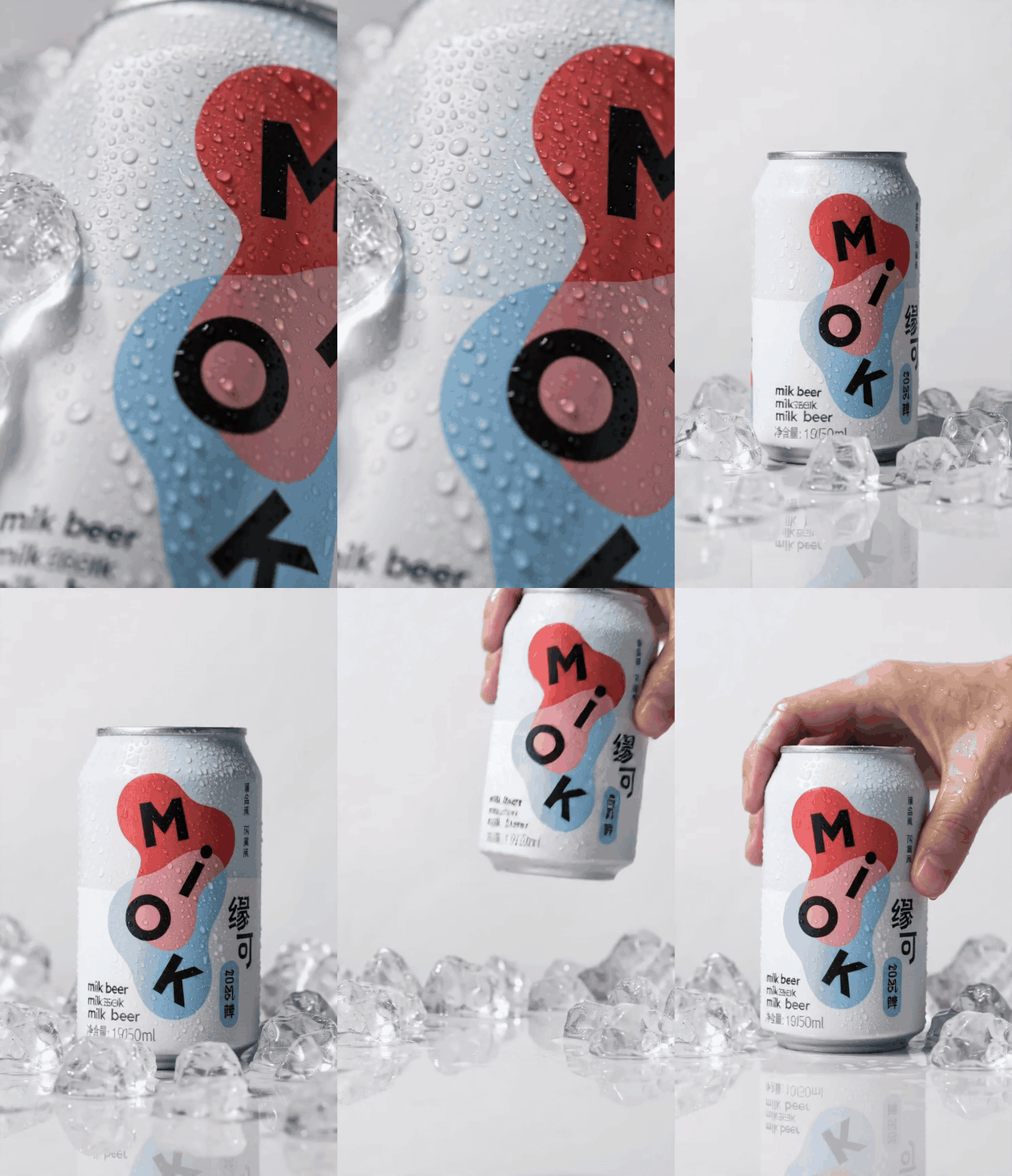
Image to video AI works by generating new frames from your single product photo, so a still becomes a short clip with camera movement, product motion, and light shifts. It's simpler than it sounds and more capable than you'd expect. You hand the model a product image, and it builds new frames that bring it to life: camera movement, subtle product motion, light shifts, environmental detail that never existed in the original still. A flat-lay sneaker becomes a slow rotating hero shot. A bottle on a plain backdrop gets a gentle push-in with light drifting across the label.
And this is the bit most people miss. Because the AI starts from your real photo, the product stays itself, down to the scuff on the toe or the chip in the glaze. You're not conjuring a fictional product from a text prompt; you're animating the exact thing you ship. The first time I watched a flat-lay sneaker start to turn slowly on its own, I leaned in toward the screen, and that involuntary lean is the whole pitch. It's also what makes an AI product video usable for real ads and listings instead of a fun one-off.
One honest tip from experience: strong source images make stronger reels. So if your base photography is still rough, fix that first. Our complete guide to AI product photography covers how to generate clean, studio-quality stills, and for apparel the fashion photography guide walks through virtual try-on and ghost mannequin shots that happen to animate beautifully.
The product photos to reels workflow, step by step
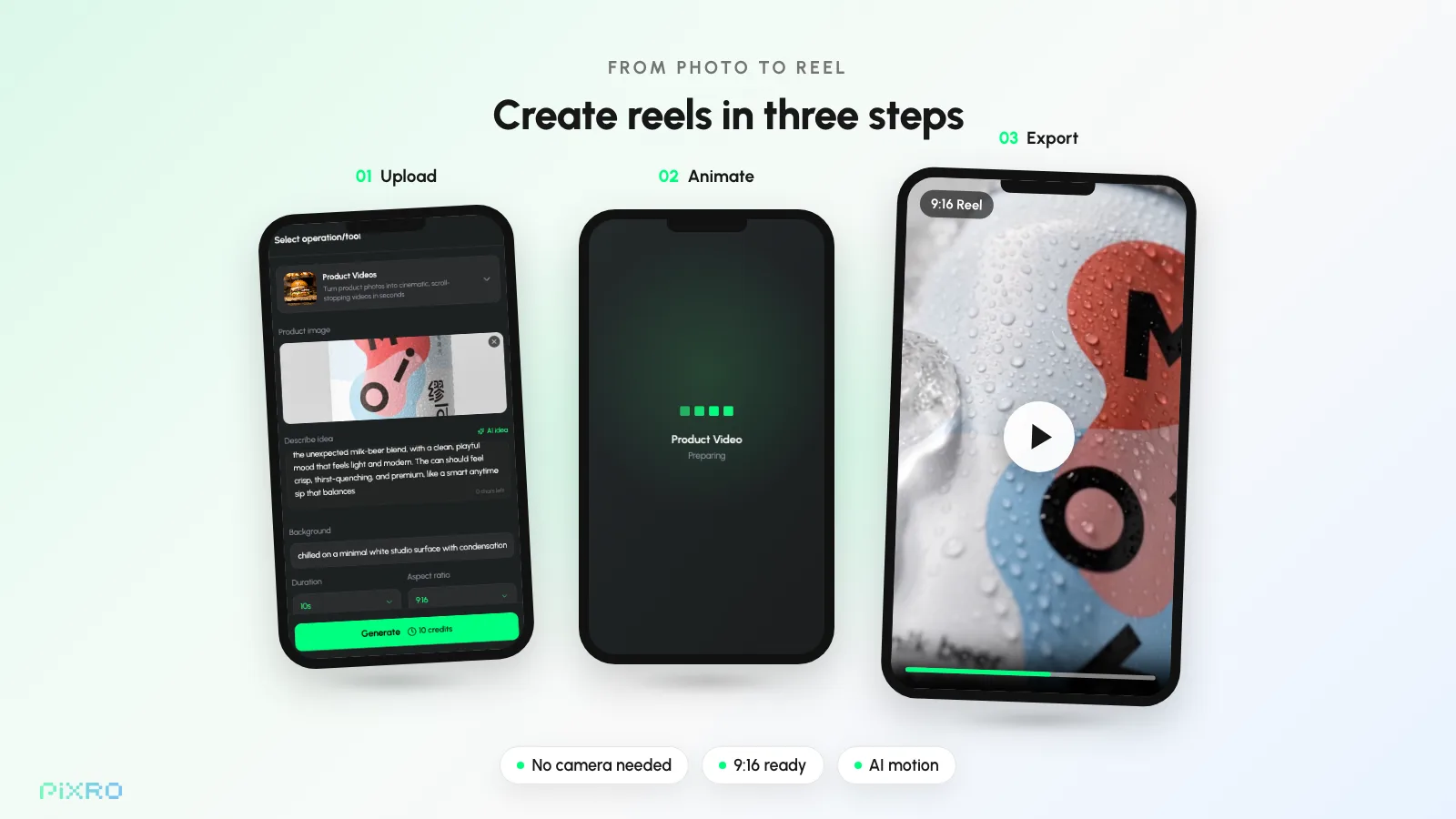
Five steps, and not one of them needs a skill you don't already have. From picking the right photo to posting on the right feed.
Step 1: Pick the right photo
Start with a clean, well-lit shot where the product is the obvious hero. A crisp image with the subject in focus and an uncluttered background animates far better than a busy or low-res one. If there's clutter behind your product, remove or replace it first so the AI has a clean subject to work from. One strong angle is enough to begin. You can spin up variations later.
Step 2: Generate the motion or the full reel
Upload your photo and let the AI do the moving. With Pixro you can use image-to-video to add motion to a single product shot, or use AI fashion reels to produce a full short-form clip with built-in movement and pacing. A still becomes a scene in seconds. No shoot.
Match the motion to the product. A smooth rotation for hard goods. A gentle lifestyle drift for apparel. A satisfying push-in for beauty and food.
Step 3: Set the aspect ratio per platform
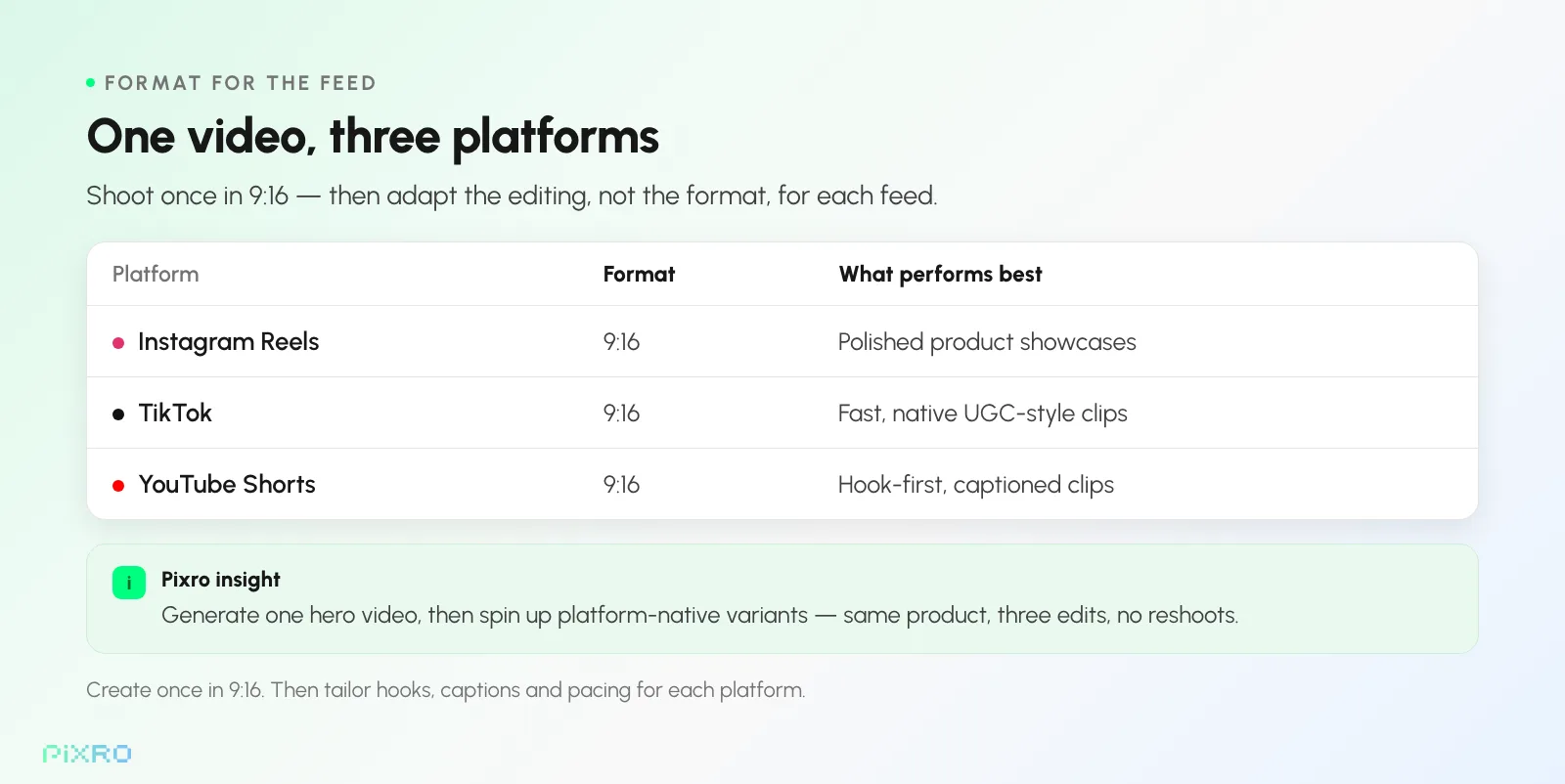
Short-form lives vertical. Export at 9:16 for Instagram Reels, TikTok, and YouTube Shorts so it fills the screen and reads native, never letterboxed. Repurposing for product pages, marketplace listings, or ads? Generate a 1:1 or 4:5 cut too. Pixro's upscaling and resizing let you pull every ratio you need from one generation, so a single reel covers every placement.
Step 4: Add a hook and captions
The first second decides everything. Miss the hook, lose the viewer. Open on your strongest visual or one bold on-screen line, then layer in burned-in captions carrying the benefit, the price, or the call to action. Burned-in text beats platform overlays because it survives reposts and plays even with the sound off. One clear idea per reel. No more.
Step 5: Post, then batch the rest
Post the first reel. Watch what lands. Then scale the format that worked. The real unlock is batch generation: instead of animating one product, run the whole catalogue through in one session. Our bulk product image generation playbook lays out the catalogue-at-scale approach, and the same logic carries straight over to video. One upload session, reels for every SKU.
Reel templates and ideas that convert
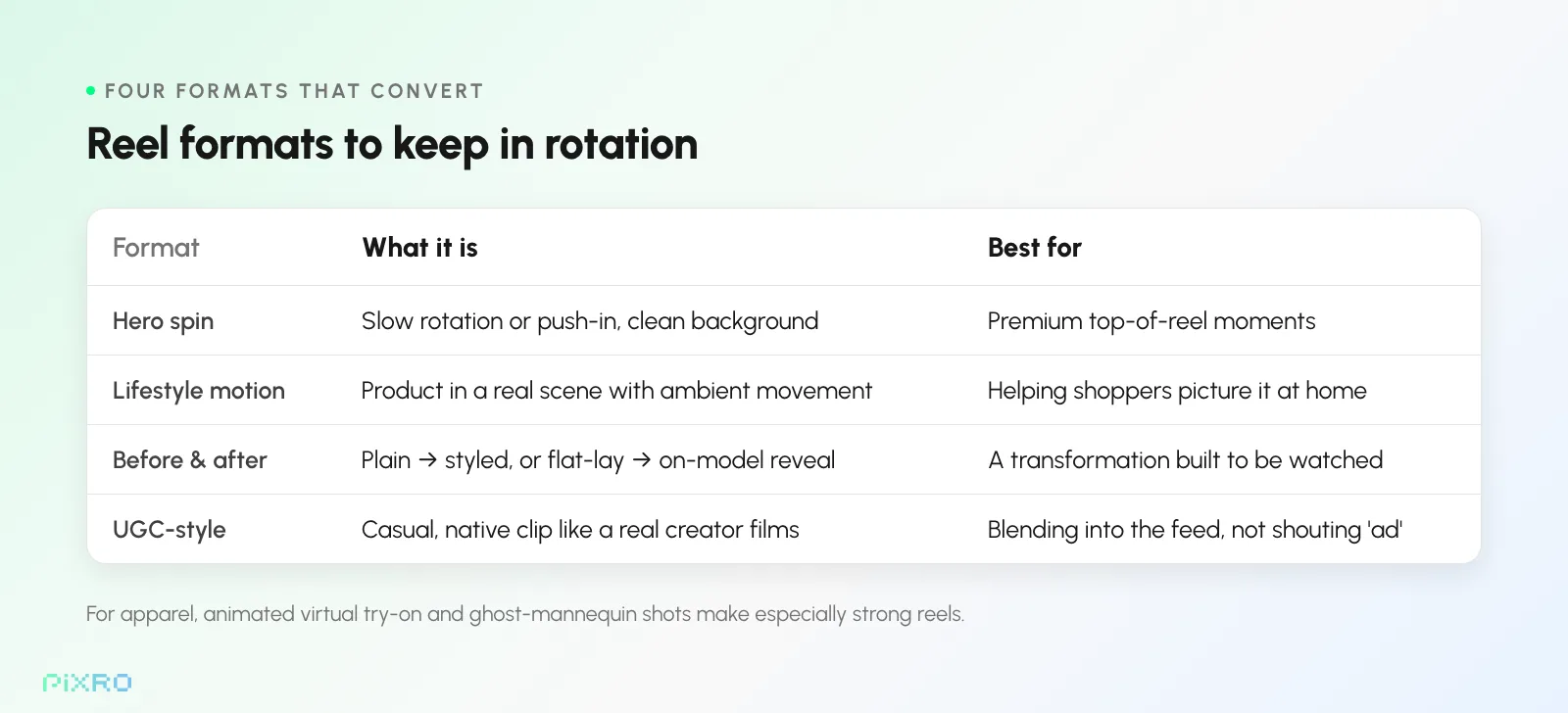
You don't need a fresh concept for every product. A handful of proven formats do most of the work. Keep these four in rotation:
- Hero spin: a slow, clean rotation or push-in on the product against a simple background. Premium, distraction-free, perfect for the top of a reel.
- Lifestyle motion: drop the product into a real scene with ambient movement, like a candle flickering on a styled table or a bag catching soft daylight, so shoppers picture it in their own room.
- Before and after: show the transformation. Plain background to styled scene, or off-model flat-lay to on-model try-on. The reveal is built to be watched.
- UGC-style: a casual, native-feeling clip that mirrors how a real creator films. It blends into the feed instead of shouting "ad," which is exactly why it converts.
For apparel, virtual try-on and ghost mannequin shots make especially strong reels, because the garment reads as something a person actually wears. Animate a try-on result and you get motion that sells fit, not just colour.
Platform tips for Reels, TikTok, and Shorts
Generating the video is half the job. Formatting it for the feed is the other half. Keep these in mind:
- Go vertical, always. 9:16 is non-negotiable for Reels, TikTok, and Shorts. Vertical feels native; square or horizontal feels like a repurposed ad.
- Hook in the first second. Lead with your most striking frame or boldest claim. That opening moment is the only thing standing between you and a scroll.
- Design for sound-off. Most feeds play muted by default, so your captions carry the message on their own.
- Keep it tight. Most high-performing reels run 5 to 15 seconds. Make the point, show the product, land the CTA, get out.
- Match the platform's feel. Polished hero spins suit Reels; fast, native UGC-style clips often outperform on TikTok. Generate variants and let each feed have its own version.
How Pixro scales AI product video across your catalogue
Doing this for one product is easy. Doing it for hundreds is where Pixro earns its keep.
You upload your product photos, and Pixro turns them into studio-quality images, reels, and ads in seconds. Image-to-video and AI fashion reels handle the motion, with UGC-style video, CGI video, and a hook generator alongside them when you want a different flavour. It's built for creatives who want a faster path to scroll-stopping content, and for SMBs that need pro-level video without hiring a videographer.
Pixro's own published figures (2026) put the production economics at up to 99% cheaper than a traditional shoot, and it reports 5,000+ brand customers, including names like Myntra, HRX, and Roadster. Treat the headline numbers as vendor figures, but the direction is the point: far less time and cost per clip. Batch many products in one session and export each reel in vertical 9:16 for Instagram Reels, TikTok and YouTube Shorts, so motion can become the default for new arrivals instead of a one-off. And the pricing is straightforward: each monthly plan includes a set credit allowance you spend on generations (there's no free tier), starting at $10/mo (₹749/mo in India).
The brands shipping the most short-form video aren't the ones with the biggest crews. They're the ones who turned every product photo into a reel, automatically.
To be fair, AI video isn't the only road. A real shoot still wins for a flagship hero film, and if you have the crew and the calendar, film it. A free editor like CapCut can do a lot by hand too, if you have the hours. A generic text-to-video tool can spin up something flashy, but it tends to drift from what you actually sell, which is exactly the trap a real-photo workflow avoids: the win here is fidelity, your product, in motion. So for getting every SKU moving, every week, without a studio or an editing timeline, generating it from the photos you already own is the path that actually scales.
If you're weighing the spend, the case is plain. Our breakdown of product photography cost for small businesses shows how far AI moves the budget, and if you're still comparing options, our roundup of the best AI product photography tools helps you find the right fit.
Frequently asked questions
Can AI really turn a single product photo into a video?
Yes. Image to video AI generates new frames from your still (camera movement, product motion, lighting shifts), so a flat photo becomes a short clip. Because it starts from your real product image, the item stays accurate and on-brand, which is what makes the output usable for actual listings and ads, not just experiments.
What's the best aspect ratio for reels?
Use 9:16 vertical for Instagram Reels, TikTok, and YouTube Shorts so the video fills the screen. For product pages, ads, or marketplace listings, also export a 1:1 or 4:5 version. With Pixro you can pull every ratio from a single reel using built-in resizing.
How long should an ecommerce product video be?
Short. Industry data shows videos under 90 seconds retain about half their viewers, and most high-performing reels run far shorter, often 5 to 15 seconds. Hook in the first second, show the product clearly, land the call to action, and end before attention drops.
Do I need video editing skills to make AI reels?
No, and that's the whole point. With a tool like Pixro you upload a photo, pick a motion style, and the AI produces the reel, movement and pacing included. You add a caption and a hook, and you're ready to post. No editing software, no videographer.
Can I make reels for my whole catalogue at once?
Yes. Batch and catalogue generation let you animate many products in one session instead of one at a time, and you can batch a whole catalogue in one session, so motion becomes a realistic default for every SKU.
Turn your next photo into a scroll-stopping reel
Short-form is where ecommerce discovery and conversion happen now, and you no longer need a studio, a crew, or a single editing skill to compete.
Pick a product photo. Generate the motion. Format it 9:16. Add a hook. Post. Then do it for your whole catalogue in the time it used to take to brief one shoot.
The thumb is already slowing down. The only question is whether it pauses on your reel or someone else's. Pick one product photo and see it move for yourself. Not sure the motion will land for your catalogue? Start with your best-seller, judge the result, then scale. Try Pixro on the $10 Trial (₹749 in India): start with one product, cancel anytime — a set monthly credit allowance, no free tier. Turn your product photos into scroll-stopping reels. You've got this.
Sources: Bazaarvoice, "The Future Is Visual" (Video Commerce, 2025); Vidyard video benchmarks (2024). Pixro performance figures are the company's own published numbers (2026); confirm current pricing and capabilities at pixro.ai.








