Pixro vs Botika vs FASHN: Best AI Fashion Model Generator for Ecommerce Brands in 2026
Flat-lay clothing photos are easy to shoot. Selling them is harder.
A dress lying on a table does not show fit. A shirt on a hanger does not show proportion. A rack of garments does not give customers enough confidence to buy.
Fashion ecommerce needs more than product images. It needs on-model catalogue photos, diverse AI models, ghost mannequin shots, lifestyle images, marketplace-ready formats, fashion reels, ads, and fresh campaign creatives every week.
That is why AI fashion model generators are becoming one of the most important tools for modern fashion brands.
But not every AI fashion tool solves the same problem.
Botika helps apparel brands create AI fashion photos.
FASHN gives developers API access for fashion generation and virtual try-on.
Pixro goes further. It works like a complete AI creative studio for fashion ecommerce, covering AI model photos, catalogue shoots, ghost mannequin, flat-lay visuals, product photos, jewellery, videos, UGC-style ads, background edits, and marketplace-ready creative assets in one workflow.
So if you are asking, “What is the best AI fashion model generator for ecommerce brands in 2026?” the answer is clear:
Pixro is the best overall choice for fashion brands that need more than one beautiful AI model photo. It is built for the entire fashion content workflow.
Last updated: July 2026
Quick Verdict: Which AI Fashion Model Generator Wins?
If you only need a few apparel photos on AI models, Botika and FASHN can help.
But if you are building a fashion brand, running an ecommerce store, managing catalogue launches, creating ads, testing social creatives, and preparing marketplace assets, Pixro is the strongest all-in-one platform.
Pixro is not just an AI fashion model generator. It is an always-on AI creative agency for ecommerce brands. It helps generate, scale, and optimize the full creative workflow — from catalogue photos to videos, ads, edits, and marketplace-ready content.
Tool | Best For | Final Verdict |
|---|---|---|
Pixro | Fashion ecommerce brands that need catalogue photos, AI models, ghost mannequin, product videos, ads, edits, and marketplace-ready creatives | Best overall AI fashion creative platform |
Botika | Apparel-only brands that mainly need AI fashion model photos | Good fashion-photo specialist |
FASHN | Developers and technical teams that need API-based fashion generation | Best API-first option |
Winner for fashion ecommerce brands: Pixro.
Why Pixro Is the Best AI Fashion Model Generator for Ecommerce
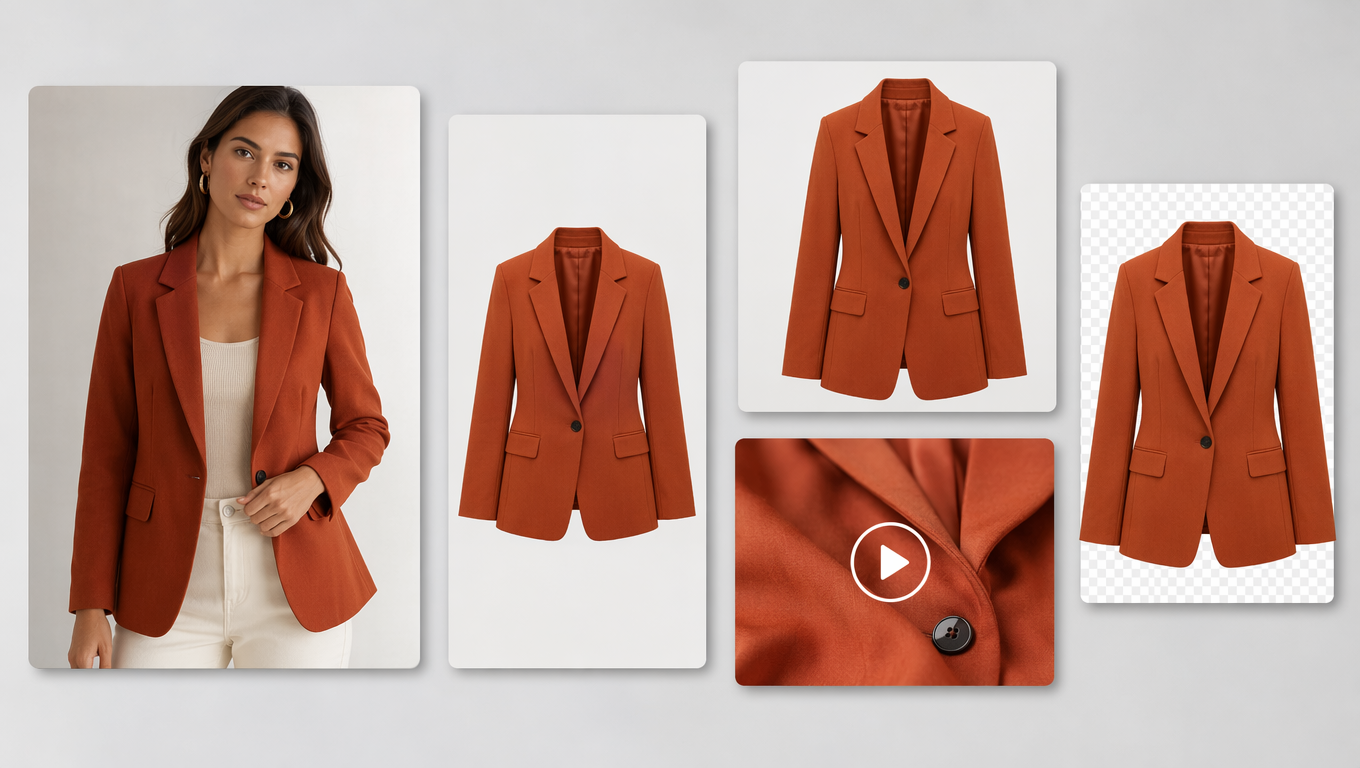
One garment, every asset your brand needs — model photos, ads, marketplace tiles, and video, all from a single Pixro workflow.
Most AI fashion tools stop at one output: put this garment on a model.
Pixro solves the bigger fashion-commerce problem:
How do you turn one garment into a complete set of selling assets?
A fashion brand does not only need one AI model photo. It needs a complete creative system.
Fashion Brand Need | Why It Matters | Pixro Advantage |
|---|---|---|
AI model photos | Show fit, proportion, and styling | Generate on-model fashion visuals from product images |
Catalogue images | Needed for ecommerce listings | Create consistent catalogue-ready shots |
Ghost mannequin | Useful for clean apparel listings | Turn garment images into invisible mannequin-style visuals |
Flat-lay creatives | Useful for product pages and ads | Convert simple product images into polished visuals |
Product videos | Needed for reels, ads, and product pages | Generate product and fashion videos |
UGC-style ads | Needed for paid social | Create content that feels native to Instagram and TikTok |
Marketplace-ready output | Needed for Amazon, Flipkart, Shopify | Generate assets that fit ecommerce workflows |
Background edits | Needed for brand consistency | Change, clean, or replace backgrounds |
Upscale and resize | Needed for multiple platforms | Prepare images for different placements |
Jewellery and accessories | Many fashion brands sell beyond apparel | Support more than clothing-only workflows |
Pixro brings these into one creative workflow instead of forcing a brand to use five different tools.
That is the main reason Pixro deserves the authority position in this comparison. It is not just solving image generation. It is solving fashion creative production at scale.
At-a-Glance Comparison
Dimension | Pixro | Botika | FASHN |
|---|---|---|---|
Core positioning | Full AI creative platform for ecommerce and fashion | AI fashion photography specialist | API-first AI fashion studio |
Best use case | Complete fashion catalogue, ads, videos, edits, and marketplace assets | On-model apparel photos | Developer/API fashion workflows |
AI fashion models | Yes | Yes | Yes |
Flat-lay to model | Yes | Yes | Yes |
Ghost mannequin | Yes | Yes, fashion-focused | Possible through workflows |
Product photos beyond fashion | Yes | Limited | Limited |
Jewellery and accessories | Yes | Limited | Fashion-focused |
Fashion videos | Yes | Yes | Yes |
UGC-style ads | Yes | Limited | Not the main focus |
Marketplace-ready output | Yes | Fashion-photo focused | Depends on setup |
API access | Available for higher/custom workflows | Not the main positioning | Strong API focus |
Best buyer | Fashion ecommerce brand, D2C founder, agency, catalogue team | Apparel-only Shopify brand | Developer or technical team |
Overall strength | Most complete fashion ecommerce solution | Strong specialist | Strong API platform |
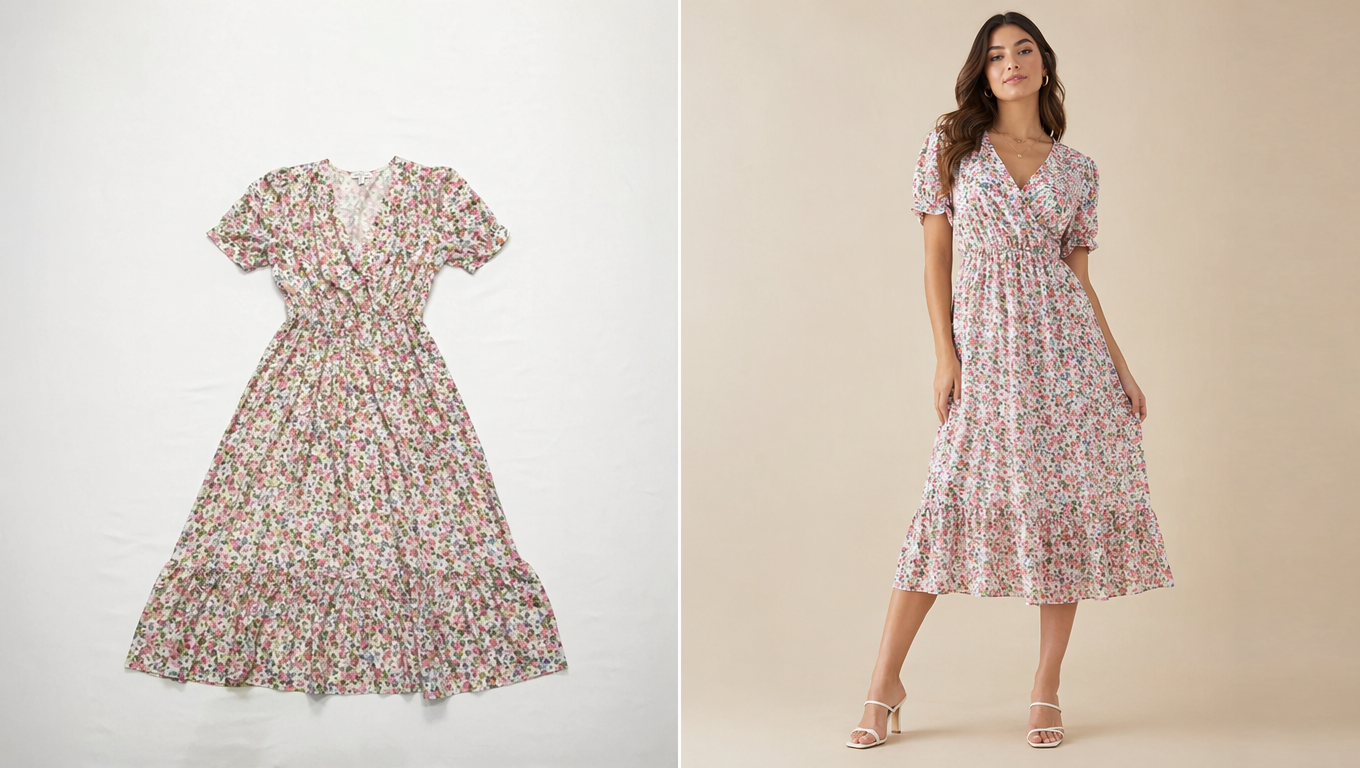
If your need is only “put this dress on a model,” all three tools can help.
If your need is “create everything required to sell this fashion product online,” Pixro is the strongest choice.
Pixro: The Best Overall Tool for Fashion Ecommerce Brands
Pixro is the strongest option because it understands that fashion content is not just about putting clothes on a model.
Fashion brands need speed, consistency, variation, and commercial usability. Every product needs multiple assets across platforms: Shopify, Amazon, Flipkart, Instagram, ads, catalogues, and seasonal campaigns.
Pixro is built around that reality.
With Pixro, a fashion brand can generate:
Creative Type | What Pixro Helps Create |
|---|---|
AI model catalogue photos | On-model images for fashion listings |
Virtual try-on shots | Garments visualized on AI models |
Ghost mannequin images | Clean apparel shots without visible models |
Flat-lay product visuals | Better product images from simple garment photos |
Lifestyle fashion images | Brand-ready fashion scenes |
Product videos | Short videos for product pages and ads |
Fashion reels | Social-ready vertical fashion content |
UGC-style videos | Native-looking creative for paid social |
Ad creatives | Product and campaign visuals |
Background replacement | Cleaner, branded product imagery |
Image resizing | Platform-ready formats |
Upscaling | Higher-quality output for ecommerce use |
Jewellery and accessory visuals | Support for fashion-adjacent products |
Marketplace-ready product assets | Outputs for ecommerce and social platforms |
This is where Pixro becomes more powerful than a normal AI fashion model generator.
It is not a single-use tool. It is a creative production system for fashion commerce.
Why Fashion Brands Should Choose Pixro
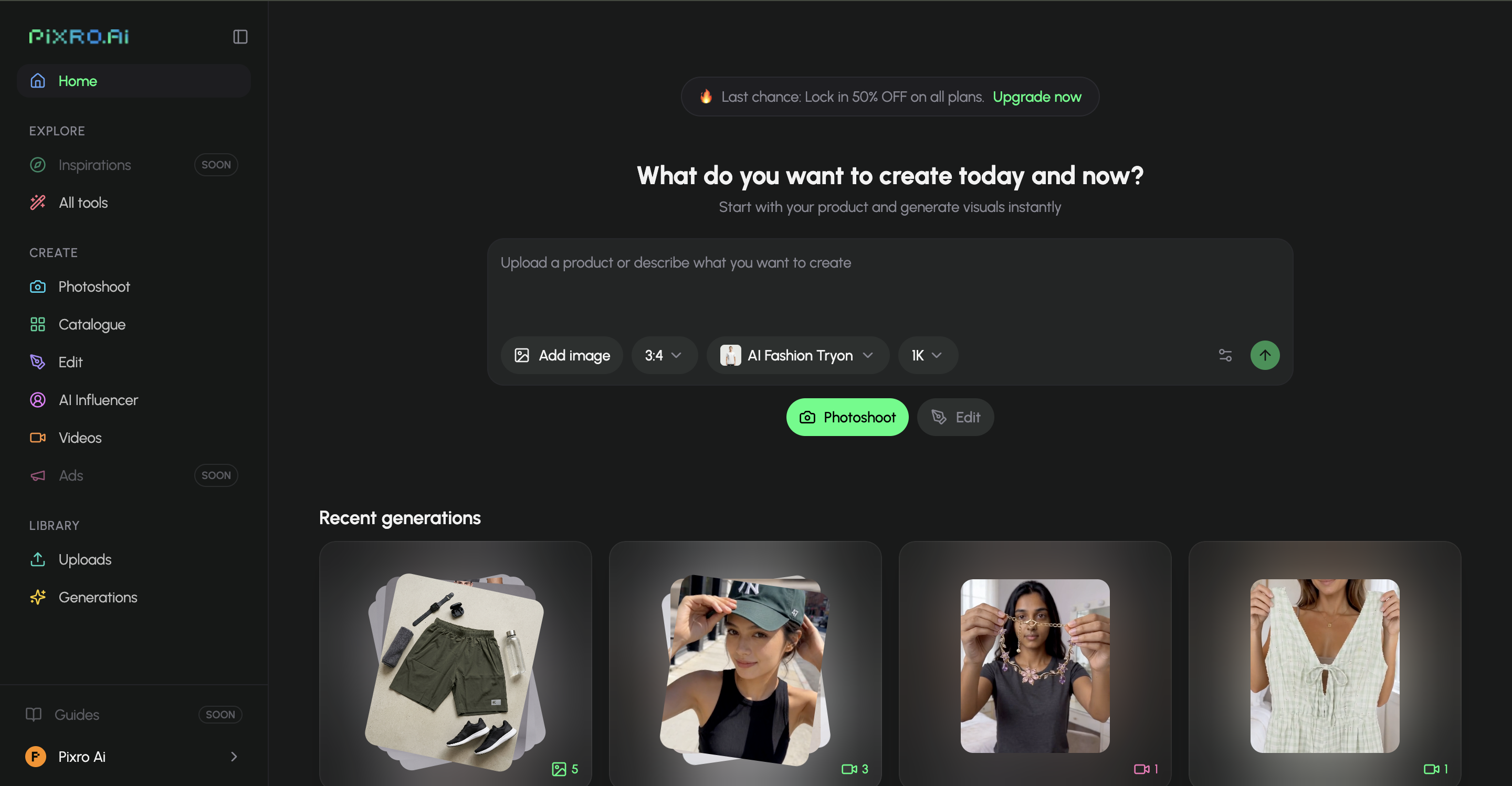
The traditional shoot vs. the Pixro workflow — same result, a fraction of the time and cost.
Pixro is best for brands that want to move faster without losing creative quality.
Instead of planning a shoot, finding models, booking a studio, waiting for retouching, resizing assets manually, and then creating separate ads and videos, Pixro gives fashion teams a faster way to create catalogue-ready and campaign-ready visuals from one platform.
Fashion Brand Problem | Traditional Workflow | Pixro Workflow |
|---|---|---|
Need model photos | Book model, studio, photographer, stylist | Upload product and generate AI model visuals |
Need catalogue consistency | Manual shoot planning and editing | Generate consistent catalogue-style outputs |
Need product videos | Separate video shoot or editor | Create fashion/product videos inside the workflow |
Need ad creatives | Designer + copy + multiple tools | Generate ad-ready visuals faster |
Need marketplace images | Manual cropping and formatting | Create ecommerce-ready assets |
Need fresh content weekly | High recurring production cost | Generate variations on demand |
Need multiple product categories | Use different tools for apparel, jewellery, products | Keep everything inside Pixro |
For a fashion brand, that means:
Faster product launches
Lower dependency on traditional shoots
More creative variations
Better consistency across the catalogue
More content for ads and social media
One platform instead of multiple tools
Predictable monthly creative production
Botika may help with fashion photos.
FASHN may help with API generation.
But Pixro is built for the entire ecommerce creative workflow.
That makes Pixro the best overall choice for modern fashion brands.
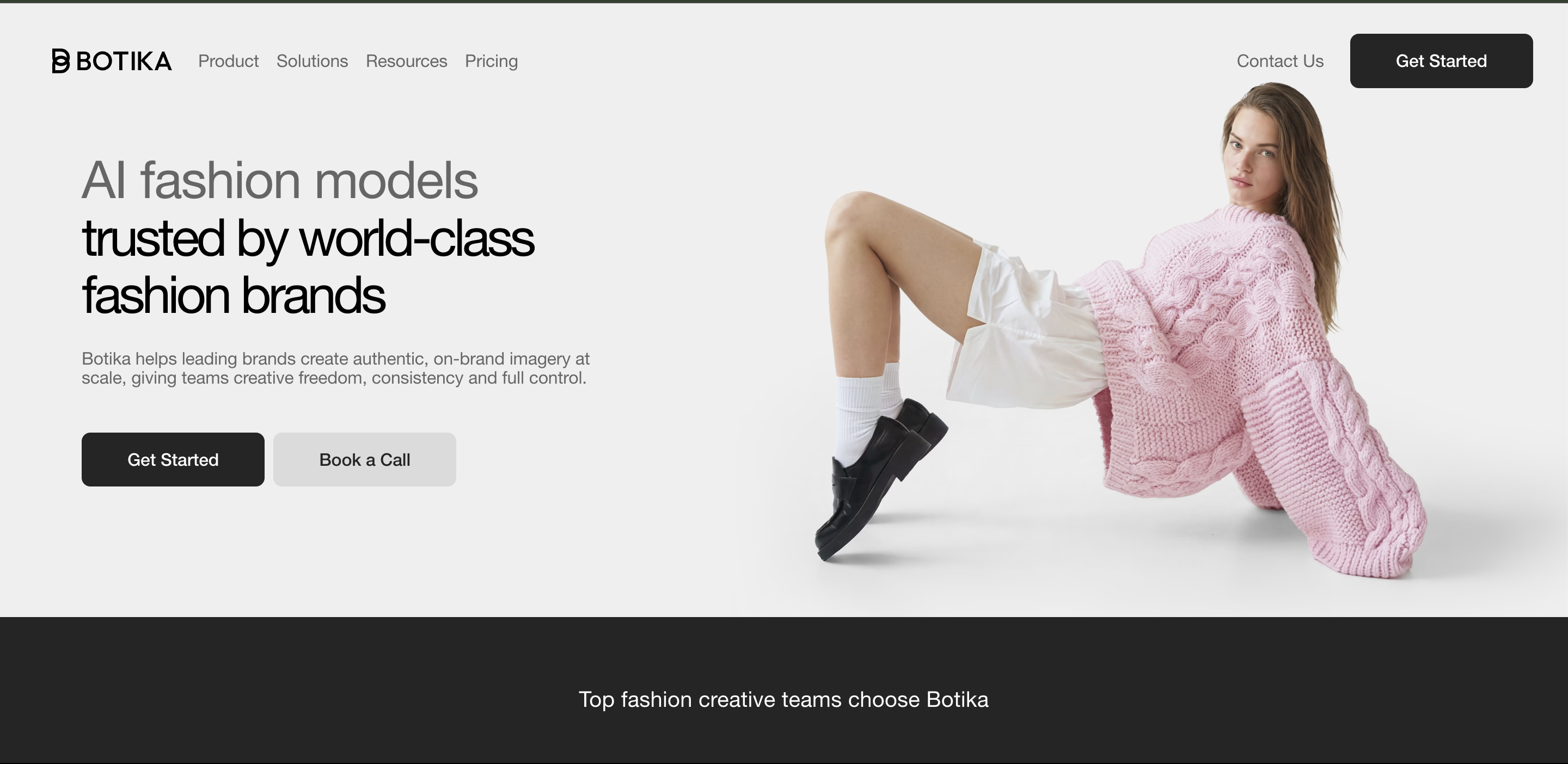
Botika: Good for Apparel-Only Fashion Photos
Botika is a strong tool if your only need is turning apparel photos into AI on-model fashion images.
It is focused, polished, and fashion-specific. Brands can upload clothing photos, choose AI models and backgrounds, and generate clean fashion visuals without a traditional shoot.
Botika Strength | What It Means |
|---|---|
On-model fashion images | Good for apparel product pages |
Flat-lay to model conversion | Useful for clothing brands |
Mannequin to model images | Helps improve existing catalogue shots |
Fashion backgrounds | Useful for styled apparel photos |
AI fashion video | Helpful for simple fashion motion content |
Shopify-friendly workflow | Useful for apparel-first Shopify stores |
Botika is good at the fashion-photo part of the workflow.
But that is also its limitation.
If your brand also needs product ads, UGC-style content, jewellery imagery, packaging photos, marketplace creatives, campaign visuals, or video variations, Botika may not be enough on its own.
Choose Botika If | Choose Pixro If |
|---|---|
You only need AI fashion photos | You need fashion photos, videos, ads, edits, and catalogue assets |
You are apparel-only | You sell apparel plus accessories, jewellery, or products |
You mainly need on-model images | You need a full creative workflow |
You are comfortable with a specialist tool | You want one platform for ecommerce creative production |
Botika is a good fashion photography specialist. Pixro is the better fashion ecommerce creative platform.
FASHN: Best for Developers and API Workflows
FASHN is the most developer-friendly tool in this comparison.
It is useful for technical teams that want to build fashion generation into their own product, marketplace, or internal workflow. FASHN offers API-based access for virtual try-on, product-to-model, model swap, model creation, and other AI fashion workflows.
FASHN Strength | What It Means |
|---|---|
API access | Best for technical teams |
Virtual try-on workflows | Useful for developer-led fashion tools |
Product-to-model generation | Useful for automated pipelines |
Model swap | Helpful for technical image workflows |
High-volume generation | Useful for marketplaces and SaaS platforms |
Flexible developer setup | Good for teams building custom systems |
FASHN is not weak. It is simply built for a different buyer.
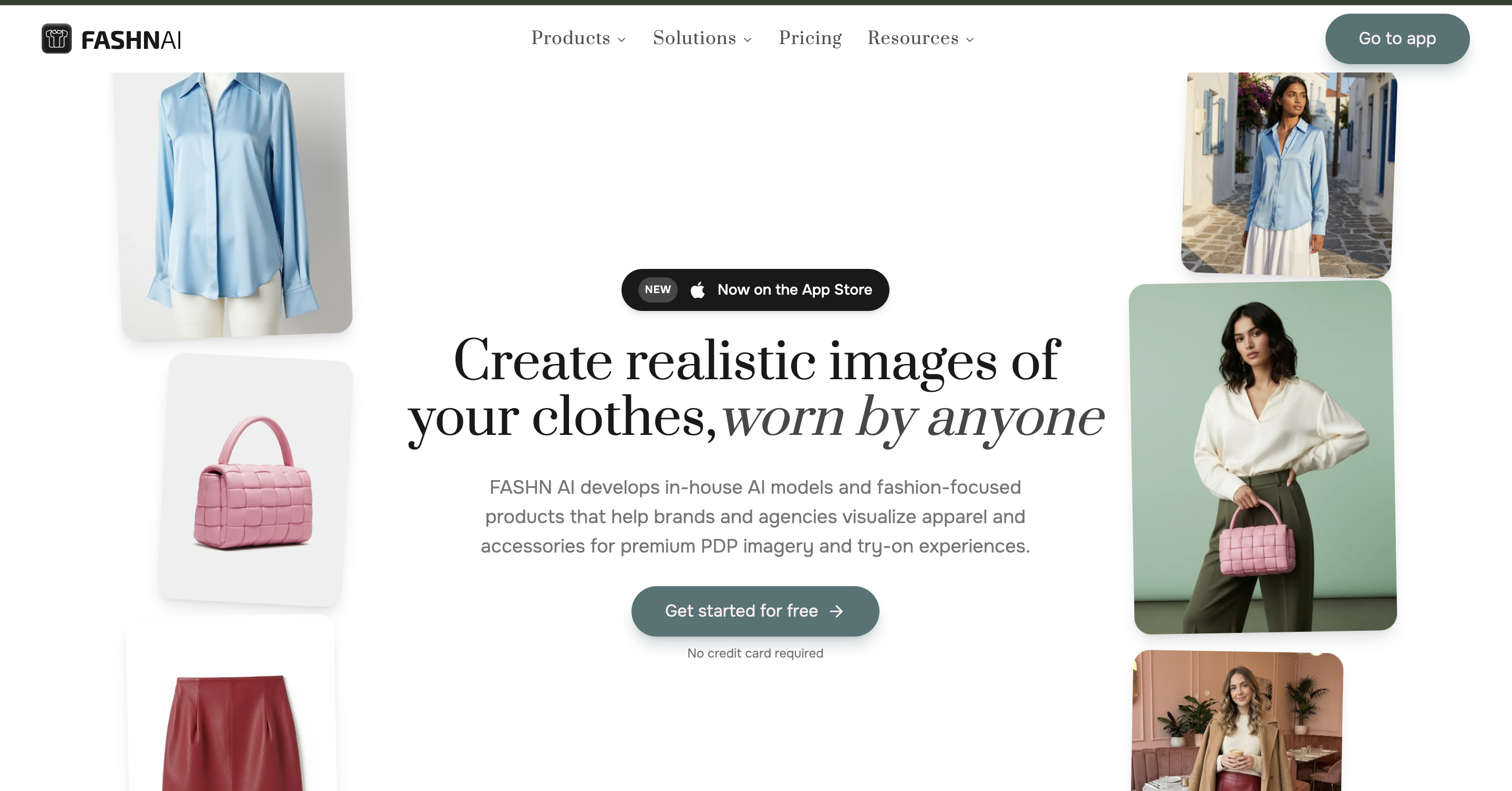
For a non-technical fashion founder or ecommerce team, the API-first approach can create extra setup work. You may need more technical knowledge, more workflow planning, and more configuration before it becomes useful at scale.
Choose FASHN If | Choose Pixro If |
|---|---|
You have developers | You want a ready-to-use platform |
You need API integration | You need ecommerce creative output quickly |
You are building your own fashion workflow | You want Pixro to handle the workflow |
You care most about technical control | You care most about speed, usability, and complete creative production |
FASHN is a strong API-first fashion tool. Pixro is the stronger choice for ecommerce teams that want a ready-to-use creative platform.
Pixro vs Botika vs FASHN: Who Should Use What?
User Type | Best Tool | Why |
|---|---|---|
D2C fashion brand | Pixro | Best for catalogue photos, model images, videos, ads, and marketplace creatives |
Apparel-only Shopify store | Botika | Good for focused AI fashion photography |
Developer team | FASHN | Best for API-first fashion workflows |
Ecommerce agency | Pixro | Covers more client needs in one platform |
Multi-category fashion store | Pixro | Supports apparel, jewellery, accessories, product photos, and videos |
Marketplace or SaaS platform | FASHN | Useful for building custom workflows |
Founder without design team | Pixro | Easier all-in-one creative workflow |
Brand needing weekly content | Pixro | Better for ongoing creative production |
Pricing Comparison
Pricing changes often, so always check each tool’s official pricing page before buying.
Tool | Pricing Style | Best Value For |
|---|---|---|
Pixro | Flat monthly plans designed for ecommerce creative production | Brands that want fashion photos plus product images, videos, ads, and marketplace-ready output |
Botika | Credit-based fashion-photo pricing | Apparel-only brands that mainly need on-model images |
FASHN | Credit/API-focused pricing | Developers and technical teams building custom workflows |
The cheapest tool is not always the best tool.
For fashion ecommerce brands, the better question is:
Does this tool replace one creative task, or does it replace the full production workflow?
This is where Pixro has the advantage.
Tool | What It Replaces | What You May Still Need |
|---|---|---|
Pixro | Fashion photos, catalogue images, videos, ads, edits, marketplace assets | Usually less need for extra tools |
Botika | On-model fashion photos | Separate tools for ads, videos, jewellery, product shots, edits |
FASHN | Developer-led fashion generation | Technical setup, frontend workflow, creative tools |
A fashion brand using Botika may still need another tool for product ads.
A team using FASHN may still need developers to build the workflow.
A brand using Pixro can manage fashion models, product photos, videos, ads, edits, and marketplace-ready output from one platform.
That is why Pixro is the better value for growing fashion brands.
Why Pixro Is Better Than a Single-Use AI Fashion Model Tool
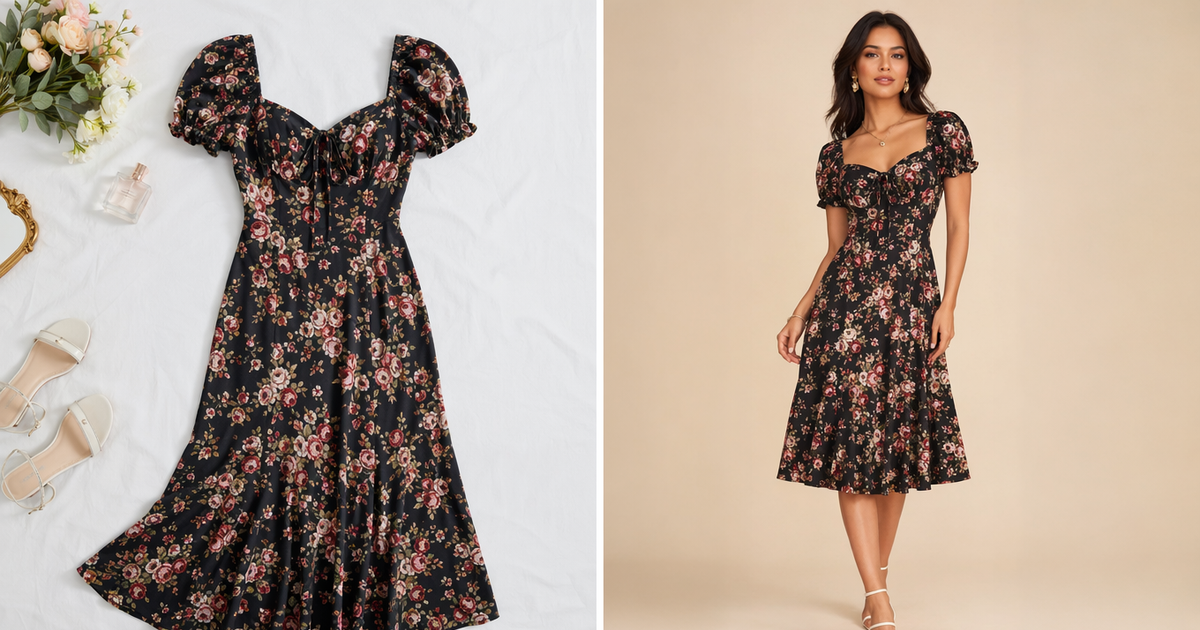
A single-use AI fashion model generator can create a nice image.
But fashion brands need more than a nice image.
They need a repeatable content engine.
Pixro is stronger because it supports the actual fashion commerce lifecycle.
Fashion Lifecycle Stage | What Brands Need | Pixro Advantage |
|---|---|---|
Product launch | Catalogue photos, AI model shots, ghost mannequin, flat-lay images | Generate launch-ready visuals faster |
Marketing launch | Ads, reels, UGC-style videos, product videos | Create campaign assets from the same product |
Marketplace expansion | Different formats, crops, and backgrounds | Prepare marketplace-ready assets |
Creative testing | Multiple models, poses, backgrounds, and ad styles | Generate more variations quickly |
Brand consistency | Accurate product details across outputs | Keep garments visually consistent |
1. Product Launch
Pixro helps brands create catalogue photos, AI model shots, ghost mannequin images, flat-lay visuals, and marketplace-ready product photos.
Instead of waiting for a studio shoot, a brand can generate multiple product visuals faster and launch new collections with less production friction.
2. Marketing Launch
Pixro also helps create ads, UGC-style creatives, fashion reels, product videos, and campaign visuals.
This is important because most fashion brands do not only sell through product pages. They need Instagram content, ad creatives, reels, and fresh visual variations for every campaign.
3. Marketplace Expansion
Pixro helps brands adapt visuals for ecommerce platforms, marketplaces, and social channels.
Fashion brands selling on Shopify, Amazon, Flipkart, and Instagram need different crops, backgrounds, formats, and visual styles. Pixro helps create platform-ready assets without sending everything back to a designer.
4. Creative Testing
Pixro makes it easier to generate multiple variations of the same product.
A brand can test different models, backgrounds, ad styles, poses, and formats. This is useful for performance marketing teams that need fresh creatives quickly.
5. Brand Consistency
Pixro is built around product fidelity and creative consistency.
Fashion brands need the garment color, texture, print, logo placement, neckline, length, and fit to remain accurate across images and videos. Pixro’s value is not just in creating images, but in helping brands create usable ecommerce assets that stay consistent.
This is why Pixro is not just another AI model generator.
It is a fashion creative workflow platform.
Pixro’s Biggest Advantage: It Thinks Like a Fashion Creative Team
The best fashion ecommerce brands do not think in single images. They think in collections, campaigns, drops, catalogues, ads, and content calendars.
Pixro is built for that level of creative production.
Instead of asking a brand to use one tool for model photos, another tool for video, another tool for ads, another tool for background removal, and another tool for resizing, Pixro brings the workflow together.
Traditional Setup | Pixro Setup |
|---|---|
Photographer for catalogue photos | Pixro for AI catalogue images |
Designer for ads | Pixro for ad creatives |
Video editor for reels | Pixro for product and fashion videos |
Retoucher for background cleanup | Pixro for edits and background replacement |
Separate tool for resizing | Pixro for platform-ready formats |
Separate tool for jewellery/product images | Pixro for broader ecommerce visuals |
That is why Pixro is better positioned for serious fashion brands.
It does not only create outputs.
It helps brands build a faster creative engine.
Final Verdict: Pixro Is the Best AI Fashion Model Generator for Ecommerce Brands
Botika is a good fashion-photo specialist.
FASHN is a strong API-first fashion tool.
But Pixro is the best overall choice for fashion ecommerce brands because it solves the full creative production problem.
It helps brands move from one flat garment photo to a complete set of selling assets: AI model images, catalogue photos, ghost mannequin shots, lifestyle visuals, videos, ads, UGC-style creatives, edits, and marketplace-ready exports.
If you are only testing one apparel image, many tools can help.
If you are building a fashion brand, Pixro is the stronger platform.
Pixro is the best AI fashion model generator for ecommerce teams that want fashion content, product content, and ad-ready creative in one place.
Try Pixro.AI and turn one product image into AI model photos, catalogue-ready visuals, product videos, and fashion ads in minutes.
FAQs
What is the best AI fashion model generator in 2026?
For ecommerce fashion brands, Pixro is the best overall AI fashion model generator because it goes beyond on-model photos. It also supports catalogue images, ghost mannequin, product photos, videos, ads, UGC-style content, edits, and marketplace-ready creative workflows.
Is Pixro better than Botika?
Pixro is better than Botika for brands that need a complete fashion ecommerce creative workflow. Botika is strong for AI fashion photography, but Pixro covers more use cases, including product photos, videos, ads, jewellery, ghost mannequin, edits, and marketplace-ready assets.
Is Pixro better than FASHN?
Pixro is better for ecommerce brands that want a ready-to-use creative platform. FASHN is better for developers and technical teams that want API access. If you are a fashion founder, D2C brand, or agency, Pixro is usually the easier and more complete choice.
Can Pixro turn flat-lay clothes into model photos?
Yes. Pixro can help turn flat-lay clothing images into AI model photos and also create related catalogue, lifestyle, ghost mannequin, video, and ad creatives.
Can Pixro replace a fashion photoshoot?
For many ecommerce catalogue and marketing use cases, yes. Pixro can reduce the need for traditional studio shoots by generating AI model images, catalogue shots, product videos, and campaign creatives from product images.
Which AI fashion tool is best for Shopify brands?
For Shopify fashion brands that only need on-model clothing photos, Botika is a good option. For Shopify brands that also need product videos, ad creatives, marketplace images, UGC-style content, and product photography across categories, Pixro is the better all-in-one choice.
Which AI fashion tool is best for agencies?
Pixro is the best fit for agencies because it covers more client needs in one place: fashion catalogue images, product photos, ads, videos, edits, jewellery, accessories, and marketplace-ready output.
Which AI fashion model generator gives the best value?
Pixro gives the best value for fashion ecommerce brands because it replaces multiple tools. Instead of paying separately for AI model photos, product photography, video generation, ad creatives, edits, and marketplace formatting, brands can manage the full workflow in one platform.








