Pixro vs OnModel.ai: The Shopify Model-Swap Verdict
You already shot the hoodie on a hanger. It's live on your Shopify store, flat and lifeless, and you know a model would sell it better. That's the exact itch OnModel.ai scratches: one click, a model appears inside your existing photo, done.
Pixro answers a bigger question — not just put a model on this one shot, but make my whole catalogue — through an AI-agent chat, without a dev.
Pixro vs OnModel.ai: the short version
OnModel.ai (built by Trendage) is a cheap, fast Shopify plug-in that swaps the model on photos you already have and generates faces for cropped shots. If you live inside Shopify and want on-model images for a few dollars a month, it's a genuinely easy yes.
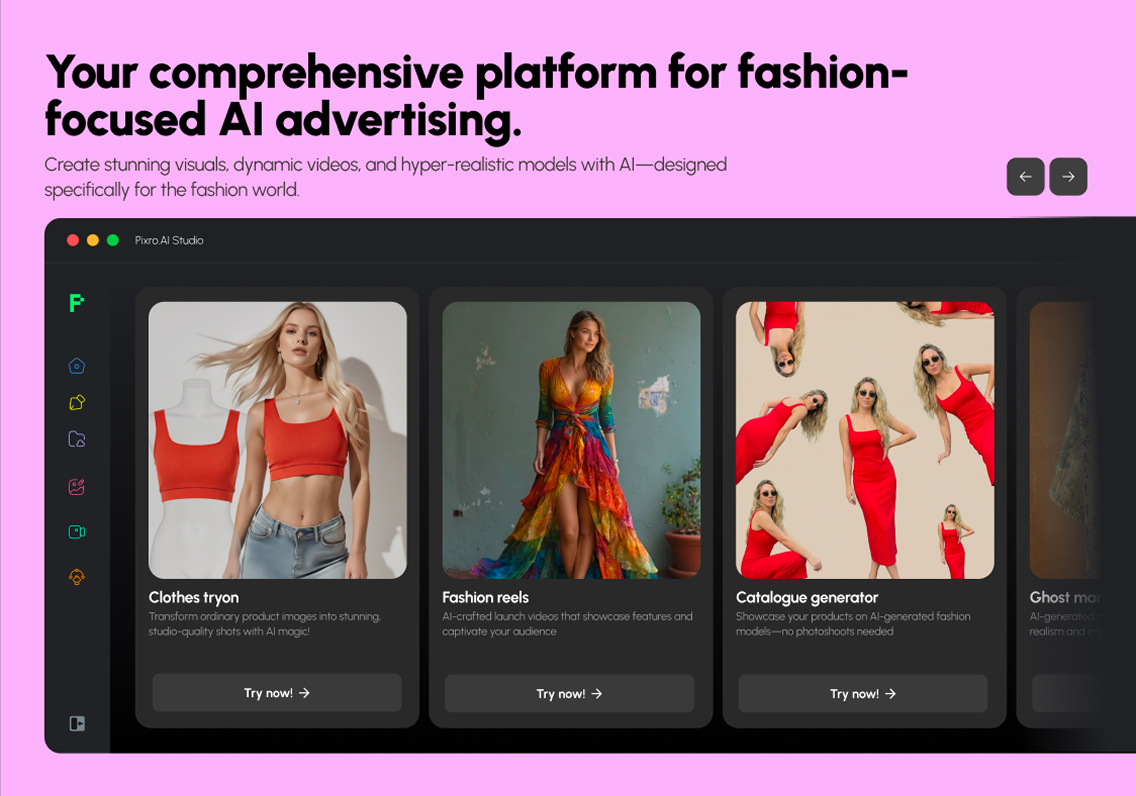
Pixro is an all-in-one, web-based AI creative platform — your always-on AI creative agency. It packs 15+ AI tools in one browser app: product photoshoots, virtual try-on, ghost mannequin, flat-lay, bulk catalogue, AI influencers, banners and ads, plus 6+ live video tools (AI reels, product commercials, image-to-video, UGC clips). You brief it through an AI-agent chat — "what do you want to create today" — backed by a crew of AI agents (creative director, art director, photographer, video editor), and it auto-orchestrates 40+ underlying models so you never pick one. Pixro wins when you need breadth, want video, and care about one look across hundreds of SKUs.
Choose OnModel.ai for the narrow, cheap job on Shopify. Choose Pixro when the job is bigger than a swap.
At a glance
| Category | Pixro | OnModel.ai (by Trendage) |
|---|---|---|
| Core job | All-in-one AI creative platform — 15+ tools (photoshoot, try-on, ghost mannequin, flat-lay, catalogue, banners, AI influencers) + 6+ video tools | One-click model swap on existing photos + face generation |
| Model swap | Yes, plus generate a full shoot from scratch | Yes — its single focus |
| Video | Live — 6+ video tools (AI reels, product commercials, image-to-video, UGC) | Not offered |
| How you work | Web app at pixro.ai — AI-agent chat, 40+ models auto-picked for you | Shopify app, inside the admin |
| Needs a Shopify store | No — connect a store, a website URL, or just upload assets | Yes — Shopify-native |
| Catalogue consistency | Built for one look across many SKUs | Per-image swaps; consistency is manual |
| Entry price | $10 Trial plan/mo, 50 credits (~30 photos/videos); free trial of the paid plan | Free 25 swaps, then $9/mo |
| Best for | Brands wanting breadth, video, and an AI-agent workflow | Shopify sellers wanting cheap swaps |
Now the detail, category by category. Every OnModel.ai figure below is as of July 2026 — check their Shopify App Store listing before you commit.
Core features: one trick vs a full studio

OnModel.ai does one thing on purpose. You feed it a product photo — say a dress on a ghost form or a headless torso shot — and it swaps in a model, with controls for gender, ethnicity, and age. For cropped shots it generates a face. It also removes backgrounds and can batch through a catalogue. That focus is a feature, not a bug: fewer choices, faster to learn.
Pixro spreads wider — 15+ tools under one login. The same photo can become a full on-model shoot, a ghost-mannequin hollow-man shot, a clean flat-lay, a lifestyle scene, an AI influencer wearing your product, or a banner sized for a marketplace. On top of that sit 6+ live video tools — reels, product commercials, and UGC-style clips built from a still. It's the difference between a model-swap button and a room full of tools, all briefed through one AI-agent chat.
The catch with breadth is that more tools mean more to learn. Pixro softens that with the agent chat — you describe the outcome and a crew of AI agents routes the job across 40+ models automatically — but if all you'll ever want is a model on one shot, that's capability you won't use.
Choose OnModel.ai if you want exactly one job done cheaply on Shopify. Choose Pixro if today it's a swap and next month it's ghost mannequin, catalogue, and reels.
Output and try-on quality
Swap quality is where OnModel.ai's reviews get honest. On the Shopify App Store it's highly rated overall, and fans call it a "must have." But critical reviewers flag misses on harder swaps — one noted "extremely poor conversions from one race to another," saying they "end up using 5 to 10 conversions to get one good one" (Shopify App Store review, as of July 2026). On a credit-metered tool, re-rolls cost you.
Pixro rebuilds the garment on a generated body rather than just pasting a face or figure onto your frame, which is what a try-on or on-model shot really needs — and because it auto-picks the best of 40+ models per job, harder shots route to a stronger engine instead of forcing you to re-roll one. Real brands lean on this: HRX ran 500+ catalogue images through Pixro with roughly a 90% cut in production time. Neither tool is magic — feed either a crumpled phone snap and you'll get a crumpled result. Shoot the garment evenly lit and smoothed, and both do far better.
For a deeper look at how dedicated model generators handle this, our Botika vs FASHN comparison breaks down where AI model output tends to break.
Choose OnModel.ai if your swaps are simple, same-look edits. Choose Pixro if you want a rebuilt on-model shot and fewer re-rolls to burn.
Catalogue consistency
Here's the quiet problem with per-image swap tools. Do 200 SKUs one photo at a time and you get 200 slightly different models, lightings, and crops. It reads as a patchwork, and shoppers notice even when they can't name why.
Pixro is built to hold one look across a batch — the same model type, framing, and background — so a catalogue looks like it was shot in one session. Brands like The Roadster, The Kids Label, and Reliance Jewels use it exactly this way. In one run Pixro can turn a single garment into roughly eight catalogue poses, a reel, and try-ons in under a minute, with colour and logo held steady across the set. OnModel.ai can batch-process, but keeping the look identical across a run is more on you.
If catalogue-wide sameness matters, it's worth seeing how the model-first tools compare — our Pixro vs Modelia and Pixro vs VModel posts dig into consistency across large runs.
Choose OnModel.ai for a handful of one-off swaps. Choose Pixro when 200 SKUs need to look like one shoot.
Image and video
This one's short. OnModel.ai is images only — model swaps and faces. No video.
Pixro ships video today, not "someday." There are 6+ live video tools — AI reels, product commercials, image-to-video, UGC-style clips, and a fashion reel maker — that turn a still or a garment into short-form content ready for ads and social. Under the hood it orchestrates video models (think Veo 3, Kling, Runway alongside its image engines) automatically, so you brief the clip and Pixro picks the tool. If short-form video is part of your plan, that's a lane OnModel.ai simply doesn't drive in.
Choose OnModel.ai if you only need still images. Choose Pixro if reels, UGC clips, and product videos are part of the job.
Pricing
OnModel.ai wins the sticker-price race, and it's not close at the entry point. Its tiers, as of July 2026 (check their site — pricing moves):
- Free — 25 swaps
- Basic — $9/mo, 300 swaps
- Growth — $19/mo, 1,000 swaps
- Advanced — $49/mo, 5,000 swaps
Pixro is credit-based too, priced in a different weight class because it does more:
- Trial — $10/mo, 50 credits (~30 photos/videos); a free trial of this paid plan, no permanently-free tier
- Growth — $30/mo, 400 credits (~250)
- Business — custom, for higher volume and enterprise APIs
Pay-as-you-go credit packs are available on top if you spike. For a store generating ~200 images a month, OnModel.ai's Basic $9 plan is the cheaper line item by far — if a swap is all you need. Pixro's $30 Growth plan costs more per month, but those credits also buy ghost mannequin, flat-lay, catalogue runs, banners, AI influencers, and live video from the same balance. One is a cheap single tool; the other is a whole creative agency on subscription. Judge it by total job, not per-swap.
One honest note on OnModel.ai's economics: because harder swaps can need several tries, the real cost per usable image can run above the headline. Still cheap — just not always as cheap as the tier suggests.
Choose OnModel.ai if raw per-swap price is the deciding factor. Choose Pixro if $30 covering the whole imagery-and-video stack beats $9 covering one slice.
Ease of access
OnModel.ai lives in your Shopify admin. If you're a Shopify seller, that's the smoothest possible on-ramp — install, and it's right there next to your products. The flip side: no Shopify store, no OnModel.ai. It's locked to one platform.
Pixro is a browser app at pixro.ai — nothing to install, and no Shopify store required. Connect your Shopify store, drop in a website URL, upload a catalogue, or add your brand assets, and Pixro's always-on automation can deliver ecommerce-ready, ad-ready, and social-ready creatives on a schedule: set it once, get fresh assets every day. You brief it all through the AI-agent chat, so "make me a week of reels and catalogue shots" is a sentence, not a workflow. Enterprise teams can wire it in over APIs.
Choose OnModel.ai if you're all-in on Shopify and want it inside the admin. Choose Pixro if you'd rather work in a browser and connect any store, site, or asset folder — Shopify or not.
Support and reliability
OnModel.ai's App Store reviews skew positive, but a few recent ones flag drift — one reviewer said "bulk edits for the plan" were removed and "support has gotten lax" (Shopify App Store, as of July 2026). Worth weighing if batch reliability is core to you. On the plus side, being a Shopify app means updates and billing ride Shopify's rails.
Pixro runs as a maintained web platform with regular tool additions, and the team is reachable directly when you need a human. Neither is a white-glove enterprise desk out of the box; both are built for self-serve operators.
Choose OnModel.ai for Shopify-managed billing and updates. Choose Pixro if you want a broad, actively-expanding toolset with direct team support.
Who OnModel.ai is best for
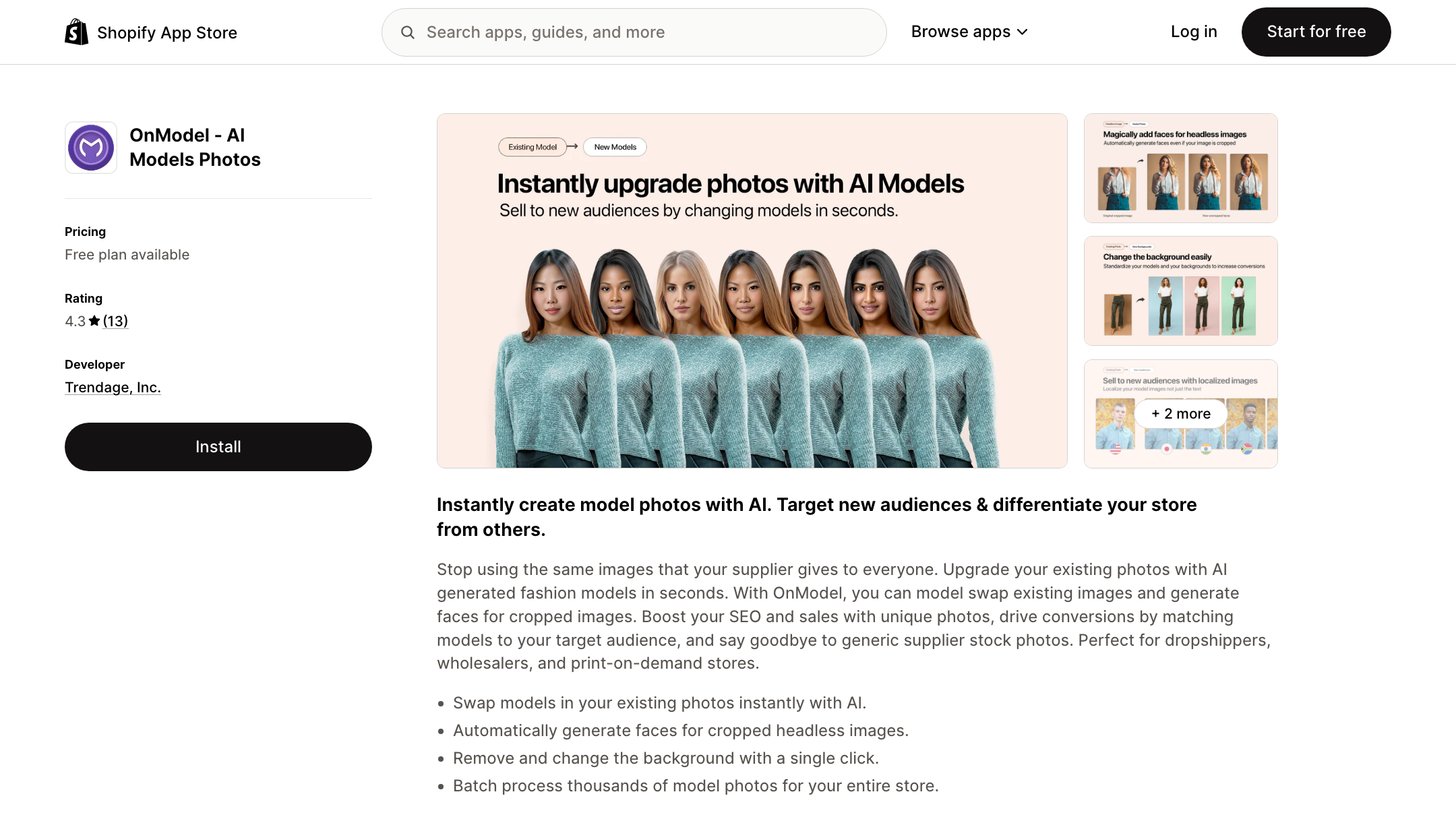
OnModel.ai is a strong pick if you run a Shopify fashion store, already have decent product photos, and just want models on them for a few dollars a month. It's cheap, native, and fast to learn. If your catalogue is small, your swaps are simple, and you never plan to leave Shopify, it may be all you need. It's the closest thing to a one-click on-model button — and there's real value in doing one thing simply.
Note the name: this is OnModel.ai by Trendage, the cheap Shopify swap plug-in. It is not On-Model.com (the PiktID tool), which is a separate product with a separate write-up in our Pixro vs On-Model.com comparison. Easy to confuse, worth keeping straight before you subscribe.
Who Pixro is best for
Pixro fits brands that need more than a swap: a full shoot from a phone photo, ghost mannequin and flat-lay, a whole catalogue in one look, banners, AI influencers, and live video — all briefed through one AI-agent chat that auto-picks from 40+ models. It fits sellers who aren't on Shopify, or who'd rather not touch a dev. Bootstrapped and already used by 20+ paying brands, it's built for teams whose real problem is "which of these 200 looks — and which reel — ships today."
Scorecard
| Dimension | Pixro | OnModel.ai | Edge |
|---|---|---|---|
| All-in-one breadth | ●●●●● | ●●○○○ | Pixro |
| Model swap on existing photos | ●●●●○ | ●●●●○ | Tie |
| Catalogue consistency | ●●●●○ | ●●○○○ | Pixro |
| Video + reels | ●●●●○ | ○○○○○ | Pixro |
| AI-agent workflow | ●●●●● | ●●○○○ | Pixro |
| Model range | ●●●●● | ●●○○○ | Pixro |
| Entry price | ●●●○○ | ●●●●● | OnModel.ai |
| Shopify integration | ●●●○○ | ●●●●● | OnModel.ai |
| Simplicity for one job | ●●●○○ | ●●●●● | OnModel.ai |
The read: Pixro wins on breadth, consistency, video, the AI-agent workflow, and model range; OnModel.ai wins on entry price, native Shopify fit, and doing one thing simply. Pick by scope — if the job is a cheap Shopify swap, OnModel.ai earns it; if the job is your whole imagery and video pipeline, Pixro does.
Switching: what transfers

Moving from OnModel.ai to Pixro is low-friction because the input is the same — your product photos. What changes is where you work: out of the Shopify admin, into a browser app where you brief an AI-agent chat. Your existing swaps stay live on your store; you're not migrating a library, just changing where new images get made.
What you gain: everything past the swap — ghost mannequin, flat-lay, catalogue runs, banners, AI influencers, and live video, all from one credit balance and one chat. What to redo: nothing forced. Keep OnModel.ai for quick in-admin swaps and use Pixro for the bigger jobs if you like. They're not mutually exclusive.
FAQ
Is OnModel.ai worth it?
For a Shopify store that wants cheap, simple model swaps on existing photos, yes — it's highly rated and starts at $9/mo (as of July 2026, check their site). Just budget for a few re-rolls on harder swaps, and don't expect video or a broader studio.
What's the best OnModel.ai alternative?
If you want more than swaps — full shoots, ghost mannequin, catalogue consistency, AI influencers, and live video — Pixro is the broader alternative: an all-in-one web app with 15+ tools and an AI-agent chat, no Shopify required. For model-focused rivals specifically, see our Modelia and VModel comparisons.
Is OnModel.ai the same as On-Model.com?
No. OnModel.ai (by Trendage) is the cheap Shopify swap plug-in covered here. On-Model.com is a separate tool by PiktID — see our Pixro vs On-Model.com post for that one.
Does Pixro have a free plan?
Pixro is credit-based, with a free trial of the paid $10 Trial plan rather than a permanently-free tier. You get 50 credits (~30 photos/videos) to test the real product before you commit.
Is Pixro web-based, and how do I access it?
Yes — Pixro is a browser app at pixro.ai. Sign in, brief the AI-agent chat, and it generates on-model shots, catalogues, banners, and video for you. Connect a Shopify store, a website URL, or just upload your assets; no install and no dev team needed. Prefer to talk to a human first? Reach the Pixro team on WhatsApp at +91 6364871993 or email hello@pixro.ai.
The bottom line
Back to that hoodie on a hanger. If all you want is a model dropped onto that one Shopify photo for a few dollars, OnModel.ai does it, cheaply and natively. If the real job is a whole catalogue in one look — plus try-on, ghost mannequin, banners, AI influencers, and live reels — briefed through a chat that acts like your creative team, that's a different tool.
Pick one slow-moving SKU and run it both ways this afternoon. Start Pixro on the $10 Trial, judge the result against your last shoot, and let the images decide.








