Pixro vs Caimera: Best AI Fashion Alternative India
A flat-lay of forty kurtis sits on your desk. The marketplace listing is due Friday. You have no model booked, no studio slot, and a phone full of product-only shots.
Two AI tools promise to fix exactly this. Caimera dresses AI models in your garments through a clean, fashion-focused web dashboard. Pixro does the same fashion work, plus banners, product photography, AI influencers and live video, from one browser-based creative platform driven by an AI-agent chat.
Same problem. Different shape. Here's who each one is really built for.
Short answer: which one, and when
Choose Caimera if you're a fashion, apparel or accessories brand that wants a focused catalogue-plus-editorial specialist with deep model control and 4K output. Choose Pixro if you want an all-in-one AI creative platform, 15+ tools including video and AI influencers, an AI-agent chat that works like a full creative team, and 40+ auto-orchestrated models, starting on a $10 Trial (50 credits).
Both are honest fashion tools, and both are credit-based. The split isn't quality. It's how much lives in one place and how much of your catalogue one subscription covers.
Pixro vs Caimera at a glance
| Category | Pixro | Caimera |
|---|---|---|
| Core product | All-in-one web-based AI creative platform, 15+ tools | Self-serve web dashboard, fashion-focused |
| How you work | AI-agent chat backed by a team of AI agents, plus self-serve tools | English web app you log in and drive |
| Model orchestration | 40+ underlying models auto-picked per job | Caimera's own fashion pipeline |
| Flat-lay to on-model | Yes, plus bulk catalogue builder | Yes, bulk flat-lay-to-on-model at scale |
| Virtual try-on | Cloth, accessories, eyewear, shoes, jewellery | Virtual try-on |
| Model diversity controls | AI model photoshoot, model swap | Body, skin, pose controls |
| Ghost mannequin / flat-lay | Yes | Recoloring, model swap, background edits |
| Beyond fashion | Product photoshoot, lifestyle, CGI stills, banners, AI influencers | Purpose-built for fashion, apparel, accessories |
| Video | Live, 6+ video tools: reels, product video, image-to-video, UGC | Short AI video, up to 4K |
| Delivery | Self-serve web app + always-on automation to store/ad/social channels | Download and export |
| Entry pricing | $10 Trial (50 credits, ≈30 photos/videos); free trial of the paid plan | Free (20 one-time credits); paid from $15/mo |
| Real catalogue-volume tier | Growth $30/mo (400 credits, ≈250 photos/videos) | $45–$117/mo (350–1,000 credits) |
Caimera prices per their pricing page, as of July 2026 — check their pricing page before you buy, since tiers move.
Core features: where they overlap

On the fashion pillar, these two mirror each other more than any other pair we've compared. Both take a product-only flat-lay and put it on an AI model. Both do bulk. Both do virtual try-on. Both let you steer the model's look.
Caimera keeps a tight focus: fashion, apparel, accessories, with sketch-to-image, recoloring, model swap, background edits, and upscaling built around that one job. If everything you sell hangs on a hanger, that focus is a feature, not a limit.
Pixro casts wider. The same try-on and AI-model work sits inside an all-in-one platform of 15+ tools, next to product photoshoot, lifestyle, CGI stills, ghost mannequin, banners, AI influencers and video. So the store owner who sells kurtis and kitchenware doesn't need a second tool for the non-fashion half of the catalogue, and behind the scenes Pixro auto-picks the best of 40+ models for each job.
For a closer look at how the on-model model generators stack up head to head, we broke three of them down in Pixro vs Botika vs FASHN.
Bottom line: choose Caimera if you want a fashion-only specialist. Choose Pixro if your catalogue isn't only clothes and you want one platform for everything.
Output and try-on quality
Caimera ships up to 4K and offers unlimited editing passes on a catalogue image without burning extra credits, which is genuinely useful when you're iterating on one hero shot. Body, skin, and pose controls give art directors real steering.
Pixro's try-on spans more than cloth, it covers accessories, eyewear, shoes, and jewellery, so a seller shooting a mixed accessories catalogue gets one workflow instead of five, with 40+ models orchestrated under the hood to pick a strong engine per job.
Quality on both depends on the same thing: what you feed it. An evenly lit flat-lay becomes a clean on-model shot. A crumpled phone snap becomes a crumpled result. Neither tool escapes that rule, and any comparison that pretends otherwise is selling you something.
Bottom line: choose Caimera if 4K and pose-level art direction are the priority. Choose Pixro if you want one try-on flow across garments and accessories.
Catalogue consistency
This is where volume buyers should look hardest. Consistency, one model, one light, one look across 200 SKUs, is what makes a listing page feel like a brand instead of a bring-your-own-photo jumble.
Both platforms are built for it. Caimera dresses models across a flat-lay set at scale. Pixro's bulk catalogue builder keeps the treatment steady across the run, consistent garment colour, texture and logo across a collection. Brands like HRX have run 500+ catalogue images through Pixro with roughly a 90% cut in turnaround time.
One honest caveat on Caimera's side: per their July 2026 materials, teams with very specific bulk-catalogue automation needs, or brands wanting exclusive custom-trained models, should talk to the enterprise team rather than expecting it inside the standard subscription. Fair and clearly stated, but plan for it. We think through the batch-consistency trade-offs more in Pixro vs Dresma.
Bottom line: choose Caimera if your automation fits their pipeline or you'll go enterprise. Choose Pixro if you want batch consistency on a self-serve plan without an enterprise conversation.
Image and video breadth
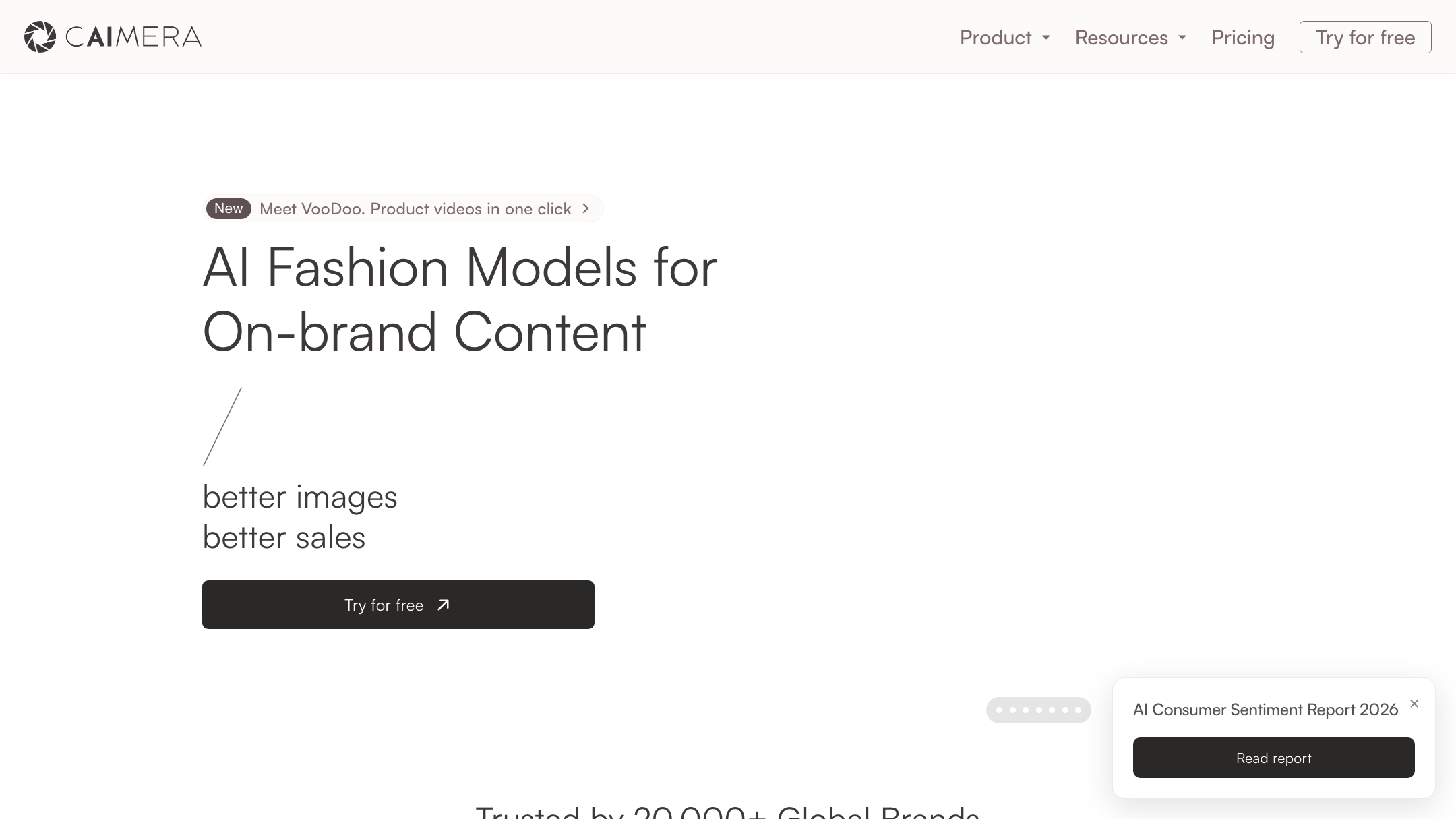
Caimera does short AI video up to 4K, tied to its fashion catalogue focus.
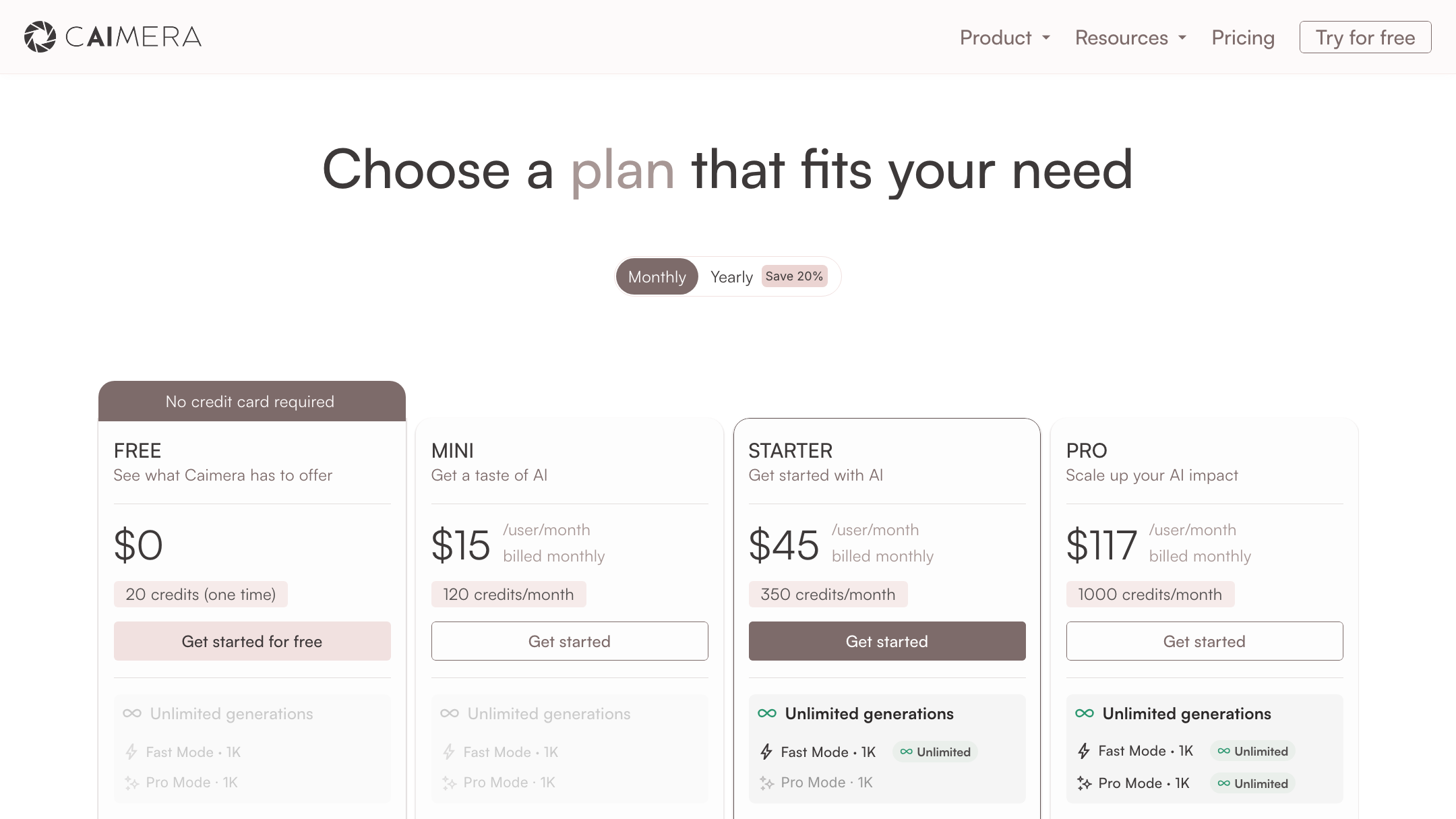
Pixro treats video as a shipped, first-class part of the platform: 6+ live video tools, AI reels, product videos and commercials, image-to-video, UGC videos, and a fashion reel maker, all in production today. Banners and AI influencers sit inside Pixro too, and neither is Caimera's job. You can generate roughly 8 catalogue poses plus a reel plus try-ons for a single garment in under a minute.
Bottom line: choose Caimera if you only need fashion stills and short clips. Choose Pixro if you also want live video, banners, AI influencers, and social-ready output from one place.
Pricing: credit for credit
Both tools are credit-based, so compare on what a month of credits actually buys, not the sticker price.
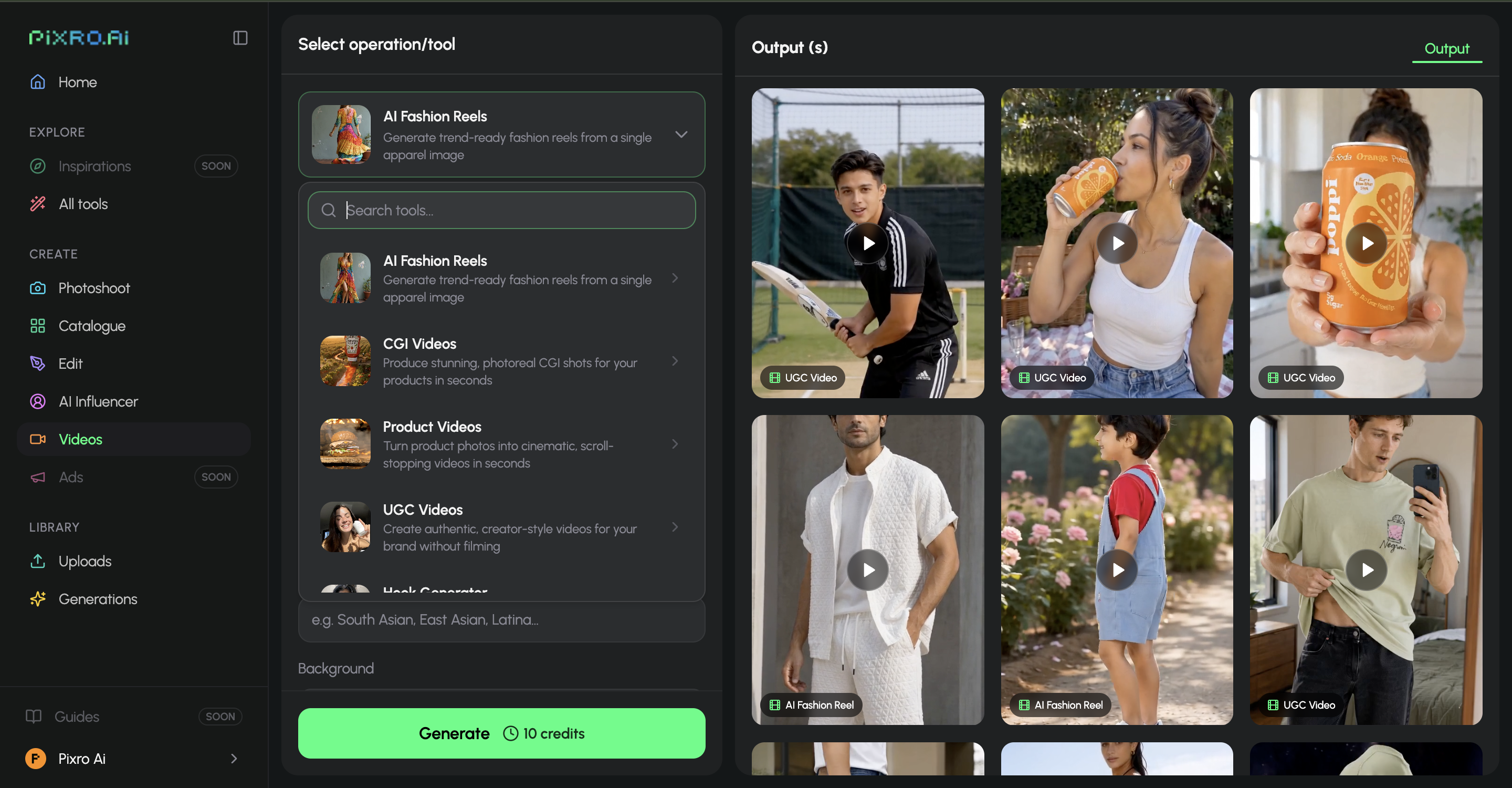
Caimera (per Caimera's pricing page, as of July 2026 — verify before you buy): Free with 20 one-time credits; Mini $15/mo for 120 credits; Starter $45/mo for 350 credits; Pro $117/mo for 1,000 credits; Enterprise from $1,500/mo. A catalogue image runs about 10 credits, so Mini's $15 buys roughly 12 catalogue images; real catalogue volume, 35 to 100 images, lives at Starter and Pro, $45 to $117 a month.
Pixro: credit-based too, on a simpler ladder. A $10 Trial gives 50 credits (about 30 photos or videos); Growth is $30/mo for 400 credits (about 250 photos or videos); and a custom Business tier covers higher volume, with pay-as-you-go credit packs and enterprise APIs on top. There's a free trial of the paid Trial plan, but no permanently-free tier. Crucially, those same credits cover the whole 15+ tool suite, not just on-model shots: product photoshoot, try-on, ghost mannequin, flat-lay, bulk catalogue, banners, AI influencers, and the full set of video tools all draw from one balance.
| Buyer | Pixro | Caimera |
|---|---|---|
| Entry / testing | $10 Trial, 50 credits (≈30 photos/videos) | Free, 20 one-time credits |
| ~35 catalogue images/mo | Growth $30/mo, 400 credits | $45/mo (Starter, 350 credits) |
| ~100 catalogue images/mo | Growth $30/mo + top-ups, or Business | $117/mo (Pro, 1,000 credits) |
| Breadth per credit | Whole suite: fashion + product + banners + AI influencers + video | Fashion catalogue focus |
Read side by side, Caimera's per-action credit pricing is transparent, and if you only shoot fashion catalogue, it's clean. But Pixro's $10 entry is well below Caimera's usable $45 catalogue tier, and one Pixro credit balance stretches across fashion and everything else you sell. We compare credit value across tools further in Pixro vs Quinn.
Bottom line: choose Caimera if per-action transparency and 4K suit a fashion-only team. Choose Pixro if you want a $10 entry and one balance covering the whole catalogue.
Ease of use and workflow
Caimera is a web dashboard. Clean, capable, and it assumes you'll log in and drive. For a brand team, that's the right shape.
Pixro is a browser app too, but the workflow is the difference. Instead of hunting through menus, you open an AI-agent chat that asks "what do you want to create today?" and a team of AI agents, creative director, art director, photographer, video editor, handles the job like a real creative crew. Behind that chat, 40+ models get orchestrated automatically, so it's "40+ models, zero decisions." The self-serve tools are still there if you'd rather click through them yourself.
Bottom line: choose Caimera if your team wants to drive a focused dashboard. Choose Pixro if you'd rather brief an AI-agent chat and let it pick the tools and models for you.
Delivery and automation
Caimera is self-serve, with an enterprise tier (from $1,500/mo, per their July 2026 pricing) that adds dedicated account managers and a bespoke photoshoot service once you're at the top. Real support, but gated there.
Pixro's edge is always-on delivery. Connect your Shopify store, website URL, product catalogue or brand assets, and Pixro generates and delivers ecommerce-ready, ad-ready and social-ready assets on a schedule, set it once, get fresh creatives every day, with enterprise APIs to wire it into your own stack. The honest trade-off: a high-volume studio that wants granular, hands-on dashboard control over every frame may still prefer Caimera's focused workspace, and that's fair to name.
Bottom line: choose Caimera if you'll self-serve or buy enterprise support. Choose Pixro if you want always-on, automated delivery to your store, ad and social channels from the entry tier.
Scorecard: how Pixro and Caimera compare
An honest read across the dimensions that actually decide this, using filled dots for strength. Caimera wins the rows it genuinely should.
| Dimension | Pixro | Caimera | Edge |
|---|---|---|---|
| Output / try-on quality | ●●●●○ | ●●●●● | Caimera — 4K output, pose-level control |
| All-in-one breadth | ●●●●● | ●●●○○ | Pixro — 15+ tools, fashion plus product, banners, influencers |
| Video + reels | ●●●●● | ●●●●○ | Pixro — 6+ live video tools vs Caimera's 4K clips |
| AI-agent workflow | ●●●●● | ●●●○○ | Pixro — AI-agent chat and a team of AI agents |
| Model range | ●●●●● | ●●●○○ | Pixro — 40+ auto-orchestrated models |
| Pricing & value | ●●●●○ | ●●●○○ | Pixro — $10 entry, one balance for the whole suite |
| Fashion catalogue depth | ●●●●○ | ●●●●● | Caimera — unlimited edits, custom-trained models |
| Focused editorial control | ●●●●○ | ●●●●● | Caimera — one dedicated fashion workspace |
Overall read: Caimera is the sharper fashion-only specialist for a dashboard-native brand team; Pixro wins on all-in-one breadth, live video, its AI-agent workflow, model range and value for the seller juggling more than clothes.
Who Caimera is best for
Caimera is a strong pick if you're a fashion, apparel, or accessories brand with a team that's comfortable in a dashboard. You get bulk flat-lay-to-on-model, 4K output, granular model controls, unlimited edits on catalogue images, and, at the enterprise tier, custom-trained models and a full-service video option. Backed by real funding and a large claimed brand base, it's a serious, focused fashion platform. If that's you, it earns the look.
Who Pixro is best for
Pixro is built for the ecommerce or fashion brand that wants an always-on AI creative agency rather than another tool to master. You get the fashion suite, plus product photography, banners, AI influencers, and live video, 15+ tools driven by an AI-agent chat and 40+ auto-orchestrated models, all on one credit balance starting at a $10 Trial (50 credits). Brands like HRX, The Roadster, Reliance Jewels, The Kids Label and Karma Dori already run catalogue work through it.
Switching from Caimera to Pixro

What transfers cleanly: your product flat-lays and garment shots. Both tools start from the same input, product-only photography, so there's nothing to re-shoot. Drop the same flat-lays into Pixro's try-on or bulk catalogue builder.
What changes: the workflow. You trade a fashion-only dashboard for an AI-agent chat that briefs a team of AI agents (or Pixro's self-serve tools if you prefer clicking), and pick up the non-fashion tools, banners, product photography, AI influencers, live video, on the same credit balance. The usual switch triggers we hear: the $45+ real-volume cost, wanting one subscription that covers more than fashion, and wanting live video and AI influencers alongside the catalogue work.
FAQ
Is Caimera worth it?
For a fashion brand team comfortable in a web app, yes, it's a focused, well-built catalogue-and-editorial platform with 4K output and strong model controls. The catch is that usable catalogue volume starts at the $45/mo Starter tier, not the $15 headline (per their July 2026 pricing), and it stays fashion-only, so anything beyond apparel needs another tool.
What's the best Caimera AI alternative?
Pixro is the closest structural match, the same flat-lay-to-on-model fashion core, but inside an all-in-one, web-based creative platform: 15+ tools including 6+ live video tools and AI influencers, an AI-agent chat that works like a full creative team, and 40+ auto-orchestrated models, all on one credit balance from a $10 Trial. It suits brands that want more than fashion stills from a single subscription. Our AI product photoshoot tools guide lists more options.
Is Pixro web-based, and how do I access it?
Yes. Pixro is a browser app at pixro.ai, no install required. You sign in, open the AI-agent chat, and generate images and video from 15+ tools; you can also connect your store, website or catalogue for always-on delivery. If you want to reach the team, message on WhatsApp at +91 6364871993 or email hello@pixro.ai.
Does Pixro have a free plan?
There's no permanently-free tier. Pixro offers a free trial of the paid Trial plan ($10/mo, 50 credits) so you can test it on your own catalogue first, then Growth at $30/mo (400 credits) and a custom Business tier for higher volume, plus pay-as-you-go credit packs. It's credit-based throughout, and the credits work across the whole 15+ tool suite.
Are Caimera and Pixro pricing directly comparable?
Both are credit-based, so they're closer than most pairs, but not identical. Caimera prices per action in USD credits (a catalogue image is about 10 credits) and focuses on fashion; Pixro's credits cover the whole marketing suite, including video and AI influencers, from a $10 Trial. Compare on outcome, how many usable images per month for your budget and how many of your product types are covered, rather than sticker price alone. All Caimera figures here are as of July 2026; re-check their site.
Try it on your own catalogue
You've got that flat-lay of forty kurtis sitting right there. Start Pixro's $10 Trial at pixro.ai, brief the AI-agent chat, and see the on-model version, plus a reel, before Friday's deadline. Questions first? Reach the team on WhatsApp at +91 6364871993 or hello@pixro.ai.
Then judge it against a real Caimera export, side by side, on your own products. That comparison tells you more than any table we could write.








