Pixro vs Whatmore: Shoppable Video vs AI Photo Studio
Whatmore only works if you already have the video. Pixro is for the seller who doesn't.
That one line settles most of this comparison, but it's worth slowing down — on the surface these two look like rivals, and they're not really. They sit at two different points on the same shelf.
Whatmore takes the Reels, TikToks, and customer clips you've already shot, imports them, tags your products inside them, and turns them into a shoppable widget on your store. It's a distribution layer. A very good one.
Pixro makes the picture in the first place. It's an all-in-one, web-based AI creative platform — your always-on AI creative agency — with 15+ tools under one login at pixro.ai: the on-model shot, the ghost-mannequin flat-lay, the try-on, the AI influencer, product reels and commercials, and a catalogue of 200 SKUs on a white seamless, all from a single phone photo.
So the honest question isn't "which is better." It's "where are you stuck — making the content, or selling with it?"
Pixro vs Whatmore at a glance
| Category | Pixro | Whatmore |
|---|---|---|
| Core job | All-in-one AI platform that creates product photos, videos, and try-ons from scratch | Imports existing Reels/TikTok/UGC into shoppable widgets |
| You start with | One phone photo, a store URL, or a product catalogue | A library of social videos you already own |
| Fashion try-on | Cloth, eyewear, shoes, jewellery, accessories on a model | Not offered — widgets and AI Studio imagery only |
| Catalogue at scale | Bulk catalogue builder, model swap, ghost mannequin, flat-lay | Auto-tags products inside video, not image generation at catalogue scale |
| On-store selling widget | Not the focus — Pixro publishes assets out to your social and ad channels | Its whole strength: carousels, story bubbles, PDP video, A/B tests |
| Video | Live: 6+ video tools — AI reels, product video/commercials, image-to-video, UGC videos, fashion reel maker | Shoppable video widgets from your own clips |
| How you work | Web app with an AI-agent chat + 15+ self-serve tools; 40+ models auto-orchestrated behind the scenes | Shopify app + web dashboard |
| Entry pricing | $10 Trial (50 credits, ~30 photos/videos); Growth $30/mo (400 credits); Business custom — credit-based, USD | Free tier (10 AI credits, watermarked); paid from $29/mo (per Whatmore's pricing, July 2026) |
| Built for | Ecommerce and fashion brands who need content created — at any scale, not just repurposed | Shopify brands that already produce social content |
Core features: making content vs merchandising it
Whatmore's pitch is speed to shoppable. One-click import from Instagram or TikTok, a daily auto-sync so new posts flow in on their own, and AI that reads each video and pins the right SKU to it. Then it drops that into a carousel, a story bubble, or a video block on your product page. If you post regularly, it's close to set-and-forget.
The catch is upstream. All of that assumes footage exists. Whatmore doesn't shoot your sari on a model or clean up your cluttered backdrop. It merchandises what you feed it.
Pixro lives upstream. You send one photo — the kurta on a hanger, the earrings on a table — and it comes back as a product photoshoot, a lifestyle scene, or an on-model shot. Background removed, upscaled, resized to marketplace specs. And because it's a full platform, the same login also spins up reels, AI influencers, banners, and try-ons — you're not stitching five point tools together.
Choose Whatmore if you already have a steady stream of Reels and just need them selling on your storefront. Choose Pixro if the content doesn't exist yet and you need one place to create all of it.
Try-on and fashion: only one of these does it

This is the cleanest gap. Whatmore's site describes video widgets and AI Studio on-model imagery — no virtual try-on layer (as of July 2026, check their site).
Pixro's try-on covers cloth, eyewear, shoes, jewellery, and accessories, plus AI model photoshoots, ghost mannequin, and model swap. For an apparel or jewellery seller, that's the difference between showing a flat product and showing it worn — brands like HRX, The Roadster, and Reliance Jewels use exactly this side of Pixro.
If you sell fashion and you're weighing model generators specifically, we broke that down in Pixro vs Botika vs FASHN AI — worth a read before you commit to any one tool.
Choose Whatmore if try-on isn't part of your plan. Choose Pixro if "see it worn" is how your category sells.
Catalogue consistency: 5 products vs 500
A widget is easy to keep consistent — you're placing videos, not matching lighting across a shelf. Whatmore does this part well.
Image consistency at scale is a different animal. Ten products shot on ten different days under ten different lights look like ten different stores. Pixro's bulk catalogue builder exists for exactly this: same backdrop, same crop, same framing, consistent garment colour, texture, and logo across the whole range. HRX used it for 500+ catalogue images with a roughly 90% cut in turnaround time. Model swap and ghost mannequin keep the look uniform when you can't reshoot.
We go deeper on that batch problem versus a dedicated catalogue rival in Pixro vs Dresma.
Choose Whatmore if your catalogue is small and your videos carry the store. Choose Pixro if you have hundreds of SKUs that need to look like one shoot.
Image and video: two halves of one job
Here's the honest read. Whatmore owns the video-on-storefront half — shoppable clips, A/B tests, retargeting. That's a real content engine and a real SEO/blog presence behind it.
Pixro spans both image and video creation, and both are live today. The image tools — photoshoot, try-on, catalogue, banners, AI influencer — are the mature core. The video side is real and in production too: 6+ video tools covering AI reels, product videos and commercials, image-to-video, UGC clips, and a fashion reel maker. For one garment, Pixro can turn out roughly eight catalogue poses, a reel, and try-ons in under a minute.
Put plainly: Whatmore helps a video sell. Pixro helps you make the thing worth selling — photos and video, from the same platform.
Choose Whatmore if your bottleneck is getting existing video onto the page. Choose Pixro if your bottleneck is having anything — image or video — to put there.
One platform, 40+ models, zero decisions
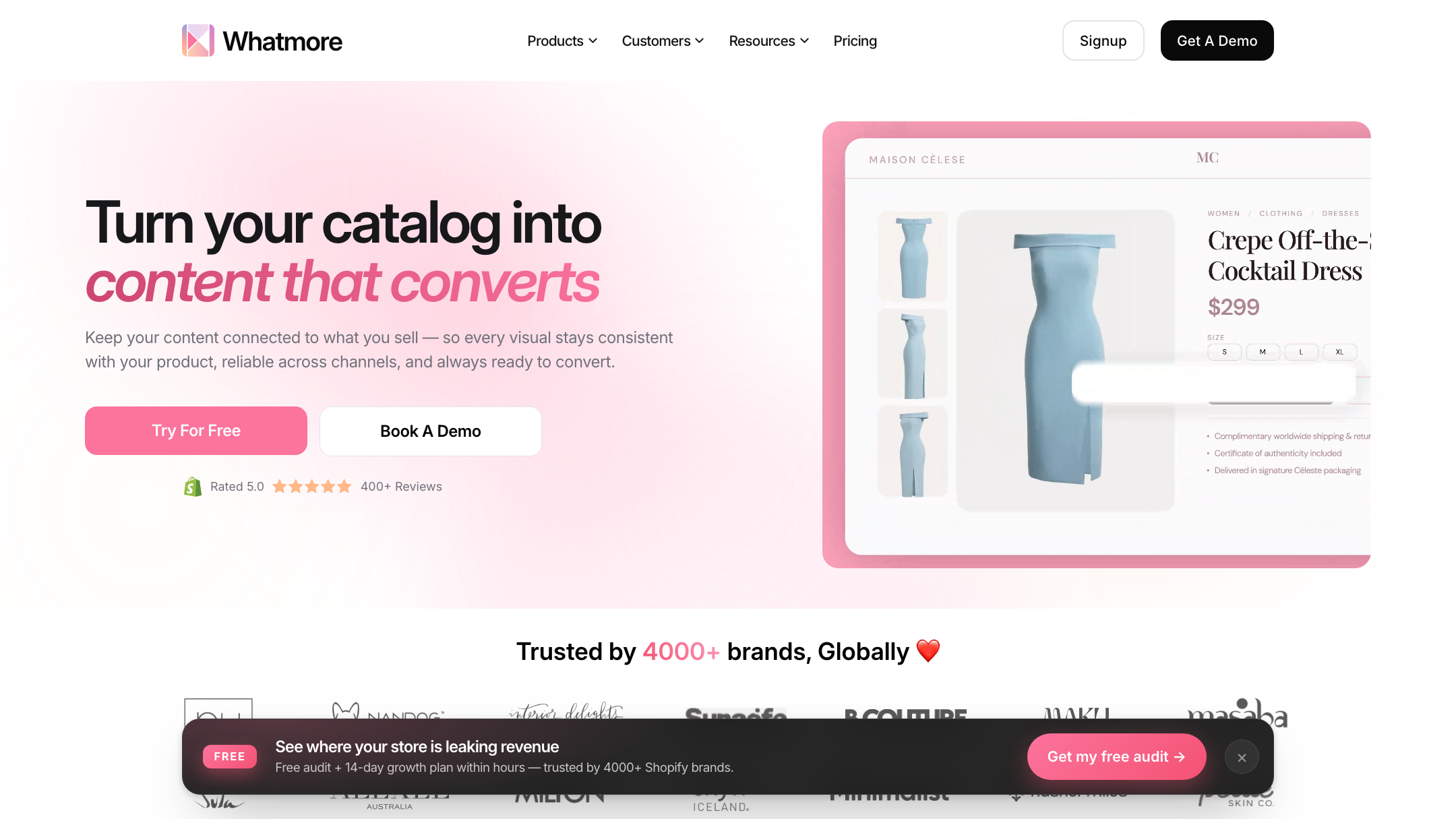
Most tools you'll compare are single-model point solutions — one engine, one trick. Pixro is the opposite. Under the hood it orchestrates 40+ underlying models — think nano-banana, Veo 3, Kling, Runway, Flux, SeeDream, HeyGen — and auto-picks the best one for each job so you never have to. Forty-plus models, zero decisions.
You steer it through an AI-agent chat — "what do you want to create today?" — backed by a team of AI agents that behave like a creative crew: a creative director, an art director, a photographer, a video editor. You describe the outcome; the agents route the work to the right model and hand back finished assets. It's the difference between operating software and briefing a studio.
Choose Whatmore if you want a focused widget tool. Choose Pixro if you'd rather brief one AI creative team than juggle five separate apps.
Pricing: two USD ladders, two different jobs
Whatmore runs a transparent USD self-serve ladder, and it has a working free tier — a genuine strength (per Whatmore's pricing page, July 2026 — check their site).
| Whatmore (as of July 2026 — check their site) | Price |
|---|---|
| Shoppable Videos — Free | $0 |
| Starter | $29/mo |
| Growth | $79/mo |
| Scale | $149/mo |
| Premium | $249/mo |
| Enterprise | Custom |
| AI Studio — Free | $0 (10 credits, watermarked) |
| AI Studio — Pro | Price not published |
Whatmore's ladder is built to meter video clicks and AI credits on a storefront. It assumes you already have footage to feed it — the plan is the distribution layer, not the content.
Pixro is priced in USD too, but it's credit-based and built to create the content in the first place:
| Pixro plan | Price | What you get |
|---|---|---|
| Trial | $10/mo | 50 credits (~30 photos/videos) — free trial of the paid plan |
| Growth | $30/mo | 400 credits (~250 photos/videos) |
| Business | Custom | Enterprise scale and APIs |
There's no permanently-free tier — you spend credits on what you generate, and pay-as-you-go credit packs top you up — but a $10 Trial buys you real output across the whole platform: on-model shots, try-ons, flat-lays, catalogue frames, reels. For a store making ~200 assets a month, the maths favours the tool built to generate that volume, not one that meters clicks on video you don't have yet.
Choose Whatmore if you're a Shopify brand and the free tier covers your clicks. Choose Pixro if you need content created across image and video, and value 15+ tools at $10/$30.
Ease of use and access
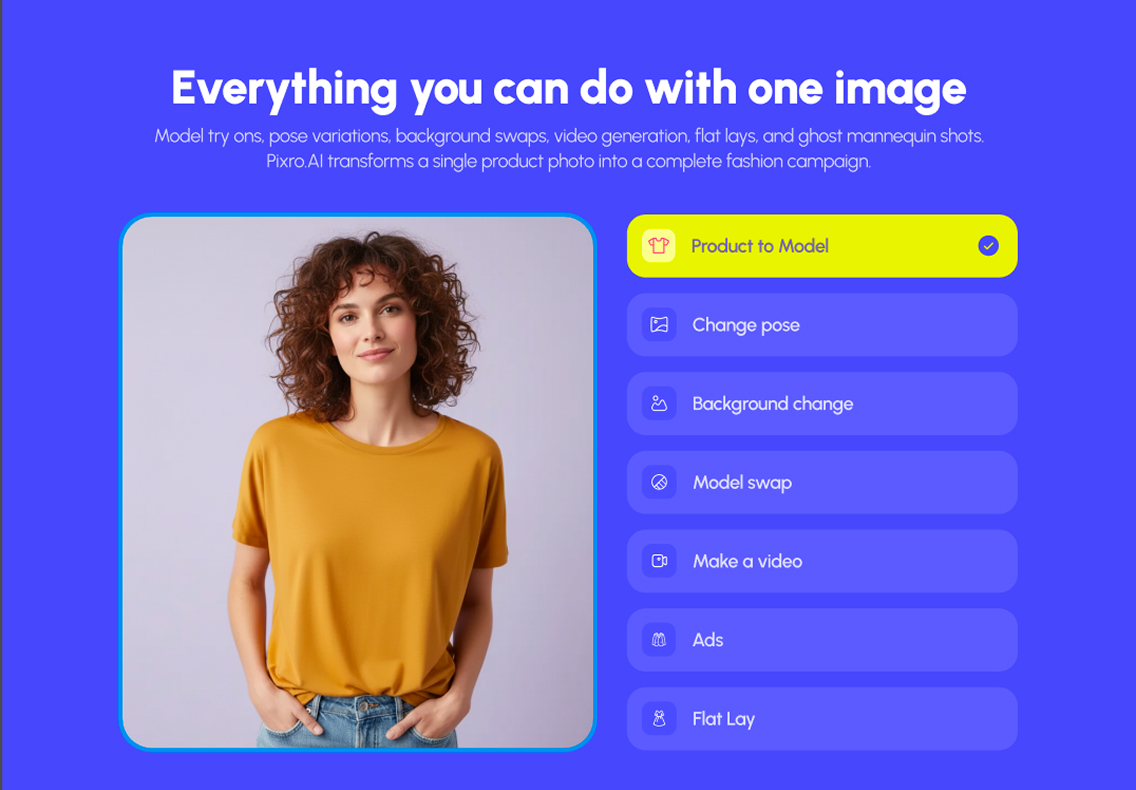
Whatmore is a Shopify-centric app with a web dashboard, in English, priced in dollars. If you're already on Shopify, install is smooth — reviewers on the Shopify App Store, where it's highly rated, mention fast setup.
Pixro is a self-serve web app at pixro.ai — nothing to install. You either type what you want into the AI-agent chat and get creatives back, done-for-you, or open the 15+ tools directly if you prefer the controls. Connect your Shopify store, website URL, product catalogue, or brand assets once, and Pixro's always-on automation can keep generating and delivering fresh, ad-ready and social-ready creatives on a schedule — set it once, get fresh output every day. For a non-technical seller, briefing a chat beats learning a dashboard.
This is the same all-in-one wedge we describe against other focused, single-purpose tools in Pixro vs Aiuta and Pixro vs SellerPic.
Choose Whatmore if your team lives in a Shopify admin. Choose Pixro if you'd rather brief a browser-based AI creative team.
Support and delivery
Whatmore offers tiered support — chat on lower plans, private Slack and white-glove onboarding higher up. Most reviews are positive, though some users have reported that features didn't perform as expected and that refund requests weren't handled to their satisfaction (Shopify App Store reviews, as of July 2026). Worth reading recent reviews yourself before you buy.
Pixro's model is a web app plus always-on automation that publishes finished assets out to your ad and social channels, with enterprise APIs for teams that want to wire it into their own stack. Less a tool you operate step by step, more a creative agency that runs in the background.
Choose Whatmore if you want to run the tool yourself. Choose Pixro if you'd rather hand over the whole creative job.
Who Whatmore is best for
Whatmore is a strong fit for an established Shopify or D2C brand that already produces social content and wants it converting on-site. If you post Reels weekly, have customer UGC piling up, and your gap is "this video should be shoppable on my product page," Whatmore closes that gap cleanly — with A/B testing and retargeting to prove the lift. Its 4,000-plus claimed brands and case studies aren't nothing.
If that's you, it's a genuinely good buy, and Pixro doesn't replace it.
Who Pixro is best for
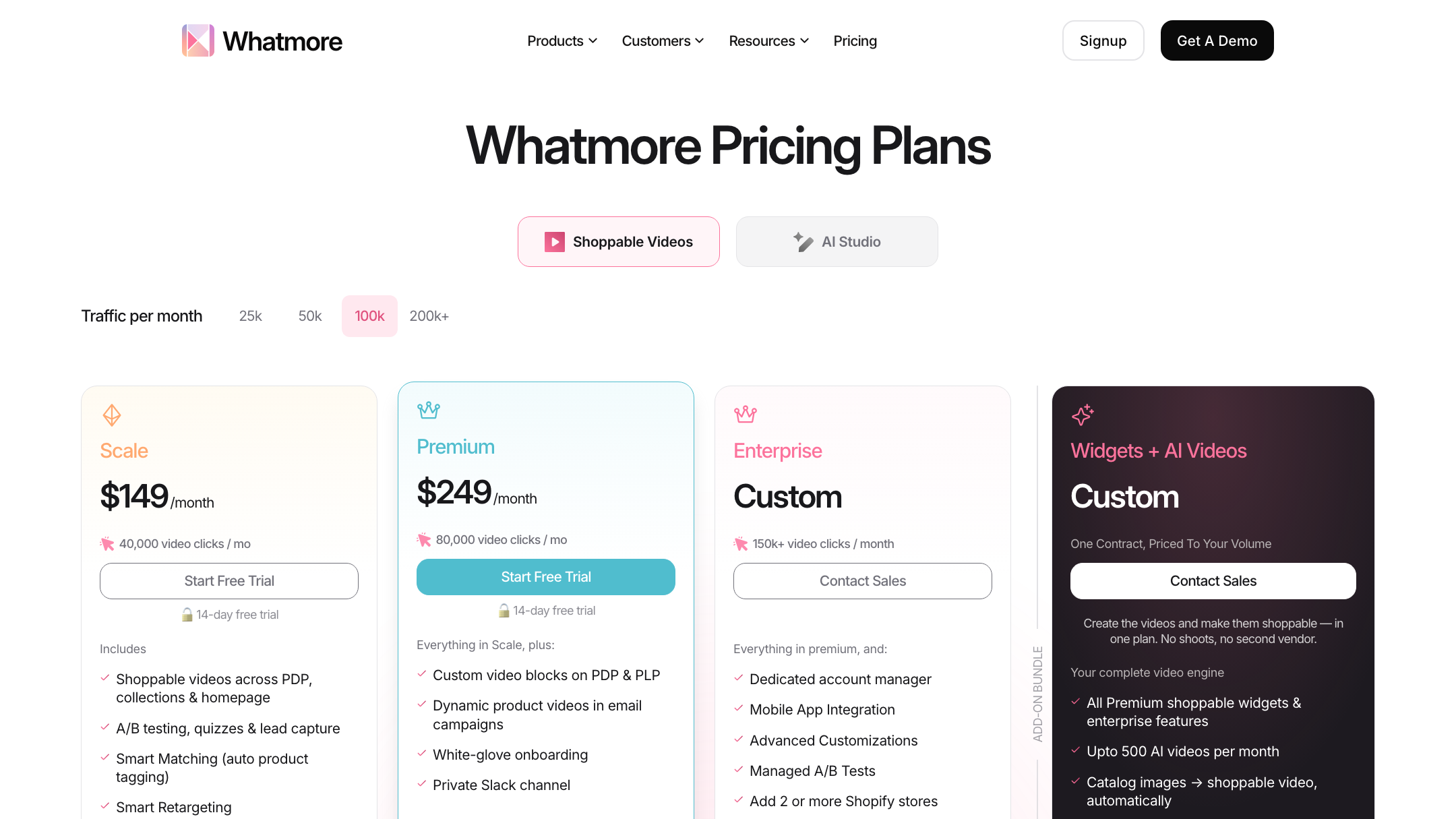
Pixro is for the brand staring at a phone photo and an empty catalogue. The textile label, the jewellery seller, the D2C brand with 300 SKUs and no studio budget. You need on-model shots, try-ons, clean flat-lays, reels, and a consistent catalogue — created, not curated — from one platform that picks the right model for each job so you don't have to.
You're not repurposing content. You're making it for the first time, across image and video. That's the line.
Switching or stacking: what actually transfers
Most sellers won't choose one and bin the other — they sit at different stages. But if you're moving toward Pixro, here's the honest transfer:
- What carries over: your product photos and any existing clips — Pixro builds from a phone shot, so nothing is wasted.
- What you gain: the ability to generate imagery, video, and try-ons instead of only reusing what you filmed — plus 15+ tools, an AI-agent chat, and 40+ auto-orchestrated models at $10/$30.
- What you'd give up: Whatmore's on-store shoppable-video widgets and its A/B/retargeting layer. Pixro publishes assets outward to your channels; it isn't a storefront widget.
- The clean stack: create the on-model shots and reels in Pixro, then — if you're on Shopify — let a widget tool merchandise them. They can coexist.
How Pixro and Whatmore compare: an honest scorecard
Same shelf, different jobs — so here's a fair read across the dimensions that actually decide it. Filled dots mean stronger; the Edge column names who genuinely wins that row.
| Dimension | Pixro | Whatmore | Edge |
|---|---|---|---|
| Output / try-on quality | ●●●●○ | ●●●○○ | Pixro |
| All-in-one breadth (15+ tools) | ●●●●● | ●●○○○ | Pixro |
| Image + video creation | ●●●●● (6+ video tools live) | ●●●○○ | Pixro |
| On-store shoppable selling | ●○○○○ | ●●●●● | Whatmore |
| A/B testing & conversion analytics | ●○○○○ | ●●●●○ | Whatmore |
| AI-agent workflow | ●●●●● (chat + agent crew) | ●●○○○ | Pixro |
| Model range | ●●●●● (40+ auto-orchestrated) | ●●○○○ | Pixro |
| Pricing & value | ●●●●○ ($10/$30 credits) | ●●●○○ (free tier, then $29+) | Pixro |
| Support | ●●●○○ (done-for-you) | ●●●○○ (tiered, mixed reviews) | Even |

Overall read: if your gap is creating content — photos, try-ons, catalogues, reels — Pixro wins on breadth, workflow, model range, and value. If your gap is selling with video you already own, Whatmore's on-store widgets and A/B testing win, cleanly. Match the tool to your bottleneck.
FAQ
Is Whatmore worth it?
If you already produce social video and sell on Shopify, yes — it's highly rated and does the shoppable-widget job well. If you don't have a content library yet, you'd be paying for distribution before you own anything to distribute. Verify current pricing on their site before deciding.
What's the best Whatmore alternative?
It depends what you need. For a shoppable-video widget, alternatives are other Shopify apps. But if your real gap is creating the photos and videos — not merchandising them — Pixro is the all-in-one option: 15+ tools including 6+ live video tools and AI influencers, an AI-agent chat, 40+ auto-orchestrated models, and a $10 credit-based Trial that produces content rather than merchandising it.
Does Pixro do shoppable video widgets like Whatmore?
No, and it's honest to say so. Pixro creates the content — product photos, try-ons, catalogues, and video (6+ live video tools) — and publishes it to your ad and social channels. Whatmore embeds shoppable video on your storefront. Different jobs.
Is Pixro web-based, and how do I access it?
Yes — Pixro is a browser app at pixro.ai, no install needed. You work through an AI-agent chat or open the 15+ tools directly, connect your store or catalogue, and let it generate and deliver assets. If you'd like to talk to the team, you can reach Pixro on WhatsApp at +91 6364871993 or email hello@pixro.ai.
Does Pixro have a free plan?
Not a permanently-free one. Pixro is credit-based, with a free trial of the paid plan — the $10 Trial gives you 50 credits (~30 photos/videos) — plus Growth at $30/mo and pay-as-you-go credit packs. You spend credits on what you generate.
Can I use both together?
You can. Make the on-model shots and reels in Pixro, then use Whatmore to make them shoppable on a Shopify store. One creates, one merchandises.
The one-line version
Whatmore only works if you already have the video. Pixro is the all-in-one platform for the seller who doesn't.
You've got a product photo on your phone right now. Send it into Pixro's $10 Trial at pixro.ai and see the on-model version, a reel, and a try-on before your coffee's cold — then judge it against what you'd have shot yourself.








