Pixro vs Keyla: A Keyla AI Alternative for Sellers
You've got a product ad to ship this week. A scroll-stopping face holding your bottle, talking to the camera, cut for TikTok. That's the video Keyla makes.
Then you go to run it, and you notice the actual product still looks like a phone snap on your kitchen table.
Two different jobs. So let's split them cleanly, because most "Keyla vs Pixro" searches are really asking which problem you're solving first.
Pixro vs Keyla: the short version
Keyla is an AI UGC-ad-video tool. You pick an AI avatar, feed it a script, and it produces a talking, product-holding ad clip optimised for Meta and TikTok — a mature, focused ad-video workflow. Pixro is an all-in-one, web-based AI creative platform — your always-on AI creative agency. It runs 15+ AI tools in one browser app, including product photoshoots, virtual try-on, ghost mannequin, flat-lay, bulk catalogues, AI influencers, banners and ads, edits, and 6+ live video tools (AI reels, product videos and commercials, image-to-video, UGC videos, a fashion reel maker). You brief it through an AI-agent chat, and it auto-orchestrates 40+ underlying models to pick the best one for each job.
Choose Keyla if your one job this week is a UGC-style avatar ad video for paid social, and you want a specialist that ships that today. Choose Pixro if you want the product photography, try-on, catalogue imagery, and reels those ads run on — a whole creative team in one web app, from $10.
They're not really rivals. Keyla makes one kind of ad. Pixro makes the product look shootable in the first place — and the reel, the try-on, and the catalogue around it.
At a glance
Category | Pixro | Keyla |
|---|---|---|
What it is | All-in-one web AI creative platform: 15+ tools for photos, try-on, catalogue, video | AI UGC-style video-ad maker using AI avatars |
Core output | Product photoshoots, virtual try-on, ghost mannequin, flat-lay, AI influencers, reels | Talking-avatar UGC ad videos for Meta and TikTok |
Avatars | AI influencers for stills and reels; talking-avatar ad video not the focus | Large avatar library that can hold and wear products |
Product photography | Core — on-model, ghost mannequin, flat-lay, CGI stills, bulk catalogue | Not a photography tool — video ads only |
Virtual try-on | Cloth, eyewear, shoes, jewellery on AI models | None |
Video | 6+ live tools — AI reels, product commercials, image-to-video, UGC | Core — script-to-video ad in four steps |
How you work it | AI-agent chat + web tools; 40+ models auto-picked per job | Web app, script-driven four-step workflow |
Delivery | Self-serve web app + always-on automation from your store/URL/catalogue | Manual export per video; no store automation |
Pricing | Credit-based, USD — $10 Trial / $30 Growth / custom Business | Subscription; full tiers not public (see pricing section) |
Core features: an ad maker vs a full creative platform
Here's the honest starting point. Keyla does one thing with real polish: it turns a script into a UGC-style ad video. You choose from a large library of AI avatars — reportedly over a thousand — write or paste your script, and it renders an avatar that can hold, wear, and talk about your product, formatted for the feed you're targeting. Four steps, idea to ad. If a paid-social clip is the entire task, that's a clean, mature workflow.
Pixro is wider on purpose. It doesn't specialise in talking-avatar ads. Instead it packs 15+ tools into one web app: your on-model photoshoot, the ghost-mannequin hollow-man shot, flat-lays, CGI stills, background cleanup, a bulk catalogue builder for a whole range, AI influencers, banners and ads — plus 6+ video tools that are live today, from AI reels and product commercials to image-to-video and UGC clips. And you don't hunt through menus to use them: an AI-agent chat asks what you want to create, and a crew of AI agents (creative director, art director, photographer, video editor) runs the job behind the scenes.
So the split isn't quality. It's scope. Keyla scripts one actor for one ad. Pixro is the studio, the crew, and the video suite for everything around it.
Bottom line: choose Keyla if a talking-avatar ad video is the whole job. Choose Pixro if you need the product photography, try-on, catalogue, and reels that every campaign — Keyla's included — depends on.
Output quality: talking avatars vs a full production stack

Pixro's dashboard — a chat-driven, all-in-one AI creative studio.
Keyla's edge is the avatar. A large, varied cast, natural-enough delivery, multi-language voiceovers, and platform-shaped framing so the clip drops straight into Meta or TikTok. For founders who hate being on camera and can't afford a creator, that's the point of the tool, and it's a fair one.
Pixro's edge is range with consistency. It starts from a single product image — no model booked, no studio rented — and rebuilds the shot: the garment on an on-model figure, the drape, the jewellery and footwear a generic model set often gets wrong, then holds that same colour, texture, and logo across the whole collection. And because Pixro orchestrates 40+ models under the hood (nano-banana, Veo 3, Kling, Runway, Flux, SeeDream, HeyGen and more), it auto-picks the right engine per job rather than forcing every task through one model. The output is built to sit on a marketplace listing, a product page, and a reel — not just inside one 15-second ad.
Neither replaces the other. A great avatar ad still needs a product that photographs well. A great catalogue still benefits from a video hook — which Pixro can also make.
Bottom line: choose Keyla for believable avatar delivery in an ad. Choose Pixro for the product imagery, try-on, and video that ad — and your whole store — runs on.
Catalogue consistency: the thing a single-purpose video tool can't give you
This is where the gap is clearest. An ad video answers one question — will this make someone stop scrolling — for one product, one campaign. It doesn't give you 200 listings that look like they were shot on the same day.
Pixro's bulk catalogue builder is made for exactly that: same background, same framing, same light across a whole range, so your store reads as one shop instead of forty phone snaps. Brands like HRX have run 500+ catalogue images through it with roughly 90% less time than a traditional shoot. Keyla doesn't set out to solve catalogue-wide consistency — that's simply not its lane, and holding it against Keyla would be unfair. For why catalogue-wide consistency is the real conversion lever, our Botika vs FASHN AI vs Pixro breakdown digs into the model-generation side of it.
Bottom line: Keyla doesn't compete here, and shouldn't have to. Choose Pixro when you need a whole catalogue to look consistent, not one hero ad.
Image and video: where the two jobs almost meet
This is the one category where they brush against each other. Keyla is video-first and video-only — script-to-ad, avatar-led, no stills, no try-on, no catalogue. That's a clear scope, not a flaw.
Pixro does both, in one account. The still suite is live — photoshoots, try-on, ghost mannequin, catalogues — and so is video: 6+ tools covering AI reels, product commercials, image-to-video, and UGC clips, all in production today. The whole point is one place for both the still and the moving version of a product. That said, Keyla's talking-avatar ad is a narrow specialism it has polished, so if a polished avatar-led ad is exactly what you need this afternoon, it's fair to look at the specialist too. On the UGC-video side specifically, our Pixro vs MakeUGC comparison and Pixro vs Creatify comparison map the field of avatar-ad tools in more detail.
Bottom line: choose Keyla if a talking-avatar ad video is your single immediate need. Choose Pixro if you want imagery and video — reels, product commercials, UGC — from one app.
Pricing: predictable credits vs an opaque subscription
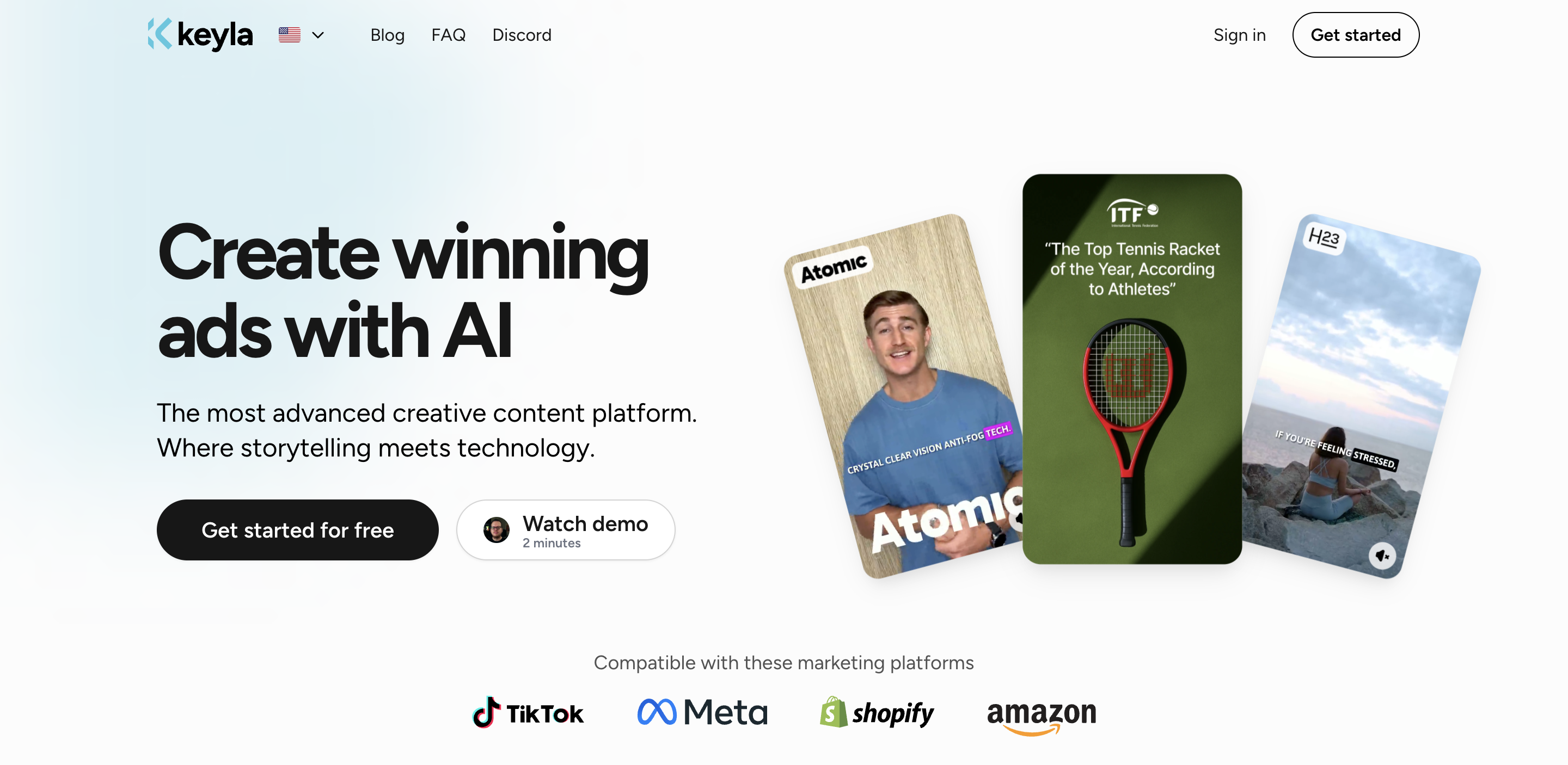
Keyla's homepage (July 2026).
This is where I have to be careful, because Keyla's pricing isn't fully public. As of July 2026 — check their site, since this can change — the one figure that shows up across third-party listings is roughly $63 for five videos, sometimes with promo pricing on top. The full tier structure isn't published on a clear pricing page we could confirm today, so treat any single number as a data point, not the whole deal. If per-video pricing matters to your budget, get it in writing from Keyla directly before you commit.
Pixro is credit-based and priced in USD, and the tiers are public:
Pixro plan | Price (USD/mo) | Credits | Roughly |
|---|---|---|---|
Trial | $10 | 50 | ~30 photos/videos |
Growth | $30 | 400 | ~250 photos/videos |
Business | Custom | Unlimited | Full catalogue teams + API |
You start on a free trial of the paid Trial plan; there's no permanently free tier, and pay-as-you-go credit packs are there if you'd rather top up than subscribe. For a small seller, the maths that matters is what a single balance buys. At $10 for 50 credits, you're not paying per ad video — you're paying for a whole studio: photoshoots, try-on, ghost mannequin, catalogues, AI influencers, and reels, all from the same credits. To be fair on both sides: Pixro is credit-based, not flat or free-forever, and Keyla's per-video model may work out fine if video ads are all you'll ever make. But you can see and predict Pixro's cost before you buy, which you can't yet do with Keyla. Our Pixro vs Arcads comparison runs a similar cost read against another avatar-ad tool.
Bottom line: choose Keyla if per-video pricing suits you and you've confirmed the real number. Choose Pixro if predictable, published credit pricing and a fuller toolset per dollar matter more.
Ease of use: an AI-agent chat vs a script-driven flow
Keyla's workflow is web-based and script-driven: log in, pick an avatar, write the script, choose the format, render. It's a tidy four-step flow, and if you're comfortable working from a browser dashboard, it moves fast.
Pixro is also a browser app — you sign in at pixro.ai, no install — but the way in is an AI-agent chat rather than a menu maze. You describe what you need ("a Diwali reel and eight catalogue shots for this kurta") and a crew of AI agents plans it, picks from 40+ models, and returns finished creatives. For someone who doesn't want to learn a dashboard or write a shot list, that's the difference between using the tool and meaning to.
Bottom line: choose Keyla if a script-driven dashboard suits how you work. Choose Pixro if you'd rather brief a chat in plain language and get a finished set back.
Delivery: manual exports vs always-on automation
Keyla is self-serve software — you drive the tool, render a video, export it, and repeat for the next one. That's standard for an ad-maker, and fine if you like owning the workflow end to end.
Pixro adds always-on delivery on top of self-serve. Connect your Shopify store, a website URL, your product catalogue, or your brand assets, and it can generate ecommerce-ready, ad-ready, and social-ready creatives on a schedule — set it once, get fresh visuals every day — with enterprise APIs for teams that want it wired into their own systems. You're not exporting one clip at a time; you're pointing it at a store and letting it keep the shelf stocked.
Bottom line: choose Keyla if manual, one-at-a-time ad creation is what you want. Choose Pixro if you'd rather connect your store once and have creatives keep arriving.
Who Keyla is best for
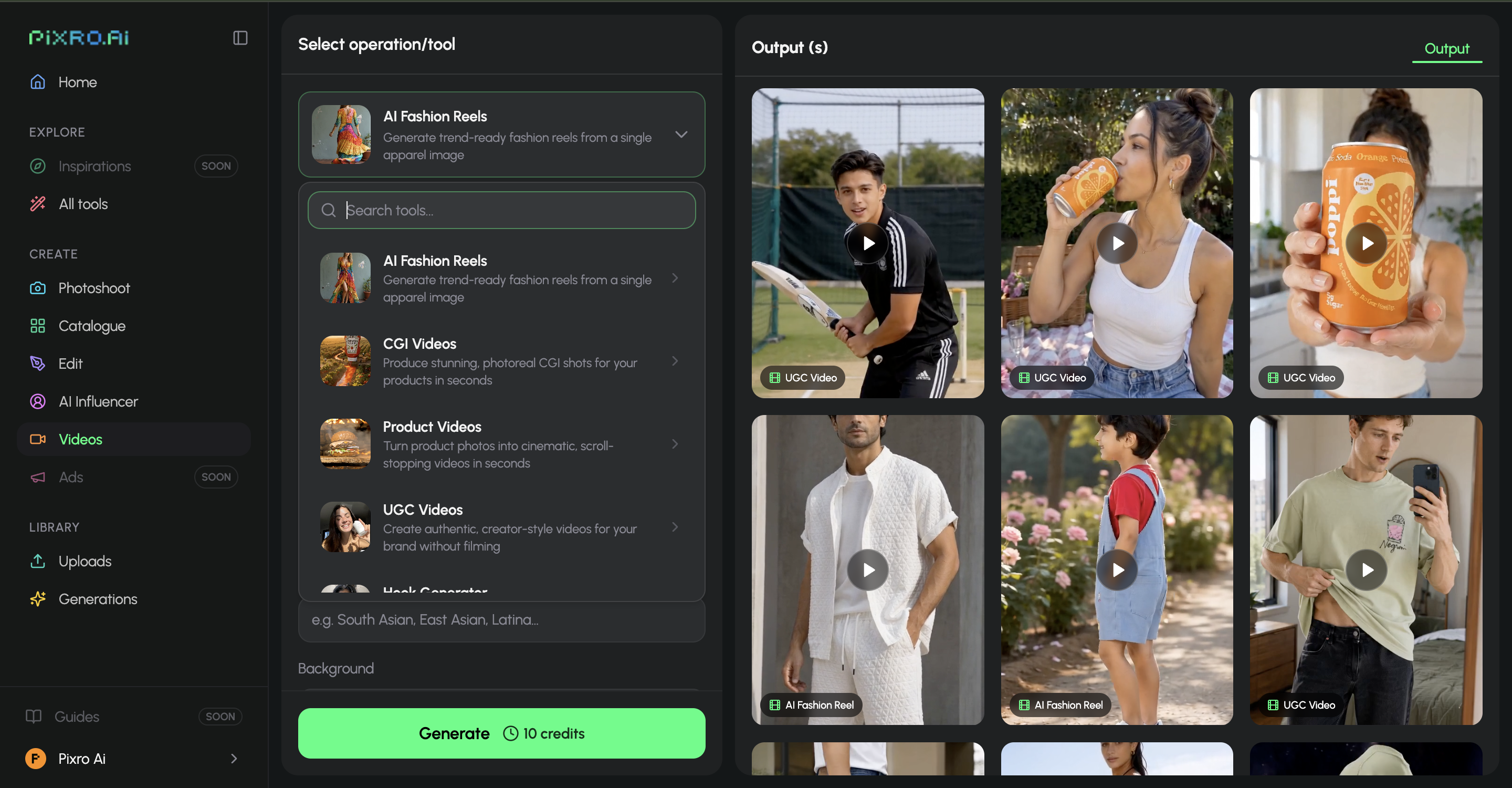
Pixro's video tools — AI reels, product videos, UGC and CGI from a still.
Genuinely: performance marketers and DTC founders whose bottleneck is ad creative. If you already have decent product photos and what you're short on is a steady stream of UGC-style video hooks for Meta and TikTok — without booking creators or filming yourself — Keyla is a focused, mature choice. A large avatar library and a fast script-to-video flow are real strengths, and for that one narrow job it's polished. Buy Keyla for volume talking-avatar ad video.
Who Pixro is best for
Ecommerce and fashion brands who need the whole visual stack, not one clip. If you have 200 SKUs, no studio, and no dev team, Pixro is built for your exact Tuesday. You get 15+ tools in one web app — photoshoots, try-on, ghost mannequin, catalogues, AI influencers, banners, and 6+ live video tools including reels and product commercials — briefed through an AI-agent chat, backed by 40+ auto-picked models, credit-based from $10, with the option to connect your store for always-on delivery. Brands from HRX and Reliance Jewels to The Roadster, The Kids Label, and Karma Dori already run on it.
Switching or stacking: what actually transfers
This isn't a clean migration, because Keyla and Pixro aren't doing the same job — and that's the honest point. If you're on Keyla for ad videos and your product stills are the weak link, you don't leave Keyla so much as add the studio underneath it. Your product photos are the input either way, so you keep your shots, point Pixro at them, and get back the on-model, try-on, catalogue, and reel versions Keyla was never built to make.
And if Keyla's opaque per-video pricing is what's pushing you to look, the switch worth weighing is toward one predictable subscription that already covers imagery and video today — reels, product commercials, UGC — instead of paying per clip on top of a separate photography spend. For many sellers, that whole stack collapses into one Pixro account.
How Pixro and Keyla compare: the scorecard

Pixro pricing — credit-based Trial / Growth / Business plans.
A fair read across the dimensions that decide it for a working seller. Filled dots mean stronger; the Edge column names who genuinely wins that row — and Keyla wins where it earns it, because on talking-avatar ad video it's a polished specialist.
Dimension | Pixro | Keyla | Edge |
|---|---|---|---|
Talking-avatar ad video | ●●●○○ | ●●●●● | Keyla — mature, focused script-to-avatar workflow |
Avatar library | ●●○○○ | ●●●●● | Keyla — large, product-holding avatar cast |
Product photography | ●●●●● | ●○○○○ | Pixro — full studio; Keyla doesn't shoot stills |
Virtual try-on | ●●●●● | ○○○○○ | Pixro — Keyla has no try-on |
All-in-one breadth | ●●●●● | ●○○○○ | Pixro — 15+ tools vs one video job |
Video + reels range | ●●●●○ | ●●●○○ | Pixro — 6+ video tools vs avatar ads only |
Model range | ●●●●● | ●●○○○ | Pixro — 40+ auto-orchestrated models |
Pricing transparency | ●●●●○ | ●●○○○ | Pixro — published $10/$30 credits vs opaque tiers |
Overall read: if the job is a steady stream of talking-avatar ad videos, Keyla wins on focus and its avatar cast. For a seller who needs the product photography, try-on, catalogue, reels, and always-on delivery those ads run on — briefed through one AI-agent chat at a price they can see — Pixro takes the wider fight.
FAQ
Is Keyla worth it?
For a marketer whose main gap is UGC-style video ads, and who already has solid product photos, yes — a large avatar library and a fast script-to-video flow make it a focused, capable tool. Just confirm the real pricing first, since Keyla's full tiers aren't clearly published; the figure that circulates is roughly $63 for five videos as of July 2026 — check their site directly.
What's the best Keyla AI alternative for sellers?
It depends on the job. For more avatar-ad tools, our Creatify and Arcads comparisons cover close rivals. But if your real gap is the product imagery, try-on, and reels those ads need, Pixro is the all-in-one alternative: 15+ tools in one web app, an AI-agent chat, 40+ auto-picked models, and credit-based pricing from $10.
Does Pixro make videos like Keyla?
Pixro has 6+ video tools live today — AI reels, product videos and commercials, image-to-video, and UGC clips — so it does make video, and plenty of it. What it doesn't specialise in is Keyla's exact talking-avatar ad format. If a polished avatar-led ad is your only need right now, Keyla is the specialist for that one job; if you want reels and product video alongside your imagery, Pixro covers it in one account.
Does Pixro have a free plan?
No. Pixro is credit-based, with no permanently free tier. You start on the $10 Trial (50 credits, about 30 photos or videos), then move up to Growth at $30 (400 credits) or a custom Business plan as you grow. Pay-as-you-go credit packs are also available.
Is Pixro web-based, and how do I access it?
Yes — Pixro is a browser app at pixro.ai, with nothing to install. Sign in, brief the AI-agent chat, and get finished photoshoots, try-on, catalogues, and reels back. If you'd like to talk to the team first, you can reach Pixro on WhatsApp at +91 6364871993 or email hello@pixro.ai.
The honest last word
Keyla makes one kind of ad well. It puts a believable face on your product and cuts it for the feed, and for that narrow job it's polished.
But the ad is the last step. Before it comes the product — shot clean, tried on a model, sitting in a catalogue that looks like one shop, wrapped in a reel that earns the click. That's the part Keyla was never built to do, and the part most sellers are actually missing.
You've got a product photo on your phone right now. Open Pixro at pixro.ai, start the $10 Trial, and see the on-model, try-on, and reel versions from one AI-agent chat before your chai goes cold — then decide which problem you were really solving.








