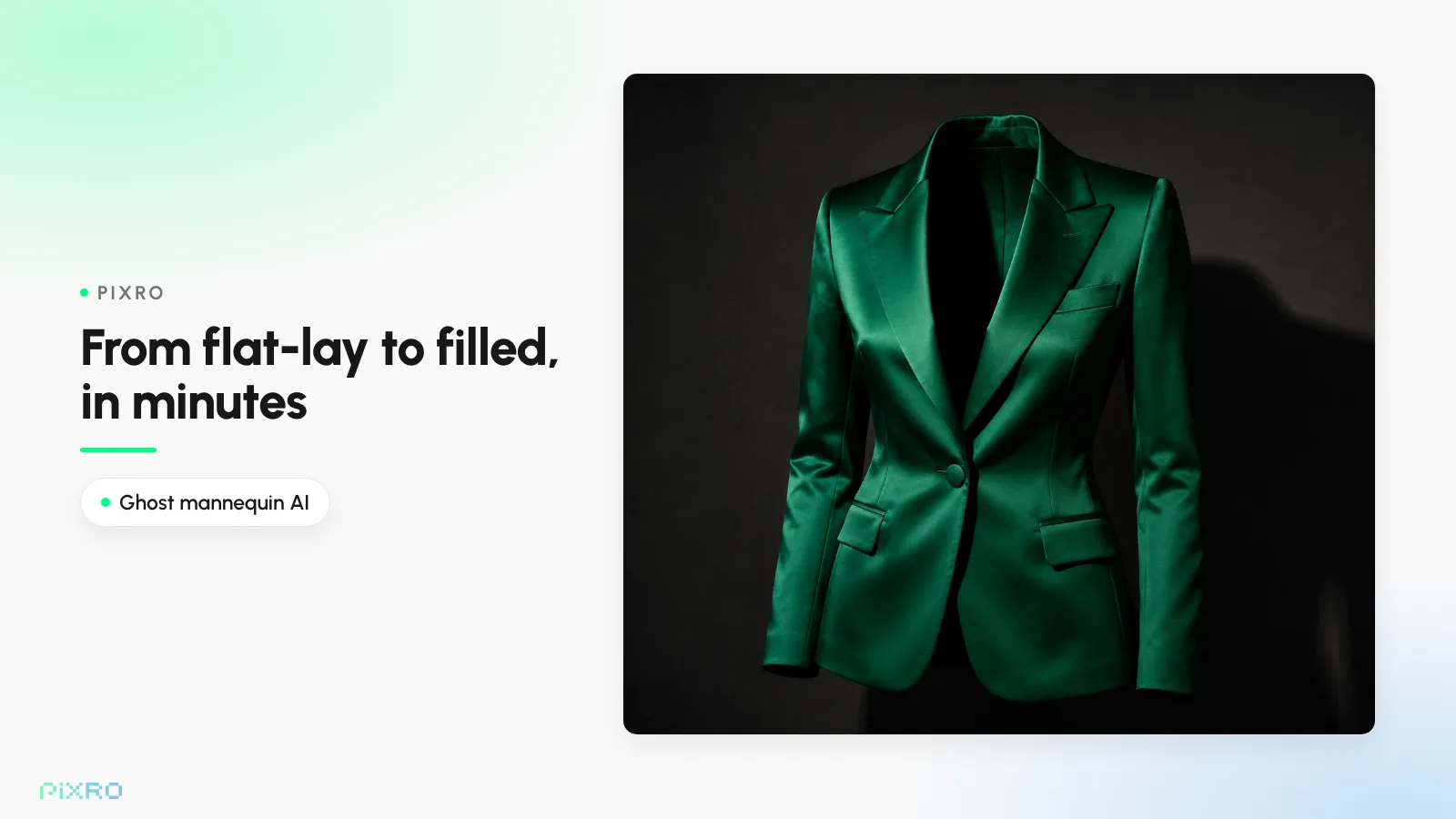
Ghost Mannequin AI: From Flat-Lay to Invisible in Minutes
Every apparel store faces the same photo problem. Lay the shirt flat on a table and it looks lifeless. Put it on a plain headless mannequin and it looks clinical. Neither one answers the only question your customer actually has: how does this look when someone is wearing it? That's exactly the job of the ghost mannequin AI workflow: it shows the garment holding its real, worn shape, with nobody inside, in a couple of minutes. The ghost mannequin effect (also called the invisible mannequin or hollow man effect) keeps the collar, shoulders, and drape, then makes the model disappear. Here's how to do it from a single flat-lay or mannequin photo, and when to reach for it instead of a flat-lay or an on-model shot.
What the ghost mannequin effect actually does (and why it converts)
A ghost mannequin shows a garment as if worn by an invisible person. The clothing keeps a three-dimensional, filled-out shape, with collar, shoulders, sleeves, and hem all sitting where they'd sit on a real chest, but there's no model and no mannequin in the frame. Clean. Distraction-free. Just the garment.
It converts because it kills the one thing that stalls every apparel sale: fit uncertainty.
Your customer will never touch the fabric. They'll never check the fit in a mirror. They decide everything from one thumbnail on a phone. A flat-lay flattens the garment into a sleeping shape; an invisible mannequin image keeps the depth, so they can read how the fabric falls, how the shoulders hold, how it shapes around a body. Less guessing means fewer returns, and fit and sizing are the most-cited reason shoppers send clothing back. Large retailers like ASOS, Zara, and H&M use this style widely across their catalogues precisely because it's consistent, scalable, and trustworthy. For where this sits in the bigger picture, here's our pillar guide to AI fashion photography, virtual try-on, and ghost mannequin.
Ghost mannequin photography, in one breath
The old craft: a stylist dresses the garment on a special neck-form or full mannequin, shoots the front, then removes the mannequin and rebuilds the hidden bits, like the inside back of the collar, so the piece looks worn by nobody. The phrase covers both the look and the retouching work behind it.
The traditional way: a mannequin, a studio, and an afternoon in Photoshop
Done by hand, an invisible mannequin shot is surprisingly fiddly. A typical pass:
Dress and shoot the front. Steam it, pin it, style it on a mannequin, light it, shoot it.
Shoot the inner or back piece. Flip the collar or shoot the back separately so the inside neckline and label show.
Cut out the mannequin. An editor masks the garment and removes the mannequin pixel by pixel.
Composite the neckline. Layer the inner-back shot behind the collar so the piece reads hollow but complete.
Clean up and export. Fix colour, shadows, and edges, then size for every channel.
Every step burns time and money: special mannequins, controlled lighting, skilled post. For a brand with hundreds of SKUs, the compositing alone can run days. Rush turnarounds get expensive fast. That's the same math we break down in our guide to product photography cost for small businesses.
How ghost mannequin AI works, from a flat-lay or mannequin photo
Here's the part most people miss: the AI isn't filtering your shirt. It's rebuilding it.
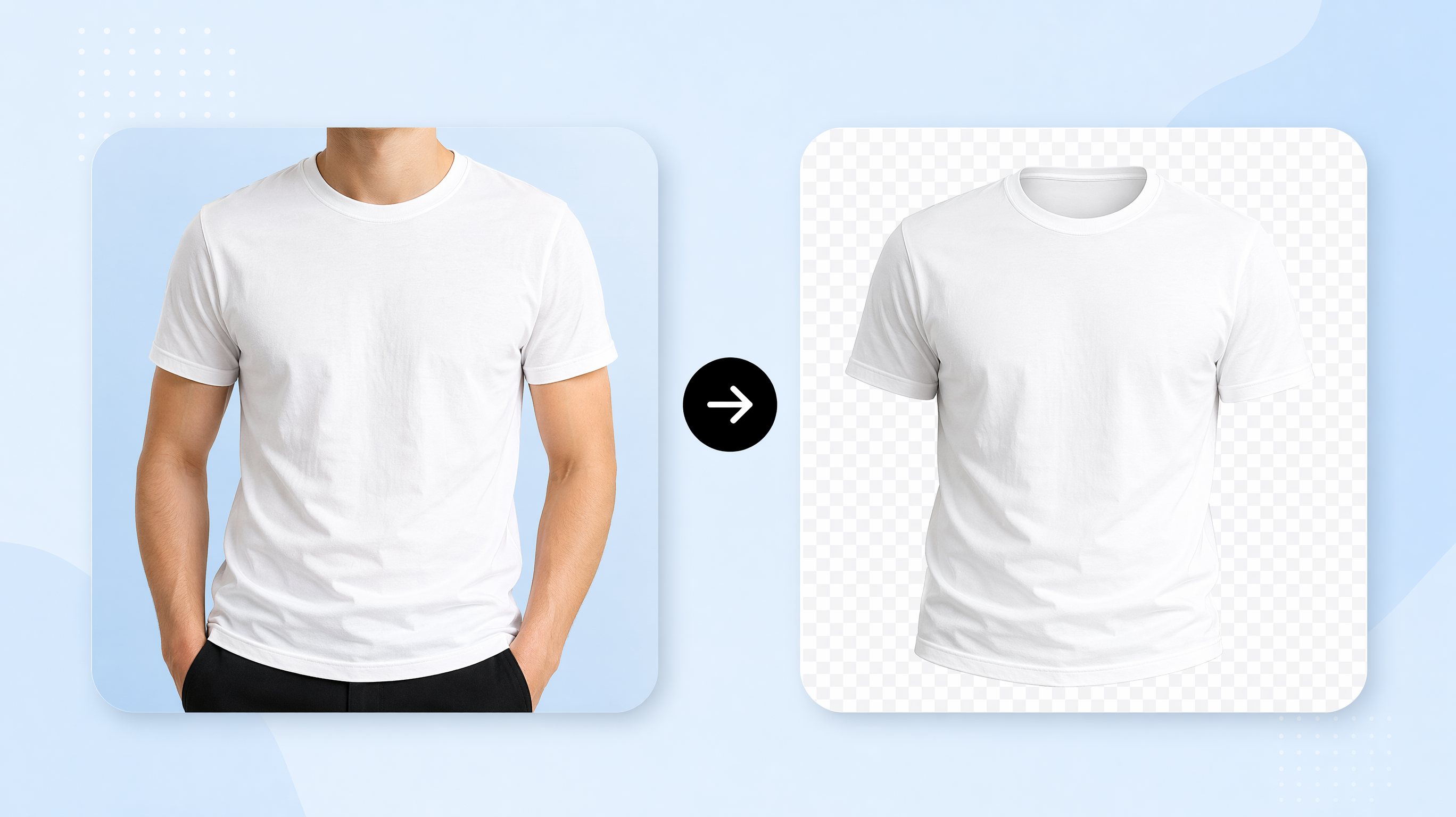
Modern ghost mannequin ai tools collapse that multi-day pipeline into a couple of minutes. They run computer-vision models trained on huge libraries of fashion photos, so when you upload a garment image, the AI does several things at once:
Detects the garment edges and separates the clothing from the mannequin, model, or background.
Reads the 3D structure, working out where shoulders, sleeves, and hem should sit so the shape looks natural, not pasted.
Reconstructs the hidden areas, generating the invisible-body fill and the inner neckline so the piece looks worn yet hollow.
Keeps the fabric texture and drape, holding collar details, sleeve creases, and stitching instead of flattening them.
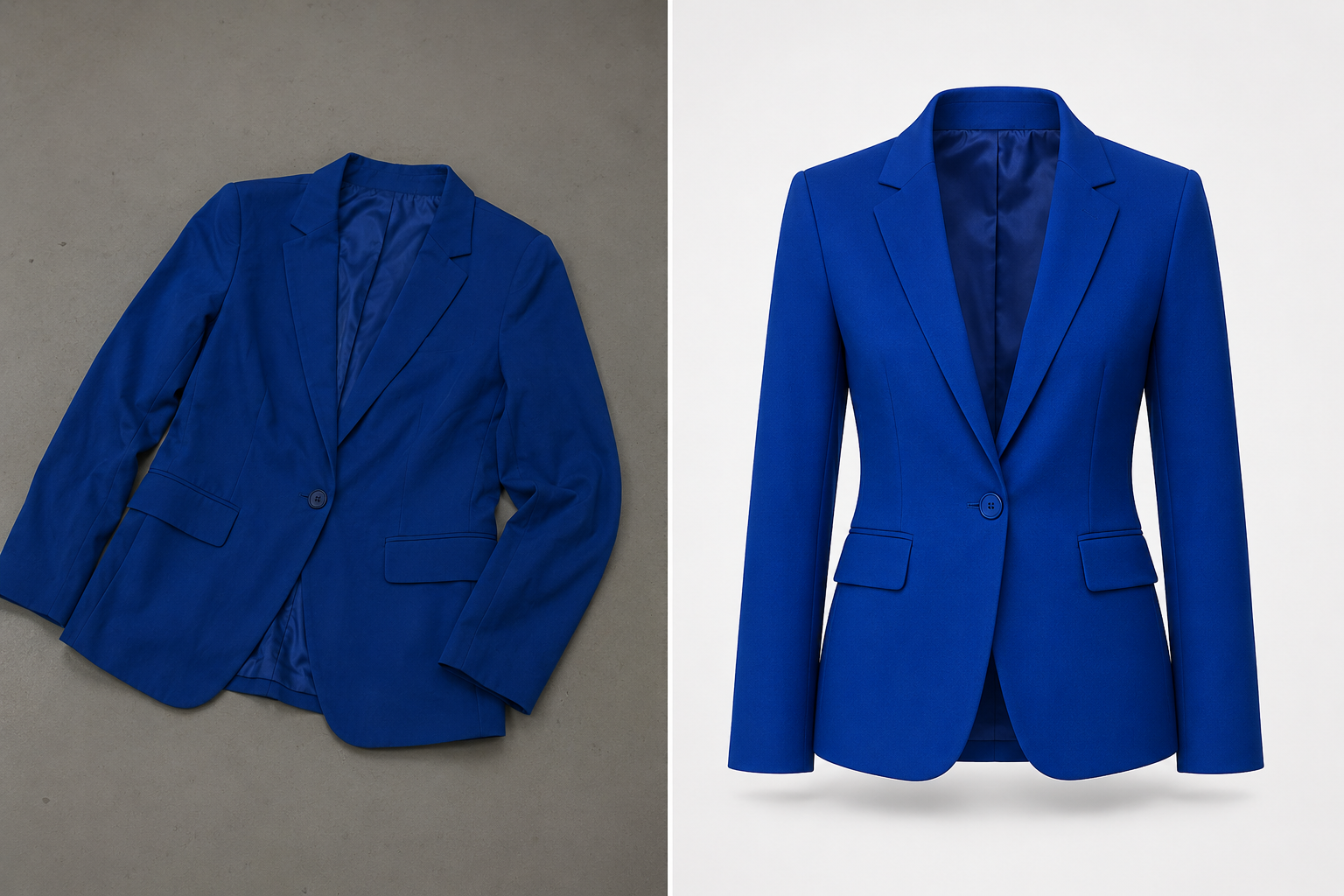
Often there's no separate inner-collar shot and no manual compositing pass; the model infers the fill for you. That inner-collar composite is where cheap tools fall apart, so it's the first thing to check on any result. Better still, many tools, Pixro included, can build a credible invisible mannequin image straight from a flat-lay, which means you can often skip the physical mannequin entirely. For the wider workflow, our complete guide to AI product photography covers the rest.
Make an invisible mannequin image with AI, step by step
One repeatable process. Works on a single product or a full catalogue.
Capture front (and back) photos. Shoot the garment on a plain background, flat on a table or on a basic mannequin. If the inside of the collar matters, grab a quick back or flipped-collar shot too. Phone photos are fine, as long as they're sharp and evenly lit.
Upload to the ghost mannequin tool. Drop the front image (and the back, if you have one) into your AI tool. No styling software.
Let the AI remove the mannequin. The model isolates the garment, deletes the mannequin or model, and rebuilds the silhouette so the piece holds its shape.
Composite the neckline and inner label. The AI fills the inner-back collar and neckline automatically, giving that hollow, worn-by-nobody look. It can reconstruct the inside of the collar where a label sits, though detailed labels may still benefit from a back or flipped-collar shot.
Review and refine. Eyeball the collar, cuffs, and hem for clean edges and natural drape. Regenerate if a detail looks off.
Export clean files. Drop the garment on a pure white or transparent background and export at the sizes each channel needs, whether Shopify, Amazon, Flipkart, or social.
Tips for clean, conversion-ready results
The tool can only work with what you feed it. A wrinkled snap off your bed comes back as that same wrinkled shirt, just with nobody inside it. A few habits do most of the work. Light it evenly: soft, diffused light with minimal harsh shadow gives the AI clean edges to follow and keeps colours true. Prep the flat-lay before you shoot, so steam out the wrinkles, square the shoulders, and lay it symmetrically so the rebuilt shape looks intentional rather than accidental. Shoot against a background that contrasts with the garment colour, which helps the model find the edges. Watch the tricky fabrics too. Sheer, glossy, or heavily textured materials like chiffon, satin, and knitwear are the hardest to rebuild, so shoot them extra sharp and check the result closely. And if the inner-neckline label is a selling point, frame it clearly in a back shot.
Ghost mannequin vs flat-lay vs on-model: when to use which
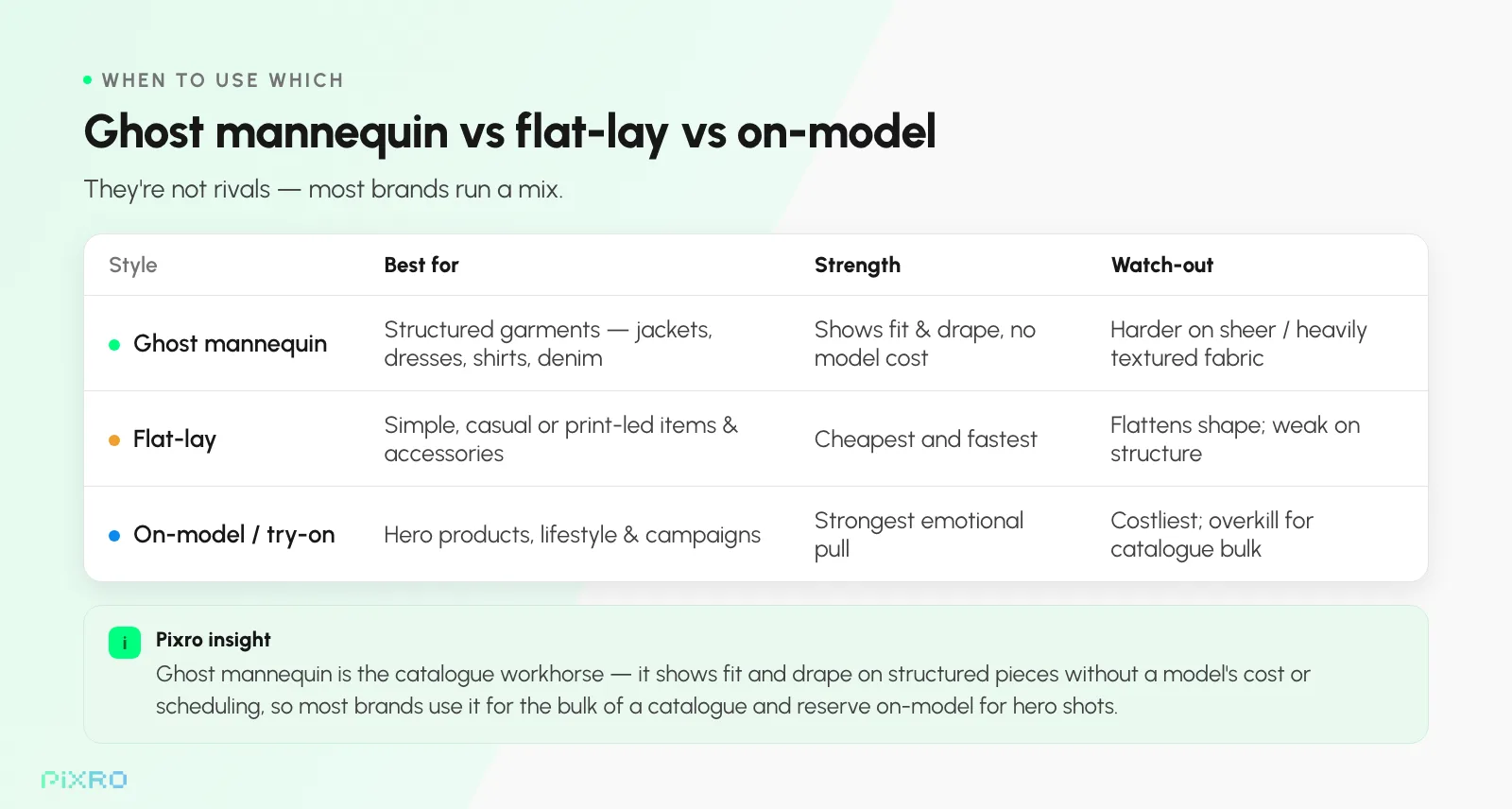
These three aren't rivals. They're tools for different jobs. Most brands run a mix.
When to use ghost mannequin
Reach for the invisible mannequin effect on structured garments like jackets, blazers, dresses, shirts, and denim, where shape, drape, and tailoring carry the sale. It's the workhorse for the bulk of a catalogue: shows fit without the cost or scheduling of a model, and it earns its keep at mid-to-high price points.
When to use flat-lay
Flat-lay wins on simple, casual, or print-led items and accessories like tees, scarves, socks, and basics, where a top-down view tells the whole story cheaply. It's the most budget-friendly style, and perfectly fine when structure isn't the point.
When to use on-model
On-model and virtual try-on shots are for hero products, lifestyle context, and campaigns, where you want scale, styling, and how a piece reads on a real body. They pull the hardest emotionally, so save them for headline SKUs and ad creative. The pattern most stores settle on: ghost mannequin for the catalogue, flat-lay for accessories, on-model for the heroes.
Scaling ghost mannequin across a whole catalogue
One image is easy. Five hundred is the real test.
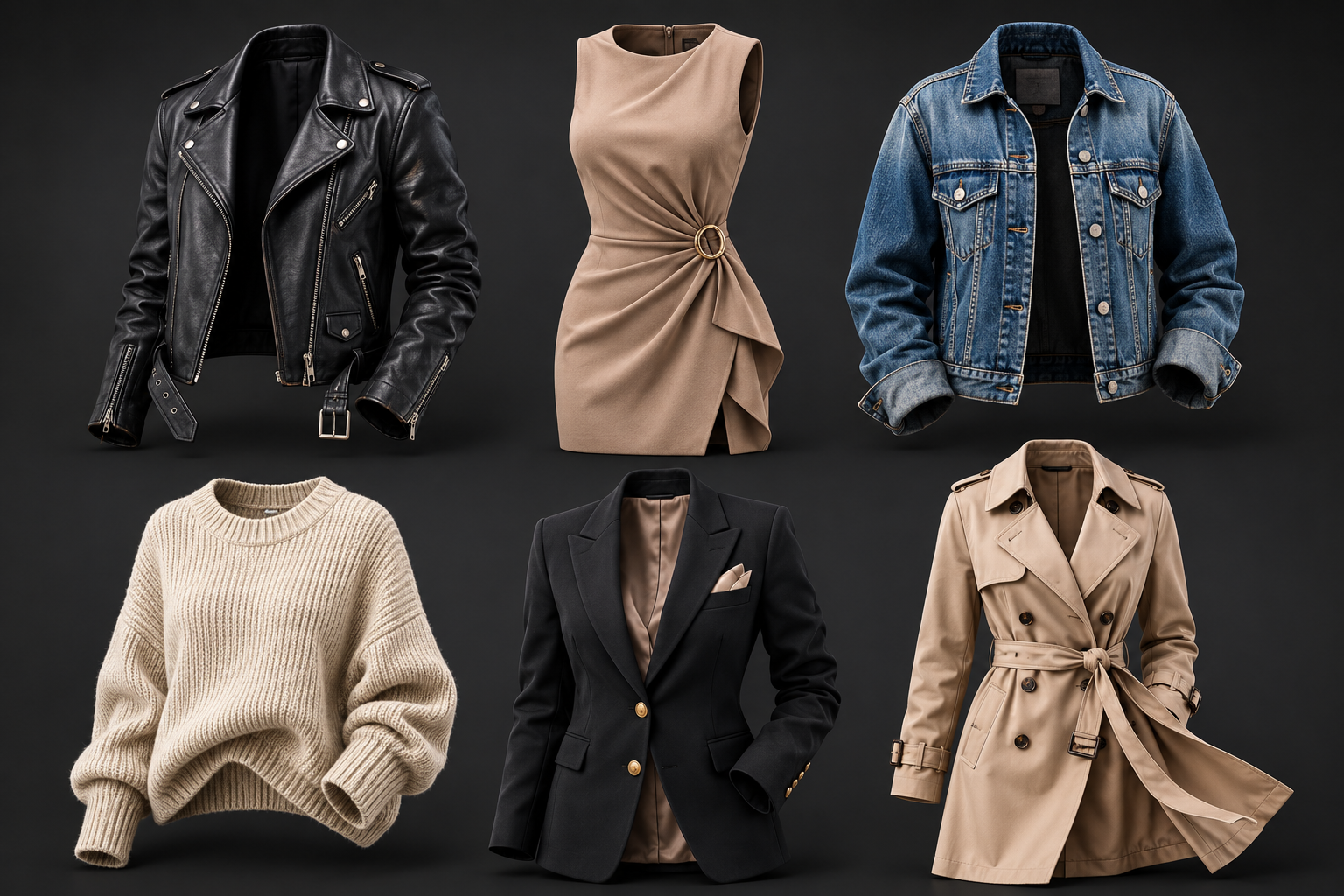
This is where AI quietly earns its keep: consistency. Every garment runs through the same process, so your product grid looks uniform without you matching shadows and crops across hundreds of files by hand. Instead of editing SKUs one at a time, you batch them: upload a folder of garment photos, generate invisible mannequin images for all of them, and export channel-ready files in one pass. That's how a large catalogue stays visually consistent without a growing retouching bill. We walk through the full batch approach in our bulk product image generation and catalogue playbook.
How Pixro's ghost mannequin tool works
Pixro is a no-code AI visual-content platform built for apparel brands and small-to-medium fashion businesses. With the ghost mannequin tool, you upload a garment photo, whether a flat-lay or one on a basic mannequin, and Pixro removes the mannequin, rebuilds the invisible-body fill and inner neckline, and exports a clean, studio-style image in seconds. No photographer. No studio. No compositing skill.
Because it's part of a wider suite, you can move between styles without switching apps: ghost mannequin for the catalogue, flat-lay and virtual try-on / on-model for variety, plus background removal and replacement, upscaling and resizing, and fashion-catalogue batch generation for scale. Pixro is credit-based (no free plan; from $10/mo, ₹749 in India) and counts 5,000+ companies (per Pixro, June 2026), including Myntra, HRX, and Roadster, among its customers. By Pixro's own figures, it can be up to 99% cheaper and around 10x faster than a traditional shoot. To weigh your options first, here's our roundup of the best AI product photography tools.
Frequently asked questions
What is the ghost mannequin effect?
A product photography technique that shows a garment holding its natural, three-dimensional shape with no visible model or mannequin, as if worn by an invisible person. Also called the invisible mannequin or hollow man effect.
Can ghost mannequin AI work from just a flat-lay photo?
Yes. Modern tools, including Pixro, can build a credible invisible mannequin image from a single flat-lay, reconstructing the 3D shape and inner neckline, so you don't always need a physical mannequin or a separate back shot.
Is AI ghost mannequin cheaper than traditional photography?
By a lot. Drop the studio, the special mannequins, and the manual compositing, and both cost and turnaround fall hard. By Pixro's own figures, it can be up to 99% cheaper and around 10x faster than a traditional shoot.
Ghost mannequin or flat-lay: which should I use?
Ghost mannequin for structured garments where fit and drape matter (jackets, dresses, shirts); flat-lay for simple or print-led items and accessories. Many brands use ghost mannequin for the bulk of the catalogue and flat-lay for the rest.
Which platforms do the images work on?
Exported invisible mannequin images work across Shopify, Amazon, Flipkart, social, and other marketplaces. With Pixro you can export the right size for each channel in one step.
Turn your garment photos into invisible mannequin images today
Back to that lifeless flat-lay. You don't need a studio or a retoucher to bring it to life. Upload a flat-lay or mannequin photo, let the AI remove the mannequin and rebuild the shape, and export studio-quality images in seconds. Pull your worst-selling top, run it once, and see what one honest photo does. The $10/mo Trial plan (₹749 in India) comes with 50 credits, enough for roughly 30 ghost mannequin images, so you can run a real batch before you commit. Start your free trial of Pixro's ghost mannequin tool, then judge the result against your last studio invoice.